Listen to this Post
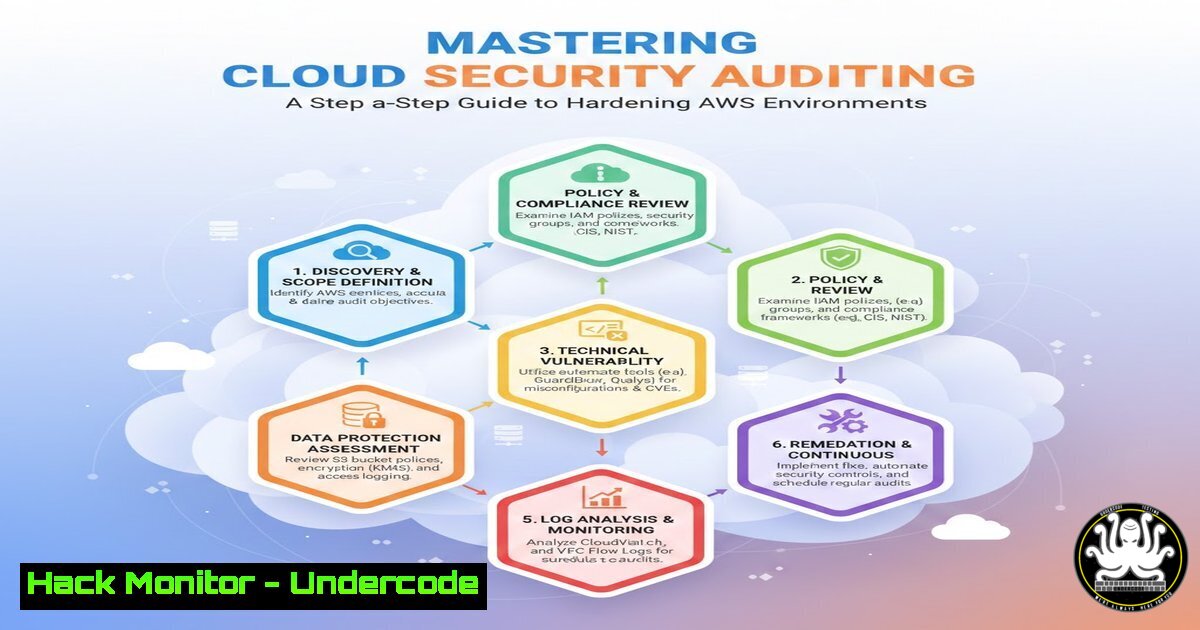
Introduction:
In an era where cloud infrastructure underpins global business operations, the recent International Women’s Day post by Tanya V., an AWS Community Builder, serves as a powerful reminder of the diverse expertise driving the tech industry. For cybersecurity professionals, this highlights a critical intersection: celebrating innovation while rigorously defending the architectures we build. As organizations rapidly adopt services like AWS, the attack surface expands, necessitating a deep understanding of Identity and Access Management (IAM), encryption protocols, and continuous monitoring. This guide, inspired by the principles of comprehensive security testing and professional development embodied by experts like Tony Moukbel, provides a hands-on approach to auditing and hardening your cloud environments against modern threats.
Learning Objectives:
- Understand how to perform a comprehensive security audit of an AWS environment using native tools and CLI commands.
- Learn to identify and remediate common cloud misconfigurations, including overly permissive IAM policies and publicly exposed storage.
- Master the implementation of detective controls and automated response mechanisms to secure cloud workloads.
You Should Know:
1. Auditing IAM Policies and Principles
The foundation of cloud security is Identity and Access Management (IAM). Overly permissive roles and unused credentials are primary vectors for compromise. To begin an audit, you must enumerate all users, roles, and their attached policies.
First, list all IAM users in your environment using the AWS CLI:
aws iam list-users --query "Users[].[UserName,UserId,Arn]" --output table
Next, identify unused credentials. This command checks for access keys that have not been used recently:
aws iam list-access-keys --user-name [bash] --query "AccessKeyMetadata[].[AccessKeyId,Status,CreateDate]" --output table
To find password-aged accounts, you can use:
aws iam get-login-profile --user-name [bash] If this returns an error, the user has no console password.
Finally, check for policies with “star” privileges (AdministratorAccess), which should be strictly controlled. Use the IAM Policy Simulator or run a script to iterate through policies and check for `”Effect”: “Allow”` and `”Action”: “”` on "Resource": "".
2. Securing S3 Buckets and Blocking Public Access
Data leaks often stem from misconfigured S3 buckets. A robust security audit must verify that buckets are not accidentally exposed to the public internet.
Start by listing all S3 buckets and checking their access control lists (ACLs) and bucket policies:
 List all buckets
aws s3 ls

Check the bucket policy for a specific bucket
aws s3api get-bucket-policy --bucket [BUCKET-NAME] --query Policy --output text | python -m json.tool

Check the bucket ACL
aws s3api get-bucket-acl --bucket [BUCKET-NAME]
To enforce a “deny-all” stance, enable the “Block Public Access” settings at the bucket or account level. This can be automated using the CLI:
 Enable block public access at the account level
aws s3control put-public-access-block --public-access-block-configuration BlockPublicAcls=true,IgnorePublicAcls=true,BlockPublicPolicy=true,RestrictPublicBuckets=true --account-id [bash]
For a more granular check, use a tool like `s3scanner` to find open buckets across your organization, but ensure you have proper authorization first.
3. Configuring CloudTrail for Forensic Readiness
Without logs, a security incident is uninvestigable. AWS CloudTrail is the service that records API activity within your account. Auditing its configuration ensures you have the necessary data for post-incident forensics.
First, verify that a trail exists and is logging to a secure S3 bucket:
 Describe all trails
aws cloudtrail describe-trails

Check the status of a specific trail to ensure it is logging
aws cloudtrail get-trail-status --name [TRAIL-NAME]
Ensure that log file validation is enabled to guarantee the integrity of the logs (preventing tampering):
 Check if log file validation is enabled
aws cloudtrail get-trail --name [TRAIL-NAME] --query "Trail.LogFileValidationEnabled"
If it is `false`, update the trail:
aws cloudtrail update-trail --name [TRAIL-NAME] --enable-log-file-validation
Finally, confirm that the trail is multi-region (IsMultiRegionTrail: true) to capture activity across all geographies, not just one.
4. Hardening EC2 Instances with Security Groups
Security Groups act as virtual firewalls for your EC2 instances. A common misconfiguration is allowing SSH (port 22) or RDP (port 3398) access from the entire internet (0.0.0.0/0).
To audit this, describe your security groups and filter for overly permissive rules:
 List all security groups with their IP permissions
aws ec2 describe-security-groups --query "SecurityGroups[].[GroupName, GroupId, IpPermissions[?IpRanges[?CidrIp=='0.0.0.0/0']]]" --output table
For a more targeted search for SSH exposure, you can use:
aws ec2 describe-security-groups --filters Name=ip-permission.from-port,Values=22 Name=ip-permission.to-port,Values=22 Name=ip-permission.cidr,Values='0.0.0.0/0' --query "SecurityGroups[].[GroupId,GroupName]" --output table
If any are found, the rule must be revoked immediately and replaced with a rule allowing access only from a specific bastion host or corporate IP range using the `revoke-security-group-ingress` command.
5. Implementing AWS Config for Continuous Compliance
Manual audits are snapshots; continuous monitoring is a requirement. AWS Config evaluates your resource configurations against desired policies.
First, ensure AWS Config is enabled and recording:
 Check if AWS Config is recording
aws configservice describe-configuration-recorder-status
Create custom rules to enforce security best practices. For example, to check if EBS volumes are encrypted, you can enable the `encrypted-volumes` managed rule:
aws configservice put-config-rule --config-rule '{
"ConfigRuleName": "require-ebs-encryption",
"Description": "Checks if EBS volumes are encrypted.",
"Source": {
"Owner": "AWS",
"SourceIdentifier": "ENCRYPTED_VOLUMES"
},
"Scope": {
"ComplianceResourceTypes": ["AWS::EC2::Volume"]
}
}'
AWS Config will then continuously evaluate your volumes and flag any that are non-compliant.
6. Vulnerability Management with Amazon Inspector
Proactive scanning is essential for identifying software vulnerabilities in your workloads. Amazon Inspector is a vulnerability management service that scans EC2 instances and container images for known vulnerabilities (CVEs).
To enable a one-time scan on a specific instance, you must first ensure the SSM agent is installed and the instance is properly tagged. Then, you can initiate an assessment:
 Start an assessment run (requires an existing assessment template)
aws inspector2 start-assessment-run --assessment-template-arn [bash]
For a comprehensive approach, schedule recurring scans. After a scan completes, findings can be retrieved via the CLI or console, providing a list of CVEs, their severity, and remediation advice. Integrate these findings with a ticketing system or a CI/CD pipeline to block vulnerable builds from being deployed.
What Undercode Say:
- Automation is Non-Negotiable: Manual checks are insufficient for dynamic cloud environments. The commands and tools outlined here should be scripted into automated pipelines (using AWS Lambda or CI/CD runners) to ensure continuous compliance and free up security teams for higher-level threat hunting.
- Diversity Strengthens Security Posture: As highlighted by the Women in STEM post, a diversity of thought is critical in cybersecurity. Building resilient systems requires teams that can anticipate a wide array of attack vectors, which is fostered by inclusive environments where varied perspectives are valued.
Analysis:
The cloud security landscape is shifting from perimeter-based defense to identity and configuration management. The steps provided—auditing IAM, locking down S3, enabling CloudTrail, and automating with AWS Config—form a defensive triad: Prevent, Detect, and Respond. By leveraging Infrastructure as Code (IaC) tools like Terraform or AWS CloudFormation, these security configurations can be codified, reviewed, and deployed consistently. This “security as code” approach minimizes human error and ensures that every new resource spun up in AWS inherits a secure baseline. Furthermore, integrating these checks into the Software Development Lifecycle (SDLC) shifts security left, identifying misconfigurations before they ever reach production. For professionals like those mentioned in the original post, continuous learning and certification in these specific tools and methodologies are what separate generalists from true experts capable of defending the modern enterprise.
Prediction:
The future of cloud security will be dominated by AI-driven Security Orchestration, Automation, and Response (SOAR). We will see a move away from reactive audits toward predictive analytics, where machine learning models analyze cloud configurations and user behavior in real-time to predict and automatically neutralize threats before they materialize. The role of the cloud security expert will evolve from running manual CLI commands to fine-tuning these autonomous systems, defining the rules of engagement, and investigating the most complex, AI-flagged anomalies. The demand for hybrid professionals—those who understand both the code and the compliance—will skyrocket, making continuous upskilling through platforms like Undercode Testing essential for career longevity.
▶️ Related Video (86% Match):
🎯Let’s Practice For Free:
IT/Security Reporter URL:
Reported By: Tanyavo Womeninstem – Hackers Feeds
Extra Hub: Undercode MoN
Basic Verification: Pass ✅


