
Listen to this Post
Introduction:
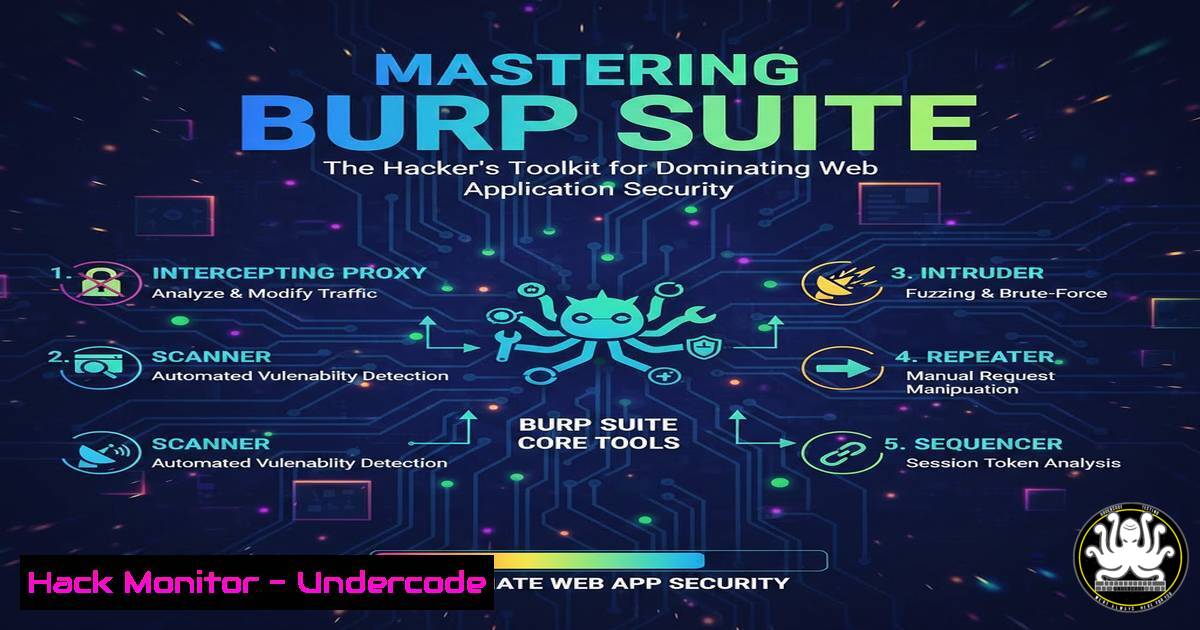
In the relentless battle to secure web applications, visibility is the first line of defense. Burp Suite, developed by PortSwigger, stands as the industry-standard platform for dissecting and manipulating web traffic, providing security professionals with the critical lens needed to expose hidden vulnerabilities. This guide delves beyond the basics, transforming you from a passive observer to an active hunter of security flaws in modern web apps and APIs.
Learning Objectives:
- Master the configuration of Burp Suite as a system-wide and browser-specific intercepting proxy.
- Develop proficiency in using core modules like Repeater and Intruder for manual vulnerability exploitation and automation.
- Apply practical methodologies to test for critical OWASP Top 10 vulnerabilities, including SQL Injection and Cross-Site Scripting (XSS).
You Should Know:
1. Foundation: Configuring Your Intercepting Proxy Ecosystem
To begin, you must channel all web traffic through Burp. This involves configuring both Burp Suite’s proxy listener and your client applications.
Step-by-step guide:
- Launch & Configure Burp Proxy: Start Burp Suite (Community or Professional). Navigate to the Proxy tab > Options. Ensure the proxy listener is active on
127.0.0.1:8080. - Configure Browser Proxy (Firefox Example): For precise control, use a dedicated browser profile.
Open Firefox and navigate toSettings > Network Settings.
Select Manual proxy configuration.
Enter `127.0.0.1` for HTTP Proxy and `8080` for the port. Check “Also use this proxy for HTTPS”.
3. Install Burp’s CA Certificate: To intercept HTTPS traffic without warnings, visit `http://burpsuite` from your configured browser. Download the CA certificate, import it into your browser’s certificate authority store (e.g., in Firefox: `Settings > Privacy & Security > Certificates > View Certificates > Authorities > Import`), and trust it for identifying websites.
4. Verify Setup: With interception on (Proxy > Intercept is “on”), browse to any HTTP site. The request should appear in the Intercept tab.
- Traffic Analysis and Manipulation with Proxy & Repeater
The Proxy is your capture tool; the Repeater is your precision instrument for manual testing.
Step-by-step guide:
- Intercept a Request: Browse to a vulnerable test application (like OWASP WebGoat or DVWA). Submit a login form. The POST request with parameters like `username=admin&password=pass` will be captured.
- Modify and Forward: In the Intercept tab, change a parameter value (e.g.,
password=wrong). Click Forward. Observe the application’s response (a failed login). - Send to Repeater: Right-click the intercepted request and select Send to Repeater. Switch to the Repeater tab.
- Iterative Testing: You can now manually edit and re-send this request repeatedly. For example, change the `username` parameter to `admin’–` (a classic SQL injection probe) and send it. Analyze the response for differences indicating a potential vulnerability.
3. Automated Payload Fuzzing with the Intruder Module
When you need to test a parameter against hundreds or thousands of payloads (like wordlists for brute-forcing or SQLi payloads), Intruder automates the attack.
Step-by-step guide:
- Identify Attack Point: From the Proxy history or Repeater, right-click a request and Send to Intruder.
- Configure Positions: In the Positions tab, clear existing payload positions. Highlight the value of the parameter you want to fuzz (e.g.,
productID=123) and click Add §. Burp will mark it asproductID=§123§. - Choose Attack Type: Select Sniper – it places one payload at a time into one position.
- Add Payloads: Go to the Payloads tab. Under Payload Sets, you can load a simple wordlist (e.g., numbers 1-1000) or a predefined list of attack strings from Burp’s built-in Fuzzing – SQL Injection list.
- Start Attack: Click Start Attack. A new window shows each request and response. Sort by Length or Status Code to identify anomalies. A response with a different length for payload `productID=1′ OR ‘1’=’1` might indicate a successful SQL injection.
-
Hunting for SQL Injection and Cross-Site Scripting (XSS)
Use combined techniques to find common vulnerabilities.
For Reflected XSS:
- Intercept a GET request with a search parameter, e.g.,
GET /search?term=test. - Send to Repeater. Replace `term` value with a basic XSS probe:
<script>alert(1)</script>. - Send the request. If the payload is reflected unchanged in the HTML response, it’s likely vulnerable.
- For a more thorough test, use Intruder with a list of XSS payloads from the Fuzzing – XSS list against the parameter.
For Error-Based SQL Injection:
- In Repeater, target a numeric parameter (e.g.,
id=1). - Manually test with payloads:
1',1' --,1' AND '1'='1,1' AND 1=2--. -
Look for SQL error messages in the response, or differences between `1=1` (true) and `1=2` (false) conditions, which can confirm injectability.
-
Integrating with the Browser for Advanced Workflows: Burp’s Built-in Browser
Burp Suite Professional includes a Chromium-based browser pre-configured with the proxy, simplifying setup.
Step-by-step guide:
- Navigate to the Dashboard tab and click New live task.
2. Select Use Burp’s browser. Click Open Browser.
- A new browser instance opens. Any traffic is automatically proxied through Burp. This is ideal for quick assessments and avoids configuration conflicts with your main browser.
- You can use this browser to manually explore an application while all requests and responses are logged in the Proxy > HTTP history tab for later analysis with Repeater or Intruder.
What Undercode Say:
- The Proxy is Your Foundation: Every sophisticated test begins with reliably captured and modified traffic. Time spent perfecting your proxy and certificate setup is never wasted.
- Manual Before Automated: Tools like Scanner (Pro) and Intruder are powerful, but they are force multipliers for a skilled manual tester. Cultivate deep understanding with Repeater first; automation will then reveal its true potential.
Burp Suite transcends being a mere tool—it is an interactive learning platform for the HTTP protocol. Its true power is unlocked not by clicking “Attack” but by formulating hypotheses about application behavior and using Burp’s modules to test them methodically. The difference between a novice and an expert is often found in the careful observation of response nuances that automated tools might overlook.
Prediction:
As web applications evolve towards API-centric architectures (REST, GraphQL) and real-time protocols (WebSockets), Burp Suite’s role will become even more critical. Its ability to decode, manipulate, and replay complex API calls positions it at the heart of modern AppSec. Future development will likely focus on enhanced automation for API schema analysis, stateful fuzzing for business logic flaws, and deeper integration with CI/CD pipelines for DevSecOps. The core skill of manually manipulating traffic, however, will remain the indispensable bedrock of web application security expertise.
▶️ Related Video (86% Match):
🎯Let’s Practice For Free:
IT/Security Reporter URL:
Reported By: Adwaith Pk – Hackers Feeds
Extra Hub: Undercode MoN
Basic Verification: Pass ✅


