Listen to this Post
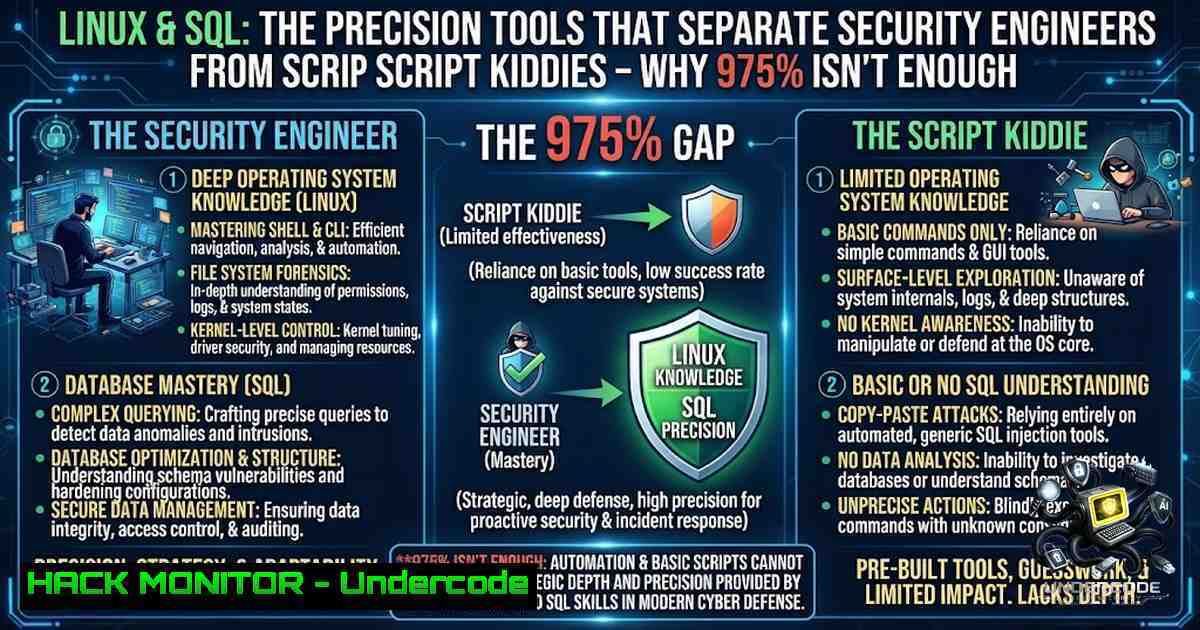
Introduction:
In the trenches of cybersecurity, the most devastating breaches aren’t stopped by expensive AI platforms or next-gen firewalls—they’re caught by a security analyst who knows exactly which Linux command to run and precisely how to query a database for anomalous activity. The Google Cybersecurity Professional Certificate’s “Tools of the Trade: Linux and SQL” course isn’t just another certification module; it’s a brutal reminder that the quality of your security output depends entirely on the precision of your input, and that mastering these foundational tools is non-1egotiable for anyone serious about defending modern infrastructure.
Learning Objectives:
- Master essential Linux command-line utilities for real-time system monitoring, log analysis, and incident response
- Write optimized SQL queries to extract actionable threat intelligence from security databases and SIEM logs
- Develop a precision-first mindset that transforms vague security questions into surgical investigations
- The Terminal Is Your Most Powerful Weapon – Essential Linux Commands for Security Analysts
Linux powers over 96% of the world’s top one million web servers, and for good reason: its transparency and granular control make it the operating system of choice for security professionals. The course emphasizes that Linux isn’t just about knowing commands—it’s about understanding how the OS thinks so you can secure it more effectively. Here’s your step-by-step guide to the commands every analyst must internalize:
Step 1: System Monitoring and Process Inspection
When you suspect malicious activity, your first instinct should be to check what’s running. The `ps` command displays active processes, but `ps aux` reveals everything in detail:
ps aux | grep -E "httpd|nginx|ssh|nc|reverse"
For real-time monitoring, `top` and `htop` provide dynamic views of system resources. To drill deeper into network connections, use `netstat` or the modern ss:
ss -tulpn | grep LISTEN
This command lists all listening ports with their associated processes—critical for identifying unauthorized backdoors.
Step 2: Log Analysis with grep, awk, and sed
Security incidents leave trails in log files. The `grep` command is your scalpel:
grep -i "failed password" /var/log/auth.log | awk '{print $1, $2, $3, $9, $11}' | sort | uniq -c | sort -1r
This pipeline extracts failed SSH login attempts, isolates IP addresses, and ranks them by frequency—a quick win for spotting brute-force attacks. Add `sed` to sanitize or reformat output before feeding it into threat intelligence platforms.
Step 3: File Integrity and Suspicious File Discovery
Attackers often drop payloads in obscure directories. Use `find` with time-based filters:
find / -type f -mtime -7 -perm -o+w -ls 2>/dev/null
This finds world-writable files modified in the last week—a common hiding spot for malicious scripts. Combine with `xargs` and `md5sum` to generate cryptographic hashes for integrity checking.
Windows Equivalent: For Windows environments, PowerShell offers similar capabilities:
Get-Process | Where-Object {$_.Path -like "temp"} | Select-Object Name, Path, CPU
Get-EventLog -LogName Security -InstanceId 4625 | Select-Object TimeGenerated, ReplacementStrings
- SQL: Asking the Right Questions of Your Data
SQL is the language of security databases—SIEMs, vulnerability scanners, asset inventories, and threat intelligence feeds all speak it. The course drives home a critical point: “SQL teaches you to ask precise questions of data, and more importantly, to think carefully about the information you’re trying to retrieve”. Vague queries yield noise; precise queries yield intelligence.
Step 1: Understanding Your Schema
Before writing any query, map out your database schema. In a typical security operations center (SOC), you might have tables for alerts, events, assets, users, and threat_indicators. Use `DESCRIBE` or `SHOW COLUMNS` to understand field types and constraints.
Step 2: Basic Threat Hunting Queries
Start with a simple SELECT to retrieve recent high-severity alerts:
SELECT alert_id, timestamp, source_ip, destination_ip, severity, signature
FROM alerts
WHERE severity = 'high'
AND timestamp >= NOW() - INTERVAL 24 HOUR
ORDER BY timestamp DESC;
Step 3: Joining Tables for Context
Threat hunting often requires correlating multiple data sources. Join alerts with asset inventory to prioritize critical systems:
SELECT a.alert_id, a.source_ip, a.destination_ip, a.severity,
ass.hostname, ass.department, ass.criticality
FROM alerts a
JOIN assets ass ON a.destination_ip = ass.ip_address
WHERE a.severity IN ('high', 'critical')
AND ass.criticality = 'mission_critical'
ORDER BY a.timestamp DESC;
Step 4: Aggregation for Pattern Recognition
Use GROUP BY and HAVING to identify anomalies:
SELECT source_ip, COUNT() as attempt_count
FROM failed_logins
WHERE timestamp >= NOW() - INTERVAL 1 HOUR
GROUP BY source_ip
HAVING COUNT() > 10
ORDER BY attempt_count DESC;
This query surfaces potential brute-force sources in real time. For production environments, always use parameterized queries to prevent SQL injection—a lesson every security engineer must internalize.
3. Precision Matters: The 97.5% Mindset
Scoring 97.5% on a demanding course is impressive, but the post’s author notes that “every module opens another layer of concepts to understand”. In cybersecurity, 97.5% isn’t the finish line—it’s a reminder that the remaining 2.5% represents edge cases, misconfigurations, or overlooked details that attackers exploit.
Step-by-Step Guide to Precision-Driven Security:
- Define the Question Clearly: Before running a command or query, write down exactly what you’re trying to determine. Ambiguity is the enemy of effective investigation.
-
Iterate and Refine: Run your initial command, review the output, and adjust filters or joins. The first query rarely yields the full picture.
-
Validate Assumptions: Does your data source include all relevant logs? Are your time zones consistent? Small misalignments produce false negatives.
-
Document Everything: Keep a lab notebook of commands and queries that work. This builds a personal knowledge base that accelerates future investigations.
-
Peer Review: Have another analyst review your methodology. Fresh eyes catch precision errors you’ve become blind to.
-
From Commands to Investigations: Building a Practical Incident Response Workflow
Theory means nothing without application. Here’s how Linux and SQL converge in a real-world incident response scenario:
Scenario: Your SIEM triggers an alert for outbound traffic to a known malicious IP from a finance department workstation.
Phase 1 – Triage with Linux:
 Identify the process making the connection
ss -tupn | grep <malicious_ip>

Capture the process ID and inspect its environment
lsof -p <PID>
cat /proc/<PID>/cmdline

Check for persistence mechanisms
crontab -l -u <user>
systemctl list-units --type=service --state=running
Phase 2 – Forensic Analysis with SQL:
Query your database for all activity associated with that host over the past 72 hours:
SELECT timestamp, event_type, username, process_name, destination_ip,
file_hash, registry_key
FROM endpoint_events
WHERE hostname = 'finance-ws-01'
AND timestamp >= NOW() - INTERVAL 72 HOUR
ORDER BY timestamp;
Phase 3 – Correlation:
Join the endpoint events with network logs to trace the attack timeline:
SELECT e.timestamp, e.event_type, n.destination_port, n.bytes_transferred
FROM endpoint_events e
JOIN network_logs n ON e.hostname = n.source_host
AND e.timestamp BETWEEN n.timestamp - INTERVAL 5 SECOND
AND n.timestamp + INTERVAL 5 SECOND
WHERE e.hostname = 'finance-ws-01'
ORDER BY e.timestamp;
This workflow demonstrates that Linux and SQL aren’t isolated skills—they’re complementary tools in a unified investigative process.
5. Hardening Linux and Securing Databases: Proactive Defense
Beyond incident response, these tools are essential for proactive security hardening:
Linux Hardening Commands:
 Disable unused services
systemctl list-units --type=service --state=running
systemctl disable <unused_service>

Restrict SSH access
echo "AllowUsers <authorized_users>" >> /etc/ssh/sshd_config
echo "PermitRootLogin no" >> /etc/ssh/sshd_config
systemctl restart sshd

Set up a basic firewall with iptables
iptables -A INPUT -p tcp --dport 22 -s 192.168.1.0/24 -j ACCEPT
iptables -A INPUT -p tcp --dport 22 -j DROP
iptables-save > /etc/iptables/rules.v4
Database Security (MySQL/PostgreSQL):
-- Remove default test databases
DROP DATABASE test;

-- Revoke unnecessary privileges
REVOKE ALL PRIVILEGES ON . FROM 'public_user'@'%';

-- Enable query logging for audit
SET GLOBAL general_log = 'ON';
SET GLOBAL log_output = 'TABLE';

-- Monitor for suspicious queries
SELECT user, host, command, time, state
FROM information_schema.processlist
WHERE command != 'Sleep' AND time > 60;
- The Cloud Connection: Linux, SQL, and Modern Infrastructure
With organizations rapidly adopting cloud environments (AWS, Azure, GCP), Linux and SQL skills translate directly to cloud security:
- AWS EC2 instances run predominantly on Linux—knowing
systemd,journalctl, and `cloud-init` is essential. - RDS databases use SQL engines (MySQL, PostgreSQL, Aurora)—your query skills are directly applicable.
- Container security with Docker and Kubernetes requires Linux proficiency for
docker exec,kubectl logs, and namespace isolation.
Cloud-Specific Commands:
 AWS CLI: List EC2 instances with public IPs
aws ec2 describe-instances --query 'Reservations[].Instances[].[InstanceId,PublicIpAddress,State.Name]' --output table

GCP: Check firewall rules
gcloud compute firewall-rules list --format='table(name, network, direction, priority, sourceRanges, allowed)'

Azure: Query activity logs for security events
az monitor activity-log list --max-events 50 --query "[?contains(operationName, 'security')]"
What Undercode Say:
- Key Takeaway 1: Linux and SQL are not merely technical skills—they are cognitive frameworks that teach you how systems think, enabling you to anticipate and mitigate threats before they materialize.
-
Key Takeaway 2: Precision is the currency of effective security. Vague commands produce vague results, and in incident response, ambiguity equals vulnerability. The 97.5% score is a milestone, but the remaining 2.5% represents the edge cases that separate good analysts from great ones.
-
Analysis: The post’s author correctly identifies that the Google Cybersecurity Certificate’s “Tools of the Trade” course is uniquely demanding because it forces students to confront the underlying mechanics of systems rather than relying on point-and-click interfaces. This pedagogical approach—emphasizing command-line fluency and database literacy—aligns with industry demands where automation and AI still require human oversight to interpret context, validate outputs, and handle edge cases. The author’s reflection on precision as a transferable lesson beyond cybersecurity is particularly insightful; it speaks to a broader engineering ethos where clarity of thought manifests in clarity of execution.
Expected Output:
The integration of Linux and SQL proficiency into your security toolkit yields measurable improvements in investigation speed, threat detection accuracy, and incident response effectiveness. Security professionals who invest in these foundational skills consistently outperform peers who rely solely on GUI-based tools or automated scripts. The 97.5% benchmark is commendable, but the real goal is achieving 100% confidence in your ability to navigate, query, and secure any system you encounter—because in cybersecurity, the last 2.5% is where attackers live.
Prediction:
- +1 The growing emphasis on Linux and SQL in entry-level cybersecurity curricula (like the Google certificate) will produce a generation of analysts who are more self-sufficient, less reliant on vendor-specific tools, and better equipped to handle multi-cloud and hybrid environments where proprietary solutions fall short.
-
+1 As AI-powered security tools proliferate, the demand for professionals who can validate AI outputs through manual queries and command-line investigations will increase sharply—human oversight remains the critical control layer.
-
-1 Organizations that continue to treat Linux and SQL as “nice-to-have” rather than “must-have” skills will face higher incident response costs and slower breach containment, as their teams lack the foundational fluency to investigate complex, multi-system attacks effectively.
-
+1 The “precision-first” mindset championed in this course will become a defining trait of elite security teams, with measurable performance improvements in mean time to detect (MTTD) and mean time to respond (MTTR) for incidents requiring deep system-level analysis.
-
-1 The rapid evolution of cloud-1ative architectures may outpace traditional Linux/SQL training, creating a skills gap where analysts understand on-premises systems but struggle with containerized, serverless, and distributed database environments—curricula must evolve to include these modern contexts.
▶️ Related Video (70% Match):
https://www.youtube.com/watch?v=A3G-3hp88mo
🎯Let’s Practice For Free:
🎓 Live Courses & Certifications:
Join Undercode Academy for Verified Certifications
🚀 Request a Custom Project:
Secure, high-velocity infrastructure and disruptive technological engineering. Contact our engineering team for high-tier development and proprietary systems:
[email protected]
💎 Smart Architecture | 🛡️ Secure by Design | ⭐ Trusted by Thousands
IT/Security Reporter URL:
Reported By: Chisimdi Onyeakaruru – Hackers Feeds
Extra Hub: Undercode MoN
Basic Verification: Pass ✅


