Listen to this Post
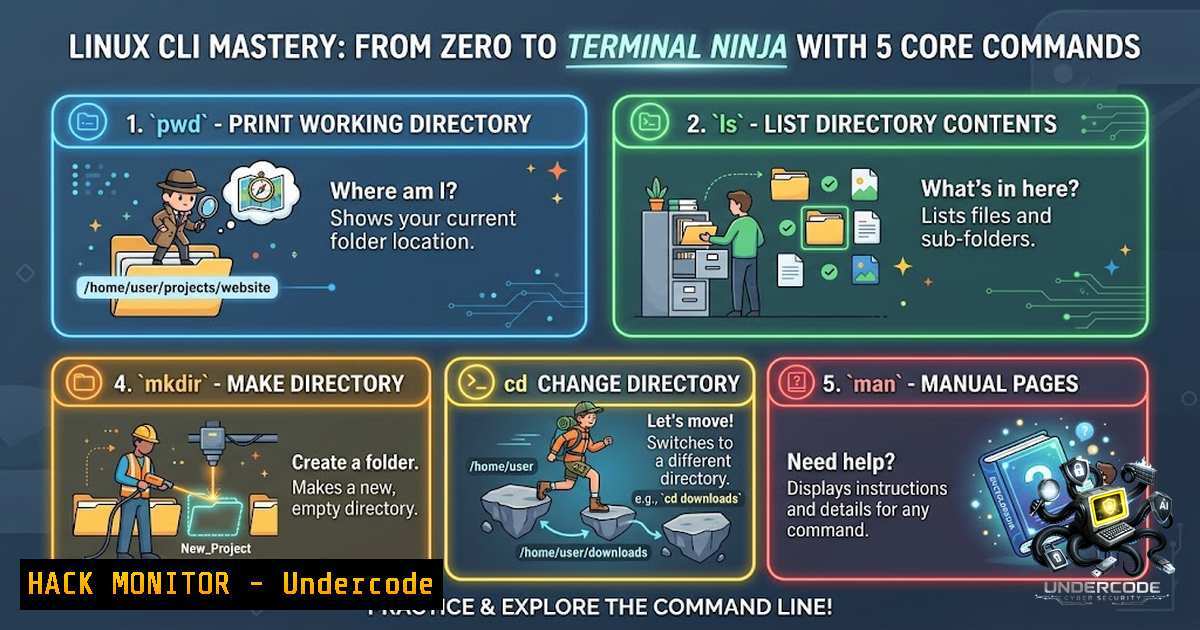
Introduction:
In the modern cybersecurity landscape, the command line is not merely a tool; it is the digital battlefield. For aspiring professionals and seasoned engineers alike, proficiency in Linux is non-1egotiable, serving as the foundation for server management, penetration testing, and security analysis. While graphical interfaces obscure complexity, the terminal offers granular control, and mastering essential commands like find, grep, and `netstat` is the first step toward building a robust, technical skillset—whether you are hardening a cloud environment or investigating a breach.
Learning Objectives:
- Navigate the Linux filesystem and manage files with speed and precision.
- Troubleshoot system issues using performance monitoring and process management tools.
- Diagnose and analyze network connections and firewall rules for security auditing.
You Should Know:
- System Navigation and File Management: The `ls` and `find` Command
The ability to locate files quickly is critical, especially during incident response. While `ls` allows you to see what is in your current directory, `find` is the Swiss Army knife for searching.
– Step-by-step guide: To search for a configuration file that has been modified in the last 24 hours, use the `find` command. If you are looking for a world-writable file that could be a vector for privilege escalation, you can combine `find` with -perm. To locate a file by name and execute a checksum on it, you can pipe the results. If you are in a restricted environment without find, you can use the shell globbing features of `ls -R` to recursively list files, though `find` remains the most efficient tool for complex searches.
- Text Processing and Forensics: The Power of `grep`
Log files are the lifeblood of system administration and security auditing. Searching through gigabytes of logs for a specific intrusion indicator requires mastery ofgrep.
– Step-by-step guide: To audit system authentication logs, you can use `grep` to extract failed SSH login attempts. By using regex, you can isolate specific IP addresses. For those working with Windows Event Logs, converting `.evtx` files to XML and using `findstr` (the Windows equivalent) is analogous. In Linux, you can combine `grep` with `awk` and `sed` to structure the output, making it easier to forward to a Security Information and Event Management (SIEM) system.
- Permission Management and Hardening:
chmod,chown, and `umask`
Security is often a misconfiguration away. The principle of Least Privilege dictates that users and services must only have the bare minimum access.
– Step-by-step guide: To secure a directory, you can set the `setgid` bit to ensure files inherit the correct group ownership. Using `umask` to set default permissions for newly created files—typically `0022` for a secure server—is a critical hardening step. For example, setting the `sticky bit` on a shared temporary directory (/tmp) ensures that users cannot delete files owned by others. This basic hygiene prevents common data leakage and tampering attacks.
- Process Management and Performance Monitoring:
ps,top, and `systemd`
Understanding what is running on your system is paramount. This allows you to identify rogue processes, memory leaks, or potential cryptominers.
– Step-by-step guide: Use `ps auxf` to view process trees, which helps identify parent-child relationships that may indicate a malicious process hiding inside a legitimate service. Use `top` or the more modern `htop` to monitor real-time CPU and memory usage. To manage services securely, `systemctl` is the standard interface. If you need to kill a stale process, `kill -9` (SIGKILL) is your final resort, but `kill -15` (SIGTERM) is generally recommended for a clean shutdown.
- Network Configuration and Security Auditing:
ss,netstat, and `iptables`
Network visibility is the cornerstone of defense. The `netstat` command, though deprecated in favor ofss, remains widely used. Both allow you to see which ports are listening and which connections are established.
– Step-by-step guide: To find out if a backdoor is listening on a non-standard port, you can use `ss -tulpn` to list listening ports and associated processes. For Windows, similar information is obtained via netstat -ano. To create a stateful firewall rule to block a suspicious IP address, you can use iptables. For cloud environments, translating these rules into Security Group policies (like AWS Security Groups) is essential.
- OS and Package Management:
yum,apt, and `rpm`
Keeping software up to date is the most effective way to patch known vulnerabilities.
– Step-by-step guide: On Debian-based systems, `apt update && apt upgrade -y` is standard. For Red Hat-based systems, `yum update` is the equivalent. To audit installed packages for known Common Vulnerabilities and Exposures (CVEs), you can use `rpm -qa` to dump the package list and compare it with a vulnerability database. Automating this process via cron jobs or Ansible ensures continuous compliance.
7. API Security and Open Source Intelligence (OSINT)
While not a direct Linux command, API keys often leak in public repositories. Using Linux tools to scan for sensitive data is a crucial security measure.
– Step-by-step guide: You can use `grep -r “API_KEY” /var/www/html` to search for hardcoded secrets in web applications. Additionally, tools like `truffleHog` can be installed to scan git history for secrets. This proactive measure helps prevent credentials from being uploaded to GitHub or other public repositories, mitigating the risk of cloud account takeover.
What Undercode Say:
- Key Takeaway 1: “Mastering terminal commands like `find` and `grep` isn’t just about efficiency; it’s about drastically reducing your incident response time. Knowing exactly where to look and what to look for is a superpower in cybersecurity.”
- Key Takeaway 2: “Treat your Linux CLI knowledge as an active asset. Every command is a weapon in your defense or exploitation arsenal. The difference between a novice and a professional is understanding the underlying logic—like `umask` or
setgid—rather than just memorizing syntax.”
Analysis:
Daniel’s post underscores a critical fact: cybersecurity is built on foundational IT knowledge. In an era dominated by AI and automated tools, the ability to manually navigate a filesystem, diagnose a memory leak, or block an IP address via the terminal remains irreplaceable. These “low-level” skills are often what save a company during a ransomware attack when dashboards are offline. For a “Top 3% TryHackMe” contributor, this focus on the basics is refreshing. It suggests a maturity in understanding that complex vulnerabilities (like buffer overflows) require a deep understanding of the operating system they run on. Certifications like the MCSI KCCS and TCM Practical Help Desk emphasize this hands-on approach, proving that practical, command-line fluency is a reliable predictor of success in the field.
Prediction:
- +1 We will likely see a resurgence in “basic” Linux training certifications as the skills gap widens, and employers realize that many graduates lack practical CLI experience.
- +1 This focus on manual, local security hardening will become increasingly valued as organizations shift from “cloud-1ative” back to hybrid models, requiring engineers to manage bare-metal servers efficiently.
- -1 The rise of automated “proxies” and AI agents might bypass the terminal, creating a generation of IT workers who are overly dependent on chatbots and lack the deep troubleshooting skills required for critical outages.
- -1 If professionals stop practicing these fundamentals, human-led cyberattacks targeting system administration misconfigurations (like weak `chmod` settings) will continue to be a successful initial access vector.
- +1 However, as cybersecurity professionals, the ability to write complex Bash scripts to automate these security checks (like scanning for world-writable files) will become a mandatory “bonus” skill, pushing these fundamentals into the realm of continuous compliance.
▶️ Related Video (84% Match):
🎯Let’s Practice For Free:
🎓 Live Courses & Certifications:
Join Undercode Academy for Verified Certifications
🚀 Request a Custom Project:
Secure, high-velocity infrastructure and disruptive technological engineering. Contact our engineering team for high-tier development and proprietary systems:
[email protected]
💎 Smart Architecture | 🛡️ Secure by Design | ⭐ Trusted by Thousands
IT/Security Reporter URL:
Reported By: Daniel Johnson – Hackers Feeds
Extra Hub: Undercode MoN
Basic Verification: Pass ✅


