Listen to this Post
Introduction:
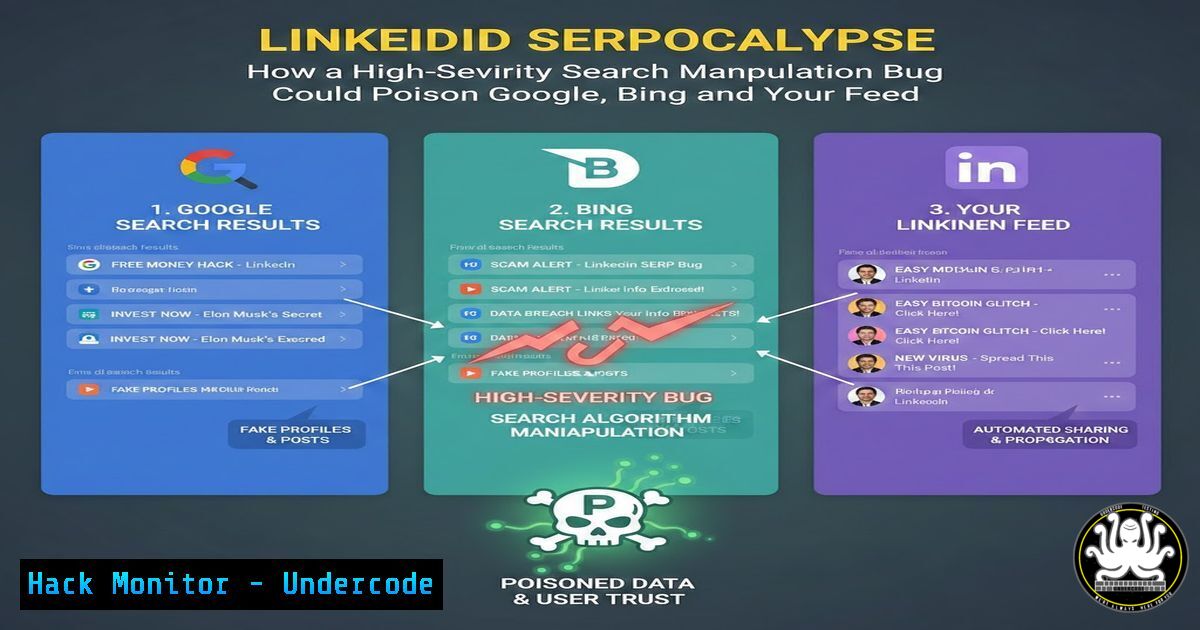
In a recent disclosure, security researcher Rafet ABBASLI unearthed a high-severity vulnerability in LinkedIn’s search functionality that allowed manipulation of not only LinkedIn’s internal results but also external search engines like Google, Bing, and DuckDuckGo. This class of bug—search engine manipulation—can be weaponized to inject malicious content into organic search results, leading to widespread phishing, brand impersonation, and misinformation. Understanding how such flaws arise, how they are exploited, and how to mitigate them is critical for developers, security engineers, and ethical hackers alike.
Learning Objectives:
- Understand the mechanics of search engine manipulation vulnerabilities and their impact on SERPs.
- Learn how to discover and test for reflected input flaws in search parameters using open-source tools.
- Implement server-side and client-side defenses to prevent search engine poisoning and content injection.
You Should Know:
1. Anatomy of a Search Manipulation Vulnerability
Search manipulation vulnerabilities occur when an application blindly reflects user-supplied input into its search result pages (or meta tags) without proper sanitization. In LinkedIn’s case, the researcher likely discovered that certain search query parameters were echoed in the page title, meta description, or even the URL structure—data that search engines eagerly index. An attacker could craft a URL like `https://www.linkedin.com/search/results/all/?keywords=Free%20iPhone%20Giveaway%20-%20Malware%20Alert` and when search engine crawlers visit that page, they would index the manipulated title and description, displaying a malicious link in search results.
Step‑by‑step guide to identify such flaws:
- Step 1: Identify search endpoints. Use a browser’s developer tools (Network tab) while performing searches on LinkedIn to capture the request URL and parameters.
- Step 2: Inject test strings. Replace the keyword with a unique string like `xss_test_123` and check if it appears in the response HTML.
- Command line (Linux/macOS):
curl -s "https://www.linkedin.com/search/results/all/?keywords=xss_test_123" | grep -o "xss_test_123"
- Windows PowerShell equivalent:
(Invoke-WebRequest -Uri "https://www.linkedin.com/search/results/all/?keywords=xss_test_123").Content -match "xss_test_123"
If the string is reflected, note the locations (title, meta tags, body). This indicates potential for manipulation.
2. Exploiting the Vulnerability: Crafting Malicious SERP Entries
Once a reflection point is confirmed, an attacker can craft URLs that, when crawled, inject deceptive content into search engine indexes. For example, a bad actor could create a LinkedIn profile search URL that appears as a customer support page for a bank. When users search on Google for that bank, the poisoned LinkedIn result may appear, leading to a phishing site.
Step‑by‑step guide to simulate an exploit:
- Step 1: Construct a malicious payload. Use URL encoding to inject HTML or JavaScript into the reflected parameter. Example: `https://www.linkedin.com/search/results/all/?keywords=Bank%20Support%20%3Cscript%3Ealert(1)%3C/script%3E`.
- Step 2: Test if the payload is executed (for XSS) or simply reflected in meta tags. For search engine manipulation, pure text reflection is enough.
- Step 3: Check how search engines render the page. Use tools like Google’s Rich Results Test or simply view the page source.
- Burp Suite Professional users: Use the Repeater tool to modify parameters and analyze responses. Save the request, send to Repeater, and inspect the rendered HTML.
- The Ripple Effect: How External SERPs Get Poisoned
The bug’s severity escalates because LinkedIn is a high-authority domain. Search engines trust LinkedIn and will index any publicly accessible URL, including those with malicious parameters. An attacker can generate thousands of unique URLs pointing to their phishing content, and over time, these pages may rank for specific keywords, redirecting unsuspecting users.
Step‑by‑step guide to understand indexing:
- Step 1: Use Google dorks to find potentially vulnerable parameters. For example, `site:linkedin.com inurl:keywords` reveals indexed search pages.
- Step 2: Check if Google has cached a manipulated page. Use the `cache:` operator in Google.
- Step 3: Simulate a crawler. Use a command-line tool like `wget` with a user-agent string mimicking Googlebot:
wget --user-agent="Googlebot/2.1 (+http://www.google.com/bot.html)" "https://www.linkedin.com/search/results/all/?keywords=Free%20Money"
- Windows alternative: Use `curl` with `-A` flag to set user-agent.
- Defending Against Search Manipulation: Output Encoding and CSP
Developers must treat all user input as untrusted and ensure it is properly encoded before being reflected in the page. Additionally, implementing a strong Content Security Policy (CSP) can mitigate the impact of any injected scripts.
Step‑by‑step guide for developers (server-side example in Python/Flask):
- Step 1: Sanitize input. Use libraries like `bleach` or framework auto-escaping.
- Step 2: Encode output. In templates, use `{{ value|e }}` in Jinja2 to escape HTML.
- Step 3: Set CSP headers. In a web server configuration (Nginx example):
add_header Content-Security-Policy "default-src 'self'; script-src 'self' https://apis.google.com";
- Step 4: Validate with online CSP evaluators. Use csp-evaluator.withgoogle.com.
5. Tools and Techniques for Comprehensive Bug Hunting
Security researchers can use a combination of automated and manual techniques to uncover search manipulation flaws. Below are essential tools and commands.
- Automated fuzzing with ffuf (Linux):
ffuf -u "https://www.linkedin.com/search/results/all/?keywords=FUZZ" -w /usr/share/wordlists/common.txt -mr "FUZZ"
- Using OWASP ZAP for passive scanning: Set up ZAP as a proxy, browse the site, and review alerts for “Reflected Input” or “Parameter Tampering.”
- Windows command with Fiddler: Use Fiddler to capture and modify requests, then check the response for reflected values.
6. Responsible Disclosure and Bounty Programs
The LinkedIn bug was disclosed responsibly, earning the researcher a hefty bounty. When you discover a similar vulnerability, follow these steps:
– Step 1: Document the issue with clear reproduction steps, including screenshots and proof-of-concept URLs.
– Step 2: Check the platform’s bug bounty program. LinkedIn participates in HackerOne.
– Step 3: Submit a report with severity assessment and impact analysis.
– Step 4: Wait for triage and cooperate with the security team during remediation.
– Step 5: Never disclose publicly until the fix is deployed.
7. Post‑Exploitation: Monitoring and Removing Poisoned Results
Even after a fix, previously indexed malicious pages may linger in search engines. Organizations must proactively request removal of such URLs.
Step‑by‑step guide for removal:
- Step 1: Identify all affected URLs using Google Search Console (if you own the site).
- Step 2: Use Google’s “Remove outdated content” tool.
- Step 3: For third‑party sites (like LinkedIn), contact their security team to request a purge.
- Step 4: Implement a `noindex` directive in the HTTP header for any parameterized pages that should not be indexed:
X-Robots-Tag: noindex
- Verify with `curl -I` to check headers.
What Undercode Say:
- Search engines are the new attack surface. Vulnerabilities in high‑trust domains can be amplified through search engine indexing, turning a simple reflection bug into a widespread phishing campaign. Security must extend beyond the application boundary to consider how external crawlers interpret content.
- Responsible disclosure pays off. The LinkedIn bounty reinforces that companies value researchers who report flaws privately. It also highlights the importance of a mature vulnerability disclosure program for any organization handling user data.
Prediction:
In the next 12 months, we will see a surge in search engine manipulation attacks targeting social media platforms and e‑commerce sites. Attackers will increasingly use automated tools to generate thousands of poisoned URLs, exploiting the lag between vulnerability disclosure and search engine cache clearance. Expect search engines to implement stricter validation of indexed content and more aggressive “unverified” warnings for parameter‑heavy URLs.
▶️ Related Video (78% Match):
🎯Let’s Practice For Free:
IT/Security Reporter URL:
Reported By: Rvfet High – Hackers Feeds
Extra Hub: Undercode MoN
Basic Verification: Pass ✅


