Listen to this Post
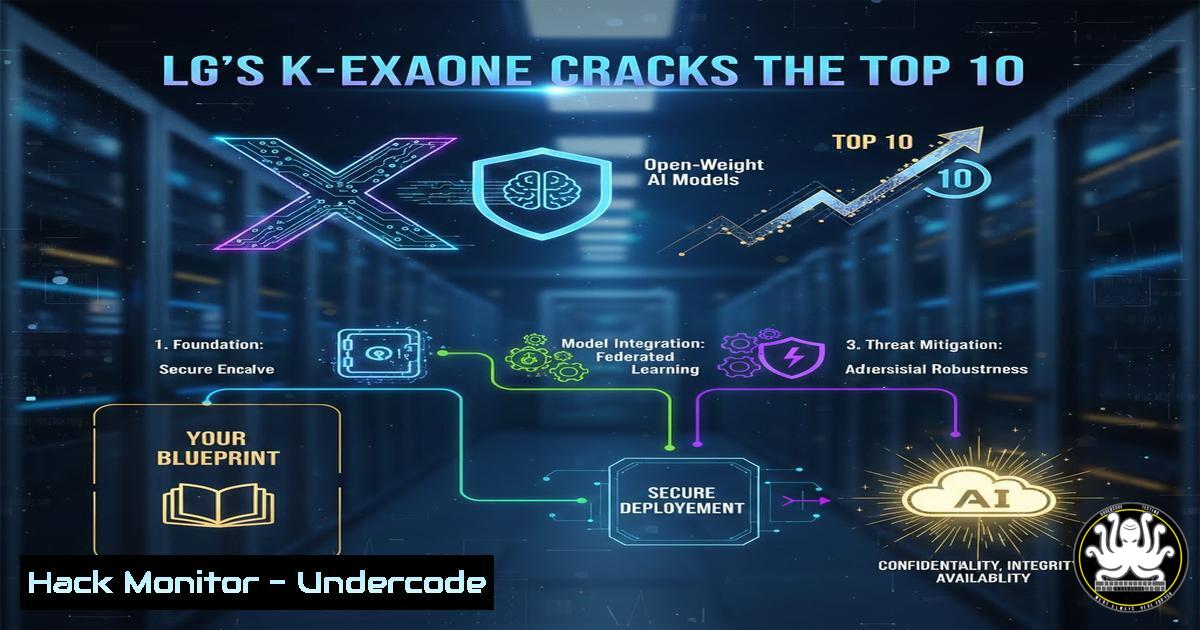
Introduction:
The global AI race has a new contender from an unexpected quarter. LG AI Research’s K-Exaone has shattered the US-China duopoly by securing seventh place in the global open-weight foundation model rankings. This breakthrough underscores a seismic shift towards accessible, high-performance AI, presenting both immense opportunity and significant security responsibility for IT and cybersecurity professionals who must now learn to integrate these powerful models into their ecosystems.
Learning Objectives:
- Understand the technical architecture and significance of open-weight models like K-Exaone in the competitive AI landscape.
- Learn the security-first methodology for locally deploying and containerizing large language models (LLMs).
- Implement robust API security, cloud hardening, and monitoring protocols for enterprise AI model serving.
You Should Know:
1. Architectural Overview & Local Deployment Setup
The rise of K-Exaone highlights the trend towards open-weight models, where model parameters are publicly available for download and offline deployment. This contrasts with closed API models (like GPT-4), offering greater data control but requiring significant in-house infrastructure and security expertise.
Step‑by‑step guide explaining what this does and how to use it.
First, provision a secure, isolated environment. Using a Linux server with adequate GPU resources is standard.
 1. Create a dedicated, non-root user and directory with controlled permissions
sudo adduser ai-deploy --disabled-password --gecos ""
sudo mkdir /opt/k-exaone-deploy
sudo chown -R ai-deploy:ai-deploy /opt/k-exaone-deploy
sudo chmod 750 /opt/k-exaone-deploy

<ol>
<li>Update system and install foundational security tools & NVIDIA drivers (if using GPU)
sudo apt update && sudo apt upgrade -y
sudo apt install -y ufw fail2ban git python3-pip nvidia-driver-535 nvidia-container-toolkit</p></li>
<li><p>Configure basic firewall rules
sudo ufw default deny incoming
sudo ufw default allow outgoing
sudo ufw allow ssh
sudo ufw allow 8000/tcp  Port for our inference API (temporary, will be secured later)
sudo ufw enable
2. Containerized Model Serving with Secure Configuration
Containerization ensures consistency, simplifies dependency management, and provides an additional security layer. We’ll use Docker with explicit security configurations.
Step‑by‑step guide explaining what this does and how to use it.
Create a Dockerfile and a minimal inference server using a framework like vLLM for efficient serving.
 Dockerfile
FROM nvidia/cuda:12.1.0-runtime-ubuntu22.04
RUN apt update && apt install -y python3-pip && rm -rf /var/lib/apt/lists/
RUN useradd -m -u 1000 -s /bin/bash appuser
WORKDIR /app
COPY --chown=appuser requirements.txt .
RUN pip install --no-cache-dir -r requirements.txt
COPY --chown=appuser . .
USER appuser
EXPOSE 8000
CMD ["python3", "-m", "vllm.entrypoints.openai.api_server", "--model", "/app/model", "--trust-remote-code", "--port", "8000"]
 Build and run the container with security flags
docker build -t k-exaone-server .
docker run -d --name k-exaone-app --gpus all \
-p 127.0.0.1:8000:8000 \  Bind only to localhost initially
-v /opt/k-exaone-deploy/model:/app/model \
--read-only \  Mount root filesystem as read-only
--cap-drop=ALL \  Drop all capabilities
--security-opt=no-new-privileges:true \
k-exaone-server
3. Hardening the Inference API Gateway
Exposing the model’s API directly is a critical vulnerability. An API Gateway (like Nginx) must handle SSL/TLS termination, rate limiting, and request filtering.
Step‑by‑step guide explaining what this does and how to use it.
Configure Nginx as a reverse proxy with key security directives.
 /etc/nginx/sites-available/k-exaone-api
server {
listen 443 ssl;
server_name api.yourdomain.com;
ssl_certificate /etc/letsencrypt/live/api.yourdomain.com/fullchain.pem;
ssl_certificate_key /etc/letsencrypt/live/api.yourdomain.com/privkey.pem;

Rate limiting to prevent abuse
limit_req_zone $binary_remote_addr zone=api_limit:10m rate=10r/s;

location /v1/ {
limit_req zone=api_limit burst=20 nodelay;
proxy_pass http://127.0.0.1:8000;

Critical security headers
proxy_set_header Host $host;
proxy_set_header X-Real-IP $remote_addr;
proxy_set_header X-Forwarded-For $proxy_add_x_forwarded_for;
proxy_set_header X-Forwarded-Proto $scheme;

Request size limiting to prevent resource exhaustion
client_max_body_size 10M;
}

Block access to management endpoints
location ~ ^/(debug|admin|console) {
deny all;
return 403;
}
}
sudo nginx -t  Test configuration
sudo systemctl reload nginx
4. Cloud-Native Hardening on AWS/Azure
For cloud deployment, identity and network security are paramount. Principle of Least Privilege must govern all IAM roles and Network Security Groups (NSGs).
Step‑by‑step guide explaining what this does and how to use it.
AWS EC2 & S3 setup example with minimal privileges.
 1. Create an IAM policy for the EC2 instance profile (JSON policy document)
{
"Version": "2012-10-17",
"Statement": [
{
"Effect": "Allow",
"Action": [
"s3:GetObject"
],
"Resource": "arn:aws:s3:::your-secure-model-bucket/k-exaone/"
}
]
}

<ol>
<li>Use AWS CLI to securely pull the model weights at launch (in User Data script)
!/bin/bash
INSTANCE_PROFILE_ROLE=$(curl -s http://169.254.169.254/latest/meta-data/iam/security-credentials/)
aws s3 cp s3://your-secure-model-bucket/k-exaone/ /opt/model/ --recursive --no-sign-request
5. Vulnerability Mitigation: Prompt Injection & Data Exfiltration
Open-weight models are susceptible to the same prompt attacks as their cloud counterparts. Input validation, output sanitization, and strict network egress controls are non-negotiable.
Step‑by‑step guide explaining what this does and how to use it.
Implement a middleware filter for your API and configure host-based firewalls.
 middleware.py - Example using regex filtering for obvious injection patterns
import re

def validate_prompt(user_input):
"""Basic but critical input sanitization."""
injection_patterns = [
r"ignore previous instructions",
r"system:", r"SYSTEM:",
r"sudo", r"rm -rf", r"/etc/passwd"
]
for pattern in injection_patterns:
if re.search(pattern, user_input, re.IGNORECASE):
raise ValueError("Potentially malicious prompt detected.")
return True
 Block unexpected outbound connections from the model server
sudo iptables -A OUTPUT -p tcp --dport 443 -j DROP  Deny all HTTPS egress
sudo iptables -A OUTPUT -p tcp --dport 53 -j ACCEPT  Allow DNS only
sudo iptables -A OUTPUT -p udp --dport 53 -j ACCEPT
 Explicitly allow connections to your internal logging/metrics server
sudo iptables -A OUTPUT -p tcp -d 10.10.1.50 --dport 8086 -j ACCEPT
What Undercode Say:
- Geopolitical Code Shift: K-Exaone’s entry is not just a technical milestone but a strategic one, reducing critical AI dependency on a few nations and forcing global IT departments to evaluate models based on sovereignty and supply-chain security, not just benchmarks.
- The Security Burden Transfers In-House: The open-weight paradigm shifts the full responsibility of model security—from vulnerability patching and adversarial attack mitigation to infrastructure hardening—onto the adopting organization’s cybersecurity team. The “shared responsibility model” of cloud AI vanishes.
Prediction:
The successful intrusion of Korean AI into the top tier will catalyze similar national initiatives worldwide, fragmenting the LLM landscape. Within two years, we predict a surge in targeted cyber-attacks focusing on poorly secured, privately deployed open-weight models like K-Exaone, leading to novel data poisoning and model theft campaigns. This will birth a specialized cybersecurity sub-discipline focused exclusively on on-premises AI infrastructure protection, with new frameworks and regulations emerging to govern model weights as critical assets. Enterprises that fail to adopt a “zero-trust” approach to their internal AI models will face significant intellectual property theft and operational integrity risks.
▶️ Related Video (80% Match):
🎯Let’s Practice For Free:
IT/Security Reporter URL:
Reported By: Joherim Lgs – Hackers Feeds
Extra Hub: Undercode MoN
Basic Verification: Pass ✅


