Listen to this Post
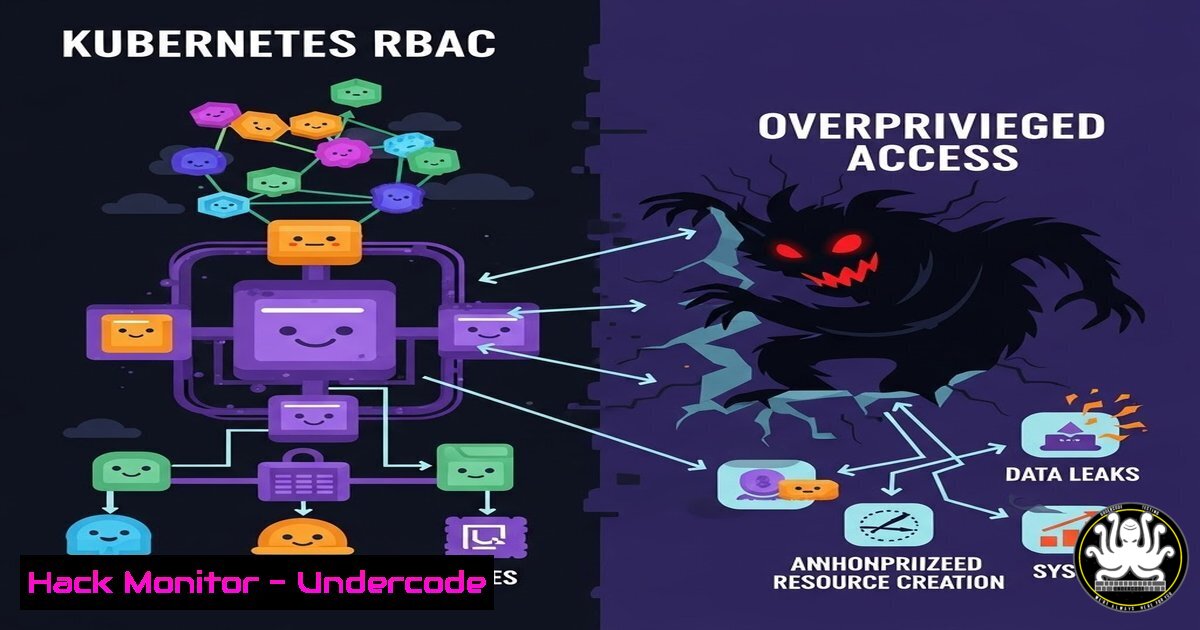
Introduction:
In the world of Kubernetes, security does not begin with complex network policies or third-party intrusion detection systems. It begins with the API server. Role-Based Access Control (RBAC) is the gatekeeper that determines who—or what—can interact with your cluster’s control plane. While the concept seems straightforward, misconfigurations in RBAC are responsible for the majority of production breaches, often granting attackers the keys to the kingdom through over-permissioned service accounts or human users. Mastering RBAC is not just a DevOps checkbox; it is the first line of defense in cloud-native security.
Learning Objectives:
- Understand the difference between authentication and authorization in Kubernetes.
- Differentiate between the four core RBAC objects: Roles, ClusterRoles, RoleBindings, and ClusterRoleBindings.
- Implement the Principle of Least Privilege using practical command-line examples.
- Identify common RBAC misconfigurations and learn how to audit them.
You Should Know:
1. The Anatomy of Kubernetes Authorization
When a `kubectl` command is issued, it does not directly manipulate containers. The request is sent to the Kubernetes API server, which first authenticates the user (via certificates, tokens, or OIDC). Only after passing authentication does the authorization phase begin. This is where RBAC evaluates the request against the policies you have defined. If no explicit rule allows the action, the request is immediately rejected with a `Forbidden` error. This error message is actually a sign of a healthy, secure cluster. If your developers see “Forbidden,” it means RBAC is working correctly; if they never see it, your permissions are likely too broad.
Step‑by‑step: Simulating an RBAC Check
To understand how this works, you can impersonate a user to see what they can access.
 Check what pods you can list in the default namespace
kubectl auth can-i list pods --as=deployer

Check if a specific service account can create deployments
kubectl auth can-i create deployments --as=system:serviceaccount:production:app-sa
These commands do not actually perform the action; they query the RBAC engine to verify permissions, which is a safe way to audit access before a breach occurs.
2. Roles vs. ClusterRoles: The Namespace Barrier
The most fundamental distinction in Kubernetes RBAC is scope. A Role is confined to a single namespace. If you grant a Role in the `default` namespace, it does not apply to the `kube-system` namespace. A ClusterRole, however, is cluster-wide and applies to all namespaces or even non-namespaced resources like Nodes and PersistentVolumes. A common rookie mistake is creating a ClusterRole when a simple Role would suffice, unnecessarily widening the blast radius of a compromised account.
Step‑by‑step: Creating a Namespace-Scoped Role
Let’s create a Role that only allows reading pods in the `staging` namespace.
 Create a Role YAML definition
cat <<EOF | kubectl apply -f -
apiVersion: rbac.authorization.k8s.io/v1
kind: Role
metadata:
namespace: staging
name: pod-reader
rules:
- apiGroups: [""]  Core API group
resources: ["pods"]
verbs: ["get", "list", "watch"]
EOF

Bind it to a user
kubectl create rolebinding bob-pod-reader --role=pod-reader --user=bob --namespace=staging
Now, user `bob` can view pods in `staging` but cannot delete them or view pods in production. This granularity is the essence of least privilege.
3. ServiceAccounts: The Identity of Workloads
Pods do not act on their own; they act under the identity of a ServiceAccount. By default, every namespace has a `default` ServiceAccount, which is mounted into every pod. If the `default` account is bound to a ClusterRole with broad permissions, every container in that namespace inherits those permissions. Attackers who compromise a single application container can then use those credentials to attack the cluster.
Step‑by‑step: Securing a Workload with a Dedicated ServiceAccount
Instead of using the default account, create a specific account for your application.
 1. Create a dedicated ServiceAccount
kubectl create serviceaccount api-worker -n production

<ol>
<li>Create a Role with minimal permissions
kubectl create role worker-role -n production --resource=pods --verb=get,list</p></li>
<li><p>Bind them together
kubectl create rolebinding worker-binding -n production --role=worker-role --serviceaccount=production:api-worker</p></li>
<li><p>In your pod spec, specify the service account
apiVersion: v1
kind: Pod
metadata:
name: secure-api
spec:
serviceAccountName: api-worker
This ensures the pod only has the permissions it needs to function, not an inch more.
4. The Dangers of Wildcards and Cluster-Admin
In a production environment, using wildcards (“) in RBAC rules is akin to disabling the firewall. A rule like `verbs: [“”]` on `resources: [“”]` grants full control. The `cluster-admin` ClusterRole is the most powerful role in Kubernetes. It should never be granted to human users for daily tasks, and it should certainly never be bound to a ServiceAccount. Yet, many quick-start guides and CI/CD pipelines inadvertently grant this level of access to automation tools, creating a massive security liability.
Step‑by‑step: Auditing for Overprivileged Accounts
Use `kubectl` to list all ClusterRoleBindings and see who has god-mode access.
 Find all bindings to the cluster-admin role
kubectl get clusterrolebindings -o wide | grep cluster-admin

Describe the binding to see the subjects (users/groups/serviceaccounts)
kubectl describe clusterrolebinding cluster-admin

Check for subjects in the "system:serviceaccount" group
If you see a service account from a namespace like `jenkins` or `gitlab-runner` listed here, you have a critical vulnerability that needs immediate remediation.
5. Aggregated Roles and Automation Security
Modern Kubernetes environments use aggregated ClusterRoles, which collect permissions from multiple smaller rules. While this is great for extensibility (like for the admin, edit, and `view` roles), it can lead to permission inheritance that is hard to track. Furthermore, automation tools like Helm and CI/CD pipelines often require elevated privileges to install charts or deploy applications. The secure pattern is to use a dedicated ServiceAccount for the pipeline with a specific Role that allows it to create deployments in a specific namespace—not cluster-wide.
Step‑by‑step: Restricting CI/CD Access
Assume your CI system (Jenkins, GitLab) needs to deploy to the `web-app` namespace. Create a Role that allows full management of deployments and services only in that namespace.
 CI Deployment Role
cat <<EOF | kubectl apply -f -
kind: Role
apiVersion: rbac.authorization.k8s.io/v1
metadata:
namespace: web-app
name: ci-deployer
rules:
- apiGroups: ["apps"]
resources: ["deployments"]
verbs: ["get", "list", "watch", "create", "update", "patch"]
- apiGroups: [""]
resources: ["services"]
verbs: ["get", "create", "update"]

kind: RoleBinding
apiVersion: rbac.authorization.k8s.io/v1
metadata:
name: ci-deployer-binding
namespace: web-app
subjects:
- kind: ServiceAccount
name: jenkins-sa
namespace: jenkins
roleRef:
kind: Role
name: ci-deployer
apiGroup: rbac.authorization.k8s.io
EOF
This ensures even if the CI server’s token is leaked, the attacker can only affect the `web-app` namespace.
6. Auditing and Continuous Compliance
RBAC is not a “set it and forget it” configuration. Teams change, applications evolve, and permissions drift. Regular audits are required to identify orphaned RoleBindings or over-permissioned accounts. Tools like `kubeaudit` or `rbac-lookup` can help, but manual checks are still vital.
Step‑by‑step: Using kubectl to Find Orphaned Bindings
List all RoleBindings and check if the referenced Role still exists.
 Get all RoleBindings across all namespaces
kubectl get rolebindings -A -o json | jq '.items[] | {name: .metadata.name, namespace: .metadata.namespace, role: .roleRef.name}'

Check if a user has too many permissions
kubectl describe clusterrolebinding strange-user-binding
Cross-reference this list with your current roles. If a binding points to a Role that has been deleted, the binding is effectively dead but still exists—a piece of configuration debt that should be cleaned up.
What Undercode Say:
– Key Takeaway 1: Kubernetes security is 90% RBAC hygiene. The complexity of modern cloud-native stacks often distracts engineers from the basics, but the API server is the only path to the cluster. Securing it with granular, namespace-scoped roles is non-negotiable for production readiness.
– Key Takeaway 2: The Principle of Least Privilege must be applied to machines, not just humans. Service accounts are the new “root users.” Treat their tokens with the same severity as you would SSH private keys; over-privileged service accounts are the primary vector for supply chain attacks and container breakouts.
In an industry where we often chase shiny new security tools, RBAC remains the unsexy, fundamental layer that underpins everything. The engineers who master it are the ones who build clusters that are not only functional but truly resilient. The most common mistake—binding the `cluster-admin` role to a bot account—is also the most catastrophic, turning a simple code injection into a full cluster takeover. Start with your bindings; audit them today.
Prediction:
As Kubernetes becomes the standard operating system for the cloud, we will see a shift from “infrastructure as code” to “security policy as code.” RBAC policies will be version-controlled, tested, and validated in CI pipelines just like application code. The future will bring dynamic, just-in-time privilege escalation for service accounts, where a pod requests temporary permissions to perform a specific task, reducing the attack surface of always-on credentials. The era of static, permanent RBAC bindings is coming to an end.
▶️ Related Video (88% Match):
🎯Let’s Practice For Free:
IT/Security Reporter URL:
Reported By: Navneet Singh – Hackers Feeds
Extra Hub: Undercode MoN
Basic Verification: Pass ✅


