
Listen to this Post
Introduction:
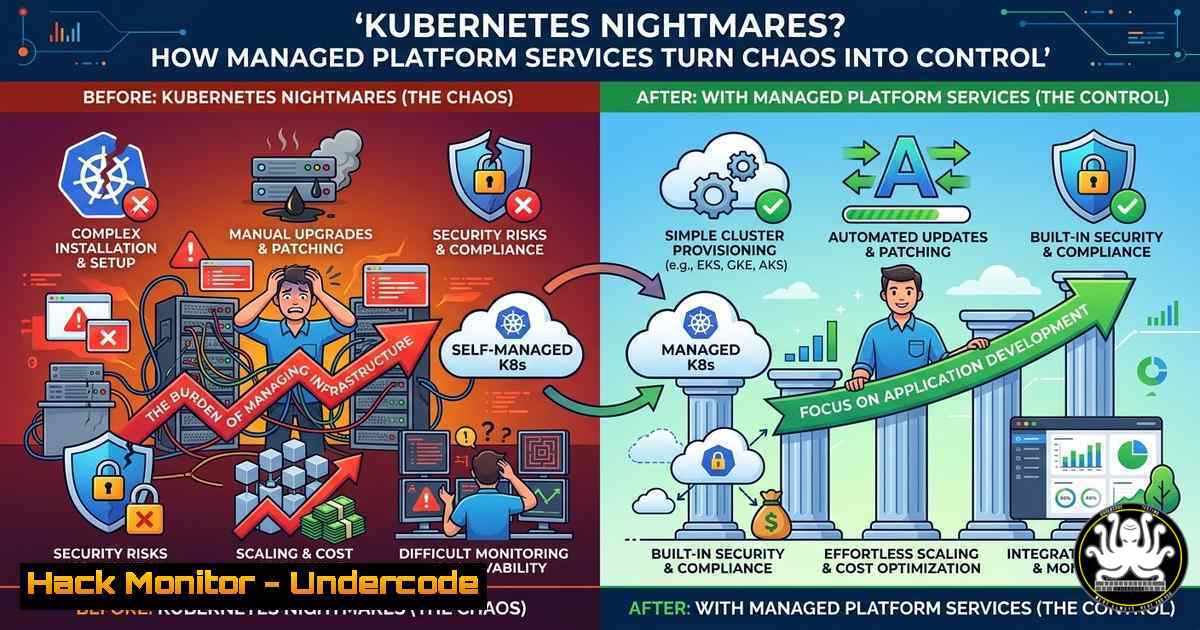
Kubernetes has become the de facto standard for container orchestration, promising agility and scalability. However, for many organizations, the operational reality involves managing complex upgrades, preventing configuration drift, and mitigating security misconfigurations—often with small, overburdened teams. This creates a significant attack surface and operational anxiety. Leveraging managed platform services, with tools like Portainer.io as a unified control plane, offers a strategic approach to reduce risk, enforce security guardrails, and allow internal teams to focus on application development rather than infrastructure firefighting.
Learning Objectives:
- Identify the primary operational and security risks associated with self-managed Kubernetes clusters.
- Implement a shared-responsibility model to reduce misconfigurations and ensure compliance.
- Utilize Portainer and associated tools to abstract Kubernetes complexity and enforce security policies.
You Should Know:
1. Assessing Your Current Kubernetes Operational Risk
Before migrating to a managed model, you must audit your existing environment. Operational risk in Kubernetes often stems from misconfigured Role-Based Access Control (RBAC), insecure container images, and exposed API servers. Start by assessing your cluster’s security posture.
Step‑by‑step guide: Auditing RBAC and Cluster Roles
To identify over-privileged service accounts, use `kubectl` to list and review cluster roles:
 List all cluster roles and cluster role bindings
kubectl get clusterroles --all-namespaces
kubectl get clusterrolebindings --all-namespaces

Describe a specific role to see its permissions
kubectl describe clusterrole cluster-admin

Check for anonymous access
kubectl get clusterroles | grep anonymous
On Windows (using PowerShell with `kubectl` installed), the commands are identical, as `kubectl` is a cross-platform binary. This audit helps identify if any subject has overly broad permissions, a primary vector for privilege escalation.
2. Implementing a Shared-Responsibility Model with Portainer
Portainer acts as a centralized management interface, abstracting the CLI and providing governance. The goal is to give developers self-service access to namespaces and resources without exposing the underlying cluster’s critical configuration.
Step‑by‑step guide: Setting up Portainer for RBAC Enforcement
- Deploy Portainer in your cluster (assuming admin access):
Add the Portainer Helm repository
helm repo add portainer https://portainer.github.io/k8s/
helm repo update

Install Portainer (example for a basic setup, customize for your cloud)
helm install --create-namespace -n portainer portainer portainer/portainer \
--set service.type=LoadBalancer \
--set tls.force=true
- Configure Teams and Users: In the Portainer UI, navigate to Settings > Authentication to connect to your LDAP/AD or create local users. Then, under Users, create developer accounts.
- Define Resource Quotas and Namespaces: Create namespaces for specific teams (e.g.,
team-alpha,team-beta). Assign users to these namespaces and define resource limits (CPU, memory) to prevent noisy-neighbor problems and denial-of-service risks.
3. Mitigating Configuration Drift and Ensuring Compliance
Configuration drift occurs when manual changes or ad-hoc fixes cause the cluster state to deviate from the defined infrastructure-as-code (IaC) templates. This drift is a leading cause of security gaps.
Step‑by‑step guide: Using GitOps to Prevent Drift
Implement a GitOps workflow where the desired cluster state is stored in a Git repository.
1. Install a GitOps Operator (like ArgoCD or Flux). For example, installing ArgoCD:
kubectl create namespace argocd
kubectl apply -n argocd -f https://raw.githubusercontent.com/argoproj/argo-cd/stable/manifests/install.yaml
2. Connect Your Git Repository: Point ArgoCD to a repository containing your Kubernetes manifests (deployments, services, configmaps).
3. Automated Sync Policy: Enable automated syncing. If any manual change is made to the cluster (via `kubectl edit` or direct API calls), ArgoCD will revert the configuration to match the Git repository, eliminating drift.
4. Hardening the Kubernetes API Server and etcd
The API server is the gateway to your cluster. Exposing it publicly without proper authentication and encryption is a catastrophic risk. Managed services often handle this, but in a self-managed or hybrid model, you must harden it.
Step‑by‑step guide: API Server Security Configuration
On your control plane nodes (Linux), modify the API server manifest (usually /etc/kubernetes/manifests/kube-apiserver.yaml). Add or verify the following flags:
spec:
containers:
- command:
- kube-apiserver
- --anonymous-auth=false  Disable anonymous requests
- --enable-admission-plugins=NamespaceLifecycle,LimitRanger,ServiceAccount,ResourceQuota,PodSecurityPolicy,NodeRestriction,DenyServiceExternalIPs
- --authorization-mode=Node,RBAC  Enforce RBAC and node authorization
- --secure-port=6443
- --tls-cert-file=/etc/kubernetes/pki/apiserver.crt
- --tls-private-key-file=/etc/kubernetes/pki/apiserver.key
- --etcd-certfile=/etc/kubernetes/pki/apiserver-etcd-client.crt  Ensure etcd communication is encrypted
After saving the file, the `kubelet` will automatically restart the API server pod with the new, stricter settings.
5. Securing the Container Supply Chain
A common attack vector is deploying a container with known vulnerabilities or one that runs as root. Enforcing security at the point of deployment is critical.
Step‑by‑step guide: Implementing a Pod Security Admission (PSA)
Kubernetes deprecated PodSecurityPolicies in favor of Pod Security Admission. You can enforce standards (privileged, baseline, restricted) at the namespace level.
1. Label your namespaces to enforce a “restricted” policy, which prevents privileged containers and many host interactions:
kubectl label namespace team-alpha pod-security.kubernetes.io/enforce=restricted
kubectl label namespace team-alpha pod-security.kubernetes.io/enforce-version=latest
2. Test the Policy: If a developer in the `team-alpha` namespace tries to deploy a pod running as root or with hostPath mounts, the Kubernetes API will reject it. This prevents high-risk workloads from running in sensitive namespaces.
6. Windows Worker Node Security Considerations
For organizations running mixed workloads, Windows nodes in a Kubernetes cluster have distinct security requirements, particularly around network policies and process isolation.
Step‑by‑step guide: Harden Windows Nodes
On a Windows Server 2019/2022 node running in the cluster, you must restrict local privileges.
1. Run as a service: Ensure the `kubelet` and `kube-proxy` run as `NT AUTHORITY\SYSTEM` or a dedicated service account, not as an interactive user.
2. Windows Firewall Rules: Restrict inbound traffic to only necessary ports (10250 for kubelet, 10256 for kube-proxy, etc.).
 On the Windows node (PowerShell as Admin)
New-NetFirewallRule -DisplayName "Kubernetes API Inbound" -Direction Inbound -LocalPort 6443 -Protocol TCP -Action Allow -Profile Any
New-NetFirewallRule -DisplayName "Kubelet ReadOnly Port" -Direction Inbound -LocalPort 10255 -Protocol TCP -Action Block
3. Disable unnecessary Windows services and keep the OS patched to mitigate Windows-specific CVEs.
What Undercode Say:
- Key Takeaway 1: Managed platform services are not just about reducing headcount; they are a critical security control. By abstracting the Kubernetes CLI and enforcing policies through tools like Portainer, organizations can shift from reactive firefighting to proactive governance, significantly reducing the blast radius of potential attacks.
- Key Takeaway 2: The combination of GitOps and immutable infrastructure is your strongest defense against configuration drift and unauthorized changes. When the entire cluster state is version-controlled and automatically reconciled, it becomes nearly impossible for an attacker to establish persistence by modifying manifests directly.
Analysis:
The pivot to managed platform services represents a maturation of the Kubernetes ecosystem. The initial wave of adoption saw teams rushing to deploy clusters, often neglecting the “Day 2” operations of security patching, access control, and capacity planning. This created fragile environments. By partnering with a managed service or adopting a more structured operational model, you are essentially implementing a security boundary between the complex internals of Kubernetes and the application developers. This ensures that security best practices (like Pod Security Standards, network policies, and resource limits) are applied uniformly, preventing the “human error” that leads to data breaches. The shared-responsibility model, when implemented with a control plane like Portainer, ensures that while the operational burden is shared, the ownership and visibility of security compliance remains with the organization.
Prediction:
Over the next two years, we will see a sharp decline in the number of organizations attempting to “DIY” their entire Kubernetes infrastructure. The complexity of securing the stack against sophisticated supply chain and cloud-native attacks will drive mass adoption of managed platform services. These services will evolve to include AI-driven anomaly detection, automatically identifying and patching misconfigurations before they can be exploited, turning Kubernetes from a source of anxiety into a truly autonomous, self-healing security asset.
▶️ Related Video (86% Match):
🎯Let’s Practice For Free:
IT/Security Reporter URL:
Reported By: Phil Calder – Hackers Feeds
Extra Hub: Undercode MoN
Basic Verification: Pass ✅


