Listen to this Post
Introduction:
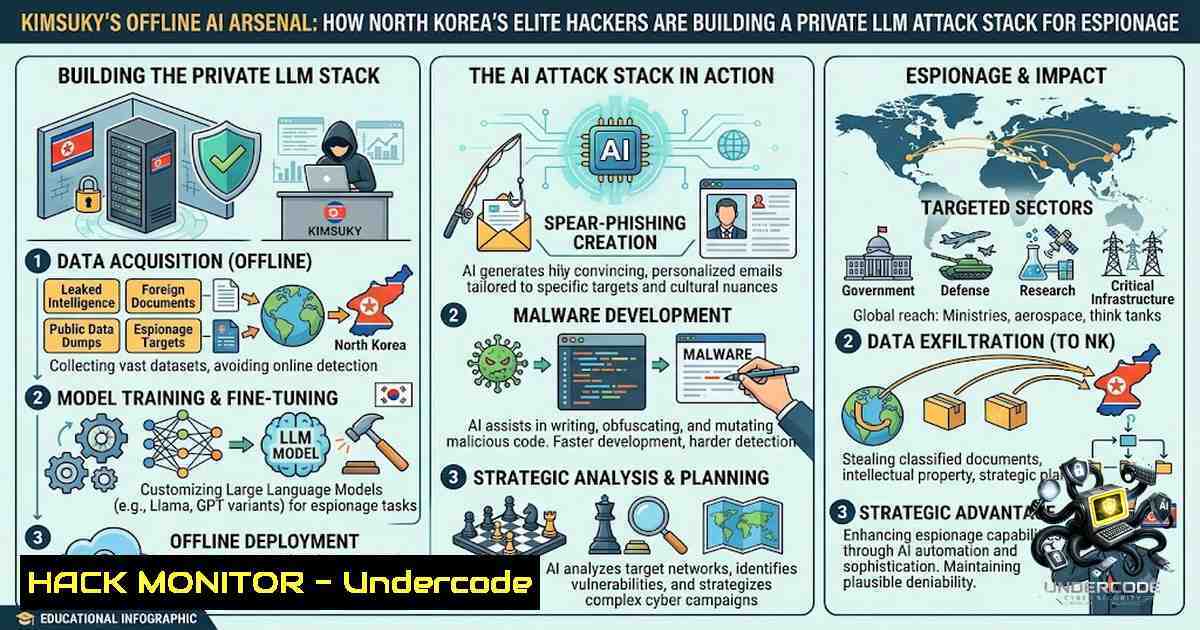
North Korea’s Kimsuky hacking group—already one of the most prolific state-sponsored espionage units operating under the Reconnaissance General Bureau—has taken a significant leap forward in its technical capabilities. According to a technical analysis published by South Korean cybersecurity firm Genians on August 10, 2026, the group has moved beyond using public generative AI services like ChatGPT to create phishing lures and has begun building and operating a complete offline AI infrastructure. This private AI stack, consisting of local LLM execution environments, retrieval-augmented generation (RAG) systems, AI agent development frameworks, and speech-to-text tools, allows Kimsuky to process stolen documents, automate malware development, and generate highly convincing spear-phishing campaigns—all without sending sensitive data to external cloud services where it could be detected or intercepted.
Learning Objectives:
- Understand the technical components of Kimsuky’s offline AI infrastructure, including Ollama, GPT4All, Msty, and RAG implementation
- Analyze the complete attack chain from LNK-based initial access to GitHub-powered C2 infrastructure and AI-assisted data exfiltration
- Learn detection strategies and hardening measures to defend against AI-enhanced espionage campaigns
You Should Know:
- The Offline AI Stack: Ollama, GPT4All, Msty, and RAG
Genians’ investigation uncovered concrete evidence that Kimsuky has deployed and configured multiple local LLM tools on its infrastructure. The core evidence includes:
- Ollama: A free, open-source tool for running and managing local LLMs. Investigators found the “id_ed25519” and “id_ed25519.pub” key files in the `C:\Users\Administrator\.ollama` folder—authentication keys automatically generated when Ollama is first launched, confirming the program was actually installed and executed, not merely downloaded.
-
GPT4All: A desktop application that enables local LLM execution. Critically, the analysis identified a `localdocs_v3.db` database file in the GPT4All folder—this file is created when GPT4All’s “LocalDocs” feature is configured for retrieval-augmented generation (RAG). RAG allows an AI system to search a predefined collection of documents and generate responses based on retrieved content, enabling the group to query stolen internal materials.
-
Msty: A local LLM management interface found in two locations on the compromised infrastructure: `C:\Users\Administrator\Pictures\MstyStudio_x64.exe` and
msty-local-.... Msty provides document-based RAG, AI agent configuration, and integration with external tools through the Model Context Protocol (MCP).
The presence of these three tools—all installed and configured, not merely downloaded—provides “concrete evidence that the Kimsuky-affiliated threat actor is moving beyond one-off experimentation with AI and is continuously preparing to integrate the technology into actual attack capabilities”.
Step‑by‑step guide: How to Detect Local LLM Installation Traces
For security teams investigating potential AI tool deployment on compromised systems, check for the following indicators:
Linux:
 Check for Ollama installation and key files
ls -la ~/.ollama/
find / -1ame "id_ed25519" 2>/dev/null

Check for running Ollama processes
ps aux | grep ollama
netstat -tlnp | grep 11434  Default Ollama API port

Check for GPT4All installation
find / -1ame "localdocs_v3.db" 2>/dev/null
find / -1ame "gpt4all" 2>/dev/null
Windows (PowerShell):
 Check for Ollama installation traces
Test-Path "C:\Users\Administrator.ollama"
Get-ChildItem -Path "C:\Users\AppData\Local" -Recurse -Filter "ollama" -ErrorAction SilentlyContinue

Check for GPT4All RAG database
Get-ChildItem -Path "C:\" -Recurse -Filter "localdocs_v3.db" -ErrorAction SilentlyContinue

Check for Msty installation
Get-ChildItem -Path "C:\Users\Pictures" -Filter "Msty.exe" -ErrorAction SilentlyContinue

Check for running processes related to local LLMs
Get-Process | Where-Object { $_.ProcessName -match "ollama|gpt4all|msty|cursor" }
- The AI-Assisted Attack Chain: From LNK to Payload
Kimsuky’s attack methodology, which Genians tracks as “Operation GitPower,” follows a well-established infection chain that has now been augmented with AI capabilities:
Step 1: Initial Access via LNK Files
The attack begins when a victim downloads a ZIP archive distributed via spear-phishing emails. These emails increasingly use AI-generated decoy documents related to virtual assets, finance, and investment strategy reports—materials that “use natural language, a highly polished structure, and formats similar to actual business materials to increase user trust”.
Within the ZIP archive is a malicious LNK file disguised as a legitimate document. When executed, the LNK file triggers a PowerShell command approximately 3,800 characters long, with ~300 consecutive spaces inserted before the actual script to hide it from Windows shortcut properties windows.
Step 2: PowerShell Payload Execution
The LNK arguments decode a Base64-encoded PowerShell script, save it to %TEMP%\poqpwoqwdjoweij.ps1, and execute it through a hidden PowerShell process. This script uses various obfuscation techniques including Base64 encoding, string splitting, and custom decoding routines.
The first-stage PowerShell script then:
- Downloads a legitimate PDF file from GitHub’s Raw Content service to display to the victim as a decoy
- Creates a persistent PowerShell script in `%AppData%` that survives system reboots
- Registers a hidden scheduled task that executes the persistence script
Step 3: System Profiling and C2 Communication
The persistence script collects extensive system information including OS version, architecture, system configuration, PC type, installation and boot history, and running processes. It then communicates with GitHub repositories used as command-and-control (C2) infrastructure.
Genians identified multiple public GitHub repositories operated by the threat actor containing configuration files, PowerShell scripts, and various payloads. The group abuses GitHub’s Raw Content API and uses personal access tokens (PATs) for authentication. To evade URL-based detection, the actors split URLs into multiple concatenated strings (e.g., “ht” + “t” + “ps”).
Step 4: AI-Enhanced Data Processing
Once initial access and persistence are established, Kimsuky can leverage its offline AI stack to:
– Process stolen documents through RAG-enabled local LLMs for rapid information extraction
– Use AI-powered coding tools like Cursor to accelerate malware development and payload customization
– Apply speech-to-text tools (OpenAI’s Whisper was found on the infrastructure) to analyze audio recordings from compromised systems
– Generate increasingly sophisticated phishing lures tailored to specific targets
Step‑by‑step guide: Detecting and Blocking the Attack Chain
Detect LNK-based initial access:
 Windows - Search for suspicious LNK files with long command-line arguments
Get-ChildItem -Path "C:\Users\Downloads" -Recurse -Filter ".lnk" | ForEach-Object {
$lnk = $_.FullName
$shell = New-Object -ComObject Shell.Application
$folder = Split-Path $lnk
$file = Split-Path $lnk -Leaf
$shellfolder = $shell.Namespace($folder)
$shellitem = $shellfolder.ParseName($file)
if ($shellitem.ExtendedProperty("{9B174B33-40FF-11D2-A27E-00C04FC30871}") -match "powershell|base64") {
Write-Host "Suspicious LNK found: $lnk" -ForegroundColor Red
}
}
Monitor for GitHub C2 activity:
 Linux - Monitor outbound connections to GitHub raw content
sudo tcpdump -i any -1 'host raw.githubusercontent.com and port 443'

Check for suspicious scheduled tasks on Windows
schtasks /query /fo LIST /v | findstr /i "powershell github"
Block PowerShell obfuscation:
 Enable PowerShell script block logging for forensic visibility
Set-ItemProperty -Path "HKLM:\SOFTWARE\Policies\Microsoft\Windows\PowerShell\ScriptBlockLogging" -1ame "EnableScriptBlockLogging" -Value 1

Enable module logging
Set-ItemProperty -Path "HKLM:\SOFTWARE\Policies\Microsoft\Windows\PowerShell\ModuleLogging" -1ame "EnableModuleLogging" -Value 1
3. AI Development Libraries and Custom Tool Assembly
Beyond ready-made applications, Genians found that Kimsuky has systematically collected developer libraries and frameworks for building AI capabilities into custom software:
- LLaMaSharp: .NET bindings for running LLaMA models in C applications
- Microsoft Semantic Kernel: An SDK that enables integration of LLMs into applications
- Microsoft.Agents.AI: A framework for building AI agents
- Microsoft.Extensions.AI: A common interface for various AI models including OpenAI and Ollama
- Cursor: An AI-powered code editor with active traces found on the infrastructure
The collection of these components alongside evidence of RAG implementation “strongly suggests that they were not gathered out of simple curiosity, but for the direct development of an AI-based tool designed for a specific purpose”.
Step‑by‑step guide: Auditing for AI Development Libraries
Windows – Search for AI-related libraries:
 Search for Semantic Kernel DLLs
Get-ChildItem -Path "C:\" -Recurse -Filter "SemanticKernel.dll" -ErrorAction SilentlyContinue

Search for LLaMaSharp
Get-ChildItem -Path "C:\" -Recurse -Filter "LLaMaSharp.dll" -ErrorAction SilentlyContinue

Check for Cursor installation
Test-Path "C:\Users\AppData\Local\Programs\cursor"
Get-Process | Where-Object { $_.ProcessName -eq "cursor" }
4. Offline Operation: The Strategic Advantage
The shift to offline AI tools is strategically significant for a state-sponsored threat actor:
- Operational Security: Local LLMs prevent conversation data from being transmitted to external AI services, reducing the risk of exposure to security researchers who monitor commercial AI platforms
-
Data Sovereignty: Stolen documents containing sensitive intelligence can be processed without ever leaving the group’s controlled infrastructure
-
Independence: The group is not dependent on continued access to commercial AI services that might restrict or monitor usage from sanctioned entities
-
Customization: By assembling its own stack using open-source components, Kimsuky can tailor AI capabilities to specific espionage requirements
5. Detection and Defense: EDR Over Content Analysis
Genians Security Center Director Moon Jonghyun emphasized a critical shift in defensive strategy: “As AI advances, social engineering attacks will become more refined, making EDR-based threat hunting systems—focused on detecting execution behaviors rather than document content—critical”.
Traditional defenses that rely on analyzing document content for telltale signs of phishing (stilted translation, formatting errors, spelling mistakes) are becoming obsolete as AI generates increasingly polished materials. Instead, defenders must focus on behavioral indicators:
Key Detection Priorities:
- Correlate LNK file execution with PowerShell activity
- Monitor for hidden scheduled tasks and their command-line arguments
- Detect unusual GitHub API access, especially using personal access tokens
- Identify encrypted payloads with image file extensions (AsyncRAT disguised as .png files)
- Watch for Ollama, GPT4All, Msty, or Cursor processes on endpoints
Step‑by‑step guide: EDR Rules for AI-Enhanced Attack Detection
Windows Event Log Monitoring:
 Monitor for PowerShell execution from LNK files
Get-WinEvent -FilterHashtable @{LogName='Microsoft-Windows-PowerShell/Operational'; ID=4104} |
Where-Object { $_.Message -match "Base64|GitHub|raw.githubusercontent" }

Monitor for scheduled task creation
Get-WinEvent -FilterHashtable @{LogName='Security'; ID=4698} |
Where-Object { $_.Message -match "powershell|github" }

Monitor for unusual process creation (LNK to PowerShell)
Get-WinEvent -FilterHashtable @{LogName='Security'; ID=4688} |
Where-Object { $<em>.Message -match "explorer.exe..lnk" -and $</em>.Message -match "powershell.exe" }
Network Detection (Snort/Suricata rules):
 Alert on GitHub raw content access with suspicious user-agent
alert tcp $HOME_NET any -> $EXTERNAL_NET $HTTP_PORTS (msg:"Suspicious GitHub Raw API Access";
flow:to_server,established;
content:"raw.githubusercontent.com"; http_host;
content:"User-Agent|3a| PowerShell"; http_header;
sid:1000001; rev:1;)

Alert on Ollama API access from unexpected sources
alert tcp $HOME_NET any -> $EXTERNAL_NET 11434 (msg:"Ollama API Access Detected";
flow:to_server,established;
content:"/api/generate"; http_uri;
sid:1000002; rev:1;)
What Undercode Say:
- Key Takeaway 1: Kimsuky’s adoption of offline AI tools represents a fundamental shift in state-sponsored cyber espionage—the group is no longer just using AI for superficial phishing lures but is building a complete AI-enabled attack pipeline that processes stolen data, automates malware development, and generates adaptive, context-aware social engineering campaigns.
-
Key Takeaway 2: The operational security advantages of offline AI—data privacy, evasion of monitoring, and independence from commercial services—make this approach particularly attractive for state actors and will likely be adopted by other advanced persistent threat groups.
The Genians report underscores a critical reality for defenders: the traditional playbook of analyzing document content for phishing indicators is rapidly becoming obsolete. When a nation-state adversary can run private LLMs with RAG on stolen internal documents, the resulting spear-phishing emails become virtually indistinguishable from legitimate communications—they reference real internal projects, use appropriate terminology, and adopt the correct formatting of authentic business documents. The response must shift to behavior-based detection: monitoring the execution chain from LNK files to PowerShell to GitHub C2, correlating seemingly benign activities into a coherent attack narrative. Organizations should audit their environments for unauthorized AI tool installations, implement strict controls on PowerShell execution, and deploy EDR solutions capable of detecting the subtle behavioral signatures of AI-enhanced espionage campaigns. As Genians emphasizes, “With nothing here to patch, the weight lands on defenders”—the threat is not a vulnerability to be fixed but an adversary capability to be detected and disrupted.
Prediction:
- -1 Kimsuky’s offline AI infrastructure will accelerate the development of fully automated, AI-driven attack campaigns that can adapt in real-time to defensive measures, making traditional signature-based detection increasingly ineffective over the next 12-18 months.
-
-1 The success of Kimsuky’s private AI approach will be observed and replicated by other state-sponsored groups—including those from Russia, China, and Iran—leading to a proliferation of offline AI attack stacks and a significant increase in the sophistication of global cyber espionage.
-
+1 The public disclosure of these techniques by Genians will drive innovation in EDR and behavioral detection technologies, accelerating the development of AI-powered defensive systems capable of identifying and disrupting AI-enhanced attack chains.
-
-1 Organizations that fail to transition from content-based to behavior-based detection will face increasing success rates of AI-generated spear-phishing campaigns, particularly in the financial services, cryptocurrency, and defense sectors that Kimsuky is actively targeting.
-
+1 The identification of specific indicators of compromise—including Ollama installation traces, GPT4All RAG databases, and GitHub C2 patterns—provides defenders with actionable intelligence to hunt for and disrupt Kimsuky operations before they achieve their espionage objectives.
▶️ Related Video (70% Match):
https://www.youtube.com/watch?v=0jKeGAhPreQ
🎯Let’s Practice For Free:
🎓 Live Courses & Certifications:
Join Undercode Academy for Verified Certifications
🚀 Request a Custom Project:
Secure, high-velocity infrastructure and disruptive technological engineering. Contact our engineering team for high-tier development and proprietary systems:
[email protected]
💎 Smart Architecture | 🛡️ Secure by Design | ⭐ Trusted by Thousands
IT/Security Reporter URL:
Reported By: North Koreas – Hackers Feeds
Extra Hub: Undercode MoN
Basic Verification: Pass ✅


