Listen to this Post
Introduction:
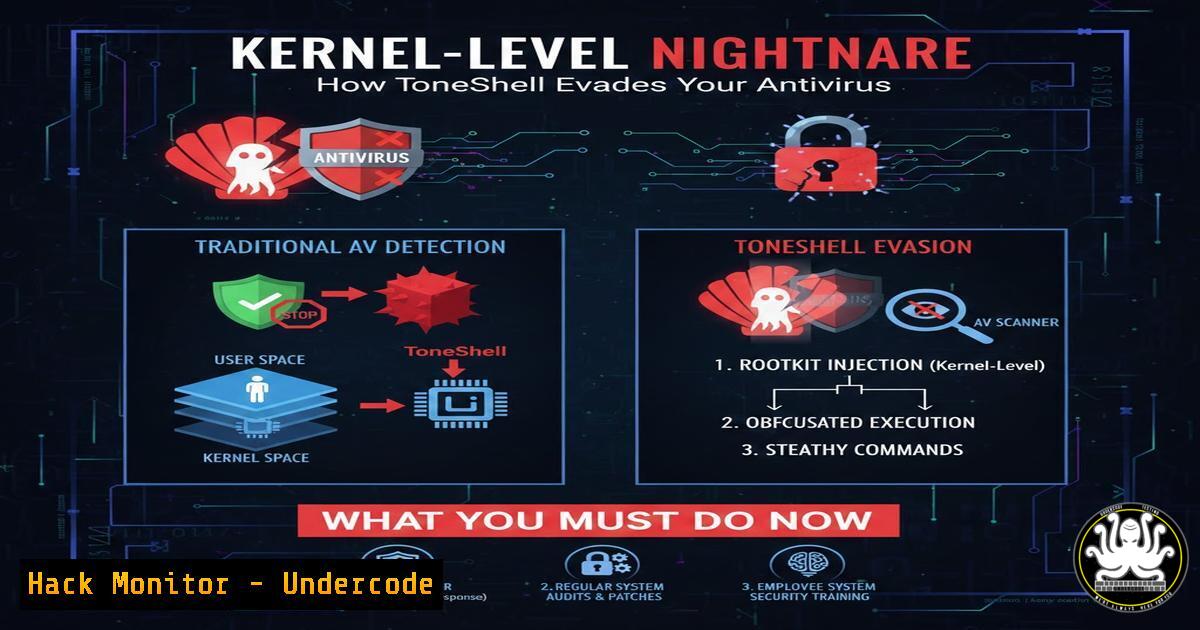
A new generation of cyber threats is bypassing traditional defenses by operating silently in the kernel—the core of your operating system. Dubbed “ToneShell,” this stealth backdoor exemplifies a critical shift towards memory‑resident, certificate‑abusing malware that renders file‑based antivirus scanners obsolete. This article deconstructs the threat and provides actionable, technical steps for defenders to detect and mitigate such advanced persistent threats (APTs).
Learning Objectives:
- Understand the architecture and evasion techniques of kernel‑level rootkits like ToneShell.
- Implement memory analysis and behavioral monitoring across Linux and Windows systems.
- Harden systems against driver‑based attacks and certificate misuse.
You Should Know:
1. Anatomy of a Kernel‑Mode Backdoor
ToneShell operates by loading a malicious, signed driver into the kernel. This grants it the highest system privileges (Ring 0 on x86 systems), allowing it to hook system calls, hide processes/files, and communicate covertly over the network—all while appearing as a legitimate, signed component.
Step‑by‑step guide explaining what this does and how to use it.
What it does: Attackers typically deliver a dropper that installs a malicious driver (e.g., tone.sys). The driver is signed with a stolen or forged certificate, bypassing Driver Signature Enforcement (DSE) on Windows or, on Linux, loaded via an exploited kernel module vulnerability.
How to detect:
Windows: Use PowerShell to list all loaded drivers and check their signatures.
Get-WindowsDriver -Online | Select-Object Driver, Version, Date, ProviderName | Where-Object {$_.ProviderName -notmatch "Microsoft"}
Verify signatures with `SigCheck` (Sysinternals):
sigcheck.exe -accepteula -vt c:\windows\system32\drivers.sys
Linux: List loaded kernel modules and verify their cryptographic signatures.
lsmod | grep -v "^Module"
for module in $(lsmod | awk 'NR>1 {print $1}'); do modinfo $module | grep -E "signer|sig_key"; done
2. Memory‑Resident Operation: Why Files Aren’t Scanned
Traditional AV scans files on disk. ToneShell, once loaded, can reside entirely in memory (RAM), removing its binary from the disk to avoid static analysis. It may also use process hollowing or reflective DLL injection to run within legitimate processes.
Step‑by‑step guide explaining what this does and how to use it.
What it does: The malware injects shellcode into a trusted process (e.g., svchost.exe, `lsass.exe` on Windows, or `systemd` on Linux) and executes payloads directly from memory.
How to detect:
Windows: Use the Sysinternals suite. `Process Explorer` can show memory regions and detect hidden threads.
procexp.exe /accepteula
Look for processes with abnormal memory allocations or threads executing from non‑image memory.
Linux: Use `Volatility` for memory forensics. First, acquire a memory dump with `LiME` or fmpeg, then analyze.
 Acquire memory (requires root)
insmod lime-$(uname -r).ko "path=/tmp/memdump.lime format=lime"
 Analyze with Volatility (example plugin)
volatility -f /tmp/memdump.lime --profile=LinuxUbuntu_5_4_0-96-genericx64 linux_pslist
3. Certificate Abuse & Trust Hijacking
ToneShell uses valid‑looking code‑signing certificates to appear trusted. These certificates may be stolen from software vendors or acquired from compromised Certificate Authorities (CAs).
Step‑by‑step guide explaining what this does and how to use it.
What it does: The malicious driver presents a valid digital signature, causing the OS to trust it implicitly. This bypasses security policies like Windows Defender Application Control (WDAC) if not strictly configured.
How to mitigate:
Windows: Implement a deny‑list or, better, an allow‑list (default‑deny) policy via WDAC. Deploy a policy that only allows drivers signed by your specific, internal CA.
<!-- Sample WDAC policy snippet to allow only Microsoft and your own CA -->
<Signer ID="ID_SIGNER_MICROSOFT" Name="Microsoft Windows">
<CertRoot Type="TBS" Value="MICROSOFT_ROOT_CERT_HASH"/>
</Signer>
<Signer ID="ID_SIGNER_YOUR_ORG" Name="Your Organization CA">
<CertRoot Type="TBS" Value="YOUR_ORG_ROOT_CERT_HASH"/>
</Signer>
Linux: Enable Secure Boot and require module signing. Configure the kernel to only load modules signed with your trusted key.
 Generate a key pair if needed
openssl req -new -x509 -newkey rsa:2048 -keyout MOK.priv -outform DER -out MOK.der -nodes -days 36500 -subj "/CN=Your Organization/"
 Sign a module
/usr/src/linux-headers-$(uname -r)/scripts/sign-file sha256 MOK.priv MOK.der /path/to/module.ko
- Network Behavior & Command & Control (C2) Covert Channels
The backdoor establishes a stealthy C2 channel, often using common protocols (HTTPS, DNS) with encrypted payloads, blending with normal traffic to avoid network‑based intrusion detection.
Step‑by‑step guide explaining what this does and how to use it.
What it does: ToneShell may beacon to a C2 server at regular intervals, using DNS TXT records for commands or HTTPS with legitimate-looking User‑Agent strings.
How to detect:
Use network monitoring tools like `Zeek` or `Suricata` to spot anomalies.
Zeek script example to flag unusual external connections by system processes:
event connection_established(c: connection)
{
if (c$id$resp_h in Site::local_nets) return;
if (c$id$orig_p in set(139, 445, 135)) return;  Ignore some common SMB/RPC
local proc = c$uid ? get_process_name(c$uid) : "unknown";
if (proc in set("lsass.exe", "svchost.exe", "systemd")) {
NOTICE([$note=Outbound::Lateral_Movement,
$msg=fmt("Potential C2 from system process %s to %s", proc, c$id$resp_h),
$conn=c]);
}
}
On endpoints, use `netstat` or `ss` to spot suspicious established connections.
 Linux
ss -tupn | grep -v "127.0.0.1" | grep -v "::1"
 Windows
netstat -ano | findstr ESTABLISHED
5. System Hardening & Proactive Hunting
Defense requires a layered approach that assumes breach, focusing on behavior and integrity monitoring rather than just signature‑based detection.
Step‑by‑step guide explaining what this does and how to use it.
What to do: Deploy Endpoint Detection and Response (EDR) tools, enable auditing, and conduct regular threat hunts.
Implementation steps:
1. Enable detailed auditing:
Windows: `Audit Process Creation` and `Audit Kernel Object` via Group Policy.
Linux: Use `auditd` to monitor syscalls.
auditctl -a always,exit -S init_module -S delete_module -k kernel_module
2. Use OS‑native tools for periodic hunting:
Windows: Microsoft Defender for Endpoint, or use `Sysmon` with a robust configuration (like SwiftOnSecurity’s config).
Linux: Schedule regular `YARA` scans of memory and `/proc` filesystem.
 Scan process memory with YARA
yara -r /rules/malware_index.yar /proc/[0-9]/maps
3. Patch rigorously: Ensure kernel and driver vulnerabilities are patched promptly to close rootkit loading vectors.
What Undercode Say:
- Antivirus is Necessary but Insufficient. File‑scanning AV is a baseline control; modern defense must include memory forensics, behavioral analytics, and kernel integrity monitoring.
- Trust Must Be Verified, Not Assumed. The abuse of legitimate certificates is a central theme in advanced attacks. Organizations must move towards a zero‑trust model for code execution, rigorously validating all signatures and certificates.
The emergence of threats like ToneShell signals a mature offensive landscape that directly targets the foundation of system trust—the kernel. Defenders can no longer rely on perimeter defenses or traditional malware signatures. The battle has shifted to visibility into memory, driver integrity, and network behavior. Investing in EDR, skilled threat hunters, and strict application control policies is no longer optional for protecting high‑value assets.
Prediction:
In the next 12‑24 months, kernel‑level rootkits exploiting signed components will become commoditized, likely appearing in ransomware‑as‑a‑service (RaaS) offerings. This will force a widespread industry shift towards mandatory memory‑based detection in compliance frameworks (like PCI‑DSS 4.0 and upcoming NIST revisions) and accelerate the adoption of hardware‑based root‑of‑trust technologies (like Intel SGX, Microsoft Pluton) to validate firmware and kernel integrity at boot and runtime.
▶️ Related Video (82% Match):
🎯Let’s Practice For Free:
IT/Security Reporter URL:
Reported By: Inga Stirbytecybersecurityleader – Hackers Feeds
Extra Hub: Undercode MoN
Basic Verification: Pass ✅


