Listen to this Post
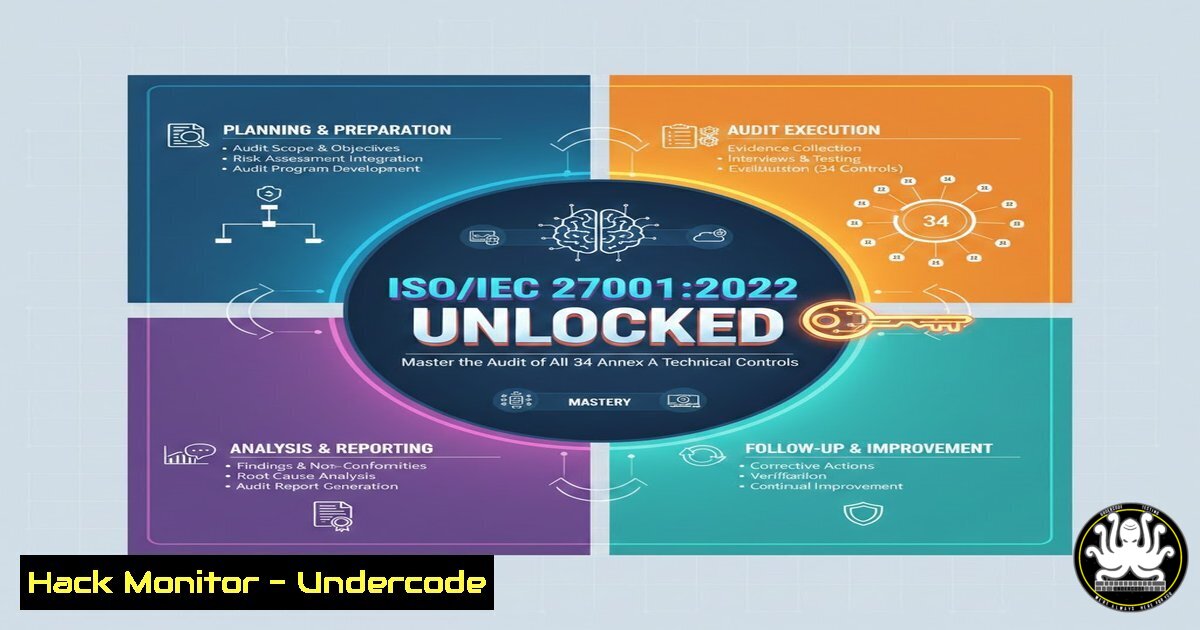
Introduction:
The digital battlefield is won and lost at the technical level. While policies provide the framework, it is the technical controls—firewalls, access controls, cryptography, and secure code—that form the last line of defense against data breaches. With the release of ISO/IEC 27001:2022, the focus on Clause 8 (Technical Controls) has intensified, consolidating previous standards into 34 critical security mechanisms. For cybersecurity professionals, understanding how to audit these controls is no longer optional; it is the cornerstone of organizational resilience and compliance.
Learning Objectives:
- Understand the scope and intent behind each of the 34 Annex A technical controls within Clause 8.
- Learn to audit endpoint security, privileged access management, and network configurations effectively.
- Gain practical skills in verifying cryptographic implementations, secure development pipelines, and cloud security postures.
You Should Know:
- Auditing User Endpoint Security (Control 8.1 & 8.8)
This control mandates the protection of endpoints (laptops, desktops, servers) and the management of malware protection. When auditing, you must verify that endpoints are not just protected, but that the protection is actively managed and reported.
Step‑by‑step guide to auditing endpoint protection:
- Verify Installation and Status: Check that EDR/AV agents are installed and communicating with the management console.
- Windows Command (PowerShell): `Get-WmiObject -Namespace root\SecurityCenter2 -Class AntiVirusProduct` (Lists active antivirus products).
- Linux Command: `sudo systemctl status clamav-daemon` (Example for ClamAV) or check for EDR agent processes using
ps aux | grep [edr-agent-name]. - Check Last Update: Ensure signature databases are up-to-date. On a Windows client, check `C:\ProgramData\Microsoft\Windows Defender\Platform\
\MpCmdRun.exe` -removedefinitions (for troubleshooting). On Linux, verify cron jobs for update scripts: crontab -l | grep freshclam. - Review Scan Logs: Look for scheduled scans and remediated threats. On Windows, view Event Viewer under
Applications and Services Logs > Microsoft > Windows > Windows Defender > Operational.
- Auditing Privileged Access Management (Control 8.2 & 8.18)
Privileged Access Rights and the Use of Privileged Utility Programs must be tightly controlled. Auditors need to ensure that administrative accounts are not used for daily activities and that utilities like `ps` or `regedit` are monitored.
Step‑by‑step guide to auditing privileged access:
- Review Local Admin Groups: Identify who has administrative rights.
- Windows Command: `net localgroup administrators`
– Linux Command: `sudo cat /etc/sudoers | grep -v “^”` and `getent group sudo` orgetent group wheel. - Audit Just-In-Time (JIT) Access: If a PAM solution is used (like CyberArk or HashiCorp Vault), request a report of privilege elevations over the last 30 days.
- Check Utility Logging: Ensure that the use of tools like PowerShell or Bash is logged.
- Windows: Enable PowerShell logging via Group Policy (
Computer Configuration > Administrative Templates > Windows Components > Windows PowerShell). Check logs in Event Viewer:Applications and Services Logs > Microsoft > Windows > PowerShell > Operational. - Linux: Check the `.bash_history` size and auditing via
ausearch. Command: `sudo ausearch -m USER_CMD -ts recent` (Searches for executed user commands audited by the system).
3. Auditing Cryptography and Key Management (Control 8.24)
Organizations must have policies on the use of cryptography and the lifecycle of cryptographic keys. An auditor must verify that weak algorithms (like SHA1 or RC4) are not in use.
Step‑by‑step guide to auditing cryptographic controls:
- Check Protocol Versions: Scan for services supporting outdated protocols.
- Nmap Command: `nmap –script ssl-enum-ciphers -p 443,993,995
` (This script checks which versions of SSL/TLS and which ciphers are supported). - Review Key Length: Check certificates in use.
- OpenSSL Command: `openssl s_client -connect
:443 -showcerts` (Manually check the output for the public key length, e.g., RSA 2048 or 4096). - Verify Key Storage: Ensure private keys are stored in Hardware Security Modules (HSMs) or at least encrypted at rest. Check configuration files for cloud key management: `cat /etc/kubernetes/manifests/kube-apiserver.yaml | grep kms` (Example for Kubernetes KMS provider).
- Auditing Network Security and Segregation (Control 8.20 & 8.22)
Networks must be segregated based on trust levels, and filtering of network traffic must be enforced. This goes beyond just having a firewall; it requires proving the rules are effective.
Step‑by‑step guide to auditing network segregation:
- Review Firewall Rules: Export and analyze firewall configurations. Look for “Any/Any” rules or overly permissive access to sensitive databases.
- Linux (iptables): `sudo iptables -L -n -v` (Lists all rules with counters to see what traffic is hitting them).
- Windows (Advanced Firewall): `netsh advfirewall firewall show rule name=all`
– Test Segmentation: From a low-trust zone (e.g., a guest Wi-Fi), attempt to ping or access a high-trust zone (e.g., a production server). - Command: `ping
` (If it succeeds, segregation is failing). - Traceroute: `tracert
` (Windows) or `traceroute -I ` (Linux) to see the path traffic takes, verifying it goes through the correct security appliances.
- Auditing Secure Development and DevOps (Control 8.25, 8.28, & 8.29)
These controls cover the secure development lifecycle, code repository security, and testing. Auditors must ensure that “security” is not an afterthought in the software development lifecycle.
Step‑by‑step guide to auditing the development pipeline:
- Check Repository Security: Verify that secrets are not hardcoded.
- Tool Use (TruffleHog): If you have access to the repo, run `trufflehog git file://
–since-commit ` to find accidentally committed keys. - Review CI/CD Pipeline: Look for security scanning stages in the pipeline configuration (e.g., `.gitlab-ci.yml` or
Jenkinsfile). Check for steps that run SAST (Static Application Security Testing) tools like SonarQube or Snyk. - Audit Code Signing: Ensure that compiled code is signed.
- Windows Command (Check Signature): `Get-AuthenticodeSignature -FilePath .\application.exe`
- Auditing Cloud Services Security (Control 8.30 & 8.31)
With the rise of cloud adoption, controls specific to outsourced development and cloud services are critical. Auditors must verify that cloud configurations are secure and aligned with the shared responsibility model.
Step‑by‑step guide to auditing cloud configurations:
- Check Public Exposure: Use tools to audit cloud buckets/storage.
- AWS CLI Command: `aws s3api get-bucket-acl –bucket
` (Checks if the bucket is publicly readable). - Azure CLI Command: `az storage container list –account-name
–query “[?properties.publicAccess!=’off’]”` (Lists containers with public access enabled). - Review IAM Roles: Look for over-privileged roles.
- GCloud Command: `gcloud iam roles describe
–project= ` (Examine permissions). - Tool Suggestion: Use `ScoutSuite` (Open-source) to run a full security audit against a cloud account and generate a report.
- Auditing Data Leakage Prevention (Control 8.11 & 8.12)
Data Leakage Prevention (DLP) and information masking controls ensure that sensitive data is not exfiltrated. Auditors need to test if DLP rules are actually blocking sensitive content.
Step‑by‑step guide to testing DLP controls:
- Simulate Data Transfer: Attempt to copy a file containing test credit card numbers or PII (Personally Identifiable Information) to a USB drive or upload it to a personal webmail (if allowed by policy and with authorization).
- Check Email Filtering: Send an email with sensitive keywords to an external test account. Verify if it was blocked, quarantined, or allowed with a warning banner.
- Review DLP Alerts: Log into the DLP console (like Microsoft Purview or Symantec DLP). Generate a report of “High Severity” incidents for the audit period to ensure they were investigated.
What Undercode Say:
- Integration is Key: The 34 controls of Clause 8 are not isolated checkboxes. An auditor cannot effectively review “Network Security” (8.20) without understanding “Privileged Access” (8.2) and “Cryptography” (8.24). Technical controls are a web; pulling one thread reveals the strength of the others.
- Evidence Over Assumption: The step-by-step commands provided highlight a crucial truth: technical audits require technical hands. Asking for a policy document is not enough. Running an `nmap` scan or a `grep` command on a system config provides irrefutable, forensic evidence of compliance or failure.
Auditing ISO 27001:2022 technical controls is shifting from a compliance ritual to a continuous validation process. The rise of AI-generated code and ephemeral cloud infrastructure means that the configuration you audit today may not exist tomorrow. The future auditor will rely heavily on Infrastructure as Code (IaC) scanning and automated Security Orchestration, Automation, and Response (SOAR) tools to validate these 34 controls in real-time, rather than relying on point-in-time screenshots.
Prediction:
We predict that within the next 18 months, the integration of generative AI into SIEM (Security Information and Event Management) systems will transform how Annex A controls are audited. Instead of manual log parsing, auditors will query AI assistants to correlate events across Control 8.8 (malware) and 8.16 (monitoring activities), providing instant risk assessments. This will push organizations to move from “audit-ready” to “continuously compliant,” where technical controls are automatically remediated by bots the moment a deviation is detected.
▶️ Related Video (82% Match):
🎯Let’s Practice For Free:
IT/Security Reporter URL:
Reported By: Arpita Paul – Hackers Feeds
Extra Hub: Undercode MoN
Basic Verification: Pass ✅


