Listen to this Post
Introduction:
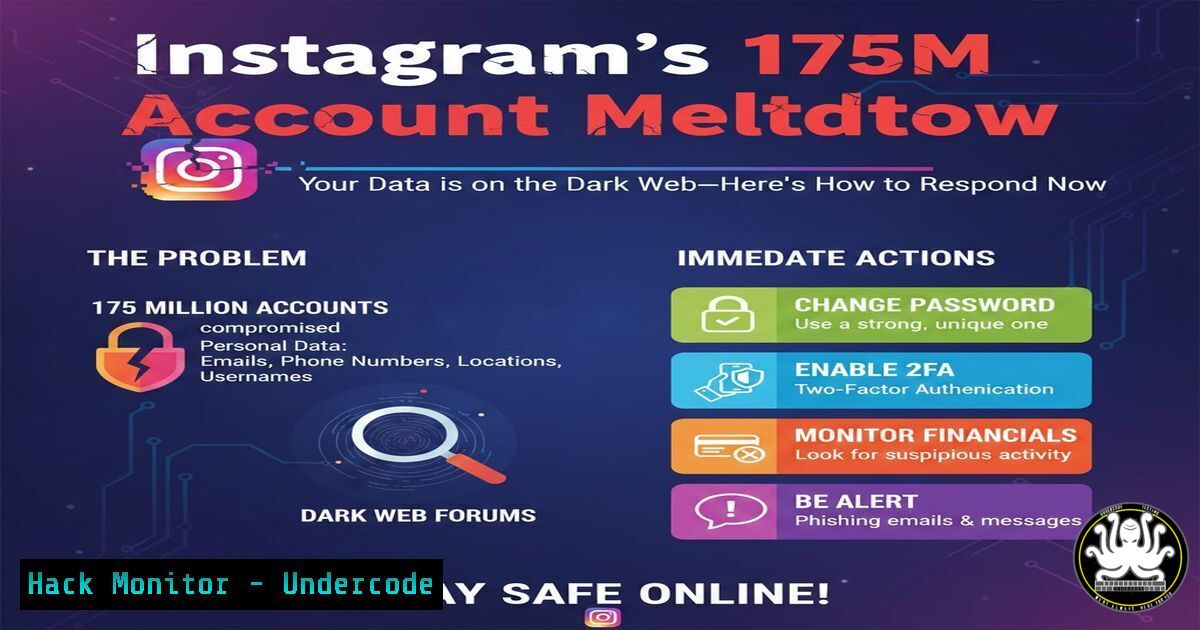
A massive data breach has exposed the sensitive personal information of approximately 17.5 million Instagram users, with the stolen dataset now circulating on dark web forums. This incident underscores the persistent vulnerabilities in social media platforms and the severe real-world risks, including targeted phishing, identity theft, and sophisticated social engineering attacks that follow such leaks.
Learning Objectives:
- Understand the technical methodology for verifying personal exposure in a major data breach.
- Learn immediate containment steps to secure compromised social media and email accounts.
- Implement proactive security hardening for personal and organizational IT environments to prevent downstream attacks.
You Should Know:
1. Verify Your Exposure and Assess the Damage
Before taking action, confirm if your data was part of the leak. This involves checking trusted breach databases and knowing what specific information was exposed.
Step‑by‑step guide:
Step 1: Navigate to https://haveibeenpwned.com/`. Enter your primary email address linked to Instagram. This service aggregates data from thousands of breaches.holehe -o results.txt [email protected]`.
Step 2: For a more specific search, use specialized dark web monitoring services offered by cybersecurity vendors. If you have access, run a threat intelligence query using tools like `holehe` to check email association:
Step 3: Manually review the types of data leaked (email, phone, physical address). This dictates your response priority. If your physical address is exposed, be alert for targeted physical scams.
2. Execute Immediate Account Containment and Password Resets
Exposed credentials can lead to account takeover. Immediate containment is critical to prevent lateral movement to other services.
Step‑by‑step guide:
Step 1: Reset your Instagram password immediately. Enable Two-Factor Authentication (2FA) using an authenticator app (Google Authenticator, Authy), not SMS, as phone numbers may be compromised.
Step 2: Audit and update passwords for any other accounts using the same email/password combination. Use a password manager to generate and store unique, complex passwords for every service.
Step 3: For compromised email accounts, check for and remove malicious forwarding rules or delegated access. In Gmail, check Settings > See all settings > Forwarding and POP/IMAP. In Microsoft 365, review Settings > Mail > Forwarding.
3. Harden Your Email Security Posture
Your email is the keystone to all other accounts. An exposed email address requires enhanced security configuration.
Step‑by‑step guide:
Step 1: Implement strong SPF, DKIM, and DMARC records for your domain to prevent email spoofing. Example SPF record: `v=spf1 include:_spf.google.com ~all`
Step 2: Enable advanced phishing filters. In Microsoft Defender for Office 365, enable Anti-Phishing policies with mailbox intelligence. Use the PowerShell command: `Enable-AntiPhishPolicy -Identity “Standard Policy” -EnableMailboxIntelligence $true`
Step 3: Conduct user awareness simulations. Use platforms like KnowBe4 to simulate phishing campaigns targeting the leaked data patterns (e.g., “Instagram Security Alert”).
4. Deploy Endpoint Detection and Advanced Monitoring
Attackers use leaked data to craft targeted malware. Enhanced endpoint visibility is non-negotiable.
Step‑by‑step guide:
Step 1: Ensure Endpoint Detection and Response (EDR) is active on all corporate devices. For personal use, consider a reputable security suite.
Step 2: Monitor for anomalous login attempts. On a Linux server, review authentication logs: sudo grep "Failed password" /var/log/auth.log | tail -20. On Windows, use Event Viewer (eventvwr.msc) and filter for Event ID 4625 (failed logon).
Step 3: Configure alerts for login attempts from unfamiliar locations or IP ranges. In a cloud environment like AWS, use CloudWatch Alarms for Identity and Access Management (IAM) anomalies.
5. Implement Secrets Scanning and Code Hygiene
Developers must ensure that leaked credentials (like API keys) are not accidentally committed to public repositories.
Step‑by‑step guide:
Step 1: Integrate pre-commit hooks with tools like TruffleHog or GitLeaks to scan for secrets before code is pushed. Example: `trufflehog git https://github.com/yourrepo –only-verified`
Step 2: Perform a historical scan of your codebase: `gitleaks detect –source . -v`
Step 3: Rotate all API keys, SSH keys, and deployment tokens that could have been stored in any potentially insecure location or by a compromised employee account.
6. Establish Continuous Vulnerability Management
Breaches often exploit known, unpatched vulnerabilities. A rigorous patching regimen is your baseline defense.
Step‑by‑step guide:
Step 1: For Linux systems, automate security updates. On Ubuntu/Debian: sudo apt-get update && sudo apt-get upgrade --yes. Use `unattended-upgrades` for automation.
Step 2: On Windows, enforce a Group Policy for automatic updates or use PowerShell to install critical patches: `Install-Module PSWindowsUpdate -Force; Get-WindowsInstall -Install -AcceptAll -AutoReboot`
Step 3: Utilize a vulnerability scanner like OpenVAS or Nessus to perform weekly network scans. Prioritize remediation based on CVSS scores and asset criticality.
What Undercode Say:
- The Human Layer is the New Perimeter: This breach weaponizes personal data for hyper-targeted attacks. No amount of technical hardening can fully stop a user coerced by a perfectly crafted, data-rich phishing message. Continuous security awareness training is now as critical as any firewall rule.
- Data Aggregation Amplifies Risk: Isolated data points (email, phone) become dangerous when combined. Organizations must adopt a data minimization principle—collect only what is absolutely necessary and encrypt it at rest and in transit. Assume any stored PII will eventually be targeted.
+ analysis:
This breach is a stark reminder that third-party risk is endemic. The attack surface extends far beyond your own infrastructure to include every platform where your employees and customers have an account. Proactive defense now requires operationalizing dark web monitoring to find leaked credentials before they are used in attacks. Furthermore, the exposure of physical addresses introduces a rarely discussed threat vector: blended digital-physical social engineering, such as targeted “tech support” house calls or blackmail. Security programs must evolve to include guidelines for physical safety in the event of such severe doxxing. The sheer scale of 17.5 million records ensures this data will fuel criminal campaigns for years to come.
Prediction:
In the next 12-24 months, breaches of this nature will catalyze two major shifts. First, we will see a significant rise in AI-driven, hyper-personalized phishing campaigns that use the leaked data to generate highly convincing, context-aware messages in real-time, making traditional detection methods obsolete. Second, this will accelerate the adoption of passwordless authentication (FIDO2/WebAuthn) and decentralized identity models, as the industry finally acknowledges that the centralized storage of static personal data is an unsustainable risk. Regulatory bodies will likely respond with stricter mandates for social media platforms, imposing heavy fines not just for the breach itself, but for failing to implement state-of-the-art protective measures like phishing-resistant MFA by default.
▶️ Related Video (78% Match):
🎯Let’s Practice For Free:
IT/Security Reporter URL:
Reported By: Mohit Sambharwal – Hackers Feeds
Extra Hub: Undercode MoN
Basic Verification: Pass ✅


