Listen to this Post
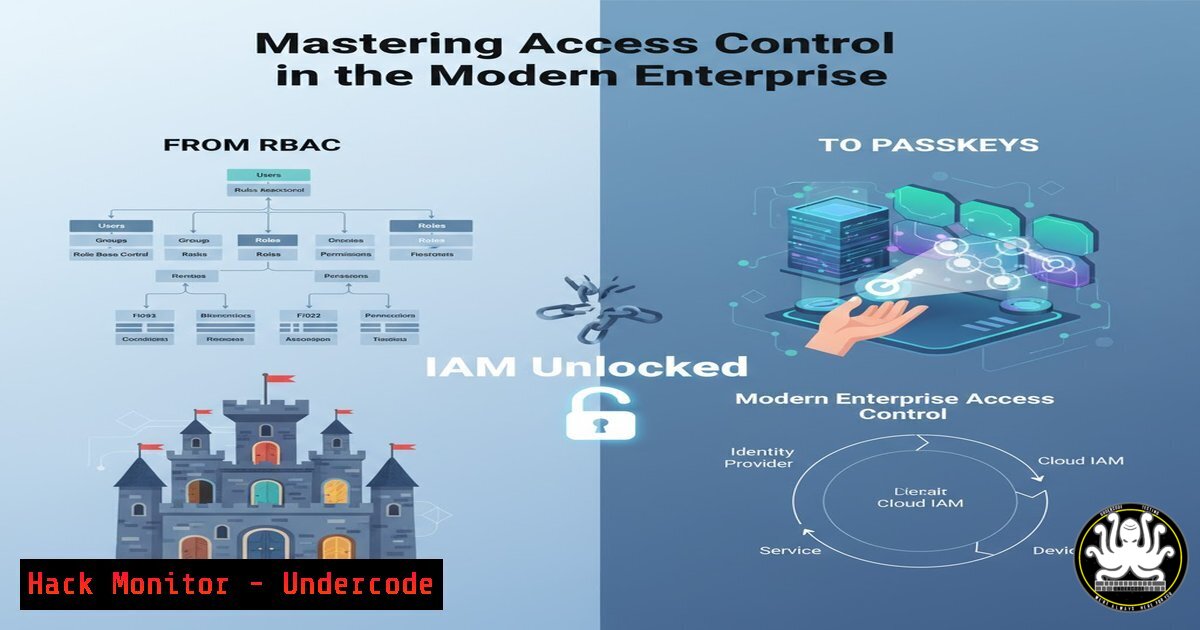
Introduction:
Identity and Access Management (IAM) forms the critical bedrock of enterprise cybersecurity, governing who can access what resources and when. As the digital landscape evolves with concepts like passkeys and attribute-based access, understanding IAM is no longer optional for security professionals. This guide demystifies the core components of IAM, providing the technical commands and configurations needed to implement a robust security posture.
Learning Objectives:
- Understand and implement Role-Based Access Control (RBAC) in both Linux and Windows environments.
- Deploy and manage modern passwordless authentication using passkeys.
- Harden cloud IAM configurations to prevent common misconfigurations and breaches.
You Should Know:
1. Implementing Role-Based Access Control (RBAC) in Linux
Verified Linux commands for managing users and groups:
 Create a new group
sudo groupadd -g 10000 developers

Add a user to a group
sudo usermod -a -G developers alice

Create a directory and set group ownership
sudo mkdir /opt/devprojects
sudo chown :developers /opt/devprojects
sudo chmod 2770 /opt/devprojects

View user group membership
groups alice
id alice
Step-by-step guide:
This sequence establishes a basic RBAC structure. First, create a functional group (developers) with a specific GID. Adding users to this group grants them collective permissions. The `chmod 2770` sets the setgid bit, ensuring files created within the directory inherit the `developers` group, maintaining consistent access control. Verify assignments with `groups` and id.
2. Enforcing Windows RBAC with PowerShell
Verified Windows PowerShell commands:
 Create a new security group
New-ADGroup -Name "Finance_Users" -GroupScope Global -GroupCategory Security

Add user to group
Add-ADGroupMember -Identity "Finance_Users" -Members "bjones"

Check effective access for a specific file
Get-Acl C:\Financials\report.xlsx | Format-List

Create a fine-grained password policy
New-ADFineGrainedPasswordPolicy -Name "Finance_Policy" -Precedence 1 -MinPasswordLength 12 -ComplexityEnabled $true
Step-by-step guide:
These PowerShell cmdlets manage Active Directory groups and memberships, forming the basis of Windows RBAC. `New-ADGroup` creates the container for roles, while `Add-ADGroupMember` assigns users. `Get-Acl` audits existing permissions on sensitive resources. The fine-grained password policy demonstrates how to enforce stricter authentication requirements for privileged roles like finance.
3. Configuring Passkey Authentication
Verified WebAuthn API configuration snippet:
// Public Key Credential Creation Options for passkey registration
const publicKey = {
challenge: new Uint8Array(32),
rp: {
name: "Example Corp",
id: "example.com"
},
user: {
id: new Uint8Array(16),
name: "[email protected]",
displayName: "Alice User"
},
pubKeyCredParams: [{alg: -7, type: "public-key"}],
authenticatorSelection: {
authenticatorAttachment: "platform",
userVerification: "required"
},
timeout: 60000,
attestation: "direct"
};

// Register the passkey
navigator.credentials.create({ publicKey });
Step-by-step guide:
This JavaScript code initializes passkey registration using the Web Authentication API. The `challenge` is a cryptographically random buffer preventing replay attacks. The `rp` (relying party) identifies your domain, while `user` contains the account information. `authenticatorSelection` configures whether to use device-based (“platform”) or cross-device (“cross-platform”) authenticators. The `create` method triggers the browser’s passkey creation dialog.
4. Hardening AWS IAM Policies
Verified AWS IAM policy configurations:
{
"Version": "2012-10-17",
"Statement": [
{
"Sid": "DenyLeaveOrg",
"Effect": "Deny",
"Action": [
"organizations:LeaveOrganization"
],
"Resource": ""
},
{
"Sid": "RequireMFAForPrivilegedActions",
"Effect": "Deny",
"Action": [
"iam:CreateUser",
"iam:AttachUserPolicy"
],
"Resource": "",
"Condition": {
"BoolIfExists": {
"aws:MultiFactorAuthPresent": "false"
}
}
}
]
}
Step-by-step guide:
This JSON policy demonstrates two critical IAM hardening techniques. The first statement prevents users from leaving the AWS Organization, a common persistence technique for attackers. The second statement mandates Multi-Factor Authentication (MFA) for privileged IAM actions using a conditional deny. The condition key `aws:MultiFactorAuthPresent` checks whether MFA was used in the current session, blocking requests without it.
5. Azure AD Conditional Access PowerShell
Verified Azure AD PowerShell commands:
 Connect to Azure AD
Connect-AzureAD

Create Conditional Access policy requiring MFA for admin portals
$conditions = New-Object -TypeName Microsoft.Open.MSGraph.Model.ConditionalAccessConditionSet
$conditions.Applications = New-Object -TypeName Microsoft.Open.MSGraph.Model.ConditionalAccessApplicationCondition
$conditions.Applications.IncludeApplications = "797f4846-ba00-4fd7-ba43-dac1f8f63013"  Microsoft Azure Management

$conditions.Users = New-Object -TypeName Microsoft.Open.MSGraph.Model.ConditionalAccessUserCondition
$conditions.Users.IncludeUsers = "All"

$controls = New-Object -TypeName Microsoft.Open.MSGraph.Model.ConditionalAccessGrantControls
$controls._Operator = "OR"
$controls.BuiltInControls = "mfa"

New-AzureADMSConditionalAccessPolicy -DisplayName "Require MFA for Azure Portal" -State "enabled" -Conditions $conditions -GrantControls $controls
Step-by-step guide:
This PowerShell script creates an Azure AD Conditional Access policy that mandates MFA specifically for the Azure Management portal. The `IncludeApplications` targets the Azure Management app GUID, while `IncludeUsers` applies to all users. The `GrantControls` specify MFA as required. This implements context-aware access control, increasing security for administrative interfaces without impacting general user productivity.
6. Linux Privilege Escalation Mitigation
Verified Linux security commands:
 Find SUID binaries that might be exploitable
find / -perm -4000 -type f 2>/dev/null

Remove unnecessary SUID bits
sudo chmod u-s /usr/bin/script_name

Configure sudoers to limit privileges
echo "user ALL=(ALL) /usr/bin/systemctl restart apache2, /usr/bin/systemctl status apache2" | sudo EDITOR='tee -a' visudo -f /etc/sudoers.d/custom

Set strict permissions on sensitive directories
sudo chmod 700 /root
sudo chmod 700 /home/user/.ssh
sudo chmod 600 /home/user/.ssh/authorized_keys
Step-by-step guide:
SUID binaries are common privilege escalation vectors. The `find` command identifies all files with the SUID bit set. Remove unnecessary SUID permissions with chmod u-s. The sudoers configuration demonstrates the principle of least privilege, allowing a user to run only specific commands as root. Strict directory permissions prevent unauthorized access to sensitive areas like SSH keys and root’s home directory.
7. API Security Hardening with JWT
Verified JWT validation code snippet (Node.js):
const jwt = require('jsonwebtoken');
const jwksClient = require('jwks-rsa');

const client = jwksClient({
jwksUri: 'https://login.microsoftonline.com/common/discovery/keys'
});

function getKey(header, callback) {
client.getSigningKey(header.kid, function(err, key) {
const signingKey = key.publicKey || key.rsaPublicKey;
callback(null, signingKey);
});
}

const verifyOptions = {
audience: 'api://your-app-id',
issuer: 'https://sts.windows.net/tenant-id/',
algorithms: ['RS256']
};

jwt.verify(token, getKey, verifyOptions, function(err, decoded) {
if (err) {
// Token validation failed
return res.status(401).send('Invalid token');
}
// Proceed with authenticated request
});
Step-by-step guide:
This Node.js code securely validates JWT tokens from Azure AD. Instead of using a static secret, it fetches the public signing keys from the JWKS (JSON Web Key Set) endpoint to verify the token signature. The `verifyOptions` enforce critical checks: `audience` ensures the token was issued for your specific application, `issuer` verifies it came from your trusted identity provider, and `algorithms` restricts to secure asymmetric encryption (RS256), preventing algorithm confusion attacks.
What Undercode Say:
- IAM is the new perimeter: With cloud adoption, traditional network security is insufficient; identity becomes the primary security boundary.
- Least privilege isn’t optional: Over-permissioned accounts remain the number one cause of security breaches in cloud environments.
The complexity of modern IAM systems creates both challenges and opportunities. While concepts like PBAC (Policy-Based Access Control) and passkeys represent significant advancements, they also expand the attack surface if misconfigured. The technical implementations shown demonstrate that proper IAM requires depth across operating systems, cloud platforms, and application development. Organizations must move beyond basic password policies and embrace context-aware, adaptive authentication mechanisms. The future of IAM lies in invisible, continuous authentication that balances security with user experience.
Prediction:
Within three years, AI-driven identity analytics will become standard, automatically detecting anomalous access patterns and adjusting permissions in real-time. However, this will create a new attack vector where sophisticated threat actors will attempt to poison training data or manipulate behavioral biometrics. The IAM landscape will evolve into an AI-versus-AI battleground, where defensive systems continuously learn normal behavior while attackers develop generative AI capable of mimicking legitimate user patterns, making context-rich multi-factor authentication and zero-trust principles non-negotiable.
🎯Let’s Practice For Free:
IT/Security Reporter URL:
Reported By: Fix C – Hackers Feeds
Extra Hub: Undercode MoN
Basic Verification: Pass ✅


