Listen to this Post
Introduction:
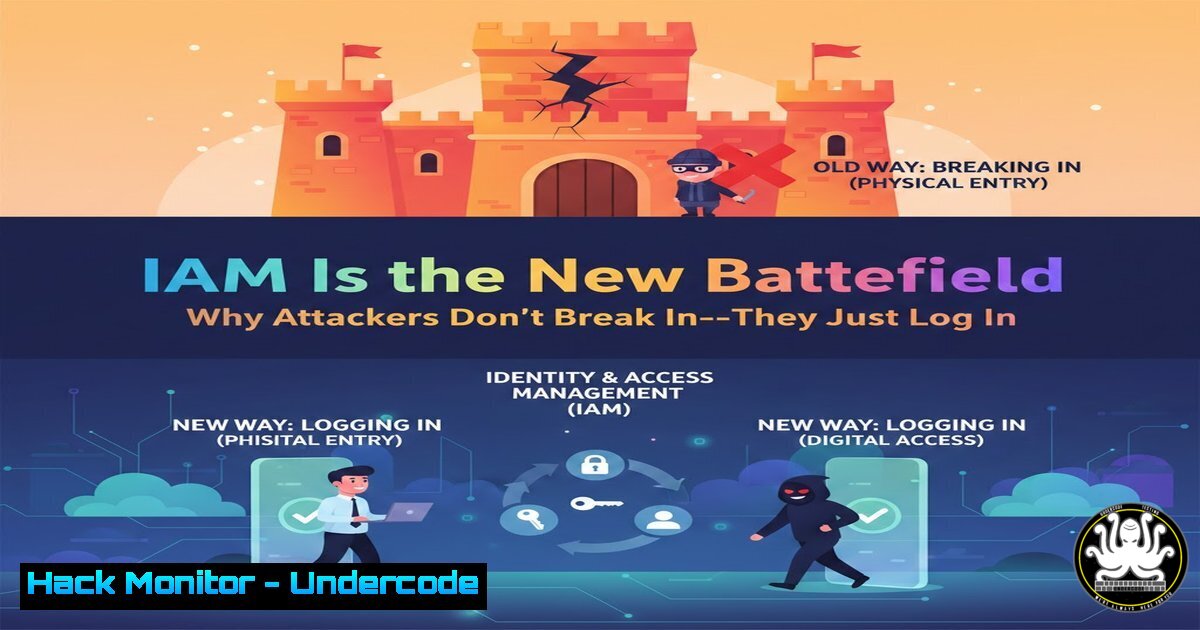
In the modern cybersecurity landscape, identity has become the de facto perimeter. Identity and Access Management (IAM) is no longer just a compliance checkbox; it is the primary control plane determining who can access what, where, and how within an organization’s digital estate. When IAM architectures are misconfigured or poorly governed, attackers bypass complex exploit chains entirely—they simply authenticate using stolen credentials or abused permissions. This article dissects the mechanics of IAM abuse, provides a roadmap for hardening identity infrastructure, and delivers actionable commands and configurations for security professionals to enforce least privilege and detect malicious logins before they become breaches.
Learning Objectives:
- Understand the common vectors of IAM abuse, including token theft and privilege escalation.
- Learn to implement least privilege access using Role-Based Access Control (RBAC) and cloud-native tools.
- Master the configuration of Conditional Access Policies and Privileged Access Management (PAM) solutions.
- Gain hands-on knowledge of auditing IAM logs across Linux, Windows, and cloud environments.
- Identify and remediate over-permissive service accounts and API key vulnerabilities.
You Should Know:
- Credential Theft and Initial Access: How Attackers “Log In”
Attackers begin by harvesting credentials through phishing, password spraying, or stealing OAuth tokens. Once they have a foothold, they blend in as legitimate users.
Step‑by‑step guide to simulate and detect credential theft:
- Linux (Log Auditing): Check for failed and successful logins to spot anomalies.
View recent authentication attempts
sudo grep "Failed password" /var/log/auth.log | tail -20
sudo grep "Accepted password" /var/log/auth.log | tail -20

List all currently logged-in users
w
who -a
- Windows (Event Log Analysis): Use PowerShell to hunt for suspicious logon events (Event ID 4624 for successful logon, 4648 for logon with explicit credentials).
Get successful logons in the last 24 hours Get-WinEvent -FilterHashtable @{LogName='Security'; ID=4624; StartTime=(Get-Date).AddDays(-1)} | Format-Table TimeCreated, Message -AutoSize - Cloud (Azure AD Sign-in Logs): Use Azure CLI to review risky sign-ins.
az monitor activity-log list --resource-group "myRG" --query "[?operationName.value=='Microsoft.Storage/storageAccounts/listKeys/action']"
Explanation: These commands help you baseline normal behavior. A sudden spike in failed attempts followed by a success from a foreign IP is a red flag.
2. Privilege Escalation via Misconfigured Roles
Overly permissive roles allow users to elevate privileges. In AWS, a role with `iam:PassRole` and `ec2:RunInstances` can lead to full account compromise.
Step‑by‑step guide to audit and fix role misconfigurations:
- AWS IAM Policy Analysis:
List all IAM roles and their attached policies
aws iam list-roles --query "Roles[].[RoleName, Arn]" --output table
aws iam list-attached-role-policies --role-name <RoleName>

Identify policies with wildcard actions or resources
aws iam get-role-policy --role-name <RoleName> --policy-name <PolicyName>
- GCP IAM Recommender: Use the recommender to detect over-permissive roles.
gcloud recommender recommendations list --project=my-project --location=global --recommender=google.iam.policy.Recommender
- Remediation: Replace wildcards (
"Action": "") with specific actions. Use AWS IAM Access Analyzer to generate least-privilege policies.
Explanation: Tools like these surface roles that grant excessive permissions. By narrowing down actions to only what’s necessary, you shrink the blast radius of a compromised role.
3. Over-Permissive Service Accounts and API Keys
Service accounts often accumulate permissions over time. Attackers exploit these to move laterally or access sensitive data.
Step‑by‑step guide to harden service accounts:
- Linux (Service Account Review): List all system users and their privileges.
Find all service accounts (UID < 1000 typically) awk -F: '($3<1000){print $1 " (UID: " $3 ")"}' /etc/passwd Check which services run as root ps aux | grep "^root" -
Windows (Service Permissions): Use `sc.exe` and PowerShell to review services.
List all services and their account
Get-WmiObject Win32_Service | Select-Object Name, StartName

Check for services running with high privileges unnecessarily
- API Key Rotation (AWS): Automate key rotation and detect unused keys.
List IAM users and key age
aws iam list-access-keys --user-name <UserName> --query "AccessKeyMetadata[].[AccessKeyId, CreateDate]"
Deactivate old keys
aws iam update-access-key --access-key-id AKIA... --status Inactive --user-name <UserName>
Explanation: Service accounts should run with the minimum permissions needed. Rotating keys regularly and removing unused credentials prevents attackers from leveraging stale access.
- Abuse of OAuth Tokens and Cloud IAM Roles
OAuth tokens can be stolen via compromised third-party apps. In Azure, over-privileged OAuth consents grant attackers persistent access.
Step‑by‑step guide to monitor and restrict OAuth grants:
– Azure AD (OAuth Apps Audit):
 Install AzureAD module and connect
Connect-AzureAD
 List all OAuth2 permission grants
Get-AzureADOAuth2PermissionGrant | Select-Object ClientId, ConsentType, Scope, ExpiryTime
– Review Scopes: Ensure apps only request necessary scopes (e.g., `Mail.Read` instead of Mail.ReadWrite).
– Revoke Suspicious Grants:
Remove-AzureADOAuth2PermissionGrant -ObjectId <GrantId>
Explanation: Attackers use OAuth to maintain persistence even after a password change. Regular audits of third-party app permissions are critical.
5. MFA Everywhere and Conditional Access Policies
MFA is the single most effective control against credential theft. Conditional Access Policies enforce MFA based on risk, location, or device state.
Step‑by‑step guide to enforce MFA with Conditional Access:
– Azure AD Conditional Access (via Portal or Graph API):
– Create a policy targeting all users.
– Assign conditions: “All cloud apps,” “Any location,” “Risk level medium and above.”
– Grant access requiring MFA.
– Using Microsoft Graph PowerShell:
 Create a new Conditional Access policy requiring MFA for admins
$body = @{
displayName = "Require MFA for Admins"
state = "enabled"
conditions = @{
users = @{ includeRoles = @("62e90394-69f5-4237-9190-012177145e10") }  Global Admin role ID
}
grantControls = @{
builtInControls = @("mfa")
operator = "OR"
}
} | ConvertTo-Json

Invoke-MgGraphRequest -Method POST -Uri "https://graph.microsoft.com/v1.0/identity/conditionalAccess/policies" -Body $body
Explanation: MFA must be mandatory for all privileged roles and highly recommended for all users. Conditional Access adds context-aware security.
6. Privileged Access Management (PAM) Implementation
PAM solutions (like CyberArk, Microsoft PIM) provide just-in-time (JIT) access, ephemeral credentials, and session monitoring.
Step‑by‑step guide to configure Azure AD Privileged Identity Management (PIM):
– Enable PIM for a role:
 Connect to Azure AD
Connect-AzureAD
 Get role definition
$role = Get-AzureADMSRoleDefinition | Where-Object {$_.DisplayName -eq "User Administrator"}
 Make role eligible for a user
Open-AzureADMSPrivilegedRoleAssignmentRequest -ProviderId 'aadRoles' -ResourceId 'myTenantId' -RoleDefinitionId $role.Id -SubjectId 'userId' -Type 'AdminAdd' -AssignmentState 'Eligible' -Schedule $schedule
– Require approval for activation: Set up approval workflows in the PIM portal.
– Audit activations: Review PIM audit logs for unusual activation times.
Explanation: PIM ensures that standing admin privileges are eliminated. Users must request elevation, which is time-bound and approved, reducing the attack surface.
7. Continuous Monitoring of Authentication Logs
Without monitoring, even the best IAM controls fail. Centralized logging and alerting are essential.
Step‑by‑step guide to set up IAM monitoring with SIEM:
– Forward Windows Security Logs to SIEM:
 Configure WinRM and wevtutil to export logs
wevtutil epl Security C:\logs\security.evtx
– Use Splunk or ELK for correlation:
– Splunk query for anomalous logins:
index=windows EventCode=4624 Account_Name!="SYSTEM" | stats count by Account_Name, Source_Network_Address | where count > 10
– AWS CloudTrail for IAM events:
 Search for AssumeRole events from unusual IPs
aws cloudtrail lookup-events --lookup-attributes AttributeKey=EventName,AttributeValue=AssumeRole --query "Events[?SourceIPAddress!='192.168.1.1']"
Explanation: Real-time alerting on MFA failures, role assumptions from new locations, or service account logins outside business hours can stop an attack in progress.
What Undercode Say:
– Key Takeaway 1: IAM is the new perimeter. Attackers don’t exploit vulnerabilities; they abuse identities. Strengthening IAM with least privilege, MFA, and continuous monitoring is non-negotiable.
– Key Takeaway 2: Automation is your ally. Use cloud-native tools like IAM Access Analyzer, PIM, and Conditional Access to enforce policies at scale. Manual reviews are error-prone and cannot keep pace with dynamic environments.
Analysis: The shift to cloud and remote work has dissolved the traditional network boundary. Identity is the only constant. Organizations that treat IAM as a static, one-time project will inevitably suffer breaches. The commands and configurations provided here are not exhaustive but form a solid foundation. Remember: every permission granted is a potential attack vector. Audit relentlessly, remove standing privileges, and always verify—because in the world of IAM, trust is a vulnerability.
Prediction:
As identity attacks grow more sophisticated, we will see a convergence of IAM with AI-driven behavioral analytics. Machine learning models will baseline user behavior and trigger adaptive authentication in real time. Simultaneously, the rise of passkeys and passwordless authentication will reduce credential theft, but attackers will pivot to abusing API keys and machine identities. The next wave of IAM innovation will focus on securing non-human identities (NHIs)—service accounts, bots, and IoT devices—which currently lack the same level of control as human users.
▶️ Related Video (82% Match):
🎯Let’s Practice For Free:
IT/Security Reporter URL:
Reported By: Josephchristopher1 Cybersecurity – Hackers Feeds
Extra Hub: Undercode MoN
Basic Verification: Pass ✅


