Listen to this Post
Introduction:
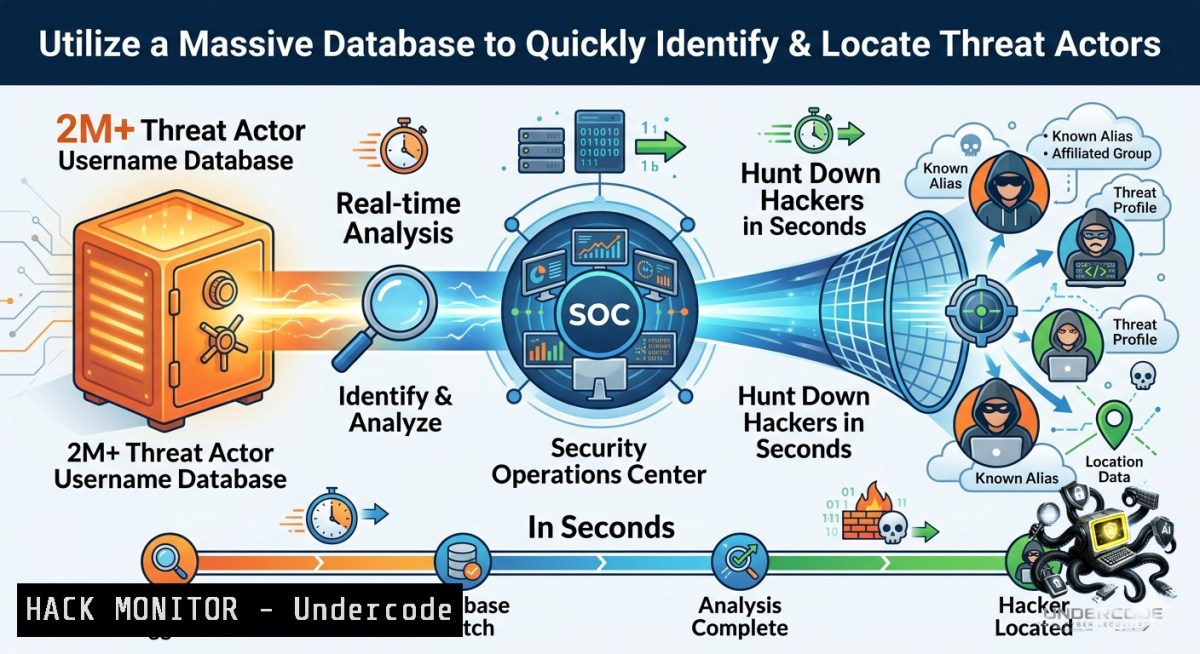
Open Source Intelligence (OSINT) is a critical discipline in modern cybersecurity, allowing professionals to gather and analyze publicly available information to identify potential threats. A key strategy in this field is threat actor tracking, where analysts link disparate online activities and accounts back to a single malicious entity. To operationalize this, the Threat Actor Username Search engine provides a powerful, specialized database, allowing you to search through over 2 million known malicious usernames and map their activities across the digital landscape.
Learning Objectives:
- Understand the role of OSINT and username pivoting in proactive threat hunting.
- Learn how to use the Threat Actor Username Search tool to identify and map malicious actors.
- Acquire practical command-line techniques to automate and enhance your OSINT investigations.
You Should Know:
- Centralized Threat Actor Pivoting with the Username Search Engine
This tool is a game-changer for analysts, moving beyond simple internet searches to a curated database of malicious identities. Instead of manually checking a username across dozens of platforms, this engine aggregates data, allowing you to see a threat actor’s full operational footprint instantly.
Step‑by‑step guide explaining what this does and how to use it:
- Access the Platform: Navigate to `https://threatactorusernames.com/`. It is optimized for Chrome, Edge, and Safari browsers. Ensure you are using the tool responsibly and only for legitimate security research or defensive purposes.
- Initiate a Search: Enter a known or suspected threat actor username into the search bar. This could be an alias found in a phishing email, a forum post, or a piece of malware metadata.
- Analyze the Results: The tool will query its database of 2M+ usernames and return a comprehensive list of platforms, forums, darknet markets, and other online services where that username has been active. This reveals the actor’s broader operational network.
- Map the Actor’s Infrastructure: Correlate the results to build a detailed profile. For example, a username active on a hacking forum, a GitHub repository, and a darknet marketplace provides a much clearer picture of their capabilities and intentions than isolated sightings.
Tutorial & Code Snippet: Enhancing OSINT with Command-Line Tools
While the web interface is excellent for quick lookups, integrating it with other OSINT tools creates a powerful investigative pipeline. The following bash script demonstrates how to take a list of suspect usernames and run them through multiple OSINT tools to gather intelligence from surface web and breach data sources.
!/bin/bash
 OSINT Username Correlation Script
 Dependencies: sherlock, theHarvester, jq (for JSON parsing)

USERNAME_LIST="suspect_usernames.txt"  File with one username per line
REPORT_DIR="osint_report_$(date +%Y%m%d_%H%M%S)"
mkdir -p "$REPORT_DIR"

echo "[] Starting OSINT sweep on usernames from $USERNAME_LIST"

while read -r username; do
echo "[] Processing: $username"
REPORT_FILE="$REPORT_DIR/${username}_report.txt"
echo "=== OSINT Report for Username: $username ===" > "$REPORT_FILE"

<ol>
<li>Use Sherlock to find accounts across 300+ social networks
echo -e "\n Sherlock Results " >> "$REPORT_FILE"
sherlock $username --timeout 5 --1o-color >> "$REPORT_FILE" 2>/dev/null</p></li>
<li><p>Use theHarvester for email and subdomain discovery (requires a domain)
Example assumes you have a target domain related to the username
echo -e "\n theHarvester Results " >> "$REPORT_FILE"
theHarvester -d "$username.com" -b all -f "$REPORT_DIR/${username}_harvester.html" >> "$REPORT_FILE"</p></li>
<li><p>Simulate an API call to the Threat Actor Username Search (place your API endpoint here)
echo -e "\n Threat Actor DB Results " >> "$REPORT_FILE"
curl -s -X GET "https://api.threatactorusernames.com/search?q=$username" | jq '.' >> "$REPORT_FILE"</p></li>
<li><p>Check for breached credentials using a tool like BreachHound
echo -e "\n BreachHound Check (info-stealer logs) " >> "$REPORT_FILE"
npx breachhound $username >> "$REPORT_FILE" 2>/dev/null</p></li>
</ol>

<p>echo "[] Report saved to $REPORT_FILE"
done < "$USERNAME_LIST"

echo "[] OSINT sweep complete. All reports in $REPORT_DIR"
How to Use: Save the script as osint_sweep.sh, make it executable (chmod +x osint_sweep.sh), and create a `suspect_usernames.txt` file with one username per line. The script will create a timestamped report directory with detailed findings for each username.
- Automating API Security Discovery with Threat Intelligence Feeds
This tool is not just for manual hunting; it is a potent component for automated security pipelines. By integrating its search capabilities via an API (if available) or by scraping results programmatically, you can automatically flag suspicious usernames in your own systems.
Step‑by‑step guide explaining what this does and how to use it:
- Identify the API Endpoint: First, determine if the service offers a public API. Check the website’s documentation or network traffic while using the search bar to find the underlying API call. A common pattern is a GET request to `https://threatactorusernames.com/api/search?q={username}`.
- Obtain an API Key: If the service requires authentication for programmatic access, you will need to register for an API key. This is often a paid feature for commercial OSINT tools.
- Write a Python Script for Automated Lookups: Use the API in your SOAR (Security Orchestration, Automation, and Response) playbooks. For example, you can automatically query the database for any new username extracted from a phishing email.
- Automate Log Analysis: Parse your authentication logs (SSH, web applications) for repeated failed login attempts. Extract the usernames used and run them through the threat actor database to prioritize incident response.
Python Script for Automated Username Lookup:
!/usr/bin/env python3
"""
Threat Actor Username Lookup Automation
Dependencies: requests, json
"""

import requests
import json
import sys
import time
from typing import List, Dict

Configuration
API_BASE_URL = "https://threatactorusernames.com/api"  Hypothetical endpoint
API_KEY = "YOUR_API_KEY_HERE"  Replace with your actual API key
HEADERS = {"Authorization": f"Bearer {API_KEY}", "Content-Type": "application/json"}

def search_username(username: str) -> Dict:
"""Search for a username and return the JSON response."""
url = f"{API_BASE_URL}/search"
params = {"q": username}
try:
response = requests.get(url, headers=HEADERS, params=params, timeout=10)
response.raise_for_status()
return response.json()
except requests.exceptions.RequestException as e:
print(f"Error searching for {username}: {e}")
return {}

def bulk_search_usernames(username_list: List[bash]) -> None:
"""Perform a bulk search for a list of usernames."""
for username in username_list:
print(f"Searching for: {username}")
results = search_username(username)
if results:
print(json.dumps(results, indent=2))
 Here you can add logic to send an alert to your SIEM or ticketing system
else:
print(f"No results found for {username}")
time.sleep(1)  Be respectful of the API rate limits

if <strong>name</strong> == "<strong>main</strong>":
if len(sys.argv) > 1:
usernames = sys.argv[1:]
bulk_search_usernames(usernames)
else:
print("Usage: python3 username_lookup.py username1 username2 ...")
How to Use: Replace the `API_BASE_URL` and `API_KEY` with the actual values. Run the script from your terminal or integrate it into a larger automation framework. This script allows you to quickly check multiple usernames and export the results for further analysis.
- Mastering the OSINT Toolkit: Essential Commands for Threat Hunting
To truly leverage threat actor intelligence, you must build a robust OSINT toolkit. While the Threat Actor Username Search is a specialized database, combining it with general-purpose OSINT tools provides a complete picture.
Step‑by‑step guide explaining what this does and how to use it:
- Install Core OSINT Tools: Many of the most powerful OSINT tools are command-line based and available on GitHub. Use `git clone` to download them and follow their installation instructions.
- Master Sherlock for Cross-Platform Username Search: Sherlock is the industry standard for finding usernames on over 300 social networks and websites. It is an essential complement to the threat actor database.
- Utilize Recon-1g for Modular Reconnaissance: Recon-1g is a full-featured reconnaissance framework with a powerful module system. It can integrate with numerous APIs for data enrichment.
- Leverage theHarvester for Domain Intelligence: This tool gathers emails, subdomains, and hosts from public sources like search engines and PGP key servers, providing context around a threat actor’s infrastructure.
- Automate with Bash Scripting: As shown in the first section, scripting is key to efficient OSINT. Chain these tools together to create automated investigative workflows.
Essential OSINT Commands (Run on Linux or WSL):
 Install Sherlock
git clone https://github.com/sherlock-project/sherlock.git
cd sherlock
python3 -m pip install -r requirements.txt

Basic Sherlock usage for a single username
python3 sherlock <username>

Install theHarvester
git clone https://github.com/laramies/theHarvester.git
cd theHarvester
python3 -m pip install -r requirements/base.txt

Basic theHarvester usage to gather emails for a domain
python3 theHarvester.py -d <target_domain> -b all

Install Recon-1g
git clone https://github.com/lanmaster53/recon-1g.git
cd recon-1g
python3 -m pip install -r REQUIREMENTS
./recon-1g

Basic Recon-1g workflow (inside the interactive shell)
marketplace install all
reload
workspace create <project_name>
modules load recon/domains-hosts/brute_hosts
set SOURCE <target_domain>
run
What Undercode Say:
- The Threat Actor Username Search engine shifts OSINT from a manual, time-consuming process to an automated, efficient one, acting as a force multiplier for threat intelligence teams. It is not about finding a needle in a haystack but about having a map that shows you every single needle.
- The true power of this tool is realized when it is integrated into automated security workflows and combined with other OSINT utilities like Sherlock and Recon-1g. Proactive hunting, rather than reactive patching, is the key to modern security.
Expected Output:
By integrating centralized username lookup into daily security operations, analysts can drastically reduce their investigation time, moving from hours of manual searching to seconds of automated correlation. This allows for faster incident response, more effective threat actor profiling, and ultimately, a more robust security posture that anticipates attacker movements.
Prediction:
- +1 AI-driven OSINT platforms will increasingly automate the process of linking usernames to real-world identities and infrastructure, drastically reducing the time between initial compromise and full threat actor attribution. This will democratize advanced threat hunting, making it accessible to organizations of all sizes.
- +1 The future of identity intelligence lies in cross-referencing usernames with other data points like email addresses, phone numbers, and crypto wallet IDs. Platforms that build comprehensive “identity pedigrees” from data leaks and malware infections will become the standard, enabling defenders to preemptively block known malicious actors before they even attempt an attack.
- -1 As these tools become more powerful and accessible, malicious actors will adapt by employing more sophisticated operational security (OPSEC), such as frequently rotating usernames, using disposable identities, and leveraging decentralized, anonymous platforms, creating a continuous arms race between attackers and defenders.
▶️ Related Video (78% Match):
🎯Let’s Practice For Free:
🎓 Live Courses & Certifications:
Join Undercode Academy for Verified Certifications
🚀 Request a Custom Project:
Secure, high-velocity infrastructure and disruptive technological engineering. Contact our engineering team for high-tier development and proprietary systems:
[email protected]
💎 Smart Architecture | 🛡️ Secure by Design | ⭐ Trusted by Thousands
IT/Security Reporter URL:
Reported By: Https: – Hackers Feeds
Extra Hub: Undercode MoN
Basic Verification: Pass ✅


