Listen to this Post
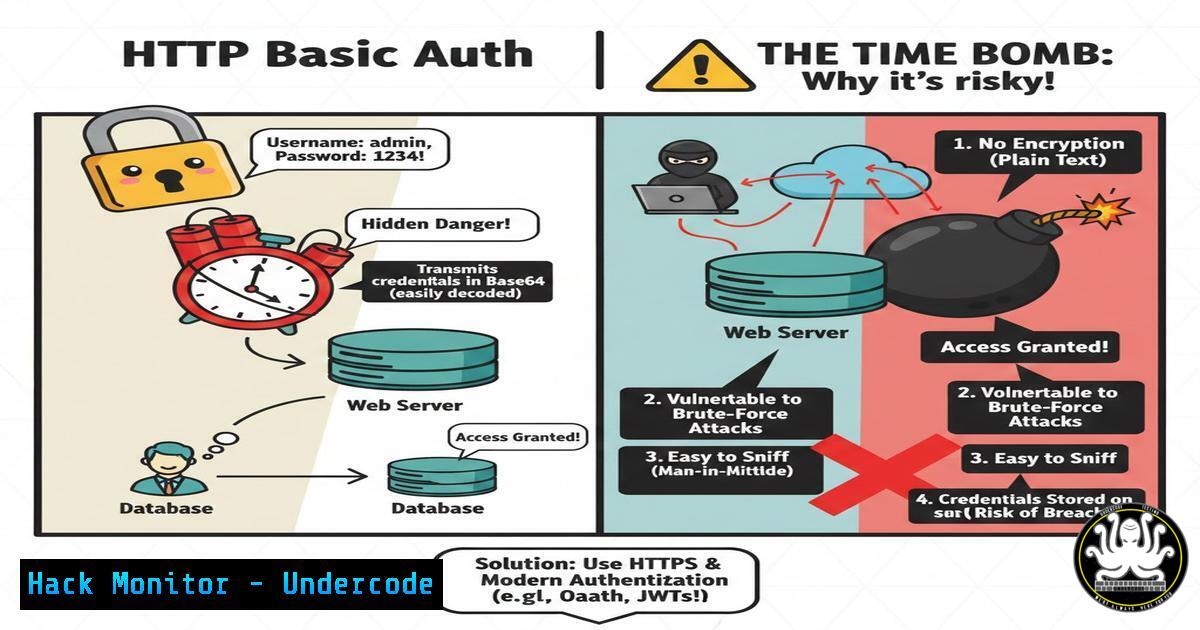
Introduction:
HTTP Basic Authentication remains a deceptively simple method for protecting web resources, yet its inherent vulnerabilities make it a significant security liability in modern IT environments. This protocol, which transmits credentials in a easily reversible encoded format, is fundamentally insecure without the mandatory use of HTTPS encryption. For cybersecurity professionals and system administrators, understanding the exploitation and mitigation of this weakness is a critical component of securing web applications and network infrastructure.
Learning Objectives:
- Understand the fundamental mechanics and security flaws of HTTP Basic Authentication.
- Learn the step-by-step process to identify, exploit, and capture HTTP Basic Auth credentials.
- Implement robust mitigation strategies to replace or secure HTTP Basic Authentication.
You Should Know:
1. The Anatomy of HTTP Basic Authentication
HTTP Basic Authentication is a method for a web browser or client to provide a username and password when making a request. The critical flaw lies in its encoding mechanism. When a client attempts to access a protected resource, the server responds with a `401 Unauthorized` status code. The client then combines the username and password with a colon (username:password) and encodes this string using Base64. This Base64 string is sent in the `Authorization` header of the subsequent HTTP request.
Step-by-step guide explaining what this does and how to use it.
Step 1: The Server Challenge. A user requests a protected page. The server responds with `HTTP 401 Unauthorized` and a `WWW-Authenticate: Basic` header.
Step 2: The Client Response. The browser prompts the user for credentials. It then creates the string `alice:Secret123` and encodes it to YWxpY2U6U2VjcmV0MTIz.
Step 3: The Transmission. The browser sends a new request with the header Authorization: Basic YWxpY2U6U2VjcmV0MTIz. This encoded string is trivially easy to decode back to the plaintext credentials.
- Exploitation: Capturing Credentials with a Man-in-the-Middle (MiTM) Attack
The primary risk of using HTTP Basic Auth over unencrypted HTTP is susceptibility to MiTM attacks. An attacker on the same network can intercept this traffic and instantly decode the credentials. Tools like Wireshark make this process straightforward.
Step-by-step guide explaining what this does and how to use it.
Step 1: Capture Traffic. Start a packet capture on your network interface using Wireshark or tcpdump.
Linux Command: `sudo tcpdump -i eth0 -w capture.pcap`
Step 2: Filter for HTTP Traffic. In Wireshark, use the display filter `http.authorization` to immediately locate packets containing the Basic Auth header.
Step 3: Decode the Credentials. Once you locate the `Authorization` header, copy the string after “Basic”. You can decode it from the command line.
Linux/Windows (PowerShell) Command: `echo ‘YWxpY2U6U2VjcmV0MTIz’ | base64 –decode`
Output: `alice:Secret123`
3. Exploitation: Brute-Forcing Basic Auth Endpoints
If an attacker discovers a protected endpoint but lacks credentials, they can use brute-force tools to guess them. Hydra is a powerful tool for this purpose, capable of launching rapid dictionary attacks against various authentication schemes.
Step-by-step guide explaining what this does and how to use it.
Step 1: Identify the Target. Confirm the URL and that it returns a `401` status code.
Command: curl -I http://vulnerable-site.com/private/`passwords.txt`).
Step 2: Prepare Wordlists. Have username and password wordlists ready (e.g., `users.txt` and
Step 3: Launch Hydra Attack. Use Hydra to perform the brute-force attack.
Linux Command:
hydra -L users.txt -P passwords.txt vulnerable-site.com http-get /private/
Explanation: `-L` specifies the user list, `-P` the password list, `http-get` specifies the method, and `/private/` is the target path.
4. Automating Reconnaissance with Burp Suite
During a web application penetration test, Burp Suite can be configured to automatically scan for and test HTTP Basic Authentication vulnerabilities.
Step-by-step guide explaining what this does and how to use it.
Step 1: Configure Scope. Add your target URL to Burp Suite’s Target scope.
Step 2: Passive Scanning. As you browse the application, Burp’s Proxy will log all requests. A `401` response will be flagged.
Step 3: Active Scanning. Use Burp Scanner to actively probe the application. It will report on the use of Basic Auth over HTTP as a medium or low-severity finding, providing details for your report.
5. Mitigation Strategy 1: Enforce HTTPS with HSTS
The most critical step is to ensure credentials are never sent in cleartext. Enforcing HTTPS is non-negotiable. HTTP Strict Transport Security (HSTS) should be implemented to force browsers to only use secure connections.
Step-by-step guide explaining what this does and how to use it.
Step 1: Obtain an SSL/TLS Certificate. Use a certificate from a trusted Certificate Authority (CA) or from Let’s Encrypt.
Step 2: Configure Web Server for Redirect. Redirect all HTTP traffic to HTTPS.
Apache Virtual Host Configuration:
<VirtualHost :80>
ServerName example.com
Redirect permanent / https://example.com/
</VirtualHost>
Nginx Server Block Configuration:
server {
listen 80;
server_name example.com;
return 301 https://$server_name$request_uri;
}
Step 3: Implement HSTS Header. Add the following header in your HTTPS server configuration.
Apache: `Header always set Strict-Transport-Security “max-age=63072000; includeSubDomains; preload”`
Nginx: `add_header Strict-Transport-Security “max-age=63072000; includeSubDomains; preload”;`
- Mitigation Strategy 2: Deprecate Basic Auth for Modern Alternatives
While HTTPS protects the credential transmission, Basic Auth is still a weak scheme. It is vulnerable to replay attacks and provides no protection for the credentials on the server side. Modern alternatives should be adopted.
Step-by-step guide explaining what this does and how to use it.
Step 1: Evaluate Alternatives. For APIs, use stateless authentication with signed tokens like JWT (JSON Web Tokens). For user-facing web applications, implement traditional session-based authentication with secure, hashed password storage.
Step 2: Implement JWT for APIs. Upon login, the server validates credentials and returns a signed JWT, which the client sends in the `Authorization: Bearer
Step 3: Secure Password Handling. If you must store passwords, use a strong, salted, and computationally expensive hashing algorithm.
Recommended: bcrypt, scrypt, or Argon2.
Example (Python with bcrypt):
import bcrypt
 Hashing a password
password = b"SuperSecretPassword"
salt = bcrypt.gensalt()
hashed = bcrypt.hashpw(password, salt)
 Verifying a password
if bcrypt.checkpw(password, hashed):
print("Password is correct.")
7. Mitigation Strategy 3: Network Segmentation and Monitoring
Defense-in-depth is key. Isolate systems that still rely on legacy authentication methods and monitor them aggressively for attack signatures.
Step-by-step guide explaining what this does and how to use it.
Step 1: Segment the Network. Place legacy systems that require Basic Auth in a separate, tightly controlled network segment (DMZ) with strict firewall rules limiting inbound and outbound traffic.
Step 2: Implement an Intrusion Detection System (IDS). Use tools like Suricata or Snort to monitor network traffic for patterns of brute-force attacks or successful authentications from suspicious IP addresses.
Step 3: Centralize and Alert on Logs. Aggregate web server logs to a SIEM (Security Information and Event Management) system. Create alerts for an excessive number of `401` status codes from a single IP address, indicating a potential brute-force attack.
What Undercode Say:
- Obsolete by Design: HTTP Basic Authentication is a legacy protocol that fails to meet the security demands of the modern web. Its continued use, especially without TLS, is a severe configuration error.
- A Triviality for Attackers: For a penetration tester or threat actor, encountering Basic Auth is often the equivalent of finding a key under the doormat. Exploitation is simple, fast, and highly reliable.
The analysis reveals that the core issue is a mismatch between convenience and security. While easy to implement, Basic Auth externalizes the entire burden of security onto the transport layer (HTTPS). A single misconfiguration, a forced HTTP downgrade attack, or a compromised certificate authority can instantly expose all user credentials. Modern applications must move beyond this fragile model. Adopting token-based or session-based mechanisms not only provides better security but also enables more sophisticated features like granular permissions, single sign-on (SSO), and easier revocation. In an era of sophisticated cyber threats, relying on Base64 encoding as a security control is a risk that no professional IT environment can justify.
Prediction:
The future impact of HTTP Basic Auth vulnerabilities will increasingly shift towards IoT and embedded devices, where legacy web interfaces are common and often neglected by patches. Furthermore, as quantum computing advances, the current encryption protecting HTTPS becomes theoretically vulnerable. While this is a long-term concern, it underscores the danger of relying on any authentication scheme where the client sends a reusable secret. The industry-wide push towards passwordless authentication (e.g., FIDO2/WebAuthn) and zero-trust architectures will further isolate and highlight Basic Authentication as an antiquated and unacceptable risk, potentially leading to stricter compliance regulations that explicitly forbid its use.
🎯Let’s Practice For Free:
IT/Security Reporter URL:
Reported By: Abdullah Morrier – Hackers Feeds
Extra Hub: Undercode MoN
Basic Verification: Pass ✅


