Listen to this Post
Introduction:
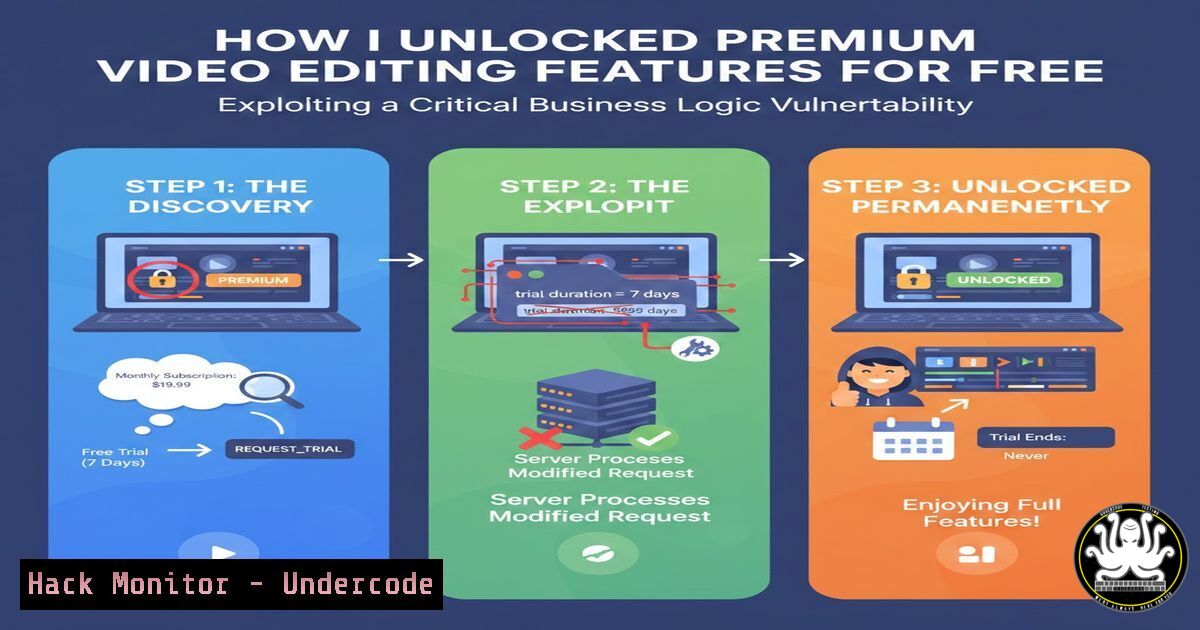
Business logic vulnerabilities represent a subtle yet devastating class of security flaws that attack the core functionality of an application rather than its code. In a recent bug bounty engagement, a popular video editing app was found to locally render premium content before validating user subscriptions, allowing free users to export watermarked, high-quality videos without payment. This case underscores that security is not just about data breaches but also about protecting revenue models and operational integrity.
Learning Objectives:
- Understand the fundamental principles of business logic vulnerabilities and their impact on software applications.
- Learn practical reconnaissance and exploitation techniques for identifying logic flaws in desktop and web applications.
- Implement effective mitigation strategies to harden applications against such attacks.
You Should Know:
- Understanding Business Logic Flaws: The Core of the Vulnerability
Business logic vulnerabilities occur when an application’s workflow can be manipulated to perform actions outside its intended design. Unlike traditional bugs like SQL injection, these flaws abuse legitimate functionality. In the video editor case, the app rendered Pro features locally before checking if the user had paid, relying on a final export step for validation. This misplacement of trust allowed attackers to intercept the final product before the check.
Step-by-step guide explaining what this does and how to use it:
– Step 1: Map the application’s workflow. For a video editor, this includes: project creation -> adding premium assets -> local rendering -> export with subscription check.
– Step 2: Identify trust boundaries. Here, the app trusted that users wouldn’t access locally rendered files in draft directories.
– Step 3: Exploit the gap. By accessing the draft files directly, you bypass the export check. On Linux, use commands like `find / -name “draft” -type d 2>/dev/null` to locate temporary directories. On Windows, use PowerShell: Get-ChildItem -Path C:\Users\ -Filter draft -Recurse -ErrorAction SilentlyContinue.
– Step 4: Extract the final video. Use `cp` or `Move-Item` to copy files from temp locations to a safe directory.
2. Reconnaissance: File System Analysis for Desktop Apps
Desktop applications often store sensitive data, like rendered videos, in local directories. Systematic analysis can reveal flawed assumptions about file security.
Step-by-step guide explaining what this does and how to use it:
– Step 1: Install the target application in a sandboxed environment (e.g., VMware or Docker) to avoid affecting your main system.
– Step 2: Monitor file system activity. On Linux, use `inotifywait` to watch directories: inotifywait -m -r ~/.config/application_name. On Windows, use Sysinternals Process Monitor to log file accesses.
– Step 3: After using premium features, search for newly created files. For example, on Linux: find /tmp -newer /tmp/timestamp -type f 2>/dev/null. Create a timestamp file before starting the app.
– Step 4: Inspect file permissions. Ensure the app doesn’t store rendered videos with world-readable permissions. Use `chmod` or `icacls` to modify permissions if testing mitigations.
- Intercepting and Manipulating API Calls for Web/Cloud Integrations
Many applications, including video editors, use cloud APIs for license checks. Intercepting these calls can reveal logic flaws where client-side requests are not properly validated server-side.
Step-by-step guide explaining what this does and how to use it:
– Step 1: Set up a proxy tool like Burp Suite or OWASP ZAP. Configure your system to route traffic through the proxy (e.g., set HTTP_PROXY environment variable on Linux: export HTTP_PROXY=http://localhost:8080`)./api/license/verify
- Step 2: Launch the application and perform actions like exporting a video. Capture API requests to endpoints like `/api/export` or.is_premium`. Replay requests with modified parameters using Burp’s Repeater tool to see if checks are bypassed.
- Step 3: Analyze the requests. Look for parameters like `subscription_status` or
– Step 4: If the app uses GraphQL, inspect queries for flaws. Tools like GraphQL IDE can help craft malicious queries to bypass checks.
4. Bypassing Client-Side Checks with Debugging Tools
Applications often implement client-side checks that can be manipulated using debugging tools. This is common in electron-based or mobile apps.
Step-by-step guide explaining what this does and how to use it:
– Step 1: For web-based apps, open Developer Tools (F12) and navigate to the Sources or Debugger tab. Search for JavaScript files containing keywords like “license” or “premium”.
– Step 2: Set breakpoints in functions that handle subscription checks. For example, in Chrome DevTools, click the line number to pause execution.
– Step 3: Modify variables in real-time. Change `isUserPremium` from `false` to `true` in the Console and resume execution.
– Step 4: For desktop apps, use tools like dnSpy for .NET applications or Ghidra for reverse engineering. Decompile the binary and patch the license check logic.
5. Exploiting Local Rendering Flaws: A Deep Dive
The video editor vulnerability centered on local rendering before payment. This pattern is common in media applications where performance is prioritized over security.
Step-by-step guide explaining what this does and how to use it:
– Step 1: Identify the rendering pipeline. Use strace on Linux: strace -f -e file application_name 2>&1 | grep -i render. On Windows, use API Monitor to track GDI or DirectX calls.
– Step 2: Locate temporary files. During rendering, the app may write frames or videos to temp directories. Use `lsof` on Linux: lsof -p $(pidof application_name) | grep tmp. On Windows, use Handle from Sysinternals.
– Step 3: Bypass the export step. If the app saves rendered videos in a draft folder, simply copy them. For example, on Linux: cp -r ~/.cache/video_editor/drafts/ ./output/. On Windows: xcopy %LOCALAPPDATA%\app_name\drafts\ C:\output\ /E.
– Step 4: Automate the process. Write a script that monitors the draft directory and moves new files. In Python:
import shutil, time, os
while True:
for file in os.listdir('/path/to/drafts'):
if file.endswith('.mp4'):
shutil.move(os.path.join('/path/to/drafts', file), './captured/')
time.sleep(5)
- Mitigation Strategies for Developers: Securing the Business Logic
To prevent such vulnerabilities, developers must enforce server-side checks and secure local data.
Step-by-step guide explaining what this does and how to use it:
– Step 1: Implement checks early. Move subscription validation before any premium feature is rendered. For example, in a web app, use middleware:
app.use('/api/render', (req, res, next) => {
if (!req.user.isPremium) return res.status(403).send('Access denied');
next();
});
– Step 2: Encrypt local files. Use libraries like libsodium to encrypt draft videos with a key derived from the user’s subscription status. On Linux, integrate via sudo apt install libsodium-dev.
– Step 3: Use secure temporary directories. On Linux, create temp files with `mkstemp` and set permissions to 600. On Windows, use `GetTempPath` with ACLs to restrict access.
– Step 4: Audit logic flows. Conduct threat modeling sessions to identify trust boundaries. Tools like OWASP Cornucopia can help.
7. Tools and Techniques for Bug Bounty Hunters
Successful bug hunting requires a toolkit for probing business logic. Here’s how to leverage common tools.
Step-by-step guide explaining what this does and how to use it:
– Step 1: Use burp-suite with extensions like Autorize to test for access control flaws. Configure it to replay requests with different user roles.
– Step 2: For desktop apps, employ Frida for dynamic instrumentation. Inject scripts to hook functions:
Interceptor.attach(Module.findExportByName("app.exe", "check_license"), {
onLeave: function(retval) {
retval.replace(1); // Force return true
}
});
– Step 3: Set up a lab environment. Use Docker to containerize applications: docker run -it --name test_app ubuntu:latest. Install the target app and probe it without risk.
– Step 4: Document findings. Use tools like KeepNote or Obsidian to map workflows and vulnerabilities for reporting.
What Undercode Say:
- Key Takeaway 1: Business logic vulnerabilities can directly undermine revenue models, as seen in the video editor case where premium features were accessed without payment. This highlights that security assessments must go beyond common vulnerabilities and examine application workflows.
- Key Takeaway 2: The flaw originated from a misplaced trust in client-side processes—local rendering before server-side checks. This pattern is prevalent in performance-sensitive applications and requires robust server-side validation and encryption of local data.
Analysis:
The video editor vulnerability exemplifies a critical oversight in modern software design: prioritizing user experience over security. By rendering content locally before payment checks, the app assumed users would not access intermediate files. This flaw allowed complete bypass of the subscription model, leading to direct financial loss and legal risks. For bug bounty hunters, this case reinforces the importance of testing “value-before-payment” workflows. Developers must adopt a zero-trust approach, validating permissions at each step and securing temporary data. As applications become more complex, integrating security into the design phase is essential to prevent such logic flaws.
Prediction:
In the future, business logic vulnerabilities will increasingly target subscription-based and SaaS models, especially with the rise of AI-powered features that process data locally. Attackers will leverage automated tools to scan for flawed workflows, causing significant financial damage. To counter this, we expect a shift towards serverless architectures with strict policy enforcement and increased use of runtime application self-protection (RASP) technologies. Additionally, bug bounty programs will expand to prioritize logic flaws, driving more comprehensive security testing across industries.
▶️ Related Video (78% Match):
🎯Let’s Practice For Free:
IT/Security Reporter URL:
Reported By: Hushamosman Bounty – Hackers Feeds
Extra Hub: Undercode MoN
Basic Verification: Pass ✅


