
Listen to this Post
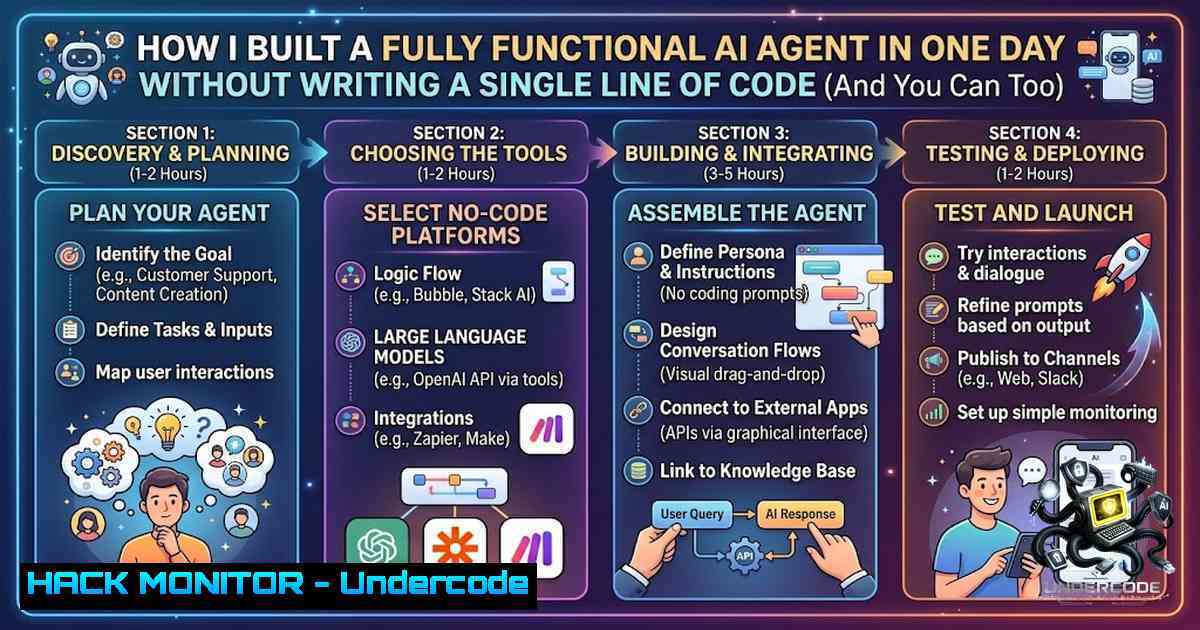
Introduction:
The landscape of artificial intelligence is shifting rapidly from passive chatbots to autonomous agents that can actually do things—send emails, update CRMs, scrape the web, and execute multi-step business processes without human intervention. n8n, an open-source workflow automation tool, has emerged as the bridge between “AI can talk” and “AI can act,” enabling developers and non-developers alike to build production-ready agentic AI systems through a visual, node-based interface. This article explores how n8n’s AI Agent nodes, combined with LLMs like GPT-4o, are democratizing AI automation and why this technology represents a paradigm shift for cybersecurity, IT operations, and business process engineering.
Learning Objectives:
- Understand the architecture and capabilities of n8n’s AI Agent nodes and how they enable autonomous task execution
- Master the installation, configuration, and security hardening of n8n across Linux and Windows environments
- Build and deploy production-ready agentic workflows that integrate with Gmail, HubSpot, Slack, and hundreds of other services
- Implement security best practices including encryption key management, SSRF protection, and execution data redaction
- Leverage n8n’s multi-agent orchestration for complex automation scenarios
You Should Know:
- What Is n8n and Why Does It Matter for Agentic AI?
At its core, n8n is a visual, low-code workflow automation tool that replaces the traditional “glue code” required to connect APIs and services. Instead of writing hundreds of lines of Python or JavaScript to integrate Gmail with HubSpot, you drag nodes onto a canvas and wire them together. The game-changer, however, is the AI Agent node—a component that plugs into an LLM (like GPT-4o) and gives it “tools” such as Gmail, HubSpot, custom workflows, and HTTP requests. This transforms the AI from a conversational interface into an autonomous executor that can read messages, decide on actions, draft replies, update contacts, and trigger downstream processes.
The architecture is deceptively simple: a chat trigger initiates the conversation, memory nodes maintain context across interactions, and tool connections enable the agent to interact with external systems. What makes this powerful is the orchestration layer—n8n handles the state management, error handling, and retry logic that would otherwise require significant engineering effort.
Step‑by‑Step: Installing n8n on Linux (Ubuntu 22.04/24.04)
For production deployments, Docker is the recommended approach:
 Step 1: Update system and install Docker dependencies
sudo apt update
sudo apt install -y apt-transport-https ca-certificates curl software-properties-common

Step 2: Add Docker's official GPG key and repository
curl -fsSL https://download.docker.com/linux/ubuntu/gpg | sudo gpg --dearmor -o /usr/share/keyrings/docker-archive-keyring.gpg
echo "deb [arch=$(dpkg --print-architecture) signed-by=/usr/share/keyrings/docker-archive-keyring.gpg] https://download.docker.com/linux/ubuntu $(lsb_release -cs) stable" | sudo tee /etc/apt/sources.list.d/docker.list > /dev/null

Step 3: Install Docker Engine and Docker Compose
sudo apt update
sudo apt install -y docker-ce docker-ce-cli containerd.io docker-compose-plugin

Step 4: Create n8n directory and environment file
mkdir ~/n8n-docker
cd ~/n8n-docker
cat > .env << EOF
N8N_ENCRYPTION_KEY=$(openssl rand -base64 32)
N8N_SECURE_COOKIE=false
WEBHOOK_URL=https://your-domain.com
EOF

Step 5: Create docker-compose.yml
cat > docker-compose.yml << EOF
version: '3.8'
services:
n8n:
image: n8nio/n8n:latest
restart: always
ports:
- "5678:5678"
environment:
- N8N_ENCRYPTION_KEY=\${N8N_ENCRYPTION_KEY}
- N8N_SECURE_COOKIE=\${N8N_SECURE_COOKIE}
- WEBHOOK_URL=\${WEBHOOK_URL}
- N8N_HOST=0.0.0.0
volumes:
- ~/.n8n:/home/node/.n8n
EOF

Step 6: Start n8n
sudo docker compose up -d
For a global npm installation (development purposes only):
 Install Node.js and npm first
curl -fsSL https://deb.nodesource.com/setup_20.x | sudo -E bash -
sudo apt install -y nodejs

Install n8n globally
sudo npm install -g n8n

Start n8n (development mode)
n8n start
2. Installing n8n on Windows
For Windows environments, two primary approaches exist: native npm installation or Docker-based deployment.
Native npm installation (requires Node.js) :
 Open PowerShell or Command Prompt as Administrator
 Install Node.js from https://nodejs.org/ (LTS version recommended)

Install n8n globally
npm install n8n -g

Start n8n
n8n

Access at http://localhost:5678
Docker-based installation on Windows:
 Step 1: Install Docker Desktop from https://www.docker.com/products/docker-desktop/
 Step 2: Verify Docker installation
docker --version

Step 3: Create project directory
mkdir C:\n8n-workspace
cd C:\n8n-workspace

Step 4: Create docker-compose.yml
 (Use same compose file as Linux, adjusting volume paths)
3. Building Your First AI Agent Workflow
The magic of n8n’s AI Agent node lies in its ability to transform conversational input into actionable outcomes. Here’s a step-by-step guide to building an AI email summarizer and responder:
Step 1: Add a Chat Trigger – This node starts the workflow when a user sends a message. Configure it to listen for incoming chat requests.
Step 2: Connect an AI Agent Node – Search for “AI Agent” on the canvas and add it. This node serves as the “brain” of your workflow.
Step 3: Attach an LLM Sub-1ode – Add an OpenAI Chat Model node (or Anthropic, Gemini, or any compatible provider) and connect it to the AI Agent. Configure your API credentials.
Step 4: Add Memory – Connect a Memory node (Window Buffer Memory or Redis Memory) to maintain conversation context across interactions.
Step 5: Add Tools – Connect tool nodes that the agent can invoke. For an email assistant:
– Gmail node: Read emails, draft replies, send messages
– HubSpot node: Update contact records, create deals
– HTTP Request node: Call external APIs
Step 6: Configure the Agent – Define the system prompt that instructs the agent on its role, capabilities, and constraints. For example: “You are an AI email assistant. Read incoming emails, summarize key points, and draft professional replies. When you identify a sales opportunity, update the contact in HubSpot.”
Step 7: Test the Workflow – Click “Test workflow” and send a sample message. Observe as the agent reads the input, decides on actions, invokes tools, and returns a result.
4. Security Hardening for Production n8n Deployments
Agentic AI workflows inherently involve sensitive data—emails, customer records, API keys, and proprietary business logic. Securing your n8n instance is non-1egotiable.
Persistent Encryption Key: By default, n8n generates a new encryption key on each startup, which invalidates all stored credentials upon restart. For production, set a persistent `N8N_ENCRYPTION_KEY` environment variable:
 Generate a secure key
openssl rand -base64 32

Set in .env file or system environment
export N8N_ENCRYPTION_KEY="your-generated-key"
Enable SSRF Protection: Server-Side Request Forgery (SSRF) attacks can allow attackers to probe internal networks and cloud metadata endpoints. Enable n8n’s SSRF protection and configure allow-lists for internal hosts your workflows legitimately need:
 In docker-compose.yml or environment
N8N_SSRF_PROTECTION_ENABLED=true
N8N_SSRF_ALLOWED_IPS=192.168.1.100,10.0.0.5
Redact Execution Data: Prevent sensitive information from appearing in execution logs by enabling data redaction:
- Navigate to Settings > Security > Data redaction
- Enable enforcement for all workflows
- Configure which fields to redact (e.g., passwords, API keys, PII)
Additional Hardening Measures:
- Place n8n behind a VPN or IP allow-list
- Enforce SSO/MFA for authentication
- Restrict workflow creation/editing to trusted roles
- Preserve server logs and audit for unusual expressions
- Disable the public API if not in use
5. Advanced Multi-Agent Orchestration
n8n’s true power emerges in multi-agent architectures where specialized agents collaborate to solve complex problems. A manager agent orchestrates a team of sub-agents, each with specific tools and expertise.
Practical Example: SOC Automation with Agentic AI
Security Operations Centers (SOCs) can leverage n8n’s AI Agent nodes for automated alert triage, phishing analysis, and IOC enrichment. A production-ready workflow might include:
- Triage Agent: Analyzes incoming security alerts, determines severity, and routes to appropriate specialists
- Phishing Analysis Agent: Examines suspicious emails, extracts indicators, queries threat intelligence feeds
- Containment Agent: Executes automated responses (block IPs, isolate endpoints) with human approval gates
- Reporting Agent: Generates incident summaries and updates ticketing systems
The agentic approach transforms SOC operations from reactive to proactive, reducing mean time to detection (MTTD) and mean time to response (MTTR).
6. Integrating with External LLMs and Custom Models
While n8n supports OpenAI out of the box, it also accommodates Anthropic, Google Gemini, Grok, and locally-hosted models via Ollama. For custom or self-hosted models, use the “OpenAI Compatible” node with a custom base URL:
 Configuration for a local LLM via Ollama
Base URL: http://localhost:11434/v1
API Key: ollama  (placeholder, not actually used)
Model: llama3.1:8b
For enterprise deployments, consider using a proxy like opencode-llm-proxy to centralize LLM access, manage tokens, and enforce governance policies.
What Undercode Say:
- Key Takeaway 1: n8n effectively democratizes agentic AI by eliminating the traditional barriers of coding expertise, enabling professionals across IT, security, and business operations to build autonomous systems within hours rather than weeks. The visual workflow paradigm, combined with LLM integration, represents a fundamental shift in how automation is conceptualized and implemented.
-
Key Takeaway 2: The security implications of agentic AI cannot be overstated—these systems have real-world impact, from sending emails to updating critical business systems. Organizations must treat n8n deployments with the same rigorous security standards applied to any production application, including encryption key management, network segmentation, and comprehensive logging and auditing.
-
Key Takeaway 3: The multi-agent orchestration capabilities of n8n open unprecedented possibilities for complex automation scenarios, particularly in cybersecurity where specialized agents can collaboratively handle alert triage, threat intelligence, and incident response. This represents a significant evolution from traditional SOAR platforms toward truly autonomous security operations.
Analysis: The convergence of low-code workflow automation and large language models is accelerating at a remarkable pace. What was once the domain of elite engineering teams—building AI agents that can perceive, reason, and act—is now accessible to a broader audience through tools like n8n. The implications for cybersecurity are particularly profound: agentic AI can augment understaffed SOC teams, automate repetitive analysis tasks, and enable faster threat response. However, this power comes with responsibility. Organizations must implement robust security controls, monitor agent behavior for anomalies, and maintain human oversight for high-stakes decisions. The future of automation is not about replacing humans but about augmenting human capabilities with autonomous agents that handle the routine, allowing security professionals to focus on strategic threat hunting and incident response.
Prediction:
- +1: n8n and similar platforms will become the standard for enterprise automation within 18-24 months, with AI Agent nodes replacing traditional RPA tools in many use cases due to their flexibility and intelligence.
-
+1: The democratization of agentic AI will drive a new wave of cybersecurity innovation, enabling smaller security teams to implement sophisticated automation that was previously only feasible for large enterprises with dedicated engineering resources.
-
+1: Multi-agent orchestration will emerge as a critical capability for next-generation SOAR platforms, with n8n’s open-source model providing a foundation for community-driven security automation playbooks.
-
-1: The rapid adoption of agentic AI without corresponding security maturity will lead to a surge in misconfigured instances and data breaches, particularly around exposed API keys, unencrypted credentials, and SSRF vulnerabilities.
-
-1: Regulatory scrutiny will intensify as autonomous agents begin making decisions with real-world consequences, potentially leading to compliance requirements around agent transparency, audit trails, and human-in-the-loop controls.
-
-1: The attack surface expansion from connected AI agents—each with API access to critical systems—will create new vectors for supply chain attacks and credential theft, necessitating zero-trust architectures and continuous monitoring.
▶️ Related Video (64% Match):
https://www.youtube.com/watch?v=5JgsZCtIH_Q
🎯Let’s Practice For Free:
🎓 Live Courses & Certifications:
Join Undercode Academy for Verified Certifications
🚀 Request a Custom Project:
Secure, high-velocity infrastructure and disruptive technological engineering. Contact our engineering team for high-tier development and proprietary systems:
[email protected]
💎 Smart Architecture | 🛡️ Secure by Design | ⭐ Trusted by Thousands
IT/Security Reporter URL:
Reported By: Mohamed Hussain – Hackers Feeds
Extra Hub: Undercode MoN
Basic Verification: Pass ✅


