
Listen to this Post
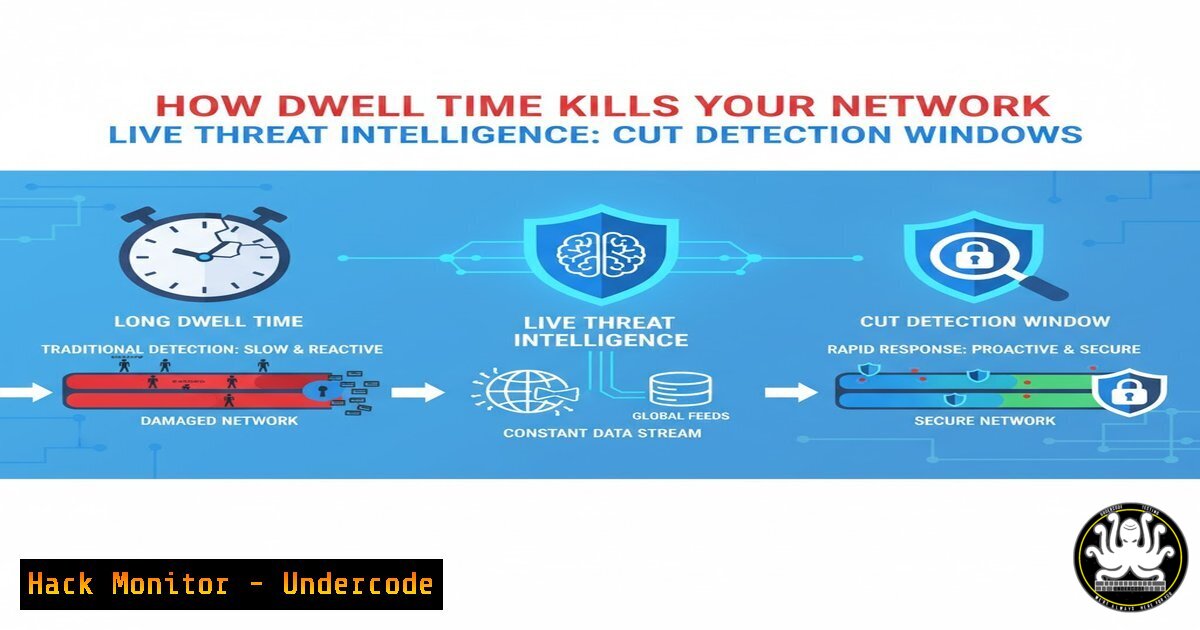
Introduction:
In the modern cybersecurity landscape, the greatest enemy is not always the initial breach, but the “dwell time”—the period attackers remain undetected inside your network. Every extra hour a threat actor lurks, they move laterally, escalate privileges, and monetize access through ransomware or data exfiltration. Traditional security measures often react after damage is done, but integrating live threat intelligence shifts the paradigm from reactive defense to proactive detection, drastically reducing the window of opportunity for attackers.
Learning Objectives:
- Understand the critical relationship between dwell time and risk exposure.
- Learn how to operationalize live threat intelligence feeds to detect anomalies.
- Identify key commands and configurations for implementing threat intelligence on Linux and Windows endpoints.
You Should Know:
- Understanding Dwell Time and the Need for Speed
Dwell time refers to the duration a threat actor remains undressed within a compromised system. According to industry reports, the average global dwell time can stretch from days to months. During this period, attackers are not idle; they are mapping your network, harvesting credentials, and establishing persistence. The concept highlighted in the original post—that attackers monetize access—underscores that time literally is money in the cybercriminal underground. To combat this, security teams must move beyond signature-based detection and embrace intelligence that predicts and identifies malicious behavior in real-time. -
Setting Up Live Threat Intelligence Feeds on Linux
To cut dwell time, your Linux servers must be configured to consume and act upon threat intelligence. One effective method is using tools like `Fail2ban` in conjunction with live reputation feeds.
– Step 1: Install Fail2ban: `sudo apt-get install fail2ban -y` (Debian/Ubuntu) or `sudo yum install fail2ban -y` (RHEL/CentOS).
– Step 2: Configure a custom jail to block IPs from known malicious lists. Edit the local config: sudo nano /etc/fail2ban/jail.local.
– Step 3: Integrate a live feed. Use a cron job to download a blocklist and convert it to a format Fail2ban understands. For example, you could script the download of a live feed from sources like AlienVault OTX or Abuse.ch.
 Example script to fetch and ban IPs (simplified)
wget -q https://threatfeed.example.com/ips.txt -O /tmp/bad_ips.txt
for ip in $(cat /tmp/bad_ips.txt); do
sudo iptables -A INPUT -s $ip -j DROP
done
– Step 4: Restart the service: sudo systemctl restart fail2ban. This immediately starts blocking traffic from known malicious sources, reducing the chance of a breach from those vectors.
3. Enhancing Windows Endpoint Detection with Threat Intelligence
Windows environments, often targeted for their prevalence, require host-level indicators of compromise (IOCs). PowerShell can be used to query live threat intel and check for malicious processes or connections.
– Step 1: Open PowerShell as Administrator.
– Step 2: Fetch a live threat list. For demonstration, we will simulate checking running processes against a known malicious hash list.
– Step 3: Use the following command to cross-reference hashes of running processes with a live threat feed. (Note: Replace the URL with a real threat intel API).
$maliciousHashes = (Invoke-WebRequest -Uri "https://threatintel.api/latest/hashes").Content | ConvertFrom-Json
Get-Process | ForEach-Object {
$hash = (Get-FileHash $<em>.Path -Algorithm SHA256).Hash
if ($maliciousHashes -contains $hash) {
Write-Warning "Malicious process detected: $($</em>.Name)"
 Trigger alert or quarantine action
}
}
This script proactively hunts for threats based on live data, rather than waiting for a weekly scan.
4. Deploying YARA Rules from Live Intelligence
YARA rules are essential for malware identification. Live threat intelligence feeds often provide updated YARA rules.
– Step 1: Install YARA on your analysis machine or sensor: `sudo apt install yara` (Linux).
– Step 2: Create a directory for live rules: mkdir /etc/yara/rules.
– Step 3: Write a script to periodically download rules from a trusted feed.
!/bin/bash
 Download latest YARA rules from a threat intel platform
wget -O /etc/yara/rules/latest_rules.yar https://threatfeed.com/yara/malware_rules.yar
– Step 4: Scan critical directories: yara /etc/yara/rules/latest_rules.yar /bin /usr/bin /var/www. This ensures you are using the most recent detection logic to spot zero-day malware.
5. API Security: Hunting for Leaked Keys
Attackers monetize access by stealing API keys and cloud credentials. Integrating threat intelligence to monitor for exposed keys is vital.
– Concept: Use services that scan platforms like GitHub for exposed keys.
– Action: Set up a Python script using the `requests` library to query the “Have I Been Pwned” API or a custom intel feed for your domain’s exposed credentials.
import requests
 Query an internal or external threat feed for compromised credentials
response = requests.get("https://your-threat-intel.local/api/leaked-keys")
leaked_keys = response.json()
for key in leaked_keys:
if key['domain'] == 'yourcompany.com':
print(f"ALERT: Key {key['id']} found in leak. Revoke immediately.")
Automating this process can prevent attackers from using valid credentials to enter your cloud environment, effectively reducing the dwell time to zero.
6. Vulnerability Exploitation and Mitigation: Log Analysis
Attackers often exploit unpatched vulnerabilities to gain entry. Live intelligence about active exploits can help you hunt for signs of exploitation.
– Linux Command: Search auth logs for brute-force patterns indicating CVE exploitation attempts.
sudo grep "Failed password" /var/log/auth.log | awk '{print $11}' | sort | uniq -c | sort -nr | head -20
– Windows Command: Check Security Event Log for suspicious logon types (Event ID 4625).
Get-WinEvent -FilterHashtable @{LogName='Security'; ID=4625} | Select-Object -First 10 | Format-List
By correlating these logs with live threat intel about active campaigns, you can identify if the brute-force attempts are coming from known malicious infrastructure.
7. Cloud Hardening with Continuous Compliance
In cloud environments (AWS, Azure, GCP), dwell time can mean the difference between a scare and a data breach. Tools like `Prowler` (for AWS) can be used to continuously assess your security posture against CIS benchmarks, but integrating threat intelligence adds context.
– Action: Schedule `prowler` to run and cross-reference findings with threat intel on misconfigurations that are currently being actively targeted. This ensures you patch the holes that are most likely to be exploited right now.
What Undercode Say:
- Time is the Currency of Breach: The core takeaway is that modern defense must prioritize speed. Any delay in detection directly translates to higher remediation costs and potential data loss.
- Intelligence Must Be Operationalized: Simply subscribing to a threat feed is useless without automation. Security tools (firewalls, EDR, SIEM) must ingest and act upon this data in real-time to cut dwell time.
- Proactive Hunting Beats Reactive Patching: Waiting for a patch Tuesday is an outdated model. By leveraging live indicators to hunt for signs of compromise, organizations can find and evict attackers before they trigger a ransomware payload, turning the tables on the adversary.
Prediction:
As dwell time continues to shrink for well-defended organizations, attackers will pivot towards “zero-hour” exploitation and living-off-the-land binaries to avoid introducing new files or IOCs. The future of threat intelligence will likely shift from indicator-based detection (IOCs) to behavior-based analytics (IOAs) combined with predictive AI models that can forecast an attack path before the initial payload is even deployed. Security teams that fail to integrate live intelligence will find themselves permanently reacting to breaches that were preventable.
▶️ Related Video (82% Match):
🎯Let’s Practice For Free:
IT/Security Reporter URL:
Reported By: Every Extra – Hackers Feeds
Extra Hub: Undercode MoN
Basic Verification: Pass ✅


