Listen to this Post
Introduction:
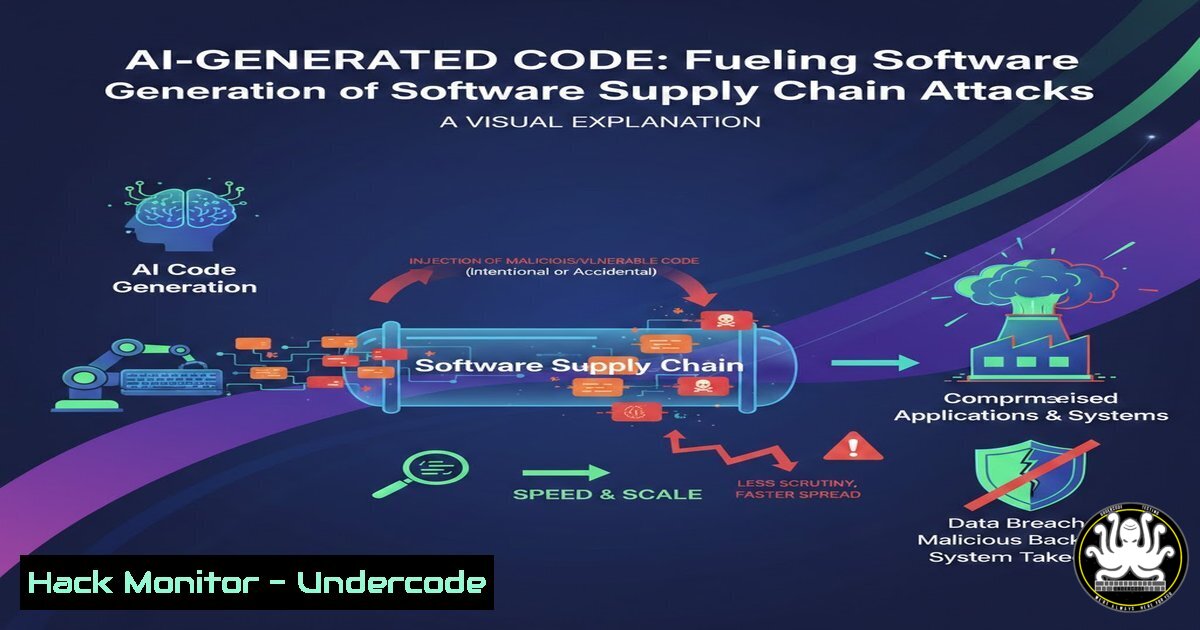
The rapid adoption of AI pair programmers and code assistants is revolutionizing development speed, but it is also silently poisoning the well of open-source software. Threat actors are now weaponizing AI to generate malicious PyPI and npm packages that appear legitimate, exploiting the trust developers place in automated suggestions. This article dissects a recent campaign where fake libraries mimicked popular tools like `fabric` and requests, demonstrating how to detect these threats and harden your software supply chain against AI-generated malware.
Learning Objectives:
- Understand the mechanics of AI-fueled typosquatting and dependency confusion attacks.
- Learn to identify malicious indicators in open-source packages using static and dynamic analysis.
- Implement verification steps and tooling to prevent the installation of rogue libraries.
You Should Know:
- Anatomy of the Attack: The AI-Generated Poison Pill
The recent campaign discovered by ReversingLabs involved threat actors using AI to generate convincing, yet malicious, Python libraries. Unlike traditional malware, these packages often contain functional code that performs the advertised task to avoid immediate suspicion, but with a hidden payload. The attackers targeted popular libraries by creating similarly named packages (typosquatting), such as `fabric-os` instead of the legitimatefabric, hoping developers would fat-finger the `pip install` command. Once installed, the package executes a malicious script that steals environment variables, SSH keys, and AWS credentials.
Step‑by‑step guide to analyzing a suspicious package (Linux):
Before installing a package, always inspect it manually or in a sandbox.
 1. Download the package without installing it
pip download <suspicious-package-name> -d ./malware_analysis

<ol>
<li>Extract the contents
tar -xzvf ./malware_analysis/suspicious-package-.tar.gz</p></li>
<li><p>Grep for suspicious network calls or data exfiltration
grep -rE "(requests.post|urllib.request|socket.connect|curl|wget|subprocess.Popen)" ./suspicious-package-/</p></li>
<li><p>Check for hidden files or encoded strings
find ./suspicious-package-/ -name ".py" -exec strings {} \; | grep -E "(base64|exec|eval|<strong>import</strong>)"
2. Hunting for Beaconing and Obfuscation (Windows)
On Windows systems, these malicious packages often attempt to establish persistence or beacon to a Command & Control (C2) server. They frequently use obfuscation techniques to hide the C2 URL, such as building it from hex values or using external services like Pastebin.
Step‑by‑step guide to detecting post-install scripts:
 1. Check the setup.py file for malicious code in the install hook
Get-Content .\malicious-package\setup.py | Select-String -Pattern "install_requires|cmdclass|develop"

<ol>
<li>Monitor running processes initiated by Python during installation (Run this before installing)
Use Sysmon or Process Monitor. For a quick check, look for unusual network connections:
netstat -ano | findstr :443
netstat -ano | findstr :80</p></li>
<li><p>Decode common obfuscation patterns (Base64)
$EncodedString = "aHR0cDovL2NvbGxlY3Rvci5tYWxpY2lvdXMuY29tL3BheWxvYWQ="
3. Mitigation: Hardening the Developer Workflow
Prevention is better than cure. Integrating automated checks into your CI/CD pipeline and local developer environments can block these threats before they enter your codebase. This involves using package verification tools and maintaining a private repository proxy.
Step‑by‑step guide to implementing safety checks:
Linux/macOS (Pre-commit Hooks):
 Use 'pip-audit' to check for known vulnerabilities
pip install pip-audit
pip-audit

Use 'pipenv' or 'poetry' for dependency resolution with hash verification
 Example with pip: require hashes in requirements.txt
pip install --require-hashes -r requirements.txt
Windows (CI/CD Integration – GitHub Actions Example):
Create a `.github/workflows/dependency-review.yml` file:
name: 'Dependency Review'
on: [bash]

permissions:
contents: read

jobs:
dependency-review:
runs-on: ubuntu-latest
steps:
- name: 'Checkout Repository'
uses: actions/checkout@v4
- name: 'Dependency Review'
uses: actions/dependency-review-action@v4
with:
fail-on-severity: 'high'
4. API Security: The Indirect Vector
These stolen credentials (AWS keys, API tokens) are often used to pivot from a simple library installation to a full-blown cloud compromise. Attackers use exfiltrated tokens to interact with cloud provider APIs (like AWS STS or Azure AD) to create backdoor users or exfiltrate data from S3 buckets.
Mitigation: Enforcing Strict IAM Roles and Auditing:
- Linux (Auditd): Monitor access to credential files.
auditctl -w /home/user/.aws/credentials -p rwa -k aws_key_access
- Windows (PowerShell): Enforce Protected Process Light (PPL) for LSASS to prevent credential dumping, and use Managed Identities instead of long-lived access keys within Azure.
Check for unused access keys in AWS (via CLI)
aws iam list-access-keys --user-name <username> --output table
5. Container Security: Scanning for Embedded Malware
If a malicious package makes it into a requirements.txt file, it will be baked into your Docker images. This requires a shift-left approach to container security, scanning images not just for CVEs, but for malware signatures.
Step‑by‑step guide to scanning containers:
 Install Trivy (Open Source)
sudo apt-get install trivy  Debian/Ubuntu

Scan your image for malware and secrets
trivy image --severity HIGH,CRITICAL --scanners vuln,secret,misconfig your-docker-image:latest

Example output might show:
 → lib/python3.9/site-packages/requests-2.31.0.dist-info/METADATA (contains malicious domain in project_urls)
6. Response: Incident Handling for Compromised Libraries
If you discover a malicious package in your environment, immediate action is required to rotate credentials and trace the blast radius.
Step‑by‑step guide for incident responders:
1. Isolate: Quarantine the affected machine/container.
- Rotate: Immediately rotate all API keys, database passwords, and SSH keys that were present on the system.
– Linux: `for key in $(find /home -name “id_rsa”); do echo “Rotate: $key”; done`
3. Audit Logs: Check cloud provider logs (AWS CloudTrail, Azure Monitor) for `AssumeRole` or `CreateUser` API calls originating from the compromised machine’s IP during the infection window.
4. Uninstall: `pip uninstall malicious-package` and clean any persistence mechanisms (cron jobs, startup scripts).
What Undercode Say:
- Trust but Verify: AI-generated code blurs the line between legitimate automation and malicious intent. Manual verification of new dependencies is no longer optional.
- Shift-Left on Security: Developers must adopt tooling that validates package integrity and behavior, not just version numbers, before merging any code.
The sophistication of these attacks lies in their execution: they don’t break the software, they simply borrow a little bit of compute to steal the keys to the kingdom. As defenders, we must treat open-source registries as untrusted sources by default, implementing the same level of scrutiny we would apply to external emails. The combination of behavioral analysis in development pipelines and strict credential hygiene remains our strongest defense against this evolving threat.
Prediction:
As large language models become more integrated into IDEs, we will see a rise in “AI prompt injection” attacks where threat actors poison training data or manipulate model outputs to generate specific malicious code snippets on demand, tailored to the developer’s specific environment. Future mitigations will rely on cryptographically signing not just the code, but the entire AI-assisted development workflow.
▶️ Related Video (82% Match):
🎯Let’s Practice For Free:
IT/Security Reporter URL:
Reported By: Will Mctighe – Hackers Feeds
Extra Hub: Undercode MoN
Basic Verification: Pass ✅


