Listen to this Post
Introduction:
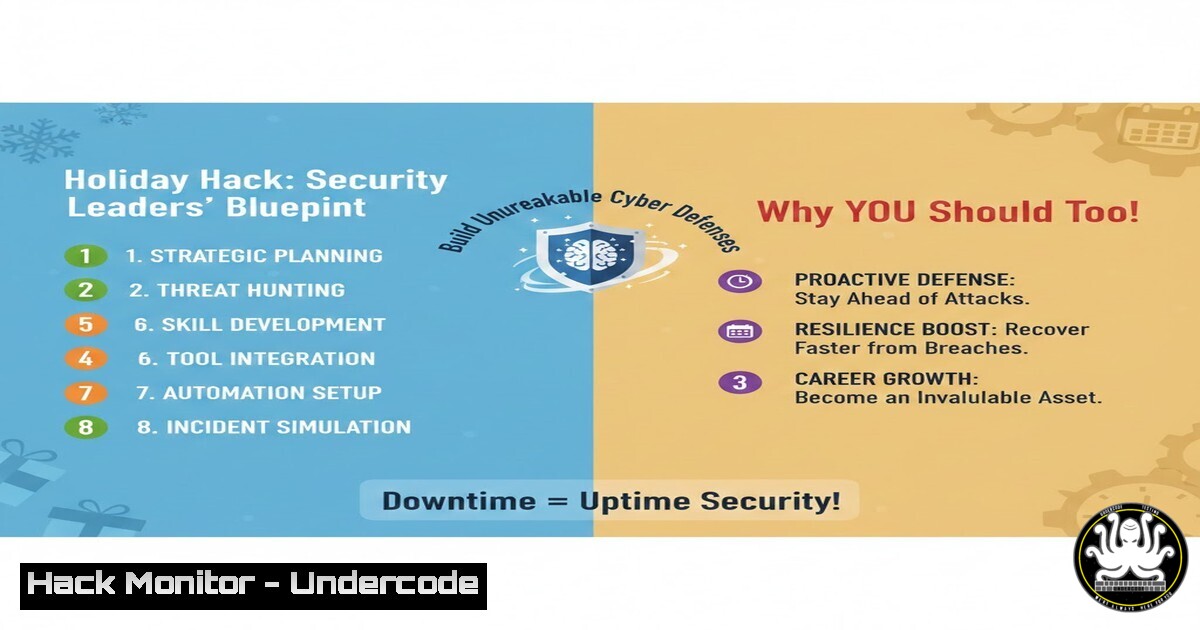
While the holiday season often sees a slowdown in operations, it presents a critical, underutilized window for strategic cybersecurity advancement. Far from a period of vulnerability, this reflective downtime allows leaders to move beyond reactive firefighting and implement foundational security improvements that are often overlooked during the peak operational tempo. This article translates the high-level insight of using quiet periods for security program strengthening into actionable technical steps for IT and security teams.
Learning Objectives:
- Identify and prioritize dormant security gaps during low-activity periods.
- Execute critical hardening tasks for cloud, identity, and endpoint infrastructure.
- Implement foundational logging, vulnerability management, and policy review processes that pay dividends year-round.
You Should Know:
- The Silent Audit: Profiling Your Environment When It’s Quiet
The reduced load on systems during holidays is the perfect time to gather a baseline without impacting performance. This involves enumerating assets, configurations, and user permissions to identify shadow IT, over-privileged accounts, and misconfigurations.
Step-by-Step Guide:
Cloud Inventory (AWS Example): Use the AWS CLI to generate a comprehensive asset list.
 List all EC2 instances across all regions
for region in <code>aws ec2 describe-regions --query "Regions[].RegionName" --output text</code>; do echo "Region: $region"; aws ec2 describe-instances --region $region --query "Reservations[].Instances[].[InstanceId,InstanceType,State.Name,PrivateIpAddress,KeyName]" --output table; done

List all S3 buckets and their public access settings
aws s3api list-buckets --query "Buckets[].Name"
aws s3api get-public-access-block --bucket <bucket-name>
Azure & Microsoft 365: Use PowerShell to audit user accounts and permissions.
 Connect to Azure AD and MSOnline (legacy but useful)
Connect-AzureAD
Connect-MsolService

Get all users with their last logon time
Get-AzureADUser -All $true | Select-Object DisplayName, UserPrincipalName, @{N="LastLogin";E={Get-AzureADAuditSignInLogs -Filter "userId eq '$($_.ObjectId)'" | Select-Object -First 1 -ExpandProperty CreatedDateTime}}

Export all global admins
Get-AzureADDirectoryRole | Where-Object {$_.DisplayName -eq "Global Administrator"} | Get-AzureADDirectoryRoleMember | Export-Csv GlobalAdmins.csv -NoTypeInformation
2. Identity Housekeeping: Pruning Credentials and Sessions
Attackers target stale, unused accounts and persistent sessions. The holiday period is ideal for rigorous identity hygiene.
Step-by-Step Guide:
Disable or Remove Inactive Accounts: Set a threshold (e.g., 90 days no login).
 Linux: Find users who haven't logged in
lastlog -b 90

Windows: PowerShell to find inactive AD users (simplified)
Search-ADAccount -AccountInactive -TimeSpan 90.00:00:00 -UsersOnly | Disable-ADAccount -Confirm:$false
Review and Revoke OAuth Applications & API Keys: In cloud consoles (AWS IAM, Azure AD Enterprise Apps, GCP IAM), list all applications and service accounts. Remove those tied to deprecated projects.
Enforce Conditional Access Policy Reviews: In Azure AD or similar IdP, audit policies for overly permissive “legacy authentication” bypasses or unused locations.
- Endpoint Hardening: Patching and Configuration Beyond the Obvious
While OS patching is standard, quiet periods allow for deeper system hardening that may require reboots or cause minimal disruption.
Step-by-Step Guide:
Linux (Debian/Ubuntu) Hardening Checks:
 Ensure automatic security updates are enabled
sudo dpkg-reconfigure --priority=low unattended-upgrades

Audit for unnecessary network services
sudo ss -tulpn

Check file permissions for sensitive directories (e.g., /etc)
sudo find /etc -type f -perm /o=w -ls
Windows via PowerShell:
 Force a Windows Update cycle for critical patches
Install-Module -Name PSWindowsUpdate -Force
Get-WindowsUpdate -AcceptAll -Install -AutoReboot

Audit local administrator accounts
Get-LocalGroupMember -Group "Administrators"

Check PowerShell execution policy (should be Restricted or RemoteSigned)
Get-ExecutionPolicy -List
- Logging & Monitoring Gap Analysis: Is Your SIEM Seeing Everything?
If an incident occurs during the holidays, will you have the logs? Use this time to validate data ingestion and create essential detection rules.
Step-by-Step Guide:
Verify Critical Log Sources: Check your SIEM (Splunk, Sentinel, Elastic) for gaps. Generate test events.
Linux: `logger “TEST: Holiday Security Audit – Critical Linux Host”`
Windows (Event Viewer): `EventCreate /T INFORMATION /ID 999 /L APPLICATION /SO “SecurityAudit” /D “TEST: Holiday Windows Audit Event”`
Create a High-Fidelity Detection Rule: In your SIEM, craft a rule for a low-noise, high-severity threat like a new cloud admin user.
Azure Sentinel KQL Example:
AuditLogs
| where OperationName == "Add member to role"
| where TargetResources[bash].displayName has "Global Administrator"
| extend AddedBy = tostring(parse_json(tostring(InitiatedBy.user)).userPrincipalName)
| project TimeGenerated, AddedBy, TargetResource = TargetResources[bash].displayName, AADTenantId
5. Vulnerability Management: Tactical, Asset-Centric Scans
Move beyond broad, noisy scans. Perform targeted scans against critical external-facing assets and internal crown jewels.
Step-by-Step Guide:
Use Nmap for Targeted Service Enumeration:
 Silently scan specific web servers for risky HTTP methods
nmap -p 80,443,8080 --script http-methods,http-security-headers -iL list_of_critical_webservers.txt -oA web_scan_audit

Check for database services on non-standard ports internally
nmap -p 3306,1433,5432,27017 -sV 10.0.0.0/24 -oA internal_db_scan
Prioritize Patch Management: Triage scan results. Use the Common Vulnerability Scoring System (CVSS) and asset criticality to create a “first-week-back” patching schedule. Tools like `openvas` or `nessus` can be configured for credentialed, deep scans during this period.
- Policy & Playbook Review: Stress-Testing Your Response Plans
Gather your incident response (IR) team (virtually) for a tabletop exercise based on a holiday-specific scenario, like a ransomware attack with a skeleton crew.
Step-by-Step Guide:
- Choose a Scenario: “Critical accounting server encrypted at 2 AM on December 26th.”
- Walk Through the IR Playbook: Step by step, identify outdated contact info, unclear escalation paths, or missing isolation procedures.
- Update Documentation: Immediately edit the playbook in your knowledge base (e.g., Confluence, Wiki) with corrections and clarifications. Ensure offline copies are available.
- Verify Access: Confirm key personnel have offline access to password vaults, cloud console break-glass accounts, and communication channels.
-
The Human Firewall: Phishing Simulation & Security Awareness
A distracted, holiday-scheduled workforce is a prime target. Launch a controlled, educational phishing test.
Step-by-Step Guide:
- Craft a Relevant Lure: A fake “Year-End Bonus Notification” or “Shipping Delays for Your Holiday Gift” email.
- Use a Platform: Tools like GoPhish or commercial services allow safe deployment.
- Focus on Education, Not Punishment: For users who click, present an immediate, clear training page explaining the red flags (sender address, urgency, link mismatch).
- Measure and Report: Use click-through rates to tailor next quarter’s security awareness training.
What Undercode Say:
- Strategic Pause is a Tactical Advantage: Proactive security requires dedicated, uninterrupted time. The holiday period offers a unique operational environment to perform deep, systemic hardening that is impossible during normal business tempo.
- Resilience is Built in the Quiet Moments: The most effective security programs use rhythm, not just reaction. Instituting an “Annual Holiday Security Audit” as a ritual transforms downtime into a powerful institutional habit that compounds resilience year over year.
The insight from industry leaders highlights a profound shift from reactive to rhythmic security. By institutionalizing these quiet-period audits, organizations stop merely defending and start continuously evolving their posture. This approach aligns security not with the panic of incidents, but with the strategic cadence of the business, ensuring that when the new year’s threats emerge, the foundation is not just patched, but fortified.
Prediction:
The concept of “strategic security downtime” will evolve from an informal best practice into a formalized framework component within major standards like NIST CSF and ISO 27001. We will see the rise of dedicated “Cyber Resilience Sprints” – scheduled, organization-wide periods for proactive hardening, mandated by cyber insurance providers and boards. AI will further enable this by autonomously executing complex audit and remediation runbooks during these windows, reporting readiness scores and residual risk directly to leadership, making proactive security posture management a continuous, measurable business process.
▶️ Related Video (74% Match):
🎯Let’s Practice For Free:
IT/Security Reporter URL:
Reported By: Harrisdschwartz Synthesia – Hackers Feeds
Extra Hub: Undercode MoN
Basic Verification: Pass ✅


