Listen to this Post
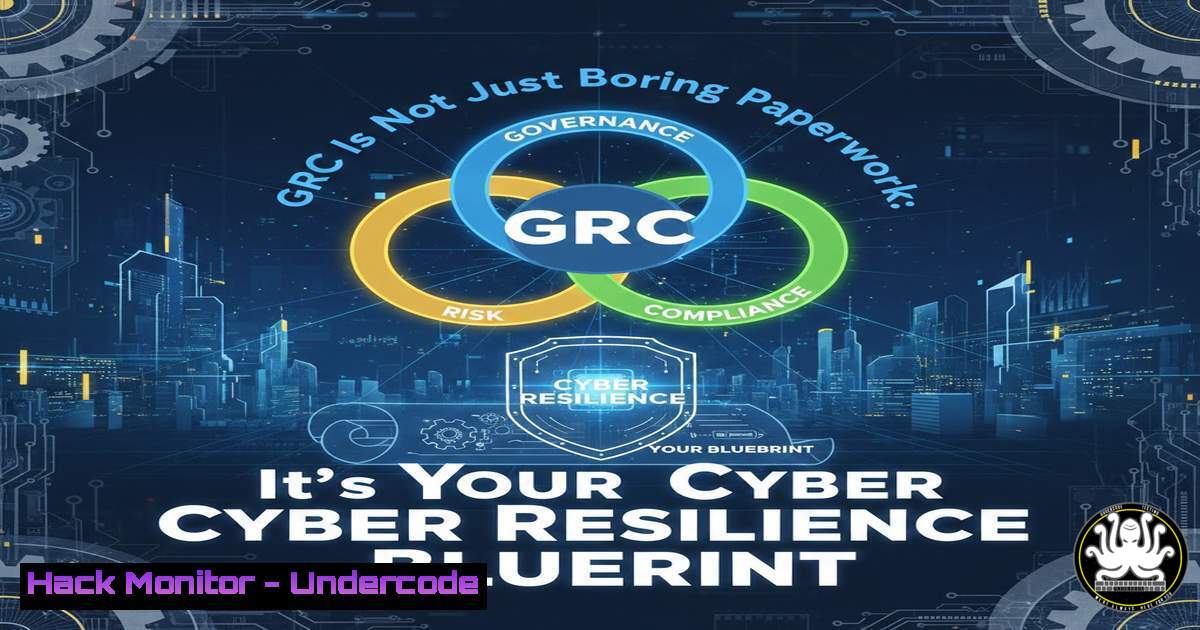
Introduction:
Governance, Risk, and Compliance (GRC) is frequently misunderstood as a back-office administrative function, but in the context of modern cybersecurity, it is the strategic engine that translates technical vulnerabilities into business risk and operational controls. By integrating IT governance with enterprise risk management, GRC professionals ensure that security measures are not just deployed, but are effective, auditable, and aligned with regulatory mandates. This article extracts actionable technical insights from a recent industry post to provide a hands-on guide for implementing the core pillars of a resilient GRC program.
Learning Objectives:
- Objective 1: Understand how to map IT security controls to enterprise risk frameworks.
- Objective 2: Learn to automate compliance monitoring and audit readiness using open-source tools.
- Objective 3: Implement technical procedures for third-party risk management and business continuity verification.
You Should Know:
1. Operationalizing Governance Frameworks with Policy-as-Code
A governance framework is only as strong as its enforcement. Instead of static PDFs, modern GRC relies on “Policy-as-Code” to automate the verification of security standards. This ensures that infrastructure adheres to established policies without manual intervention.
Step‑by‑step guide: Implementing a basic compliance check using OpenSCAP on Linux.
OpenSCAP is a auditing tool that checks systems against security benchmarks (like CIS or STIG).
 Install OpenSCAP on RHEL/CentOS/Fedora
sudo dnf install openscap-scanner scap-security-guide

Download the CIS benchmark profile for your system
 Run a scan against the CIS benchmark and generate a report
oscap xccdf eval --profile xccdf_org.ssgproject.content_profile_cis --results scan-results.xml --report report.html /usr/share/xml/scap/ssg/content/ssg-centos7-ds.xml

On Windows (using PowerShell and the LGPO tool for policy validation)
 Export current local policies for audit
secedit /export /cfg C:\secpol.cfg
 Compare the exported configuration against a hardened baseline template manually or via script.
This command generates an HTML report highlighting non-compliant configurations, allowing you to prove governance adherence to auditors.
2. Automating Enterprise Risk Management Data Collection
Identifying and assessing risks requires data aggregation. Automating the inventory of assets and their vulnerabilities is the first step in technical risk management.
Step‑by‑step guide: Using Nmap and jq to build a dynamic asset inventory for risk assessment.
This combines network scanning with JSON parsing to create a machine-readable list of live hosts and open ports, which represent potential attack surfaces.
 Perform a ping sweep to discover live hosts and output to JSON
nmap -sP 192.168.1.0/24 -oG - | awk '/Up$/{print $2}' > live_hosts.txt

For each live host, perform a deeper port scan and format output
for ip in $(cat live_hosts.txt); do
nmap -p 1-1000 $ip -oX - | xsltproc -o "$ip.html" -
 Or use jq if you convert nmap XML to JSON (install ndg-converters or use python)
echo "Scanned $ip"
done

Combine results into a single risk register (simulated with a CSV)
echo "IP,Open_Ports,Risk_Score" > risk_register.csv
 ... (script to parse and populate)
This script provides the raw data needed to populate a risk register, moving the process from subjective guesswork to objective measurement.
3. Technical Implementation of Third-Party Risk Management (TPRM)
TPRM isn’t just about sending questionnaires. It requires validating a vendor’s security posture by examining their external footprint.
Step‑by‑step guide: External assessment of a vendor’s domain using command-line OSINT tools.
 Install whois, dig, and sslscan (sudo apt install whois dnsutils sslscan)
 Check domain registration details for anomalies
whois vendor-example.com

Enumerate DNS records to understand their infrastructure
dig vendor-example.com ANY +short

Check for SSL/TLS configuration weaknesses (a common third-party risk)
sslscan --no-colour vendor-example.com | grep -E "(vulnerable|weak|expired)"
By automating these checks, you can continuously monitor third parties for configuration drift or security lapses, rather than relying on an annual self-attestation.
4. Business Continuity Oversight via Disaster Recovery Drills
Oversight requires testing. A critical GRC function is verifying that business continuity plans work. This involves technical validation of backups and failover mechanisms.
Step‑by‑step guide: Testing database backup integrity and restore time.
This is a technical procedure to validate the “Recovery” part of a BCP/DR plan.
 Simulate a restore from backup to a test environment
 Assuming a PostgreSQL database and backups stored via pg_dump

Stop the test database service
sudo systemctl stop postgresql

Drop the old test database (if exists)
sudo -u postgres dropdb test_db

Create a fresh test database
sudo -u postgres createdb test_db

Restore from the latest backup file
sudo -u postgres psql test_db < /backup/path/your_last_backup.sql

If the restore is successful, run a simple query to verify data integrity
sudo -u postgres psql test_db -c "SELECT count() FROM critical_table;"

Log the time taken and result in a BCP log
echo "DR Drill: Restore completed at $(date) - Success: $?" >> /var/log/dr_drill.log
This command-level drill provides auditable proof that the organization can recover from a data-loss incident.
- Risk Reporting & Dashboards with the ELK Stack
To enable leadership with clear risk visibility, technical data must be visualized. The Elastic (ELK) Stack can ingest security logs and compliance scan results to create a live risk dashboard.
Step‑by‑step guide: Ingesting OpenSCAP results into Elasticsearch.
This bridges the gap between technical scanning and executive reporting.
 Assuming Elasticsearch and Kibana are already installed and running.

Install Elastic's Ingest Attachment Processor plugin (if needed)
 Use the Elastic MapR component or a simple curl command to POST data.
 You would typically use Filebeat to ship the scan-results.xml file.

Configure Filebeat to tail the directory where scan results are saved.
 In filebeat.yml:
 filebeat.inputs:
 - type: log
 enabled: true
 paths:
 - /path/to/scan-results/.xml
 processors:
 - decode_xml:
 field: message
 target: xml

Start Filebeat
sudo systemctl start filebeat

In Kibana, create an index pattern for filebeat- and build a visualization showing "Failed" vs "Passed" controls.
This turns a static audit report into an interactive dashboard, allowing the CISO and board to see risk trends in real-time.
What Undercode Say:
- Key Takeaway 1: GRC is a technical discipline. The most effective risk management is automated, continuous, and integrated directly into the CI/CD pipeline and infrastructure-as-code.
- Key Takeaway 2: Compliance is a byproduct of good security hygiene, not the goal. By implementing technical controls that align with frameworks like CIS and NIST, passing audits becomes a verification step, not a fire-drill.
Analysis:
The LinkedIn post highlights the diverse responsibilities of GRC, but the true power lies in the automation of these tasks. The manual era of GRC is over; professionals must now wield command-line tools to enforce governance and monitor risk. By treating security policies as code and risk data as a stream to be analyzed, organizations can move from a reactive compliance posture to a proactive resilience stance. The bridge between the boardroom and the terminal is built on scripts, scans, and logs.
Prediction:
The future of GRC will be dominated by AI-driven policy generation and real-time risk scoring. We will see the rise of “GRC Bots” that automatically map new vulnerabilities to existing controls, suggest compensating controls, and even adjust firewall rules or IAM policies to maintain continuous compliance without human intervention. The GRC professional of 2027 will spend less time filling out spreadsheets and more time tuning machine-learning models that predict audit failures before they happen.
▶️ Related Video (86% Match):
🎯Let’s Practice For Free:
IT/Security Reporter URL:
Reported By: Https: – Hackers Feeds
Extra Hub: Undercode MoN
Basic Verification: Pass ✅


