Listen to this Post
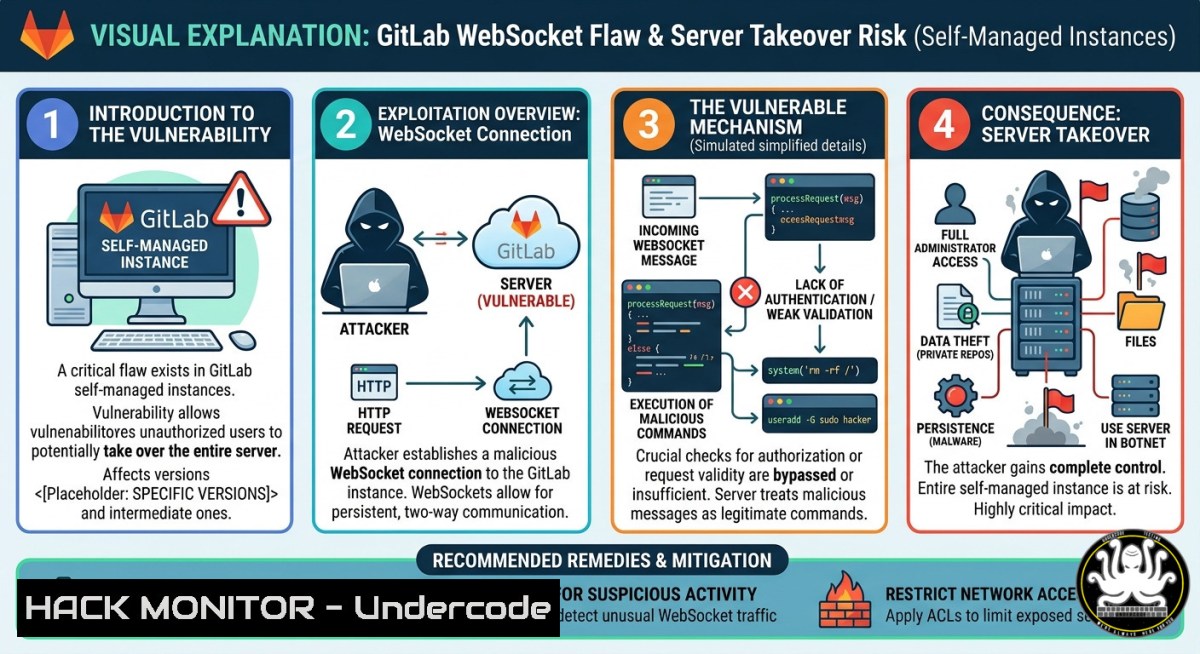
Introduction
GitLab has rolled out a crucial security update to fix multiple vulnerabilities across its Community Edition (CE) and Enterprise Edition (EE) platforms. The most critical flaw addressed in this patch cycle is an exposed method vulnerability affecting WebSocket connections, which could allow an authenticated attacker to invoke unintended server-side methods, leading to code injection and system compromise.
Organizations utilizing self-managed GitLab instances are strongly advised to apply these updates immediately to prevent potential exploitation. Customers utilizing GitLab Dedicated or the cloud-hosted GitLab.com services are already protected and require no manual intervention.
Learning Objectives
- Objective 1: Understand the technical details of CVE-2026-5173 (CVSS 8.5) and its exploitation via WebSocket connections.
- Objective 2: Learn to identify and mitigate the three high-severity DoS vulnerabilities, including CVE-2026-1092 and CVE-2025-12664.
- Objective 3: Master step-by-step upgrade procedures, post-upgrade verification, and hardening techniques for Linux and Windows GitLab instances.
You Should Know
1. WebSocket Exposed Method Vulnerability (CVE-2026-5173)
This vulnerability stems from improper access control in GitLab’s WebSocket implementation, which affects all versions from 16.9.6 before 18.8.9, 18.9 before 18.9.5, and 18.10 before 18.10.3. An authenticated attacker can invoke unintended server-side methods through WebSocket connections, potentially executing arbitrary commands, reading sensitive data, or pivoting into internal networks.
Step‑by‑step guide explaining what this does and how to use it.
Step 1: Detect Vulnerability
 Check GitLab version (Linux)
sudo gitlab-rake gitlab:env:info | grep "GitLab "
 Or check via API
curl --header "PRIVATE-TOKEN: <your_access_token>" "https://gitlab.example.com/api/v4/version"
Step 2: Simulate Attack Vector (for Testing Only)
Using a tool like `websocat` or custom Python script to test WebSocket endpoints:
!/usr/bin/env python3
import asyncio
import websockets
import json

async def exploit_websocket():
uri = "wss://target-gitlab.com/-/cable"
async with websockets.connect(uri) as websocket:
 Craft malicious payload to invoke unintended method
payload = json.dumps({
"command": "subscribe",
"identifier": "{\"channel\":\"DangerousChannel\",\"method\":\"system_exec\",\"cmd\":\"cat /etc/passwd\"}"
})
await websocket.send(payload)
response = await websocket.recv()
print(f"Response: {response}")

asyncio.run(exploit_websocket())
Step 3: Remediation
Upgrade to secure versions immediately.
 Linux (Omnibus)
sudo apt-get update && sudo apt-get install gitlab-ee=18.10.3-ee.0
 or
sudo yum install gitlab-ee-18.10.3-ee.0

After upgrade, reconfigure and restart
sudo gitlab-ctl reconfigure
sudo gitlab-ctl restart
Step 4: Post-Upgrade Verification
 Verify version
sudo gitlab-rake gitlab:env:info | grep "GitLab "
 Check service health
sudo gitlab-ctl status
 Review upgrade logs
sudo gitlab-ctl tail gitlab-rails/production.log
- Unauthenticated DoS Attacks via JSON Validation Bypass (CVE-2026-1092 & CVE-2025-12664)
Two critical DoS vulnerabilities allow unauthenticated attackers to exhaust system resources. CVE-2026-1092 targets the Terraform state lock API, while CVE-2025-12664 overwhelms the server with repeated GraphQL queries. Both require no authentication, making them highly dangerous for public-facing instances.
Step‑by‑step guide explaining what this does and how to use it.
Step 1: Detect Exploitation Attempts
Monitor for abnormal traffic patterns:
 Check for spikes in API requests (Linux)
sudo cat /var/log/gitlab/gitlab-rails/api_json.log | grep "terraform/state" | wc -l
 Monitor GraphQL query frequency
sudo cat /var/log/gitlab/gitlab-rails/api_json.log | grep "graphql" | jq '.duration_ms'
For Windows GitLab instances (if using Docker Desktop or WSL2):
 Using Docker logs (Windows)
docker exec -it gitlab cat /var/log/gitlab/gitlab-rails/api_json.log | Select-String "terraform/state"
Step 2: Apply Temporary Mitigation
Before upgrading, implement rate limiting:
 /etc/gitlab/gitlab.rb (Omnibus)
nginx['custom_gitlab_server_config'] = "location /api/v4/projects/ {
limit_req zone=api burst=10 nodelay;
}"
nginx['custom_nginx_config'] = "limit_req_zone $binary_remote_addr zone=api:10m rate=5r/s;"
Then reconfigure:
sudo gitlab-ctl reconfigure
Step 3: Permanent Fix
Upgrade to GitLab versions 18.8.9, 18.9.5, or 18.10.3 or later.
Step 4: Validate Mitigation
 Test rate limiting
for i in {1..20}; do curl -I https://your-gitlab.com/api/v4/projects; done
3. Code Injection and Data Leakage Vulnerabilities
Medium-severity flaws include CVE-2026-1516 (code injection into Code Quality reports), CVE-2026-2104 (confidential issue leakage via CSV export), and CVE-2026-1752 (protected environment tampering). These vulnerabilities enable authenticated attackers to inject malicious code, leak IP addresses, or modify critical infrastructure settings.
Step‑by‑step guide explaining what this does and how to use it.
Step 1: Scan for Vulnerable Configurations
 Check Code Quality report settings (Linux)
sudo gitlab-rails runner "puts Project.all.map(&:name)"
 Review CSV export logs
sudo cat /var/log/gitlab/gitlab-rails/production.log | grep "CSV"
Step 2: Hardening Recommendations
 /etc/gitlab/gitlab.rb
gitlab_rails['gitlab_default_can_create_group'] = false
gitlab_rails['gitlab_username_changing_enabled'] = false
gitlab_rails['import_sources'] = []
gitlab_rails['rate_limit_issues_create'] = 100
Step 3: Apply Access Controls
 Restrict API access to trusted IPs (Linux)
sudo gitlab-ctl tail nginx | grep "forbidden"
For Windows (using Docker):
docker exec -it gitlab bash -c "echo 'allow 192.168.1.0/24; deny all;' >> /etc/gitlab/gitlab.rb"
docker exec -it gitlab gitlab-ctl reconfigure
4. Comprehensive Hardening for Self-Managed GitLab
Implementing defense-in-depth reduces risk even after patching.
Step‑by‑step guide explaining what this does and how to use it.
Step 1: Enable Web Application Firewall (WAF)
 /etc/gitlab/gitlab.rb
nginx['custom_gitlab_server_config'] = "
location / {
if ($request_method = POST) {
set $block 0;
if ($request_uri ~ "(websocket|graphql)") { set $block 1; }
if ($remote_addr ~ "192.168.1.") { set $block 0; }
if ($block = 1) { return 403; }
}
}"
Step 2: Enforce MFA and Session Controls
 Enforce MFA for all users
sudo gitlab-rails console

<blockquote>
  ApplicationSetting.current.update(require_admin_two_factor_authentication: true)
  ApplicationSetting.current.update(two_factor_grace_period: 0)
Step 3: Implement Log Monitoring
 Send logs to SIEM (Linux)
sudo tail -F /var/log/gitlab/gitlab-rails/production.log | nc <SIEM_IP> 514
5. Training and Certification Paths for GitLab Security
To stay ahead of emerging threats, security teams should pursue specialized training.
Step‑by‑step guide explaining what this does and how to use it.
Step 1: Enroll in GitLab Security Essentials
This self-paced course covers SAST, secret detection, DAST, dependency scanning, container scanning, API security, and compliance.
Step 2: Complete DevSecOps with GitLab Training
Hands-on training integrating SAST, SCA, and DAST within GitLab pipelines using tools like SonarCloud, Snyk, and OWASP ZAP.
Step 3: Attend Workshops on CI/CD Pipeline Security
Focus on real-world attacks and misconfiguration audits of cloud-native CI/CD systems like GitHub Actions, GitLab CI, and Bitbucket Pipelines.
What Undercode Say
- Key Takeaway 1: Prioritize upgrading self-managed GitLab instances to versions 18.10.3, 18.9.5, or 18.8.9 immediately to block exploitation of the WebSocket exposed method flaw (CVE-2026-5173). Cloud-hosted instances are already protected.
- Key Takeaway 2: Implement rate limiting and input validation as defense-in-depth measures to mitigate unauthenticated DoS attacks targeting the Terraform and GraphQL APIs, even after patching.
The GitLab vulnerabilities disclosed in April 2026 underscore a critical trend: real-time communication channels (WebSocket) and API endpoints are becoming prime attack surfaces. The exposed method vulnerability (CVE-2026-5173) is particularly dangerous because it allows authenticated users—potentially low-privilege insiders or compromised accounts—to invoke unintended server-side methods, effectively bypassing access controls. This represents a failure in the principle of least privilege and input validation. For defenders, this means moving beyond traditional perimeter security to implement granular API access controls, WebSocket traffic inspection, and continuous behavioral monitoring. The inclusion of multiple DoS vectors also highlights the need for robust rate limiting and resource quotas at both the application and network layers. Organizations still running outdated GitLab versions are at immediate risk; attackers are likely already scanning for vulnerable instances. The absence of public exploits as of April 2026 offers a brief window for remediation before weaponization occurs.
Prediction
Expect an increase in targeted attacks against CI/CD pipelines and source code management platforms like GitLab over the next 12 months. The exposed WebSocket method vulnerability will likely be weaponized into automated scanning tools within 30–60 days, leading to a wave of data breaches and supply chain compromises. Cloud-hosted instances will remain safer, but self-managed deployments—especially those with delayed patching cycles—will become prime targets. To counter this, organizations will accelerate adoption of real-time API security monitoring, WebSocket firewalls, and automated patch management systems. GitLab may also introduce mandatory security checkpoints and enhanced default hardening in future releases. The broader industry lesson is clear: real-time features demand real-time security controls.
▶️ Related Video (84% Match):
🎯Let’s Practice For Free:
IT/Security Reporter URL:
Reported By: Gitlab Vulnerability – Hackers Feeds
Extra Hub: Undercode MoN
Basic Verification: Pass ✅


