Listen to this Post
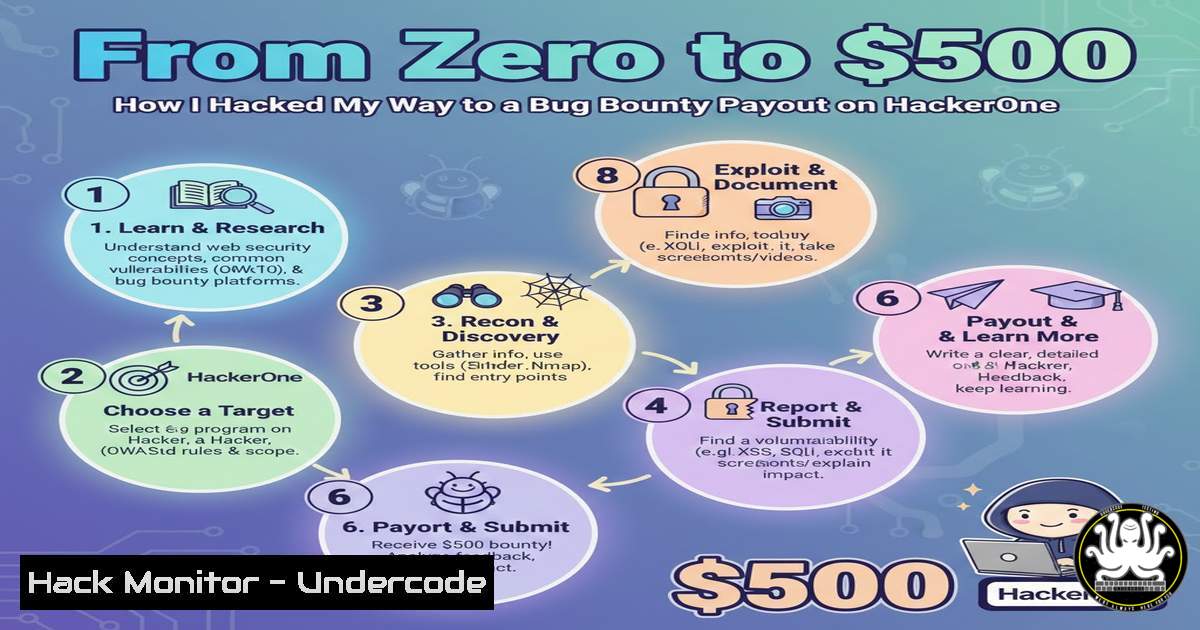
Introduction:
The adage “no technology that’s connected to the Internet is unhackable” isn’t just a mantra; it’s the fundamental principle driving the multi-billion dollar cybersecurity industry and the vibrant bug bounty ecosystem. When a security researcher like Atif Alam earns $500 for a submission, it underscores a proactive defense model where ethical hackers are incentivized to find flaws before malicious actors do. This article deconstructs the journey from concept to payout, providing a technical roadmap for aspiring bug bounty hunters to navigate reconnaissance, vulnerability identification, and professional reporting.
Learning Objectives:
- Understand the core methodology and mindset behind successful bug bounty hunting.
- Learn practical, command-line driven techniques for reconnaissance and initial vulnerability assessment.
- Master the process of ethically validating findings and crafting reports that lead to financial rewards.
You Should Know:
1. The Bug Bounty Mindset: Reconnaissance is Key
The first phase of any successful hunt is not brute force, but intelligent information gathering. Before a single vulnerability can be found, you must map the target’s digital footprint. This involves discovering all associated domains, subdomains, and exposed services.
Step‑by‑step guide explaining what this does and how to use it:
1. Passive Subdomain Enumeration: Use tools to find subdomains without directly touching the target’s servers.
Command (Linux): `sublist3r -d targetcompany.com -o subdomains.txt`
What it does: Sublist3r queries public sources like search engines and certificate databases to list known subdomains.
2. Active Service Discovery: Probe the discovered hosts to identify running services and open ports.
Command (Linux): `nmap -sV -sC -oA initial_scan -iL subdomains.txt`
What it does: Nmap scans the list of subdomains (-iL) for open ports, runs version detection (-sV), and uses default scripts (-sC) to gather more info, saving output in all formats (-oA).
3. Web Endpoint Discovery: For web applications, unearth hidden directories and files.
Command (Linux): `gobuster dir -u https://api.targetcompany.com -w /usr/share/wordlists/dirb/common.txt -o directories.log`
What it does: Gobuster brute-forces directory and file names on a web server using a specified wordlist.
2. Vulnerability Identification: From Theory to Proof-of-Concept
With a map in hand, you now analyze for common weaknesses. This often involves manipulating inputs, analyzing responses, and understanding business logic flows.
Step‑by‑step guide explaining what this does and how to use it:
1. Automated Scanning (Cautiously): Use scanners to identify low-hanging fruit, but always manually verify.
Command (Linux): `nikto -h https://targetcompany.com -o nikto_scan.html -Format html`
What it does: Nikto performs a comprehensive web server scan for outdated software, dangerous files, and common misconfigurations. Never rely solely on its results.
2. Manual Testing for Injection Flaws: Test every input field for SQLi, XSS, and Command Injection.
Basic SQL Injection Test: Append `’` or `”` to parameters and observe for database errors. Example: `https://target.com/profile?id=1’`
Basic XSS Test: Submit a simple payload like `` in search fields or form inputs.
3. API Endpoint Fuzzing: Modern apps rely on APIs, which are prime targets.
Tool: Use `Burp Suite` or `OWASP ZAP` to intercept API requests. Fuzz parameters by sending unexpected data types (strings where integers are expected, extremely long values, special characters).
- The Art of Ethical Validation: Proving Impact Without Harm
Finding a potential flaw is only half the battle. You must prove its impact without compromising data or disrupting services. This is the line between a rewarded hacker and a malicious actor.
Step‑by‑step guide explaining what this does and how to use it:
1. For Information Disclosure: If you find a file like /config.json, demonstrate that it contains sensitive data (e.g., API keys, database credentials) by showing a screenshot with the data redacted. Never exfiltrate the actual data.
2. For Authentication Bypass: If you can access another user’s data by changing an ID parameter, document the steps exactly. Access only your own test accounts or those explicitly created for testing.
3. Use Local Proofs: For vulnerabilities like Server-Side Request Forgery (SSRF), use a trusted collaborator server (like Burp Collaborator or RequestBin) to demonstrate out-of-band interaction, rather than attacking internal systems.
- Crafting the Knockout Report: Your Ticket to the Bounty
A poorly written report gets closed as “N/A” or “Informative.” A great report clearly demonstrates risk and reproducibility.
Step‑by‑step guide explaining what this does and how to use it:
1. Clear and concise. “SQL Injection in `/login` parameter `user_id` leading to authentication bypass.”
2. Summary: One paragraph describing the vulnerability, the affected endpoint, and the impact.
3. Steps to Reproduce: A numbered, foolproof list. Include every click, input, and observed output. Use exact URLs and payloads.
Example:
- Navigate to `https://target.com/login`.
- In the `user_id` field, enter:
1' OR '1'='1. - Observe that the application logs in as the first user in the database without a password.
- Proof of Concept: Attach screenshots or a short video. Annotate images with circles and arrows.
- Impact Assessment: Explain what an attacker could achieve (e.g., “Full access to any user’s account, leading to data theft and account takeover”).
- Remediation: Suggest a fix (e.g., “Use parameterized queries or prepared statements”).
5. Toolchain and Environment Setup for Windows Researchers
Not everyone uses Linux. A Windows-powered hunter can be just as effective with the right setup.
Step‑by‑step guide explaining what this does and how to use it:
1. Enable Windows Subsystem for Linux (WSL): This gives you a native Linux terminal.
PowerShell Command (Admin): `wsl –install -d Ubuntu`
What it does: Installs the WSL feature and the Ubuntu Linux distribution.
2. Use Package Managers: Install tools directly within WSL.
Command (in WSL Ubuntu): `sudo apt update && sudo apt install nmap sqlmap gobuster`
3. Graphical Tools on Windows: Install Burp Suite Community Edition, OWASP ZAP, and `Fiddler` natively on Windows for proxy and GUI-based testing.
What Undercode Say:
- The Payout is in the Process: The $500 reward is a direct result of a systematic, repeatable methodology, not luck. Discipline in reconnaissance and documentation pays more than sporadic, clever hacks.
- Ethics are Non-Negotiable: The line between white-hat and black-hat is defined by authorization, intent, and action. Unauthorized data access or system damage transforms a bounty into a crime.
The bug bounty landscape formalizes the constant arms race in cybersecurity. It acknowledges that perfect security is a myth and instead leverages global crowd-sourced intelligence to continuously raise barriers. A successful hunter blends the curiosity of an explorer with the rigor of a scientist and the communication skills of a consultant. The real prize isn’t just the monetary bounty; it’s the hardened security posture of the digital ecosystem.
Prediction:
Bug bounty programs will evolve from point-in-time web application testing to continuous, holistic ecosystem monitoring. We will see bounties for vulnerabilities in AI/ML models, cloud infrastructure misconfigurations (IaC templates), and supply chain attacks. The “hackable” surface area will expand with IoT and quantum computing, but the core principle will hold: the most resilient systems will be those that embrace transparent, collaborative scrutiny from the ethical hacking community.
▶️ Related Video (76% Match):
🎯Let’s Practice For Free:
IT/Security Reporter URL:
Reported By: Atif Alam – Hackers Feeds
Extra Hub: Undercode MoN
Basic Verification: Pass ✅


