
Listen to this Post
Introduction:
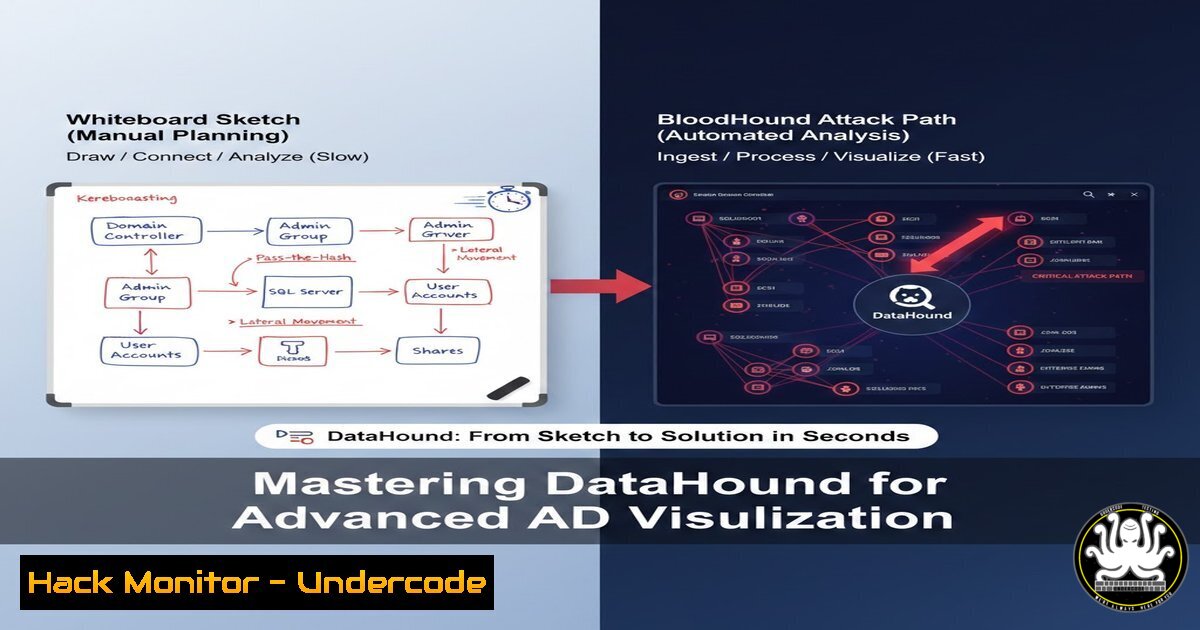
In the complex world of Active Directory (AD) security, visualization is key to understanding attack paths. While BloodHound excels at mapping existing domain relationships, it traditionally struggles to model hypothetical or manually discovered routes. Enter DataHound—a transformative tool that bridges the gap between conceptual diagramming and actionable attack path analysis by converting JSON exports from Arrows.app into custom nodes and edges for BloodHound CE, enabling security professionals to visualize even the most intricate, multi-domain attack scenarios in real-time.
Learning Objectives:
- Understand how to manually diagram attack paths using Arrows.app for scenarios that automated collectors miss.
- Learn to install and utilize the DataHound collector to transform visual diagrams into BloodHound-compatible JSON.
- Master the process of importing custom nodes and edges into BloodHound CE to analyze bottlenecks and shortest attack paths.
You Should Know:
1. Setting Up the Environment: Arrows.app and DataHound
To begin, you need to bridge the gap between your whiteboard ideas and digital analysis. Arrows.app is a free, web-based diagramming tool perfect for sketching attack paths. DataHound, developed by Tom O’Neill, acts as the translator.
First, visit `arrows.app` and sketch your desired attack path. Include all relevant nodes (Users, Computers, Groups) and edges (relationships like MemberOf, AdminTo, CanRDP). Once complete, export this diagram as a JSON file via the “Export” function.
Next, clone the DataHound repository from GitHub:
git clone https://github.com/toneillcodes/DataHound.git
cd DataHound/examples/collection/arrows
Ensure you have Python 3.x installed, then install the required dependencies (if any) listed in the repository. This collector will parse your Arrows JSON and reformat it for BloodHound.
2. Transforming the Diagram with the DataHound Collector
With your `diagram.json` file ready, the transformation process is straightforward. The DataHound collector script reads the visual elements from Arrows and maps them to BloodHound’s object structure (Users, Computers, Groups) and relationship types (Edges).
Run the collector from your terminal:
 Assuming the script is named 'collect.py' and takes an input and output argument
python3 collect.py --input ./my_attack_path.json --output ./bloodhound_custom.json
 If the script processes all JSON in the directory, simply place your file there and run:
python3 collect.py
This script performs several key functions:
- Node Mapping: It interprets shapes from Arrows and assigns them BloodHound object types based on labels or naming conventions.
- Edge Creation: It converts arrows between shapes into BloodHound relationship objects, preserving the direction and type of attack (e.g.,
GenericAll,ForceChangePassword). - Property Injection: It can embed metadata like object IDs or descriptions, making the nodes searchable in BloodHound.
3. Importing Custom Data into BloodHound CE
BloodHound Community Edition (CE) typically ingests JSON files via its collectors. To import your custom attack path, you will use the BloodHound CLI or the built-in data import feature.
Navigate to your BloodHound CE data ingestion directory or use the API. A common method is to use the `bloodhound-importer` or simply place the file in the import folder if configured for auto-ingest.
 Example using curl to post to BloodHound CE API (adjust URL and credentials)
curl -X POST -u "username:password" https://your-bloodhound-server:8080/api/v1/import \
-F "file=@./bloodhound_custom.json"
Once imported, refresh your BloodHound interface. You will now see your manually drawn nodes and edges illuminated alongside your existing domain data. You can run standard BloodHound queries (like “Find Shortest Paths to Domain Admins”) on this hybrid dataset.
4. Analyzing Complex Multi-Domain Paths
The true power of this workflow is modeling paths that span multiple trusts or involve “what-if” scenarios. For example, imagine an attack path that goes from a user in Domain A (EU.CORP.LOCAL) to a server in Domain B (US.CORP.LOCAL) via a misconfigured cross- trust relationship.
In Arrows, you would draw:
– `Node A: [email protected]`
– `Node B: [email protected]`
– `Edge A->B: `CanPSRemote`
After using DataHound, BloodHound will show this edge. You can then use Cypher queries to analyze the impact:
// Find all nodes that have the 'CanPSRemote' edge to the target server
MATCH p = (n)-[:CanPSRemote]->(m:Computer {name: "FILESERVER.US.CORP.LOCAL"}) RETURN p
This allows for targeted analysis of manually identified weaknesses that automated tools may not have enumerated due to timeouts or permission boundaries.
5. Advanced: Custom Queries and Bottleneck Identification
With your custom graph loaded, you can run advanced analytical queries to find bottlenecks. For instance, to find nodes that are highly central to many attack paths (potential choke points for defenders), you might use a degree centrality query:
MATCH (n)
OPTIONAL MATCH (n)-[bash]-()
RETURN n.name, COUNT(r) as degree
ORDER BY degree DESC
This helps identify which of your manually added nodes or existing domain objects are the most connected, thus representing critical control points. Combining this with your custom diagram data provides a holistic view of both real and theoretical security postures.
6. Windows and Linux Command Integration for Validation
To make your diagrams realistic, you need to validate that the edges you’ve drawn are actually exploitable. For example, if you drew a `ForceChangePassword` edge from `UserA` to AdminB, you should verify it with native OS tools.
Linux (using Impacket):
 From a Linux attack machine, attempt to change the password of a target user
impacket-samrdump -change-pass "TargetUser:NewPassword123!" -hashes :<NTLM_hash> domain.com/UserA
Windows (using native PowerShell):
 Using Active Directory module to simulate the attack
Set-ADAccountPassword -Identity "TargetUser" -NewPassword (ConvertTo-SecureString -AsPlainText "NewP@ssw0rd" -Force) -Reset
By documenting the exact commands used to execute the attack paths you diagram, you transform a theoretical model into a verified penetration testing roadmap.
What Undercode Say:
- Key Takeaway 1: DataHound empowers red teams to merge creative, manual attack path modeling with BloodHound’s analytical engine, uncovering scenarios that automated collection misses.
- Key Takeaway 2: The ability to import custom nodes turns BloodHound from a reactive reporting tool into a proactive planning and simulation platform for complex IAM architectures.
- Analysis: This technique is a game-changer for consultants and internal red teams. It allows for the rapid modeling of client-specific architectures during calls, providing immediate visual feedback on risk. By combining the flexibility of a whiteboard with the rigor of graph theory, defenders can also use this to map out “break glass” scenarios or the impact of theoretical mergers and acquisitions. The tool effectively democratizes advanced attack path analysis, making it accessible for brainstorming and strategic planning sessions, not just post-exploitation phases. However, practitioners must ensure that the data they import is sanitized and does not expose sensitive information, and they should validate all manual paths with actual technical checks to avoid false positives in their reports.
Prediction:
As identity-based attacks grow more sophisticated, tools like DataHound will evolve into standard components of the penetration testing toolkit. Future iterations may include AI-assisted diagramming, where an AI suggests missing edges based on common misconfigurations, and automated validation scripts that can test the drawn paths in a lab environment. This will lead to a more proactive and visual approach to security auditing, where the line between conceptual model and real-world attack becomes nearly indistinguishable.
▶️ Related Video (78% Match):
🎯Let’s Practice For Free:
IT/Security Reporter URL:
Reported By: Https: – Hackers Feeds
Extra Hub: Undercode MoN
Basic Verification: Pass ✅


