
Listen to this Post
Introduction:
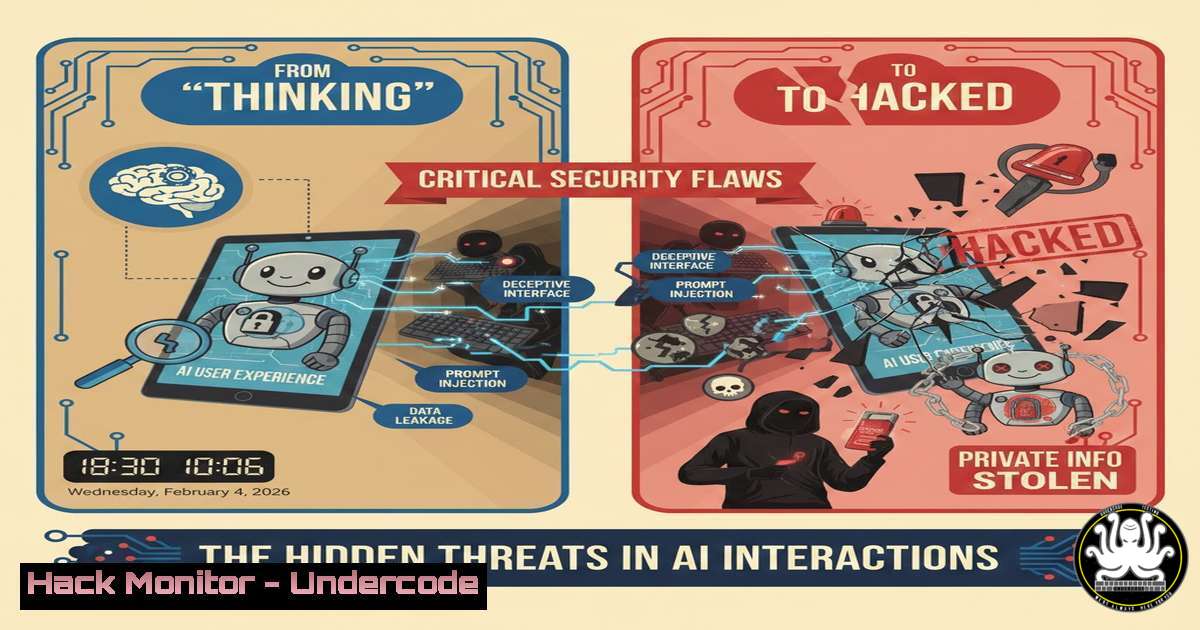
A viral LinkedIn post humorously suggests replacing error messages with “thinking…” to mask application failures, highlighting a prevalent trend in AI and SaaS UX design. While seemingly benign, this practice of obscuring system states poses severe cybersecurity risks, from masking brute-force attacks and data exfiltration to creating false security assurances. This article deconstructs the operational security hazards of non-transparent system feedback and provides a technical blueprint for hardening monitoring, logging, and incident response in AI-driven environments.
Learning Objectives:
- Understand how deceptive user feedback can conceal malicious activity and system failures.
- Implement robust logging and real-time anomaly detection for AI APIs and cloud services.
- Harden authentication and error-handling mechanisms to prevent exploitation through obfuscated states.
You Should Know:
1. The Attack Surface of Obfuscated System States
The joke of displaying “thinking…” for every failure—be it a null pointer, authentication error, or resource exhaustion—directly maps to real-world attack vectors. Adversaries exploit opaque error handling to conduct blind SQL injection, credential stuffing, and denial-of-w-service attacks without triggering user or admin alerts. The lack of transparent logging turns these “thinking” states into a smokescreen for exploitation.
Step-by-step guide:
Exploitation Perspective: An attacker probes an AI endpoint with malformed prompts or injection payloads. A generic “thinking…” response is returned regardless of the internal error (e.g., database connection failure, GPU memory overflow). This lack of differentiation prevents the defender from distinguishing between a DDoS attack and legitimate high load.
Mitigation Commands (Linux/Logging):
 1. Enforce structured, verbose logging in your application (e.g., Python/Flask)
import logging
logging.basicConfig(level=logging.INFO, format='%(asctime)s - %(levelname)s - [%(user)s] %(message)s')

<ol>
<li>Tail and monitor application logs in real-time for specific error codes, not just "ERROR"
sudo tail -f /var/log/your_ai_app/app.log | grep -E "(401|429|500|sql|timeout|memory)"</p></li>
<li><p>Use fail2ban to dynamically block IPs hitting error states
/etc/fail2ban/jail.local
[ai-api]
enabled = true
filter = ai-api-errors
logpath = /var/log/your_ai_app/app.log
maxretry = 10
bantime = 3600
2. Hardening AI API Endpoints Against Blind Attacks
APIs for LLMs and generative AI are prime targets. The “thinking…” state during a long inference can mask a concurrent exploit attempting to steal model weights, poison fine-tuning data, or execute remote code via insecure dependencies.
Step-by-step guide:
What this does: Implements layered security for inference endpoints, ensuring every request is authenticated, rate-limited, and audited, with clear distinctions between processing latency and failure.
Mitigation Steps & Code:
 Use API Gateways (e.g., AWS WAF + API Gateway) for mandatory checks
aws wafv2 create-web-acl --name "AI-API-Protection" --scope REGIONAL --default-action Allow={} --visibility-config SampledRequestsEnabled=true ...
 Example FastAPI endpoint with explicit error differentiation
from fastapi import FastAPI, HTTPException, Request, Depends
from slowapi import Limiter, _rate_limit_exceeded_handler
from slowapi.util import get_remote_address

app = FastAPI()
limiter = Limiter(key_func=get_remote_address)
app.state.limiter = limiter

@app.post("/generate")
@limiter.limit("5/minute")
async def generate(request: Request, prompt: str):
try:
 Validate input against prompt injection patterns
if "system:" in prompt.lower() or any(cmd in prompt for cmd in ["sudo", "rm", "/etc/"]):
raise HTTPException(status_code=400, detail="Invalid prompt structure.")
 Process
result = await model.generate(prompt)
return {"status": "success", "data": result}
except ModelTimeoutError:
 Specific error, not a generic "thinking"
raise HTTPException(status_code=503, detail="Model inference timeout. Please retry.")
except Exception as e:
 Log the specific error internally, return generic message
logging.error(f"Generation failed for {request.client.host}: {str(e)}")
raise HTTPException(status_code=500, detail="Request processing failed.")
3. Implementing Transparent Load and Health Monitoring
When users see “thinking…”, they cannot discern between high legitimate load and a resource exhaustion attack. Comprehensive monitoring is non-negotiable.
Step-by-step guide:
What this does: Deploys monitoring that differentiates between high utilization and attack patterns, providing clear visibility into system state.
Implementation (Using Kubernetes & Prometheus):
 1. Deploy Prometheus/Grafana in your K8s cluster
helm install prometheus prometheus-community/prometheus --namespace monitoring
 2. Create alerts for abnormal patterns
 prometheus-rules.yaml
groups:
- name: ai-service
rules:
- alert: HighErrorRate
expr: rate(ai_api_errors_total{status_code=~"5."}[bash]) > 0.1
for: 2m
annotations:
message: "Error rate elevated despite 'thinking' states. Possible attack."
- alert: ResourceExhaustion
expr: (container_memory_usage_bytes{container="ai-model"} / container_spec_memory_limit_bytes) > 0.9
for: 3m
 3. Windows Command for local resource monitoring (if hosting on Windows Server)
Get-Counter "\Processor(_Total)\% Processor Time" "\Memory\Available Mbytes"
4. Securing the CI/CD Pipeline Against “Silent” Failures
The post’s joke about a “small diff” causing a company pivot underscores CI/CD risks. A failed deployment or compromised build that only shows “thinking…” in production can be catastrophic.
Step-by-step guide:
What this does: Integrates security scanning and rollback automation to ensure failures are visible and actionable.
Implementation:
 .gitlab-ci.yml or GitHub Actions snippet
stages:
- security
- deploy
container_scan:
stage: security
image: docker:stable
script:
- docker run --rm -v /var/run/docker.sock:/var/run/docker.sock aquasec/trivy image --exit-code 1 --severity HIGH,CRITICAL your-ai-app:latest
deploy:
stage: deploy
environment: production
script:
- kubectl apply -f deployment.yaml
 Health check with explicit failure state
- timeout 300 bash -c 'while [[ "$(curl -s -o /dev/null -w "%{http_code}" https://yourapp/health)" != "200" ]]; do sleep 5; done' || (kubectl rollout undo deployment ai-app && exit 1)
- User Identity and Session Management Under the Hood
The comment about “Multiple users are using app currently” touches on session handling. Opaque messages can hide session fixation or credential theft.
Step-by-step guide:
Mitigation: Implement clear, secure session management.
 Use strong, random session IDs and enforce HTTPS
 In your web server config (e.g., Nginx)
add_header Set-Cookie "session_id=$session_token; HttpOnly; Secure; SameSite=Strict;";
 In your app, log authentication events distinctly
logging.info(f"Failed login attempt for user:{username} from IP:{request.client.host}")
 NOT a generic "thinking" or "busy" message.
What Undercode Say:
- Key Takeaway 1: Obfuscating system states for UX is a security anti-pattern. Transparency in logging, error reporting, and user feedback is a critical control layer for early attack detection and incident response.
- Key Takeaway 2: AI systems require security hardening at every layer—from prompt injection validation and API rate-limiting to model weight integrity checks and CI/CD security gates. Treating AI endpoints as standard web apps is a recipe for breach.
The viral post, while humorous, accurately reflects a dangerous mindset in product development where user perception is prioritized over systemic honesty. In cybersecurity, the “thinking…” state is analogous to a black box where threat actors operate with impunity. The difference between a null pointer and a memory corruption exploit can be milliseconds, and generic messaging blurs this line entirely. Security engineering must advocate for designs that balance user experience with unambiguous state signaling, ensuring that both users and defenders have the contextual awareness needed to trust—and secure—the system.
Prediction:
In the next 2-3 years, regulatory frameworks for AI (like the EU AI Act) will begin mandating transparency in system performance and failure reporting, especially for high-risk applications. “Deceptive UX” that masks failures will not only be a security liability but a compliance violation. Simultaneously, we will see a rise in advanced persistent threats (APTs) specifically designed to exploit these opaque states in AI infrastructure, leading to sophisticated, low-visibility data exfiltration and model manipulation attacks. The industry will respond with new monitoring tools tailored for AI transparency, making “explainable operation” as important as explainable AI (XAI).
▶️ Related Video (80% Match):
🎯Let’s Practice For Free:
IT/Security Reporter URL:
Reported By: Saedf Right – Hackers Feeds
Extra Hub: Undercode MoN
Basic Verification: Pass ✅


