Listen to this Post
Introduction:
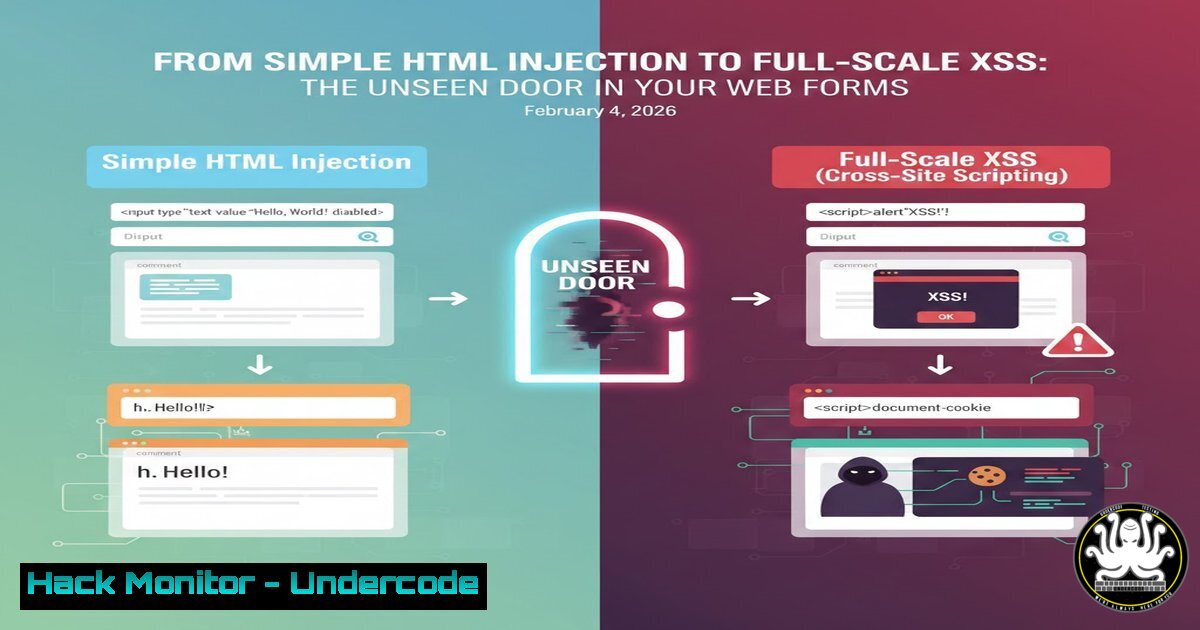
A recent discovery by a bug bounty hunter highlights a critical yet often overlooked web vulnerability: HTML Injection. This flaw, where an application reflects unsanitized user input directly into its HTML response, serves as a direct precursor to Cross-Site Scripting (XSS) attacks. It allows attackers to manipulate a site’s structure and content, leading to phishing, defacement, and severe trust breaches, demonstrating that even non-script injection can have serious security consequences.
Learning Objectives:
- Understand the fundamental mechanics and impact of HTML Injection vulnerabilities.
- Learn to manually test for and exploit HTML Injection to assess its severity.
- Implement robust defensive coding practices and input validation to mitigate such vulnerabilities across different tech stacks.
You Should Know:
- HTML Injection Demystified: More Than Just Broken Layouts
HTML Injection occurs when user-controllable data is incorporated into a webpage’s output without proper encoding or validation. Unlike full XSS, it may initially only allow insertion of benign HTML tags like<b>,<img>, or<h1>. However, this is a clear sign of inadequate sanitization and a potential stepping stone to executing malicious JavaScript.
Step‑by‑step guide explaining what this does and how to use it.
Testing for Basic HTML Injection:
- Identify Input Vectors: Locate all user-input points: search fields, comment forms, profile parameters (like `?name=Tony` in URLs), and form submissions.
- Probe with Passive Tags: Inject simple HTML elements and observe the response.
Input: `TEST` or `
HACKED
`
Observation: If the text “TEST” appears bold or “HACKED” as a large header, the application is vulnerable.
3. Verify Context: Use browser developer tools (F12) to inspect the page source. Confirm your injected tags are rendered as actual HTML elements, not plain text.
2. Escalation to XSS: Turning Injection into Execution
The real danger begins when HTML Injection can be escalated to Cross-Site Scripting (XSS). If tags like <img>, <iframe>, or event handlers are not filtered, an attacker can craft a malicious payload.
Step‑by‑step guide explaining what this does and how to use it.
Crafting an Exploit Payload:
- Image Tag with JavaScript Error: A classic proof-of-concept uses a broken image source to trigger an `onerror` event handler.
Payload: ` `
`
Mechanism: The browser tries to load a non-existent image (src="x"), fails, and executes the JavaScript in the `onerror` attribute, popping an alert showing the victim’s domain.
2. Advanced Theft Payload: Steal user sessions or cookies (if they are not protected with HttpOnly).
Payload: ``
Mechanism: This sends the victim’s session cookie to a server controlled by the attacker.
- Server-Side Input Sanitization: The First Line of Defense
Proper output encoding is non-negotiable. The rule is: never trust user input.
Step‑by‑step guide explaining what this does and how to use it.
Implementation Examples:
PHP (Using `htmlspecialchars`):
// Encode output for HTML context
echo htmlspecialchars($userInput, ENT_QUOTES, 'UTF-8');
Python (Django Template Auto-escaping): It’s enabled by default. Ensure you never use `|safe` filter on untrusted input.
 In a Django template, this is automatically escaped
{{ user_submitted_comment }}
Node.js (Using `escape-html` library):
const escapeHtml = require('escape-html');
let safeOutput = escapeHtml(userInput);
- Implementing a Content Security Policy (CSP): The Final Backstop
CSP is a critical HTTP header that acts as an allow-list for resources, drastically reducing the impact of successful injections.
Step‑by‑step guide explaining what this does and how to use it.
Deploying a Strict CSP:
1. Configure Web Server:
Apache (.htaccess):
Header set Content-Security-Policy "default-src 'self'; script-src 'self'; object-src 'none';"
Nginx (nginx.conf):
add_header Content-Security-Policy "default-src 'self'; script-src 'self';";
2. Policy Breakdown: This policy allows resources (scripts, images) only from the site’s own origin ('self'). Inline scripts (like those in `onerror` handlers) will be blocked, neutralizing the XSS payload even if it is injected.
5. Automated Testing and Bug Bounty Reconnaissance
Professional hunters and developers use tools to automate the discovery process.
Step‑by‑step guide explaining what this does and how to use it.
Using `curl` and `grep` for Recon:
 Test a parameter quickly from Linux terminal
curl -s "https://target.com/page?input=<test>" | grep -i "<test>"
Using OWASP ZAP for Automated Testing:
- Launch ZAP and set your browser as its proxy.
- Manually explore your application or use the “Automated Scan” against a target URL.
- Review the “Alerts” tab for findings like “Cross-Site Scripting (Reflected)” or “User Controllable HTML Element Attribute.”
What Undercode Say:
- HTML Injection is a Canary in the Coal Mine: Its presence is a definitive indicator of poor input handling and a direct path to high-severity XSS. It should be treated with the same urgency as any other code execution flaw.
- Defense is Multi-Layered: Relying solely on one mitigation (like basic filtering) is insufficient. A combination of strict input validation, context-aware output encoding, and a robust Content Security Policy is required to build effective resilience.
The analysis reveals a persistent gap in secure coding fundamentals. Many developers focus on filtering `
