Listen to this Post
Introduction:
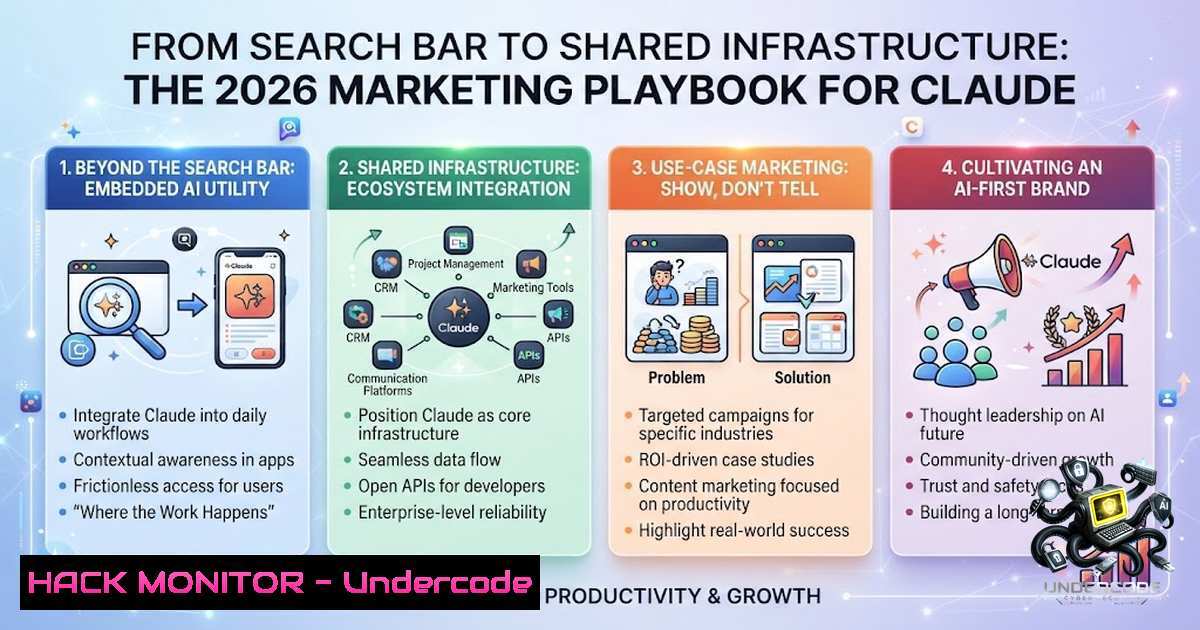
Most marketing teams are using Claude like it’s 2005 Google—type a question, get an answer, close the tab. After 16 years in marketing, I’ve watched this pattern repeat with every tool that actually matters. The marketers pulling ahead aren’t using better AI; they’re using the same AI with a proper system underneath it—Projects, Memory, Skills, and connectors that transform a chat box into shared infrastructure.
Learning Objectives:
- Understand how to structure Claude Projects with brand voice, formatting rules, and knowledge bases for consistent outputs across teams
- Master prompt engineering using XML tags and memory to eliminate repetitive briefing
- Implement repeatable workflows with Skills and connect external data sources via MCP connectors
- Optimize model selection between Sonnet 4.6 and Opus 4.6 for cost-effective daily operations
- Build a complete team workspace with Google Drive integration, Artifacts, and Claude Code for live dashboards
You Should Know:
1. Projects: The Container That Changes Everything
Projects are self-contained workspaces with their own chat histories and knowledge bases. Within each project, you can upload documents, provide context, and have focused chats with Claude. Free users can create up to five projects.
Step‑by‑step guide:
- Navigate to `claude.ai/projects` or hover over your account in the left sidebar and click “Projects”
- Click “+ New Project” in the top-right corner
3. Name your project and add a description
- Click “Set project instructions” to define how Claude should behave and respond
- Upload brand style guides, tone-of-voice documents, and formatting rules to the knowledge base
- Add team members so everyone works from the same context
What this does: Instead of re-explaining brand rules in every conversation, Claude references the project instructions automatically. Every piece of copy sounds consistent regardless of who writes the brief or prompts the tool.
2. Memory: Persistent Context That Travels With You
Claude’s memory tool enables the AI to store and consult information outside the context window through a file-based system. Claude can create, read, update, and delete files in a dedicated memory directory that persists across conversations.
Step‑by‑step guide:
1. Enable memory in your Claude settings
- Claude automatically summarizes conversations and creates syntheses of key insights across your chat history
- The AI checks its memory directory before starting new tasks
- You can transfer memory between Claude and other AI services, import memories from other assistants, or export for backup
- Memory files are stored in the `/memories` directory—Claude can store what it learns while working and reference it in future conversations
What this does: Memory eliminates the need to keep everything in the context window. Claude accumulates knowledge over time without requiring you to re-explain important context in every session.
- Prompt Engineering with XML Tags: Structure for Reliability
Using XML tags like <instructions>, <example>, and `
Step‑by‑step guide with template:
<context>
[Brand voice guidelines, project background, target audience]
</context>

<task>
[Specific deliverable: draft an email, create a social post, write a report]
</task>

<format>
[Output structure: tone, length, sections, formatting requirements]
</format>

<examples>
[2-3 examples of desired output quality and style]
</examples>

<constraints>
[What to avoid: jargon, passive voice, specific phrases]
</constraints>
Best practices:
- Be consistent—use the same tag names throughout your prompts
- Refer to tag names when talking about the content (e.g., “Using the contract in `
` tags…”) - Combine XML tags with other techniques like multi-shot prompting (
<examples>) or chain-of-thought reasoning (<thinking>,<answer>)
What this does: XML-tagged prompts produce consistently reliable outputs every time. The structure makes complex prompts parseable and accurate, reducing the need for multiple rounds of revision.
4. Google Drive Integration: Stop Copy-Pasting Documents
Connecting Google Drive means Claude reads your actual files without manual pasting. No more copying documents into the chat window.
Step‑by‑step guide:
- Go to `claude.ai` and click your initials in the lower left
2. Select Settings > Connectors
- Choose Google Drive from available connectors (also available: Gmail, Calendar, GitHub, Slack, Microsoft 365)
4. Authenticate with your Google account
- In any chat or project, click the plus sign (+) in the interface
6. Select “Add from Google Drive”
- Search through recently accessed documents or paste the document’s URL
- For projects: open the project, find the Files section, click “+”, and select “Drive”
What this does: Claude can reference live documents directly. Team members stop maintaining separate copies, and the AI always works from the latest version.
5. Skills: Repeatable Workflows as Plug-and-Play Superpowers
Claude Skills (also called Agent Skills) are modular, reusable bundles of instructions that teach Claude how to perform specific tasks consistently. These “procedural playbooks” help the model follow your company’s writing guidelines, execute multi-step workflows, or automate routine analyses.
Step‑by‑step guide:
- Identify a repeatable task your team performs regularly (e.g., summarizing PDFs, drafting sales emails, cleaning CSV data, writing social posts)
- Define the workflow steps, format rules, and constraints
- Package these into a named Skill—a folder with instructions Claude can reuse
- Share Skills across the team so everyone executes tasks the same way
- Skills use progressive disclosure—Claude follows a prescribed approach in a structured sequence, reducing drift and boosting repeatability
Sample Skill structure (Linux/macOS):
 Create a Skill directory
mkdir -p ~/claude_skills/brand_copy_writer

Add instructions file
cat > ~/claude_skills/brand_copy_writer/instructions.md << 'EOF'
 Brand Copy Writer Skill

Task
Write marketing copy aligned with [Brand Name] tone of voice.

Required Inputs
- Product/service description
- Target audience
- Key messaging points
- Output format (email/social/post/ad)

Workflow
1. Read brand guidelines from /knowledge/brand_voice.txt
2. Analyze competitor examples from /knowledge/competitors/
3. Draft 3 variations with different angles
4. Apply formatting rules from /knowledge/formatting_rules.md
5. Include a "clarifying questions" step before final output

Constraints
- Never use passive voice
- Always include a clear CTA
- Maximum 280 characters for social posts
EOF
What this does: Skills let you build a prompt workflow once and reuse it across the team. They transform Claude from a chat interface into a consistent, repeatable task executor.
6. MCP Connectors: Claude Talks to Your Tools
Model Context Protocol (MCP) connectors let Claude connect to your organization’s tools, data sources, and services. Claude can search your documents, read your email, or call external APIs on your behalf—all without leaving the chat.
Step‑by‑step guide:
1. Navigate to Settings > Connectors in Claude
- Available connectors include Google Workspace, GitHub, Slack, and Microsoft 365
- Click “Connect” next to the connector you want to enable
4. Authenticate with the external service
- For developers: connect to remote MCP servers via the Anthropic MCP connector API
- Remote MCP servers communicate with Claude over the internet, giving it access to cloud-hosted tools and data
Sample MCP server configuration (Node.js):
// Example: Connect to a custom MCP server
const { MCPConnector } = require('@anthropic/mcp-sdk');

const connector = new MCPConnector({
serverUrl: 'https://your-mcp-server.example.com',
apiKey: process.env.MCP_API_KEY,
tools: ['search_documents', 'read_email', 'call_api']
});

// Claude can now use these tools natively in conversations
What this does: MCP connectors transform Claude from a standalone AI into an integrated assistant that works with your existing infrastructure. No more switching between tabs or copying data between systems.
7. Artifacts and Claude Code: Live, Shareable Workspaces
Artifacts can store data across sessions, enabling stateful applications like journals and interactive dashboards. Claude Code can publish its session output as an artifact—a live, interactive page at a private URL that updates in place as your session continues.
Step‑by‑step guide:
- In Claude Code, work through logs, codebases, and connected monitoring tools
- Claude builds an artifact using the full context of your session—codebase, connectors, and conversation
- The artifact becomes a live page: a timeline, suspect commits, error-rate charts, PR walkthroughs, system explainers, dashboards, or release checklists
- Share the link with your team from the page header
- The page updates itself as your session continues
- Available in Claude, Claude Desktop, and Claude Code
What this does: Artifacts turn AI work into shareable visual pages that eliminate the “here’s what I found” email chain. Teams get live dashboards that update automatically.
8. Model Selection: Sonnet 4.6 vs. Opus 4.6
Both Claude Opus 4.6 and Sonnet 4.6 now include the full 1M context window at standard pricing. Sonnet 4.6 handles most daily tasks fast at roughly half the cost of Opus.
Pricing comparison:
| Model | Input (per 1M tokens) | Output (per 1M tokens) |
|-|-|-|
| Sonnet 4.6 | $3.00 | $15.00 |
| Opus 4.6 | $5.00 | $25.00 |
Opus is 1.7x more expensive for both input and output processing. Sonnet runs roughly 40% cheaper on a blended input-plus-output token mix.
When to use each:
- Sonnet 4.6: Daily marketing tasks, copywriting, content generation, most routine work—cost-effective at ~$12,000/month for mid-market volume (100K requests/day)
- Opus 4.6: Complex reasoning, research-heavy tasks, strategic planning where quality justifies the premium
- Fast mode (Opus): $30/$150 per MTok—6x standard rates, only for time-critical workloads
What this means: For most marketing teams, Sonnet 4.6 delivers better cost-per-task than Opus fast mode. Use Sonnet as your daily driver and reserve Opus for tasks where the incremental quality difference matters.
What Undercode Say:
- Key Takeaway 1: The biggest AI skill in 2026 isn’t prompting—it’s designing repeatable systems that save time every single day. Projects, Memory, and connected files reduce the repeated explaining that makes brand work drift.
-
Key Takeaway 2: Claude stops being a chat box and becomes shared infrastructure when you treat it as a workspace rather than a search bar. Brand memory, project context, files, and connectors remove the repeated briefing tax. That is where teams get consistency—because the system stops depending on whoever writes the prompt that day.
Analysis: The pattern is clear across every major technology shift—the people who pull ahead aren’t the ones who use the tool first; they’re the ones who build systems around it. Claude in 2026 is where Google was in 2005: most people use it like a search engine, typing questions and closing the tab. The gap between casual users and system builders is widening. Marketing teams that implement Projects, Memory, Skills, and connectors are seeing brand consistency improve without additional effort. Those still copy-pasting documents into chat windows are burning hours on repetitive briefing that could be automated. The economics are straightforward: Sonnet 4.6 at $3/$15 per million tokens makes AI cheap enough to be infrastructure, not just an occasional assistant. The question isn’t whether to use AI—it’s whether you’re building a system or just typing questions.
Prediction:
- +1 Teams that implement Claude Projects and Skills in 2026 will reduce content revision cycles by 40-60% within six months, as brand consistency becomes automatic rather than manual.
-
+1 The gap between AI‑native marketing teams and traditional teams will widen faster than the gap between digital and traditional marketing did in 2010—because the compounding effect of shared infrastructure grows exponentially with each new team member.
-
-1 Marketing teams that continue treating Claude like a search engine will fall behind competitors who treat it as infrastructure, creating a two‑tier industry where system‑building teams consistently outperform on both speed and quality.
-
-1 The cost of not implementing these systems will become visible in 2027 budgets—teams without proper AI workflows will spend 2-3x more on revisions, briefings, and manual quality control than teams with structured Claude setups.
▶️ Related Video (74% Match):
https://www.youtube.com/watch?v=2Rj69MhAyds
🎯Let’s Practice For Free:
🎓 Live Courses & Certifications:
Join Undercode Academy for Verified Certifications
🚀 Request a Custom Project:
Secure, high-velocity infrastructure and disruptive technological engineering. Contact our engineering team for high-tier development and proprietary systems:
[email protected]
💎 Smart Architecture | 🛡️ Secure by Design | ⭐ Trusted by Thousands
IT/Security Reporter URL:
Reported By: Jonathan Parsons – Hackers Feeds
Extra Hub: Undercode MoN
Basic Verification: Pass ✅


