Listen to this Post
Introduction:
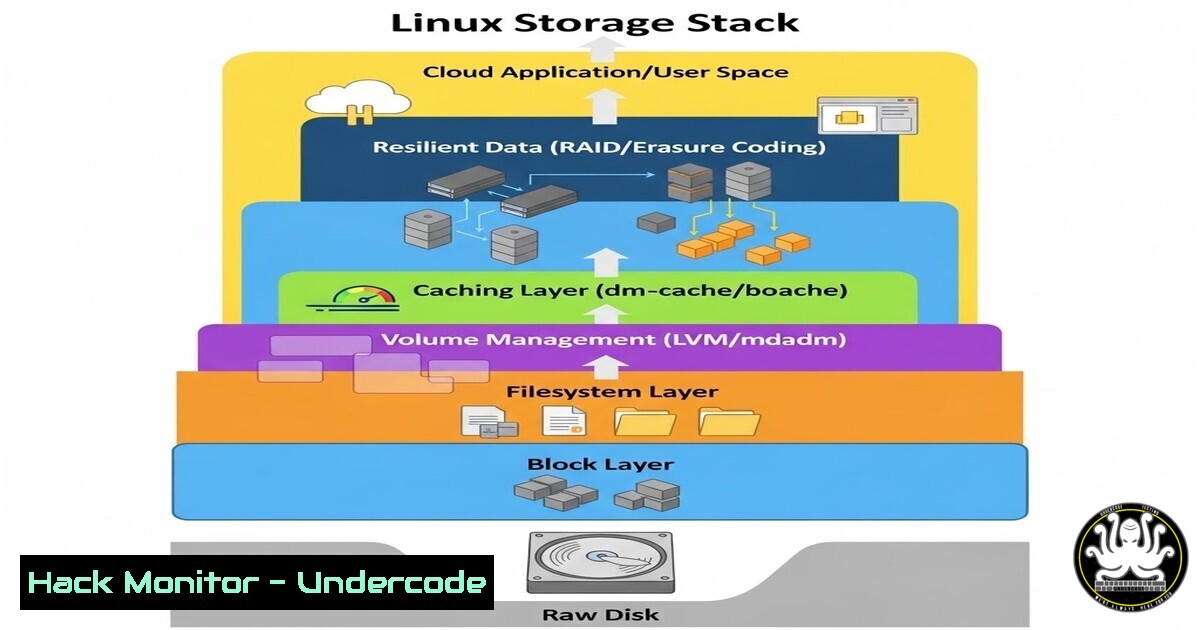
In multi-cloud environments, storage misconfigurations are a primary vector for data exposure, privilege escalation, and silent service degradation. Unlike Windows, Linux treats every storage device as a file, relying on a structured hierarchy from raw disk to accessible data. Understanding this stack—disk, partition, filesystem, mount point, and data—is non-negotiable for engineers securing workloads across AWS, Azure, and on-premise infrastructure.
Learning Objectives:
- Map the physical-to-logical storage transformation using native Linux tooling
- Execute partitioning, formatting, and persistent mounting across distributions
- Diagnose and remediate common storage-related failures and privilege issues
You Should Know:
- Disk Identification: Distinguishing Raw Devices from Used Storage
Before data can reside anywhere, the operating system must recognize the device. Linux exposes block devices under/dev/. Use `lsblk` to view the tree structure, noting that cloud instances often attach virtual disks (e.g.,/dev/xvdb,/dev/sdb) separately from the boot volume.
Step‑by‑step guide:
 List all block devices with filesystem and mountpoint info
lsblk -f

Identify unmounted raw disks (no FSTYPE or MOUNTPOINT)
sudo fdisk -l /dev/sdb

Check kernel recognition of new SCSI devices (useful after hot-add)
sudo lsblk --scsi
What this does: Distinguishes between already‑provisioned LVM volumes and raw cloud block storage. Essential before partitioning to avoid overwriting active filesystems.
2. Partitioning: Logical Slicing with fdisk and parted
A raw disk cannot store structured files. Partitioning carves the disk into isolated sections, which is critical for preventing log floods from crashing the OS and for applying distinct encryption or mount options per workload.
Step‑by‑step guide (GPT table):
 Enter interactive fdisk for /dev/sdb
sudo fdisk /dev/sdb

Inside fdisk:
 - Type 'g' to create a new GPT partition table
 - Type 'n' to add a new partition (accept defaults for full disk)
 - Type 'w' to write changes and exit

Verify the new partition
lsblk /dev/sdb
Windows equivalent: Diskpart via create partition primary. In cloud security contexts, partitioning is often scripted via `cloud-init` to ensure ephemeral vs persistent storage separation.
- Filesystem Creation: Formatting with ext4, XFS, and Integrity Checks
A partition without a filesystem is merely a range of blocks. The filesystem defines inode tables, journaling behaviour, and space allocation. For multi‑cloud workloads, ext4 remains the compatibility standard, while XFS excels in large‑scale parallel I/O.
Step‑by‑step guide:
 Create ext4 filesystem on the new partition
sudo mkfs.ext4 /dev/sdb1

Label the filesystem for predictable mounting
sudo e2label /dev/sdb1 app_data

Check filesystem integrity (unmount first)
sudo fsck.ext4 -f /dev/sdb1
Tutorial insight: Use `mkfs.xfs` for high‑throughput databases. Always verify block size (-b) for performance tuning. Without a valid filesystem, mount attempts will fail with “wrong fs type”.
- Mount Point Integration: Attaching Storage to the Directory Tree
Linux does not use drive letters. A mount point is an empty directory where the filesystem is grafted into the global tree. Incorrect mounting—especially mounting world‑writable block devices under sensitive paths like/etc—can introduce security gaps.
Step‑by‑step guide:
 Create the mount directory
sudo mkdir -p /mnt/appdata

Mount the filesystem
sudo mount /dev/sdb1 /mnt/appdata

Verify mount with human-readable sizes
df -h /mnt/appdata

Bind mount to relocate an existing directory
sudo mount --bind /var/log /mnt/log_archive
Cloud hardening: Mount cloud storage buckets (S3/Blob) via `s3fs` or blobfuse, but note that FUSE mounts run as user processes and can expose credential files if not strictly permissioned.
5. Persistent Mounts: /etc/fstab and Systemd Mount Units
A manual mount disappears after reboot. Persistent mounting requires entries in `/etc/fstab` or systemd mount units. Misconfigurations here can render a system unbootable.
Step‑by‑step guide:
 Backup fstab before editing
sudo cp /etc/fstab /etc/fstab.backup

Get the UUID (preferred over device name)
sudo blkid /dev/sdb1

Add line to /etc/fstab:
 UUID=your-uuid /mnt/appdata ext4 defaults,nofail,noatime 0 2

Test the fstab entry without rebooting
sudo mount -a
Troubleshooting command: If `mount -a` succeeds, reboot is safe. The `nofail` option allows boot to proceed even if the device is missing (critical for removable cloud volumes). For Windows, this maps to volume mount points or drive letters via diskpart scripting.
6. Storage Troubleshooting: Space, Inodes, and Locked Files
Even with perfect configuration, storage fails. Common scenarios: disk‑full due to uncontrolled logs, inode exhaustion (many tiny files), or filesystems mounted read‑only due to corruption.
Step‑by‑step guide:
 Check disk usage (space)
df -h

Check inode usage (capacity for files)
df -i

Find largest directories
sudo du -sh / 2>/dev/null | sort -h | tail -20

Identify open deleted files (space not released)
sudo lsof | grep '(deleted)'

Remount as read-write if currently read-only
sudo mount -o remount,rw /mountpoint
Exploitation context: Attackers often fill `/boot` to prevent kernel updates or fill `/var` to crash logging. Monitoring both space and inodes is mandatory.
- Security Hardening: Mount Options, Encryption, and Access Control
Raw disks store data in plaintext unless encrypted. Linux offers LUKS for full‑disk encryption and per‑mount restrictions vianoexec,nosuid,nodev.
Step‑by‑step guide (LUKS + hardening):
 Encrypt a partition
sudo cryptsetup luksFormat /dev/sdb1
sudo cryptsetup open /dev/sdb1 secret_volume

Format the mapped device
sudo mkfs.ext4 /dev/mapper/secret_volume

Mount with restrictive options
sudo mount -o noexec,nosuid,nodev /dev/mapper/secret_volume /secure/data

Add to fstab using /dev/mapper/ name or UUID
API/Cloud perspective: In AWS, attach encrypted EBS volumes and enforce instance‑side encryption with KMS. Never store production secrets on unencrypted instance store volumes.
What Undercode Say:
- Key Takeaway 1: The five‑layer abstraction (disk→partition→fs→mount→data) is universal; every cloud storage service (EBS, persistent disk, managed disks) maps directly to this model. Engineers who cannot visualize this stack will misconfigure IAM policies and snapshot strategies.
- Key Takeaway 2: Mount options are security controls. `noexec` on `/tmp` and `/var/tmp` prevents many binary dropper attacks; `nosuid` blocks setuid privilege escalation. These are zero‑cost mitigations widely overlooked in rushed cloud deployments.
Analysis: The post’s clean visual pipeline simplifies a subject that many IT professionals only grasp after a destructive `rm -rf` or a ransomware event that encrypts raw block devices. True mastery comes not from memorising `fdisk` switches, but from understanding that a filesystem is a database of metadata, and a mount point is a namespace boundary. As ephemeral containers and serverless gain ground, the storage stack is increasingly virtualised—but the concepts remain identical, whether the “disk” is an NVMe device or an iSCSI LUN from a SAN. Organisations that train staff on these fundamentals reduce both operational debt and breach impact.
Prediction:
As Infrastructure as Code (IaC) becomes mandatory, the manual partitioning and mounting described here will shift entirely to declarative configurations (Terraform, cloud‑init, ignition). However, the attack surface will move upstream: misconfigured storage classes in Kubernetes and overly permissive pod security policies that allow hostPath mounts will replace the traditional fstab mistakes. The next five years will see storage security pivoting from OS‑level commands to policy‑as‑code, verifying that mounted volumes are encrypted, read‑only where possible, and never exposed to untrusted pods. The kernel’s storage stack remains the foundation, but the control plane moves to the orchestrator.
▶️ Related Video (78% Match):
🎯Let’s Practice For Free:
IT/Security Reporter URL:
Reported By: Ajinkya Kandalkar – Hackers Feeds
Extra Hub: Undercode MoN
Basic Verification: Pass ✅


