Listen to this Post
Introduction:
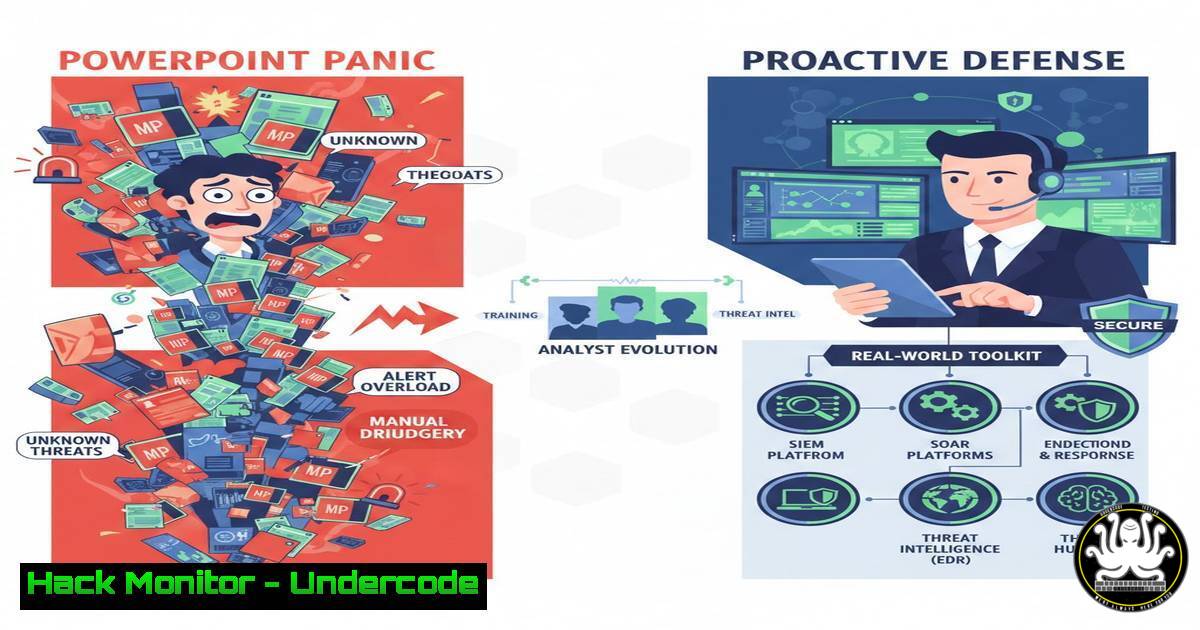
The journey to becoming a Security Operations Center (SOC) Analyst is often romanticized, but the core mission is a rigorous, procedural discipline focused on vigilance and systematic response. Moving beyond dashboard demos requires mastery of specific tools, protocols, and commands to effectively monitor, analyze, and neutralize threats. This article strips away the presentation layer to reveal the essential technical workflows that define a proactive Blue Team defender.
Learning Objectives:
- Understand the core technical responsibilities and tools of a Tier 1 SOC Analyst.
- Execute fundamental log analysis and network investigation commands on Linux and Windows systems.
- Apply structured methodologies to triage alerts and perform initial incident escalation.
You Should Know:
- The SOC Tier 1 Toolbox: Beyond the SIEM Dashboard
A SIEM (Security Information and Event Management) like Splunk, Elastic SIEM, or Microsoft Sentinel is the console, but the investigation happens at the endpoint and network level. A real analyst operates across multiple command-line and forensic tools.
Step‑by‑step guide:
SIEM Querying: The starting point is always an alert. A typical investigation begins with crafting precise queries.
Splunk SPL Example: `index=windows EventCode=4625 | stats count by user, src_ip, dest_host | where count > 5`
Elastic/KQL Example (Microsoft Sentinel): `SecurityEvent | where EventID == 4625 | summarize FailedAttempts = count() by Account, IpAddress, Computer | where FailedAttempts > 5`
What this does: This searches for Windows failed login events (Event ID 4625), groups them by user, source IP, and target host, and filters for bursts of more than 5 attempts—a potential brute-force attack.
Endpoint Verification: The SIEM alert gives an indicator (e.g., a suspicious process on a host). You must connect to the endpoint to verify.
On Windows (via PowerShell Remoting or direct access):
`Get-Process | Where-Object {$_.ProcessName -eq “malicious.exe”} | Select-Object ProcessName, Id, Path`
`Get-WinEvent -FilterHashtable @{LogName=’Security’; ID=4688} | Where-Object {$_.Properties
.Value -eq "malicious.exe"} | Select-Object -First 5`


<h2 style="color: yellow;"> On Linux (via SSH):</h2>

<h2 style="color: yellow;">`ps aux | grep -i malicious`</h2>

<h2 style="color: yellow;">`sudo netstat -tunap | grep :443`</h2>

What this does: These commands check for a running malicious process, find its execution history in Windows logs, and look for associated network connections on Linux.

<ol>
<li>The Art of Log Analysis: From Noise to Signal
Raw logs are overwhelming. A SOC analyst must know where key forensic data lives and how to parse it efficiently.</li>
</ol>

<h2 style="color: yellow;">Step‑by‑step guide:</h2>

<h2 style="color: yellow;"> Identify Critical Log Sources:</h2>

<ol>
<li>Windows: Security, System, and PowerShell Operational logs are goldmines.</li>
<li>Linux: `/var/log/auth.log` (logins), `/var/log/syslog` (system messages), and journalctl (<code>journalctl -u ssh --since "2 hours ago"</code>).</li>
<li>Network: Firewall (ASA, Palo Alto) deny logs, DNS query logs, and proxy logs.
Correlate Events: A single failed login is noise; ten failures from one IP followed by a success is a signal. Use timeline analysis.
Command: In Linux, combine `grep` and `awk` to build timelines: `grep "Failed password" /var/log/auth.log | awk '{print $1, $2, $3, $11}' | sort | uniq -c`
</li>
</ol>

<h2 style="color: yellow;">3. Threat Triage & Initial Containment Actions</h2>

When a valid threat is identified, Tier 1 executes pre-approved containment playbooks.

<h2 style="color: yellow;">Step‑by‑step guide:</h2>

<h2 style="color: yellow;">1. Isolate the Host: Initiate network isolation.</h2>

On Network Device (example CLI): `access-list BLOCK_HOST extended deny ip host <compromised_ip> any`
 Via EDR Console: Most modern Endpoint Detection & Response (EDR) tools like CrowdStrike or Microsoft Defender allow you to isolate a device with one click from the alert.

<h2 style="color: yellow;">2. Preserve Evidence: Before remediation, collect volatile data.</h2>

Windows (via KAPE or built-in tools): `PsList.exe -t > running_processes.txt`
 Linux: `sudo dd if=/dev/mem of=/tmp/memory_dump.img bs=1M` (if permitted) or simply `sudo lsof -i > /tmp/network_connections.txt`
3. Escalate with Clarity: Your escalation ticket must include: Hostname/IP, Timestamp, Alert Source, IOC's (Hashes, IPs, Domains), Actions Taken, and a Confidence Level.

<ol>
<li>Building Detections: Understanding the Rules That Fire Alerts
To analyze alerts, you must understand how they are generated. Writing a basic detection rule demystifies the SIEM.</li>
</ol>

<h2 style="color: yellow;">Step‑by‑step guide (Sigma Rule - Portable Detection Logic):</h2>

[bash]
title: Suspicious Process Execution from Temp Directory
id: abc12345-6789
status: experimental
description: Detects a process being executed from a user's temporary directory, common in phishing payloads.
logsource:
category: process_creation
product: windows
detection:
selection:
Image|endswith: '\AppData\Local\Temp.exe'
condition: selection
falsepositives:
- Legitimate software installers
level: medium
What this does: This is a Sigma rule, a generic format convertible to any SIEM. It looks for `.exe` files running from the Windows Temp folder. Deploying this in Splunk would require converting it to SPL, in Sentinel to KQL, etc.
5. Cloud Security Monitoring: The Modern SOC Frontier
Assets are no longer just on-premises. SOC analysts must query cloud provider logs.
Step‑by‑step guide (AWS CloudTrail Analysis for Unusual Region Access):
Scenario: Detect if a user account accessed AWS services from a geographic location outside your baseline.
AWS CLI Query to Investigate: `aws cloudtrail lookup-events –lookup-attributes AttributeKey=Username,AttributeValue=alice –start-time 2024-01-15T00:00:00Z –end-time 2024-01-15T23:59:59Z –query “Events[].CloudTrailEvent” –output text | jq ‘.eventSource, .eventName, .awsRegion, .sourceIPAddress’`
What this does: Pulls CloudTrail logs for user “alice” on a given day and extracts key fields (service, action, AWS region, IP) for review against a known list of normal locations.
What Undercode Say:
The Dashboard is a Starting Point, Not the Investigation. Real SOC work happens in the logs, on the command line, and within the telemetry of endpoints and networks. Proficiency in OS-specific commands and log syntax is non-negotiable.
Process and Precision Trump Speed. “Thinking smart and acting right” means following a methodical playbook. Hasty actions can destroy evidence or cause outages. Documenting every action for the next shift and for potential legal proceedings is a critical skill.
Analysis: The original post captures the philosophical mindset of vigilance and continuous learning, which is foundational. However, the technical reality is far grittier. The leap from “SOC Analyst in Progress” to an effective Tier 1 is bridged by hands-on repetition of these investigative workflows. The comment revealing the dashboard as a PowerPoint template is a poignant reminder that the industry is filled with abstractions. Employers and aspiring analysts must prioritize demonstrable, practical skills in log analysis, basic digital forensics, and understanding detection logic over the gloss of dashboard aesthetics. The core loop of Monitor->Analyze->Contain->Escalate is powered by specific commands and structured queries, not GUI clicks alone.
Prediction:
The role of the Tier 1 SOC analyst will increasingly integrate AI-driven assistants that summarize alerts and propose initial investigation steps. However, this will elevate, not eliminate, the need for fundamental skills. Analysts will need to shift from purely manual log scraping to effectively supervising and validating AI outputs, requiring a deeper understanding of the underlying systems to spot AI hallucination or subtle evasion techniques. The “thinking smart” component will become more about critical thinking and adversarial reasoning, while “acting right” will be codified into more automated, playbook-driven response systems that analysts must learn to orchestrate.
▶️ Related Video (76% Match):
🎯Let’s Practice For Free:
IT/Security Reporter URL:
Reported By: Manu Rana – Hackers Feeds
Extra Hub: Undercode MoN
Basic Verification: Pass ✅


