
Listen to this Post
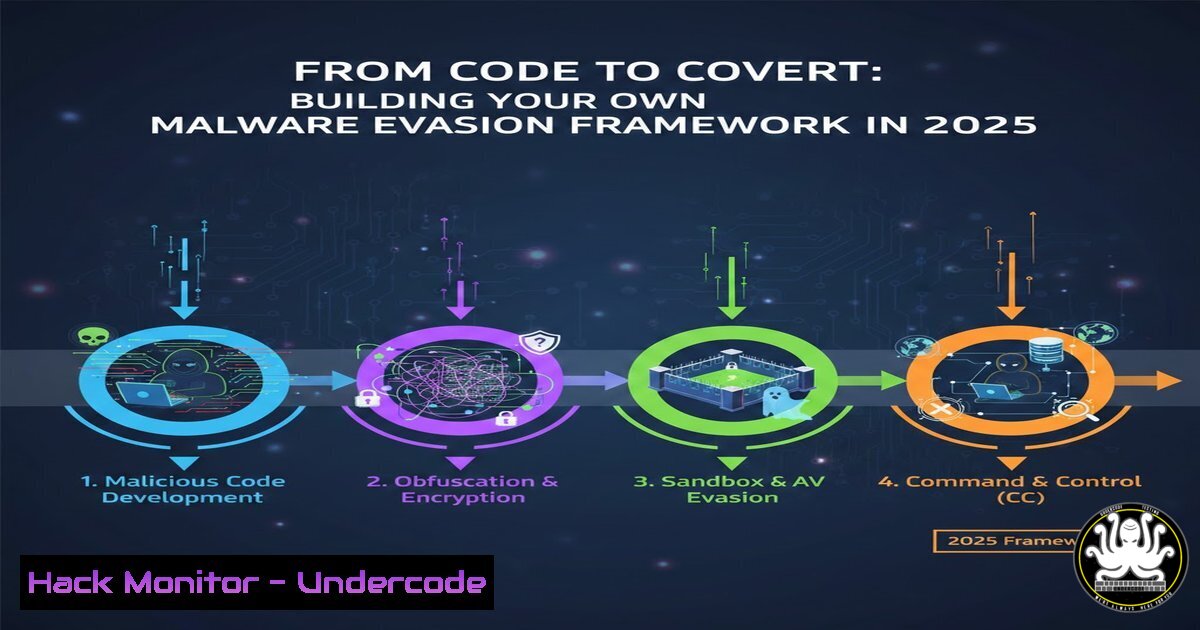
Introduction:
In the perpetual arms race between cyber attackers and defenders, the ability to evade signature-based antivirus (AV) solutions remains a critical skill for red teamers and a vital blind spot for blue teams. While the term “malware” often conjures images of sophisticated zero-days, the reality is that many successful breaches rely on simple obfuscation techniques that slip past static detection. By understanding how payloads can be encoded, split, and reversed to bypass signature matching, security professionals can better architect detection strategies that rely on behavioral analysis rather than static fingerprints.
Learning Objectives:
- Understand the mechanics of signature-based detection and its inherent limitations.
- Learn to implement common obfuscation techniques including Base64, XOR, ROT13, and string manipulation.
- Master the use of command-line tools and scripts to test payload evasion in a controlled lab environment.
- Analyze the output of evasion testing to identify weaknesses in defensive postures.
- Apply this knowledge to recommend advanced detection mechanisms like behavioral analysis and AI-powered monitoring.
You Should Know:
1. Setting Up Your Evasion Lab Environment
Before testing how malware slips past detection, you need a safe, isolated environment. We will use a combination of virtual machines and open-source tools to simulate both the attacker’s payload generation and the defender’s detection tools.
Step-by-step guide:
- Install Virtualization Software: Download and install VirtualBox or VMware Workstation Player.
- Create an Attack Machine: Set up a Linux VM (Ubuntu 22.04 or Kali Linux) to host your encoder scripts.
- Create a Target Machine: Set up a Windows 10/11 VM with a well-known, free AV solution installed (or Windows Defender enabled). Ensure this VM is isolated from your host network (use NAT or Host-Only networking).
- Transfer Files Safely: Set up a simple HTTP server on the Linux machine (
python3 -m http.server 8000) to transfer test payloads to the Windows VM for scanning.
2. Implementing a Base64 Encoder for Payloads
Base64 encoding is a fundamental obfuscation technique. While it doesn’t encrypt data, it changes the raw byte representation, potentially breaking simple string-based signatures.
Step-by-step guide (Linux):
- Create a test payload string. In a real scenario, this would be shellcode. For testing, create a file named `payload.txt` with a known malicious string, e.g.,
ThisIsAMaliciousStringForTesting.
2. Encode the payload using the command line:
cat payload.txt | base64 > encoded_payload.txt
3. View the encoded content:
cat encoded_payload.txt
 Output: VGhpc0lzQU1hbGljaW91c1N0cmluZ0ZvclRlc3RpbmcK
4. Test against AV: Transfer the `encoded_payload.txt` to the Windows VM. Right-click the file and scan it with your installed AV. Notice if it gets detected. The original string might be flagged, while the encoded version may not be, depending on the AV’s ability to decode on the fly.
3. XOR Obfuscation in Python
XOR is a reversible operation that is extremely common in malware to evade static analysis. By XOR-ing the payload with a key, the data becomes binary garbage until it is XOR-ed again at runtime.
Step-by-step guide (Python Script):
- Create a Python script `xor_obfuscator.py` on your Linux machine:
import argparse</li>
</ol>

def xor_obfuscate(data, key):
key_bytes = key.encode()
key_length = len(key_bytes)
obfuscated = bytearray()
for i, byte in enumerate(data):
obfuscated.append(byte ^ key_bytes[i % key_length])
return obfuscated

if <strong>name</strong> == "<strong>main</strong>":
parser = argparse.ArgumentParser(description='XOR Payload Obfuscator')
parser.add_argument('-f', '--file', required=True, help='File containing raw payload')
parser.add_argument('-k', '--key', required=True, help='XOR Key (string)')
parser.add_argument('-o', '--output', required=True, help='Output file for obfuscated payload')
args = parser.parse_args()

with open(args.file, 'rb') as f:
payload_data = f.read()

obfuscated_data = xor_obfuscate(payload_data, args.key)

with open(args.output, 'wb') as f:
f.write(obfuscated_data)

print(f"[+] Payload obfuscated and saved to {args.output}")
2. Run the script:
python3 xor_obfuscator.py -f payload.txt -k "secretkey" -o obfuscated_payload.bin
3. Analysis: The resulting `obfuscated_payload.bin` will contain non-printable characters and bear no resemblance to the original string, effectively bypassing any signature looking for the exact text.
4. String Manipulation: Reversal and Splitting
Simple pattern matching can be defeated by reversing a string or inserting random delimiters. The malware then reverses or cleans the string in memory before use.
Step-by-step guide (Windows PowerShell):
On the Windows VM, you can simulate how a script might de-obfuscate a command.
1. Reverse a string:
 Obfuscated string
$obfuscated = "gnirtStneilpmocym_em"
 De-obfuscate by reversing
$deobfuscated = -join $obfuscated[$obfuscated.Length..0]
Write-Output $deobfuscated
 Output: me_mycomplicatedString
2. Character Splitting:
 Obfuscated command with a delimiter
$split_command = "calc||.||exe" -split '||'
$final_command = -join $split_command
Invoke-Expression $final_command
This would launch the calculator application, demonstrating how a command can be hidden from a simple text scan that looks for “calc.exe” as a contiguous string.
5. Simulating Signature Evasion with YARA
To truly understand evasion, you must act as the defender. YARA is a tool used to create signatures for malware. We will create a simple rule and test our obfuscated files against it.
Step-by-step guide (Linux):
1. Install YARA:
sudo apt update && sudo apt install yara -y
2. Create a YARA rule file `test_rule.yar`:
rule MaliciousStringTest
{
strings:
$malicious_string = "ThisIsAMaliciousStringForTesting"
condition:
$malicious_string
}
3. Test the original file:
yara test_rule.yar payload.txt
 Output should identify the file: MaliciousStringTest payload.txt
4. Test the obfuscated files:
yara test_rule.yar encoded_payload.txt
yara test_rule.yar obfuscated_payload.bin
You will likely see that the rule no longer matches, as the exact string pattern is gone. This perfectly demonstrates the limitation of signature-based detection.
6. Behavioral Detection Evasion (Advanced Concept)
Once static evasion is achieved, the next step is evading behavioral analysis. This involves techniques like delaying execution or checking for sandbox environments. While a full guide is extensive, here is a simple command to test time-based evasion in a Windows environment.
Step-by-step guide (Windows Command Prompt):
Create a batch file `delay_payload.bat` that waits before executing.
@echo off
echo Sleeping for 60 seconds to evade sandbox time limits...
timeout /t 60 /nobreak
echo Executing payload...
REM Place your de-obfuscated or decoded payload execution here
calc.exe
Sandboxes often run for a short period; if the malware sleeps, the sandbox may time out before observing the malicious behavior, allowing it to slip through.
What Undercode Say:
- Static Analysis is Dead; Long Live Behavioral Analysis: The project highlighted by the cybersecurity intern underscores a fundamental truth: relying solely on static signatures is a losing battle. As we demonstrated with simple commands and scripts, encoding and string manipulation can trivialize the best hash or string-based rule sets. Organizations must invest in Endpoint Detection and Response (EDR) solutions that monitor process trees, memory injections, and anomalous system calls.
- The “Blue Team” Must Think Like Red: Building or even studying evasion frameworks is not about creating malware; it is about threat modeling. By using tools like YARA to test our own obfuscated files, we bridge the gap between theory and practice. A SOC analyst who understands how easily a payload can be masked is far more likely to appreciate and correctly tune advanced detection rules rather than relying on a virus definition update to save the day.
Prediction:
The future of malware evasion will move away from simple cryptography and toward “Living off the Land” (LotL) binaries and AI-generated obfuscation. As signature-based detection becomes fully automated, attackers will increasingly leverage legitimate system tools (like PowerShell and WMI) to perform malicious actions, making the code itself look benign. Defenders will need to pivot from “what is running” to “how it is running,” using AI to establish behavioral baselines and detect subtle anomalies in process execution and user activity. The arms race will be defined by who can analyze behavior faster, not who has the biggest database of malware hashes.
▶️ Related Video (84% Match):
🎯Let’s Practice For Free:
IT/Security Reporter URL:
Reported By: Mohammedsufiyaan Image – Hackers Feeds
Extra Hub: Undercode MoN
Basic Verification: Pass ✅🔐JOIN OUR CYBER WORLD [ CVE News • HackMonitor • UndercodeNews ]
📢 Follow UndercodeTesting & Stay Tuned:


