Listen to this Post
Introduction:
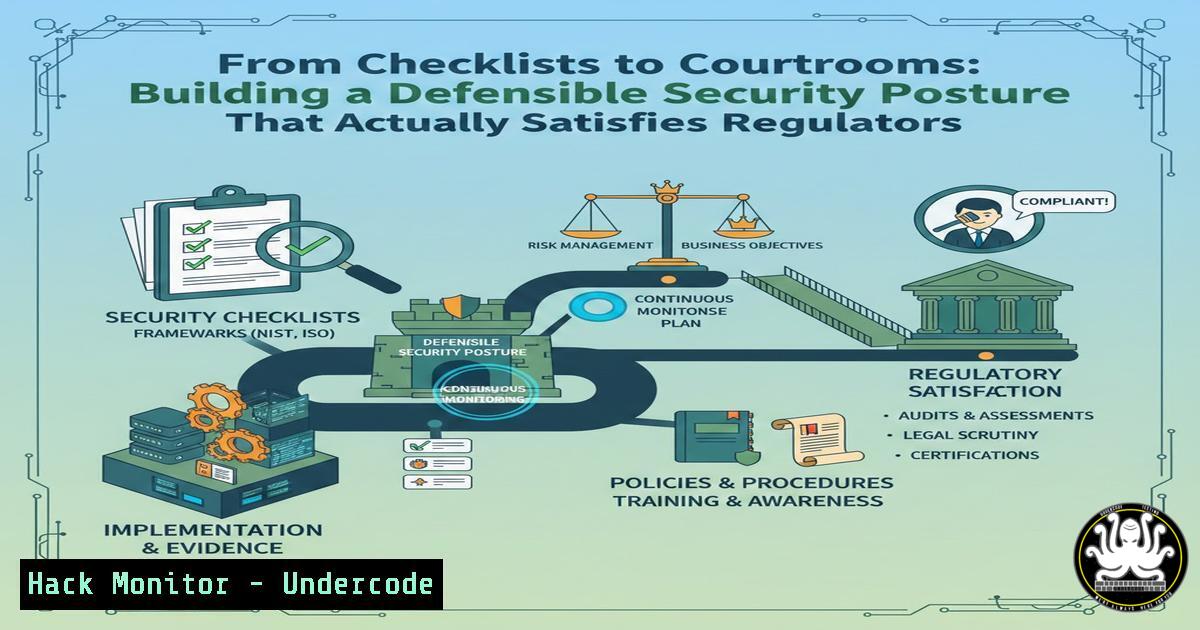
In today’s regulatory landscape, exemplified by laws like India’s Digital Personal Data Protection (DPDP) Act, cybersecurity is no longer about deploying tools to check a compliance box. It’s about constructing a demonstrably reasonable and defensible security posture that can withstand forensic scrutiny after an incident. This article translates the principle of “reasonable security safeguards” into actionable technical and operational frameworks, moving beyond intent to provable practice.
Learning Objectives:
- Understand the four pillars regulators examine post-incident: Governance, Monitoring, Response, and Evidence.
- Implement technical controls across Linux and Windows environments to substantiate each pillar.
- Develop forensic readiness procedures to ensure audit trails are comprehensive and admissible.
You Should Know:
1. Pillar 1: Governed Asset Discovery & Inventory
You cannot protect or account for what you do not know exists. Regulatory inquiries start with understanding the asset landscape. A defensible posture requires an automated, accurate, and continuously updated inventory.
Step‑by‑step guide explaining what this does and how to use it.
First, establish an automated discovery process. For Windows domains, use PowerShell integrated with Active Directory. For Linux estates, combine SSH-based discovery with cron jobs.
Windows (PowerShell):
 Script: Get-ADComputerInventory.ps1
$computers = Get-ADComputer -Filter  -Properties OperatingSystem, LastLogonDate, IPv4Address
$inventory = @()
foreach ($computer in $computers) {
$inventory += [bash]@{
Hostname = $computer.Name
OS = $computer.OperatingSystem
LastLogon = $computer.LastLogonDate
IPAddress = $computer.IPv4Address
DiscoveryDate = Get-Date
}
}
$inventory | Export-Csv -Path "\central-server\inventory\asset-inventory.csv" -Append -NoTypeInformation
Schedule this script via Task Scheduler to run daily. For Linux, use a bash script:
!/bin/bash
 Script: network-discovery.sh
HOST_LIST=$(nmap -sn 192.168.1.0/24 | grep -oP 'Nmap scan report for \K[\w.-]+')
for HOST in $HOST_LIST; do
SSH_OS=$(ssh -o ConnectTimeout=2 $HOST "cat /etc/os-release | grep PRETTY_NAME" 2>/dev/null)
echo "$(date),$HOST,$SSH_OS" >> /var/log/network_inventory.log
done
This creates a foundational, evidence-backed asset register, a critical artifact for governance.
2. Pillar 2: Centralized Monitoring & Logging
“Reasonable monitoring” requires aggregating logs from all critical systems to detect anomalies and provide an immutable timeline. Open-source tools like Wazuh or the Elastic Stack can achieve this.
Step‑by‑step guide explaining what this does and how to use it.
Deploy a Wazuh manager server (on a Linux VM) and install agents on all endpoints.
On Wazuh Manager Server (Linux):
 Install Wazuh manager
curl -sO https://packages.wazuh.com/4.7/wazuh-install.sh && sudo bash ./wazuh-install.sh --install wazuh-indexer wazuh-server wazuh-dashboard
On Windows Endpoint:
- Download the Windows Wazuh agent MSI from the manager’s web interface (https://
:55000).
2. Install via command line for silent deployment:
msiexec.exe /i wazuh-agent-4.7.1-1.msi /qn WAZUH_MANAGER="<WAZUH_MANAGER_IP>" WAZUH_AGENT_GROUP="windows-servers"
On Linux Endpoint:
curl -s https://packages.wazuh.com/4.x/wazuh-install.sh | sudo bash -s -- install agent --manager=<WAZUH_MANAGER_IP> --agent-group=linux-servers
This setup centralizes Windows Event Logs, Linux syslog, and application logs, enabling correlated search and alerting—key for proving monitoring effectiveness.
- Pillar 3: Immutable Audit Trails & Forensic Readiness
Evidence must be tamper-resistant. Configure systems to send logs directly to a write-once, read-many (WORM) storage or a dedicated log server with strict access controls.
Step‑by‑step guide explaining what this does and how to use it.
On critical Linux servers, configure `auditd` to monitor key files and direct logs to a remote server via audisp-remote.
Linux `auditd` Configuration:
 /etc/audit/auditd.conf
local_events = yes
write_logs = yes
log_file = /var/log/audit/audit.log
log_format = enriched
max_log_file_action = keep_logs
space_left_action = email
action_mail_acct = root
admin_space_left_action = halt
 Configure remote logging via audisp-remote
 /etc/audisp/plugins.d/au-remote.conf
active = yes
direction = out
path = /sbin/audisp-remote
type = always
format = string
remote_server = <LOG_SERVER_IP>
port = 60
This ensures critical file access (e.g., /etc/passwd, /etc/shadow) and privilege escalations are logged externally before an attacker can cover their tracks.
4. Pillar 4: Incident Response Playbook Automation
A documented, tested response process is non-negotiable. Automate initial triage to contain damage and preserve evidence swiftly.
Step‑by‑step guide explaining what this does and how to use it.
Create an automated isolation script for Windows endpoints triggered by your SIEM (e.g., Wazuh) when malware is detected.
Windows Containment Script (Triggered via Wazuh Active Response):
 Script: isolate-endpoint.ps1
 Blocks all but management VLAN traffic
New-NetFirewallRule -DisplayName "ISOLATION_RULE" -Direction Outbound -Action Block -Enabled True
New-NetFirewallRule -DisplayName "ISOLATION_RULE_IN" -Direction Inbound -Action Block -Enabled True
 Allow traffic only to Wazuh Manager and DC
New-NetFirewallRule -DisplayName "ALLOW_MGMT" -Direction Outbound -RemoteAddress @("<WAZUH_MANAGER_IP>", "<DOMAIN_CONTROLLER_IP>") -Action Allow
 Dump current network connections for forensic analysis
Get-NetTCPConnection -State Established | Export-Csv -Path "C:\Windows\Temp\forensic_connections_$(Get-Date -Format 'yyyyMMdd_HHmm').csv"
Automating these initial steps ensures a consistent, immediate response that regulators will view as “reasonable.”
- Pillar 5: Privileged Access Governance & Session Recording
Regulators scrutinize who had access to what and when. Implement Just-In-Time (JIT) access and session recording for privileged accounts.
Step‑by‑step guide explaining what this does and how to use it.
For Linux servers, use `sudo` logging combined with central aggregation and consider `tlog` for session recording.
Configure Detailed `sudo` Logging:
 In /etc/sudoers or /etc/sudoers.d/audit
Defaults logfile="/var/log/sudo.log"
Defaults log_input, log_output
Defaults iolog_dir="/var/log/sudo-io/%{user}/%{seq}"
Install `tlog` for Session Recording (RHEL/CentOS):
sudo yum install tlog
 Configure in /etc/tlog/tlog-rec-session.conf
[bash]
writer=file
file-path=/var/log/tlog/%Y-%m-%d/%H:%M:%S.$USER.$PID.$$.log
shell=/bin/bash
These logs provide undeniable evidence of actions taken during privileged sessions, fulfilling governance and evidence requirements.
What Undercode Say:
- Defensibility Over Compliance: The true metric is whether your security posture and its execution can be defended in a post-incident review, not if you passed an audit last quarter. Tools are only valid if their logs are immutable, correlated, and actionable.
- Evidence is the Product: The primary output of your cybersecurity program is a continuous, verifiable stream of evidence—logs, inventories, playbook executions, and access records. This evidence trail is what ultimately satisfies the “reasonable” standard.
Prediction:
The regulatory focus will intensify on “proof of operation” rather than “proof of purchase.” Expect future DPDP Act rulings and similar global regulations to mandate specific technical evidence types, such as immutable audit trails and automated response logs, as the baseline for “reasonable security safeguards.” Organizations that architect their security infrastructure as a forensic evidence-generation system will not only avoid penalties but will significantly reduce operational risk and breach impact. The convergence of cybersecurity, data privacy, and legal defensibility will create a new specialist role: the forensic readiness engineer.
▶️ Related Video (82% Match):
🎯Let’s Practice For Free:
IT/Security Reporter URL:
Reported By: Jasmineamin Dpdpa – Hackers Feeds
Extra Hub: Undercode MoN
Basic Verification: Pass ✅


