
Listen to this Post
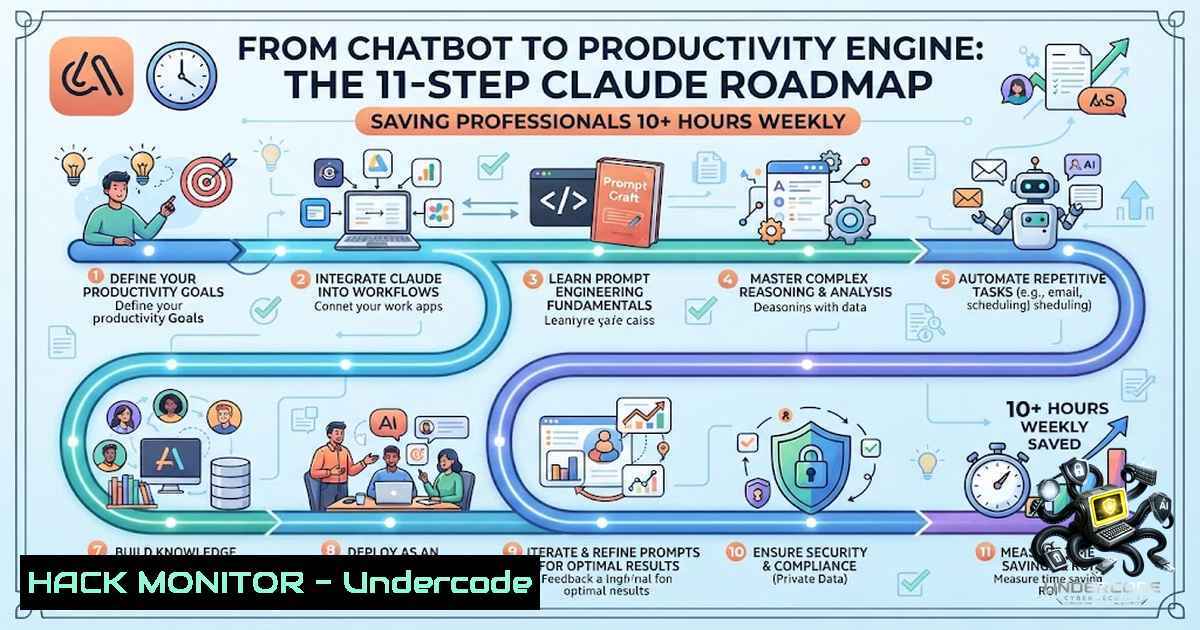
Introduction:
The gap between casual AI users and power users isn’t the model—it’s the system. While most interact with Claude as a simple chatbot, the top 10% have transformed it into a complete productivity ecosystem that handles everything from coding to knowledge management. This roadmap synthesizes 11 practical guides covering AI agents, automation, design, and development, showing you exactly how to turn Claude from a conversational tool into a reliable teammate that thinks, automates, and works alongside you.
Learning Objectives:
- Build functional AI agents without writing a single line of code
- Automate repetitive workflows using Claude’s API and SDK capabilities
- Implement a “second brain” knowledge management system for persistent context
- Master Claude Code for development tasks and terminal-based AI assistance
- Design AI-powered workflows that integrate with existing tools and APIs
You Should Know:
1. Claude Code: Your Terminal-Based AI Developer
Claude Code is a command-line AI agent that reads files, runs commands, and manages entire projects directly from your terminal. It runs on macOS 13.0+, Windows 10 1809+, Ubuntu 20.04+, Debian 10+, and Alpine Linux 3.19+ with 4GB+ RAM.
Installation (Cross-Platform):
macOS / Linux / WSL:
curl -fsSL https://claude.ai/install.sh | bash
Windows PowerShell:
irm https://claude.ai/install.ps1 | iex
Windows CMD:
curl -fsSL https://claude.ai/install.cmd -o install.cmd && install.cmd && del install.cmd
Alternative via npm (Node 18+):
npm install -g @anthropic-ai/claude-code
⚠️ Important: Do not run npm install with
sudo—this causes file-permission problems later.
Via Homebrew (macOS):
brew install --cask claude-code
Authentication Methods:
 Claude Enterprise seats (most common)
claude
 then type /login and approve in browser

Anthropic Console API key
export ANTHROPIC_API_KEY="sk-ant-..."

Amazon Bedrock
export CLAUDE_CODE_USE_BEDROCK=1

Google Vertex AI
export CLAUDE_CODE_USE_VERTEX=1
First Session Workflow:
cd path/to/your/project
claude
Five Essential First Commands:
- Get oriented: `Give me a 5-bullet summary of what this codebase does and where the entry point is.`
2. Find something: `Where is user authentication handled? Show me the file and the key function.`
3. Make a safe edit: `Add a docstring to the functionin . Keep it to 2 lines.`
4. Fix something real: `This test is failing:. Find the cause and fix it.`
5. Let it handle git: `Stage my changes and write a commit message that follows our existing style.`
Safety Rule: Claude always asks before changing a file or running a command. You’ll see a diff with three choices: Yes, Yes (don’t ask again for edits), or No. Press `Shift+Tab` to cycle between modes (Plan → Accept Edits → default).
2. Building AI Agents Without Code
The Claude ecosystem now supports agent building through multiple no-code and low-code approaches. The Claude Agent SDK provides programmatic agent creation with built-in capabilities for reading/writing files, running commands, and understanding code.
No-Code Agent Builders:
- OpenClaw – Open-source desktop agent framework
- n8n – Workflow automation with Claude integration
- App Factory – Describe your idea in plain English, Claude builds it
Claude Agent SDK (Python):
Installation:
pip install claude-agent-sdk
Prerequisite: Python 3.10+
Basic Agent:
import asyncio
from claude_agent_sdk import query

async def main():
async for message in query(prompt="What is the Claude Agent SDK capabilities?"):
print(message)

asyncio.run(main())
Agent with Custom Options:
from claude_agent_sdk import query, ClaudeAgentOptions

options = ClaudeAgentOptions(
system_prompt="You are an expert in marketing",
max_turns=2
)

async for message in query(prompt="How to improve my SEO", options=options):
print(message)
Allowed Tools for File Operations:
from claude_agent_sdk import query, ClaudeAgentOptions

USER_PROMPT = "Review oldfile.py for bugs that would cause crashes. Fix any issues you find."

async for message in query(
prompt=USER_PROMPT,
options=ClaudeAgentOptions(allowed_tools=["Read", "Edit", "Write"])
):
print(message)
3. Automating Workflows with Claude API
The Claude API Connector framework enables seamless integration between Claude and any REST API, perfect for building intelligent automation pipelines.
Setup:
git clone https://github.com/theRealDanB/claude-api-connector.git
cd claude-api-connector
pip install -r requirements.txt
pip install -e .
Environment Configuration (.env):
ANTHROPIC_API_KEY=your_anthropic_api_key_here
DEFAULT_TIMEOUT=30
MAX_RETRIES=3
LOG_LEVEL=INFO
Basic API Integration:
import asyncio
from claude_api_connector import ClaudeConnector, APIConfig

async def main():
api_config = APIConfig(
base_url="https://api.example.com",
headers={"Authorization": "Bearer YOUR_API_KEY"},
timeout=30
)

connector = ClaudeConnector(
anthropic_api_key="your-claude-api-key",
api_config=api_config
)

result = await connector.query_with_api_data(
prompt="Analyze this weather data",
api_endpoint="/weather/current",
api_params={"city": "San Francisco"}
)
print(result["response"])
await connector.close()

asyncio.run(main())
Batch Processing:
endpoints = [
{"endpoint": "/users", "params": {"active": True}},
{"endpoint": "/orders", "params": {"status": "completed"}},
{"endpoint": "/products", "params": {"category": "electronics"}}
]

result = await connector.batch_process(
endpoints=endpoints,
analysis_prompt="Provide a comprehensive business overview"
)
print(result["analysis"])
Conversation Memory:
 First query - Claude remembers this context
result1 = await connector.stream_conversation(
prompt="Analyze this sales data",
api_endpoint="/sales/monthly"
)

Follow-up query - Claude maintains context
result2 = await connector.stream_conversation(
prompt="What trends do you see in the data you just analyzed?"
)
4. Prompt Engineering: The Foundation of Quality Output
Anthropic’s official best practices emphasize that the difference between vague instructions and well-crafted prompts is the gap between generic outputs and exactly what you need.
Core Techniques:
Be Explicit and Clear:
- ❌ Vague: “Create an analytics dashboard”
- ✅ Explicit: “Create an analytics dashboard. Include as many relevant features and interactions as possible. Go beyond the basics to create a fully-featured implementation.”
Lead with Action Verbs:
- “Write,” “Analyze,” “Generate,” “Create”
- Skip preambles—get straight to the request
- State what you want the output to include, not just what to work on
Provide Context and Motivation:
- ❌ Less effective: “NEVER use bullet points”
- ✅ More effective: “I prefer responses in natural paragraph form rather than bullet points because I find flowing prose easier to read and more conversational. Bullet points feel too formal and list-like for my casual learning style.”
When to Provide Context:
- Explaining the purpose or audience for the output
- Clarifying why certain constraints exist
- Describing how the output will be used
- Indicating what problem you’re trying to solve
CLAUDE.md Optimization:
For Claude Code users, editing the system prompt via `–append-system-prompt` tag in the CLI can dramatically improve agent performance. Use XML structure with priority levels and enforcement patterns for optimal results.
5. Building a “Second Brain” for Knowledge Management
The AI-maintained second brain concept transforms your note-taking from a “graveyard of highlights and meeting notes” into a compounding knowledge system.
Core Architecture:
LLMWiki/
├── raw/  Immutable source material (you own this)
├── wiki/  Structured pages, citations, syntheses (AI writes this)
└── schema files  Rules that tell Claude how to write
The Philosophy:
Instead of asking “Where did I save that note?” you ask “What do I currently believe about this topic, and what sources support it?”
Quick Setup with Codex:
Use the bundled skill to scaffold your vault:
Use the LLMWiki Second Brain skill to create my vault at ~/Documents/LLMWiki
This creates folders, schema files, command templates, starter index, and starter log automatically.
Manual Setup:
- Install Obsidian for local markdown vault
2. Install Claude Desktop with local filesystem access
3. Install Codex or another coding agent
- Set up Git and GitHub for version control
- Install Obsidian Web Clipper for saving web articles
Second Brain Skills for Claude Code:
 Install LLMWiki setup skill
git clone https://github.com/NulightJens/ai-second-brain-skills.git
ln -s $(pwd)/ai-second-brain-skills/llm-wiki-setup ~/.claude/skills/llm-wiki-setup
ln -s $(pwd)/ai-second-brain-skills/wiki-self-heal ~/.claude/skills/wiki-self-heal
Just markdown and an AI that knows where to look—turns any folder into a compounding, AI-maintained knowledge base based on Andrej Karpathy’s LLM wiki pattern.
Always-On AI Second Brain:
For a fully autonomous setup, Claude Code agents can maintain a personal knowledge base, run overnight “dream cycles” to process and connect information, and stay reachable via Telegram.
6. Advanced Claude Code CLI Commands
Essential Commands:
| Command | Description | Example |
||-||
| `claude` | Start interactive session | `claude` |
| `claude “query”` | Start with initial prompt | `claude “explain this project”` |
| `claude -p “query”` | Query via SDK, then exit | `claude -p “explain this function”` |
| `cat file \| claude -p “query”` | Process piped content | `cat logs.txt \| claude -p “explain”` |
| `claude -c` | Continue most recent conversation | `claude -c` |
| `claude -r “
| `claude update` | Update to latest version | `claude update` |
| `claude install stable` | Install specific version | `claude install stable` |
| `claude auth login` | Sign in to Anthropic account | `claude auth login –console` |
| `claude auth status` | Show authentication status | `claude auth status –text` |
| `claude agents –json` | Monitor background sessions | `claude agents –json` |
| `claude attach
| `claude daemon status` | Print supervisor state | `claude daemon status` |
Programmatic Use in CI/CD:
claude -p "Find and fix the bug in auth.py" --allowedTools "Read,Edit,Bash" --bare
Add `–bare` for CI and scripted calls to avoid picking up local configurations.
7. Model Context Protocol (MCP) and API Security
MCP Server Configuration:
JitAPI enables Claude to interact with ANY API by dynamically discovering relevant endpoints from OpenAPI specifications—using semantic search to find only the endpoints needed for each task.
API Key Management (Best Practices):
 Set API key as environment variable
export ANTHROPIC_API_KEY="your-api-key-here"

Verify authentication method in Claude Code
/status
Security Checklist:
- Store API keys in environment variables, never in code
- Use workspaces to scope keys by project or environment
- Set `x-api-key` header on direct HTTP requests
- Set reasonable maximum token count to control costs
- For enterprise: use Claude Enterprise seats with SSO
What Undercode Say:
- Key Takeaway 1: The real advantage isn’t having access to AI—it’s knowing how to turn AI into a reliable teammate. The top 10% of users don’t just ask better questions; they design systems that think, automate, and work alongside them.
-
Key Takeaway 2: Claude’s ecosystem has evolved beyond chat into a complete development and productivity platform. From terminal-based coding assistance (Claude Code) to no-code agent builders (OpenClaw, n8n) and AI-maintained knowledge systems (Second Brain), the tools exist to build sophisticated workflows without traditional programming.
Analysis:
The shift from “chatbot” to “productivity system” represents a fundamental change in how professionals interact with AI. The emergence of Claude Code as a terminal-based developer tool signals Anthropic’s strategic move into the development workflow space—competing directly with GitHub Copilot and Cursor. The Agent SDK’s Python and TypeScript support opens the door for enterprise integration, while no-code solutions like OpenClaw lower the barrier for non-developers.
The “Second Brain” concept, popularized by Andrej Karpathy’s LLM wiki pattern, addresses a critical pain point: information overload. By separating raw source material (human-owned) from structured knowledge (AI-maintained), users can build compounding knowledge bases that actually get used rather than becoming digital graveyards.
Prompt engineering remains the foundational skill—the difference between a vague instruction and a well-crafted prompt can mean the gap between generic outputs and exactly what you need. As Anthropic continues releasing features like Skills (folders containing instructions, scripts, and resources that Claude can load when needed), the platform becomes increasingly enterprise-ready.
Prediction:
- +1 Claude Code will become the default AI assistant for developers by 2027, replacing traditional IDEs for many common tasks as the terminal-based workflow proves faster and more flexible.
-
+1 No-code AI agent building will democratize automation across all business functions, with non-technical users creating custom workflows that previously required engineering teams.
-
-1 The proliferation of AI-maintained knowledge systems will create new challenges around information accuracy and source verification, requiring organizations to implement rigorous auditing processes.
-
+1 Prompt engineering will emerge as a formal discipline with certification programs, as organizations recognize that AI output quality directly depends on input quality.
-
-1 Security concerns around API key management and data exposure will intensify, pushing enterprises toward self-hosted or VPC-deployed Claude instances with strict access controls.
▶️ Related Video (78% Match):
https://www.youtube.com/watch?v=CSbOYL7ECT4
🎯Let’s Practice For Free:
🎓 Live Courses & Certifications:
Join Undercode Academy for Verified Certifications
🚀 Request a Custom Project:
Secure, high-velocity infrastructure and disruptive technological engineering. Contact our engineering team for high-tier development and proprietary systems:
[email protected]
💎 Smart Architecture | 🛡️ Secure by Design | ⭐ Trusted by Thousands
IT/Security Reporter URL:
Reported By: Claude Anthropic – Hackers Feeds
Extra Hub: Undercode MoN
Basic Verification: Pass ✅


