
Listen to this Post
Introduction:
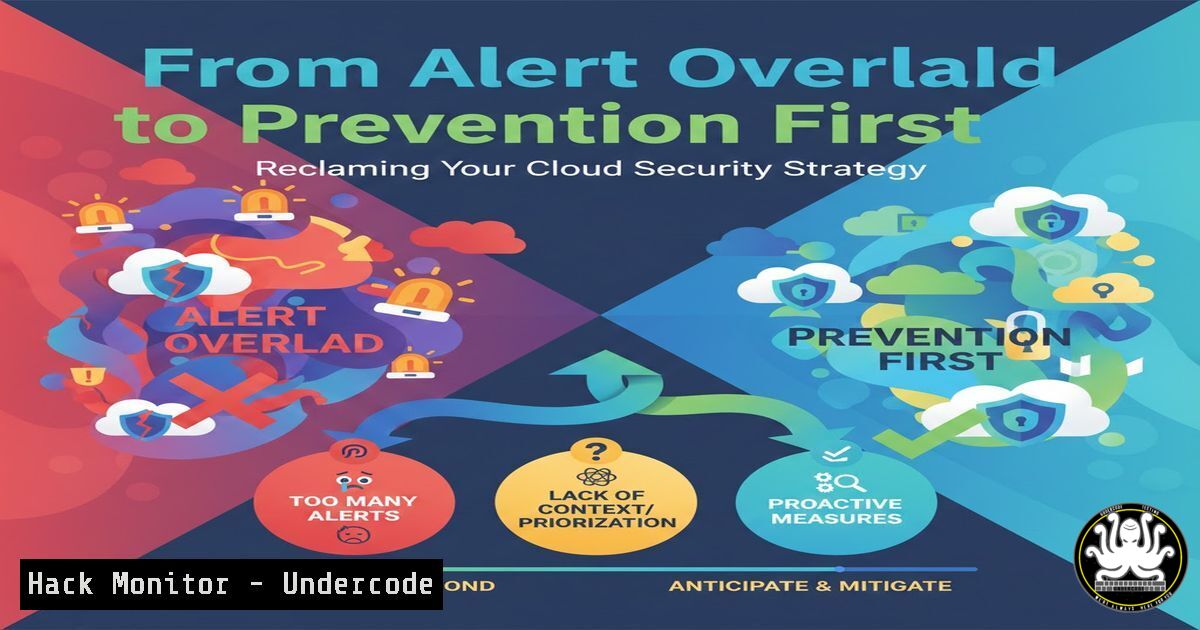
In today’s complex cloud ecosystems, security teams are drowning in a deluge of alerts generated by powerful Cloud-Native Application Protection Platforms (CNAPPs). This state of alert fatigue, where teams spend more time triaging than reducing risk, has become a critical vulnerability, leaving exposure windows open for longer than is acceptable. The emerging solution is a paradigm shift towards prevention-first security, which complements detection by systematically stopping misconfigurations before they ever reach production, thereby closing these windows for entire classes of issues.
Learning Objectives:
- Understand the root causes and severe operational impacts of security alert fatigue.
- Differentiate between the roles of Prevention Security Posture Management (PSPM) and Cloud-Native Application Protection Platforms (CNAPP) in a defense-in-depth strategy.
- Implement practical, preventive controls at the organization, configuration, and code levels across major cloud platforms.
You Should Know:
- Diagnosing the Alert Fatigue Epidemic in Your SOC
Alert fatigue is a state of mental exhaustion and operational overload where security teams are bombarded with more alerts than they can effectively process. The root causes are multifaceted: a proliferation of security tools each generating their own alerts, excessive false positives from poorly tuned rules, chronic staffing shortages, and alerting systems that lack contextual prioritization. The impact is severe. It leads to missed critical threats, slowed response times, analyst burnout, and high turnover. Notably, a 2025 report found that 13% of social engineering incidents were traced back to ignored or untriaged security alerts, proving that attackers actively exploit this fatigue.
Step‑by‑step guide to diagnosing your alert fatigue level:
- Quantify the Volume: Use your SIEM or CNAPP dashboard to pull metrics over the last 90 days. Calculate:
Total alerts per day/week.
Percentage of alerts classified as false positives or low severity.
Mean Time to Acknowledge (MTTA) and Mean Time to Resolve (MTTR) for alerts.
2. Analyze Source Noise: Identify the top 5 tools or detection rules generating the most alerts. A single rule triggering thousands of low-fidelity alerts is a prime candidate for tuning.
3. Survey Team Workload: Gauge analyst sentiment. Are they feeling overwhelmed? How much time is spent on triage versus deep investigation? This qualitative data is as important as the metrics.
4. Identify Top Repeat Offenders: Work with your CNAPP data to list the most frequent, preventable misconfiguration findings (e.g., public S3 buckets, unencrypted storage). These represent your highest-return opportunities for prevention.
2. Architecting Defense-in-Depth: How PSPM and CNAPP Interlock
PSPM (Prevention Security Posture Management) and CNAPP are not competing solutions; they are complementary layers in a modern defense-in-depth strategy. CNAPP excels at providing comprehensive detection and runtime visibility, answering the question, “What security issues exist right now?”. PSPM focuses on systematic prevention, answering, “How do we stop these issues from being created in the first place?” Together, they form a continuous feedback loop: CNAPP findings (like 1,500 unencrypted volumes) reveal where to invest in preventive controls, and PSPM’s success is validated by the measurable drop of those same findings in the CNAPP dashboard. This symbiosis can reduce CNAPP noise by 50-80%, freeing your team to focus on sophisticated, novel threats.
Step‑by‑step guide to building the feedback loop:
- Establish a Baseline: From your CNAPP, export a list of the top 10 misconfiguration findings by volume and risk over the last month.
- Map to Prevention Layers: For each finding, determine which of the four prevention layers could stop it:
Build: Catch in Infrastructure-as-Code (IaC) scans.
Access: Block via Organization Policies (AWS SCPs, Azure Policy).
Config: Enforce secure defaults at resource creation.
Runtime: Auto-remediate drift.
- Prioritize and Implement: Start with the finding that has the highest volume and is most clearly preventable by an access-layer policy (e.g., blocking public S3 bucket creation).
- Measure and Iterate: After deploying the preventive control (e.g., an SCP), monitor the CNAPP for that specific finding. A successful implementation will show a sharp decline. Document this reduction as a key risk-reduction metric.
3. Implementing Foundational Guardrails with Cloud Organization Policies
The most powerful preventive controls are applied at the organization or root level, setting guardrails for all member accounts and resources. These policies, such as AWS Service Control Policies (SCPs), Azure Policy, or GCP Organization Policies, define the maximum available permissions and act as a safety net. An SCP, for instance, does not grant permissions but sets a guardrail that no identity-based policy can override. For example, an SCP that explicitly denies the `s3:PutBucketPublicAccessBlock` action will prevent any IAM user or role in attached accounts from making a bucket public, regardless of their IAM permissions.
Step‑by‑step guide to deploying an AWS SCP to block public S3 buckets:
1. Create a Test Organizational Unit (OU): Never attach a new SCP to the root without testing. In AWS Organizations, create a new OU and move a single non-production account into it.
2. Craft the SCP Policy: Use the visual editor or JSON to create a deny policy.
{
"Version": "2012-10-17",
"Statement": [
{
"Sid": "DenyMakingS3BucketsPublic",
"Effect": "Deny",
"Action": [
"s3:PutBucketPublicAccessBlock",
"s3:PutBucketPolicy"
],
"Resource": "",
"Condition": {
"StringNotEquals": {
"s3:PublicAccessBlock": "true"
}
}
}
]
}
3. Attach and Test: Attach this policy to your test OU. Using credentials in the test account, try to run aws s3api put-public-access-block --bucket your-test-bucket --public-access-block-configuration BlockPublicAcls=true,IgnorePublicAcls=true,BlockPublicPolicy=true,RestrictPublicBuckets=true. The command should fail with an explicit deny from the SCP.
4. Analyze Impact: Use IAM’s “service last accessed data” or CloudTrail logs to ensure the policy doesn’t break legitimate workflows.
5. Roll Out: After successful testing, attach the SCP to broader OUs or the entire organization, excluding any accounts that have legitimate, reviewed needs for public buckets.
4. Enforcing Secure Defaults and Hardening Configurations
Beyond blocking actions, prevention means ensuring resources are created securely by default. This involves hardening configurations—turning off unsafe defaults, enforcing encryption, and removing unnecessary services. For example, ensuring every new EBS volume or Azure Managed Disk is encrypted by default, or that new databases are not publicly accessible. This config-layer prevention closes gaps that organization policies might miss and is a core tenet of Attack Surface Reduction (ASR).
Step‑by‑step guide to enforcing encryption defaults on AWS EBS volumes:
1. Enable EBS Encryption by Default: This is a region-specific setting. Using the AWS CLI with appropriate permissions, run:
aws ec2 enable-ebs-encryption-by-default --region us-east-1
2. Set a Default Customer Master Key (CMK): To control your encryption keys, set a default KMS key.
aws ec2 modify-ebs-default-kms-key-id --region us-east-1 --kms-key-id alias/your-ebs-encryption-key
3. Verify Compliance with a Detective Control: Create a simple AWS Config rule or use your CNAPP to scan for unencrypted volumes. After enabling the default, new findings for unencrypted volumes in that region should cease. Existing unencrypted volumes will remain and must be remediated separately.
4. Extend to Other Services: Apply the same principle to other services like RDS, where you can set a default parameter group that requires SSL connections or enforces storage encryption.
5. Shifting Left: Integrating Prevention into CI/CD Pipelines
The earliest and most cost-effective layer of prevention is in the build phase, often called “shifting left.” This involves scanning Infrastructure-as-Code (IaC) templates like Terraform, CloudFormation, or ARM templates for security misconfigurations before they are deployed. Integrating tools like Checkov, Terrascan, or CSPM-native scanners into your CI/CD pipeline can catch issues like overly permissive security group rules or missing logging before they become runtime alerts.
Step‑by‑step guide to integrating IaC scanning in a GitHub Actions workflow:
1. Choose a Scanner: For this example, we’ll use Checkov. Add a step to your `.github/workflows/build.yml` file.
2. Configure the Action:
- name: Run Checkov IaC Security Scan
uses: bridgecrewio/checkov-action@v12
with:
directory: ./terraform
framework: terraform
soft_fail: false  Set to true for initial testing
output_format: sarif
output_file_path: checkov-results.sarif
3. Upload Results for Review:
- name: Upload SARIF results to GitHub Security tab
uses: github/codeql-action/upload-sarif@v2
with:
sarif_file: checkov-results.sarif
4. Set Policy Gates: Configure your repository’s branch protection rules to require the Checkov scan to pass before a pull request can be merged. This prevents vulnerable code from being merged into your main branch.
5. Treat Findings as Bugs: Foster a culture where IaC security failures break the build, just like a failed unit test. This ensures fixes are applied immediately by the development team responsible for the code.
What Undercode Say:
- Prevention and Detection are Symbiotic, Not Substitutable. The goal is not to choose between PSPM and CNAPP, but to intelligently integrate them. Prevention systematically reduces the “noise” of predictable misconfigurations, allowing detection tools and human analysts to focus their energy on sophisticated, novel attacks and runtime threats that cannot be pre-defined.
- Measurable Risk Reduction is the Primary KPI. The value of a prevention-first strategy is quantified by the decline in specific, high-volume CNAPP findings, the shortening of exposure windows from days to minutes, and the reallocation of analyst hours from triage to strategic threat hunting. This creates a direct line of sight from security investment to business risk reduction.
Analysis:
The move from a purely detective, “find and fix” model to a preventive, “secure by design and default” model represents a fundamental maturation of cloud security programs. It acknowledges that human-led remediation cannot scale with cloud velocity. By automating the enforcement of security baselines, organizations can achieve a “zero-day security posture” for known misconfigurations—treating them with the same urgency as unknown vulnerabilities. This strategy directly attacks the economic and psychological drivers of alert fatigue, turning security from a bottleneck into a seamless enabler of innovation. The most advanced security operations will use the capacity freed by prevention to engage in proactive threat hunting, using their CNAPP’s advanced analytics to search for the anomalies and advanced tactics that truly warrant expert attention.
Prediction:
Within the next three years, “Prevention-First” will evolve from a leading practice to a baseline expectation for mature cloud environments. The feedback loop between PSPM and CNAPP will become increasingly automated and intelligent, with AI not just prioritizing alerts, but also recommending, simulating, and safely deploying new preventive controls in response to emerging threat patterns. Security platforms will converge, offering deeply integrated prevention and detection capabilities as a single operational experience. Furthermore, the principle will expand beyond infrastructure to encompass the entire software supply chain, with automated policies governing code dependencies, container images, and SaaS application configurations. Organizations that master this integrated, automated approach will see order-of-magnitude improvements in their security posture and operational efficiency, turning their security team from a reactive cost center into a proactive strategic asset.
▶️ Related Video (86% Match):
🎯Let’s Practice For Free:
IT/Security Reporter URL:
Reported By: Damienjburks Cloudsecurity – Hackers Feeds
Extra Hub: Undercode MoN
Basic Verification: Pass ✅


