Listen to this Post
Introduction:
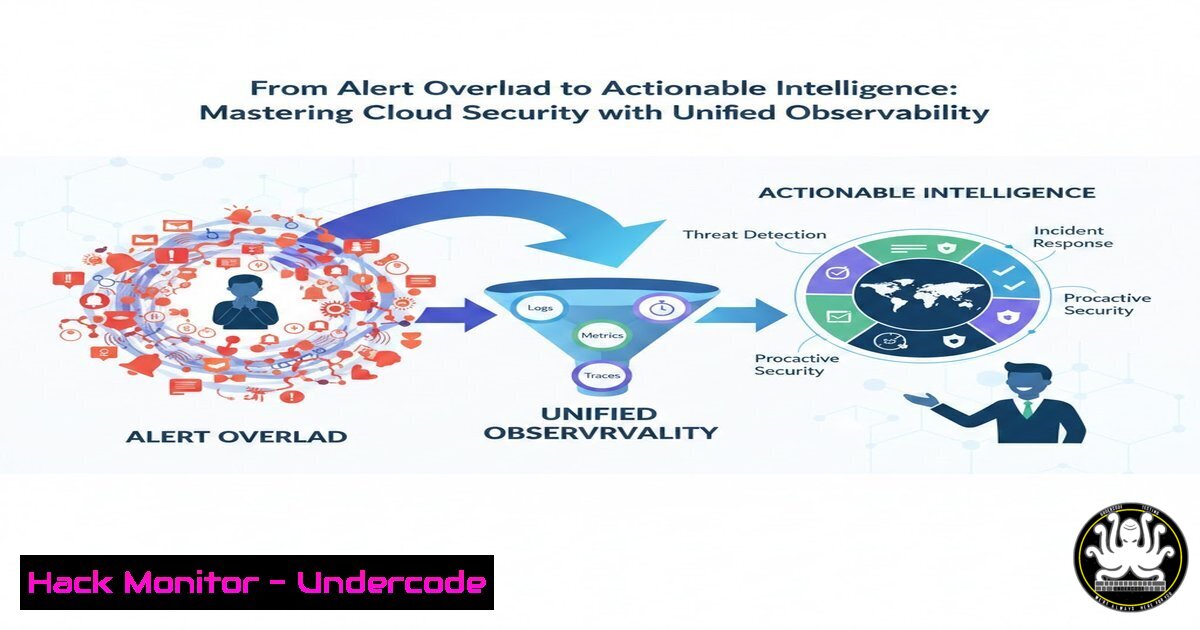
In today’s complex, multi-cloud environments, security teams are inundated with alerts from disparate tools, creating noise that obscures genuine threats. The paradigm is shifting from isolated security monitoring to unified observability—a strategy that correlates security signals with real-time performance, log, and trace data to provide actionable context. This approach, exemplified by platforms like Datadog, transforms visibility from a passive audit into an active defense mechanism, enabling teams to detect, understand, and remediate incidents with unprecedented speed.
Learning Objectives:
- Understand the architecture and deployment models for integrating security observability into cloud and hybrid environments.
- Implement proactive security controls for workloads, identities, and APIs using a unified platform.
- Develop operational procedures for investigating threats and enforcing compliance through correlated data.
You Should Know:
1. Architecting for Full-Stack Visibility
A unified security observability platform breaks down silos between infrastructure metrics, application traces, logs, and security events. The goal is to create a centralized “single pane of glass” where a suspicious login attempt can be instantly correlated with anomalous API latency and error spikes in a specific microservice.
Step‑by‑step guide explaining what this does and how to use it.
1. Map Your Ecosystem: Begin by inventorying all cloud accounts (AWS, Azure, GCP), on-premises resources, containers, and serverless functions. Tools like Datadog’s automatic service discovery can help visualize dependencies.
2. Establish a Tagging Strategy: Implement a consistent tagging convention (e.g., env:production, team:payments, app:checkout-service). This is critical for filtering and correlating data across thousands of resources. Enforce this via infrastructure-as-code (IaC) templates.
3. Unify Data Ingestion:
For Cloud Resources: Use the platform’s cloud integrations (e.g., Datadog AWS integration) to pull metrics, logs, and resource metadata directly from cloud provider APIs.
For Applications: Instrument your code using Application Performance Monitoring (APM) libraries (e.g., Datadog APM) to generate distributed traces. Deploy a lightweight agent on hosts or container nodes to collect system-level data.
For Network: In hybrid setups, combine Cloud Network Monitoring (CNM) for flow data with Network Device Monitoring (NDM) for device health to get full path visibility.
2. Deploying and Configuring Security Monitoring Agents
Security monitoring can be deployed in agentless or agent-based modes. The agentless approach provides quick, broad visibility across your cloud estate for misconfigurations and compliance, while the lightweight agent offers deep, real-time inspection of file, network, and process activity on workloads.
Step‑by‑step guide explaining what this does and how to use it.
1. Enable Agentless Scanning (For Cloud Misconfigurations & Compliance):
In your Datadog (or similar platform) console, navigate to Security > Setup.
For AWS, create a dedicated read-only IAM role with necessary permissions (securityhub:GetFindings, config:Describe, etc.) and assume it in Datadog. The platform will then scan your cloud resources without installing software.
2. Deploy the Security Agent (For Runtime Workload Protection):
On Kubernetes: Use a Helm chart or a DaemonSet. First, create a Kubernetes secret with your Datadog API key.
helm repo add datadog https://helm.datadoghq.com
helm install datadog-agent --set datadog.apiKey=<YOUR_API_KEY> --set datadog.appKey=<YOUR_APP_KEY> --set datadog.site=datadoghq.com --set agents.image.doNotCheckTag=true -f values.yaml datadog/datadog
On Linux Hosts: Use a one-line install script that automatically starts the agent with security monitoring enabled.
DD_API_KEY=<YOUR_API_KEY> DD_SITE="datadoghq.com" bash -c "$(curl -L https://s3.amazonaws.com/dd-agent/scripts/install_script_agent7.sh)"
Verify deployment by checking for security findings in the platform’s Security Inbox.
3. Implementing Continuous Compliance and Posture Management
Static, point-in-time compliance checks are insufficient for dynamic clouds. Continuous posture management automatically benchmarks your infrastructure against frameworks like CIS, PCI DSS, and SOC 2, providing a live “security score” and identifying drift.
Step‑by‑step guide explaining what this does and how to use it.
1. Enable Compliance Monitoring: In the Cloud Security setup, activate scanning for desired benchmarks (e.g., CIS AWS Foundations Benchmark). The platform will use agentless scanning to evaluate resource configurations against hundreds of controls.
2. Review and Assign Findings: Navigate to the Posture Management or Compliance dashboard. Review failed controls, which are often prioritized by severity and potential business impact. Use resource ownership tags to automatically route remediation tasks to the correct team.
3. Create Custom Frameworks: For internal policies, build custom detection rules. For example, to enforce that all S3 buckets are private, you might create a rule triggered by the `aws.s3.bucket` resource with a `PublicAccessBlock` configuration set to false.
4. Schedule and Distribute Reports: Subscribe key stakeholders to weekly security digest reports. Use out-of-the-box compliance dashboards for board-level reporting.
4. Securing Identities and Managing Excessive Permissions
Overly permissive Identity and Access Management (IAM) roles are a primary attack vector. This module focuses on discovering identity risks, such as roles with unused permissions or administrative access, to reduce the “blast radius” of a compromise.
Step‑by‑step guide explaining what this does and how to use it.
1. Enable Identity Risk Detection: This typically requires forwarding CloudTrail logs (AWS) or similar audit logs to your observability platform. Configure log forwarding via the platform’s integration or using a forwarder Lambda function.
2. Analyze the Identity Risks Page: The platform analyzes logs to surface risks like identities with unused permissions, permissions that can be escalated, or resources accessible from outside your network. Investigate the full access path summary provided for each finding.
3. Apply the Principle of Least Privilege: Use the detailed remediation steps (e.g., “Attach the following managed policy to reduce permissions”) to shrink IAM policies. For critical findings, implement immediate suppression or generate Jira tickets for the infrastructure team.
4. Enforce for Serverless: Ensure each serverless function has its own, minimal IAM execution role, rather than sharing a broad role.
5. Protecting Applications and APIs from Runtime Attacks
Application-layer attacks like SQL injection or server-side request forgery (SSRF) require visibility into application logic. App and API Protection (AAP) modules leverage APM tracing data to detect exploit attempts against known vulnerabilities in your running code.
Step‑by‑step guide explaining what this does and how to use it.
1. Ensure APM Instrumentation: Your application services must be instrumented with the platform’s APM tracer (e.g., Datadog APM). This provides the code-level context (traces) needed for attack detection.
2. Enable In-App Attack Detection: In the security settings, activate App and API Protection. The system will monitor traced requests for patterns matching the OWASP Top 10 and other exploit patterns.
3. Create Detection Rules for Business Logic: Beyond out-of-the-box rules, create custom rules. For example, to detect potential abuse of a coupon system, you could write a rule that triggers if a single user session applies more than 10 unique coupon codes within a minute.
4. Correlate with Infrastructure Alerts: When an attack is detected, pivot instantly to see the associated container metrics, host network flows, and user location from RUM data to understand the full scope.
6. Operationalizing Threat Investigation with a Unified Workflow
The true value of unification is realized during incident response. When a workload protection alert triggers for a suspicious process, you can immediately see the associated user login log, the pod’s resource consumption metrics, and the anomalous outbound network connection to a known bad IP—all in one linked investigation.
Step‑by‑step guide explaining what this does and how to use it.
1. Configure the Security Inbox: This is the central triage point. Customize views to group signals by severity, team, or environment. Set up notification rules to send high-severity alerts to Slack or Microsoft Teams.
2. Practice Cross-Signal Investigation:
Start from a Cloud SIEM signal (e.g., “Suspicious AWS Console Login”).
Pivot to the user’s associated IAM identity risk score and recent activity timeline.
Correlate with concurrent API Gateway traces for unusual `Delete` or `Put` actions from that user’s IP.
Query relevant logs from the affected time window without leaving the context.
3. Automate Response Playbooks: Use platform capabilities to automate initial containment. For example, automatically trigger a Lambda function to quarantine an EC2 instance or revoke a temporary IAM credential upon confirmation of a high-confidence compromise signal.
What Undercode Say:
- Unified Data is the New Security Perimeter: The most effective control is not a stronger firewall, but the deep, correlated context that allows a team to distinguish a catastrophic breach from a benign anomaly in seconds. Platforms that unify observability and security data turn every engineer into a force multiplier for the security team.
- Shift Security to Where the Code Lives: “Shift-left” by scanning code in CI/CD and repositories is essential, but “shift-right” monitoring in production is non-negotiable. Only runtime observability can catch novel exploits, abuse of business logic, and vulnerabilities introduced by dynamic dependencies in live, complex microservices interactions.
Analysis:
The convergence of observability and security is a direct response to the architectural complexity of cloud-native development. As organizations decompose monoliths into hundreds of microservices and serverless functions, the attack surface explodes and traditional perimeter-based security becomes obsolete. The solution isn’t more point tools—it’s a unified data platform. By leveraging the same telemetry data that developers use to debug performance, security teams gain a topological map of their entire system. This allows them to prioritize risks based on actual exploitability and business impact (e.g., a vulnerability in an internet-facing payment service vs. an internal test pod), rather than relying on generic severity scores. This approach fundamentally changes the organizational dynamic, fostering collaboration between DevOps and Security by providing a shared source of truth and eliminating wasteful “finger-pointing”.
Prediction:
Within the next three years, the distinction between observability and security platforms will largely disappear for cloud-native enterprises. The future belongs to AI-driven, unified platforms that don’t just correlate data but predict attack pathways. Generative AI will be used to automatically simulate attack vectors against your specific architecture map, proactively hardening configurations before an exploit occurs. Furthermore, as regulations evolve, continuous compliance evidence provided by these platforms will become the standard for audits, moving from manual, annual exercises to real-time, immutable attestation. The organizations that master unified security observability will not only be more secure but will also achieve faster, more resilient software delivery cycles.
▶️ Related Video (84% Match):
🎯Let’s Practice For Free:
IT/Security Reporter URL:
Reported By: Withsandra Ad – Hackers Feeds
Extra Hub: Undercode MoN
Basic Verification: Pass ✅


