Listen to this Post
Introduction:
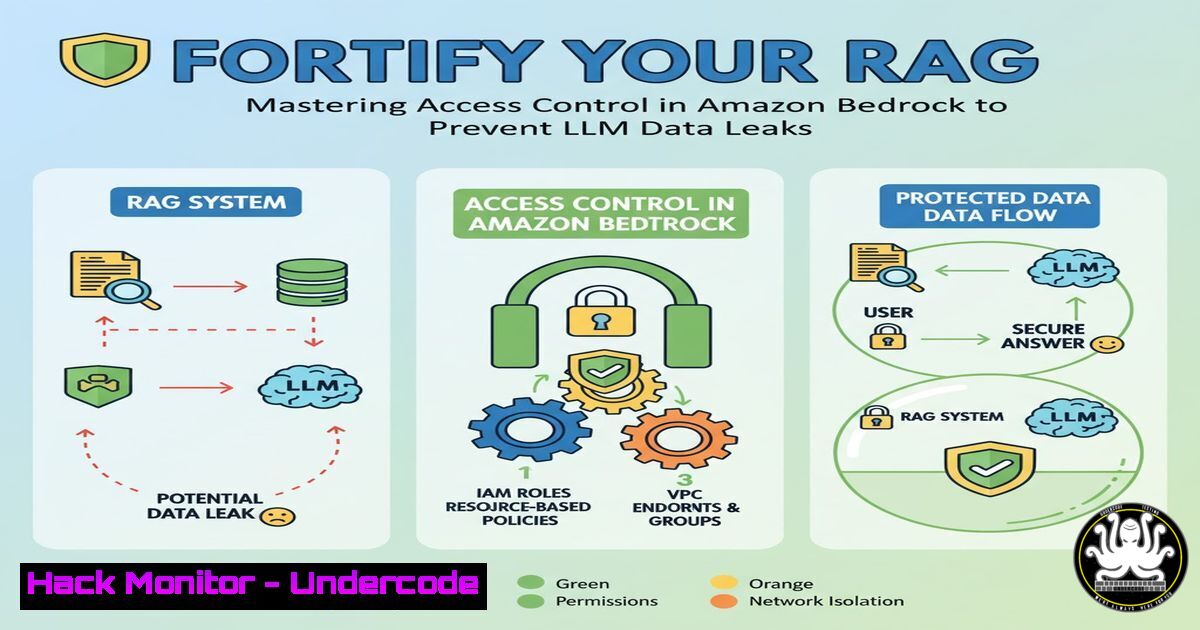
As Retrieval-Augmented Generation (RAG) architectures become the backbone of enterprise AI, a critical security flaw often goes unaddressed: the bypassing of source-level data authorization. Unlike traditional databases that enforce permission checks at query time, Large Language Models (LLMs) in RAG systems can inadvertently return sensitive data directly from vector stores, treating the LLM as an untrusted entity with inherent weaknesses in access enforcement. This article delves into the core of this vulnerability and presents verified, technical solutions for implementing robust, fine-grained access control within AWS environments.
Learning Objectives:
- Understand the critical authorization gap in RAG architectures and why LLMs must be considered untrusted.
- Implement and configure AWS S3 Access Grants for real-time, source-level authorization in AI data pipelines.
- Apply metadata filtering techniques to improve retrieval accuracy and enforce data security policies.
You Should Know:
1. The Core RAG Authorization Vulnerability
The fundamental flaw lies in the data retrieval flow. In a standard RAG setup, a user’s query is sent to a vector database, which returns the most semantically similar text chunks. These chunks are then passed directly to the LLM to generate an answer. The critical failure point is that the vector search is performed before any application-level permissions are checked against the original data source. The vector database, optimized for similarity, lacks the context of the user’s permissions on the underlying S3 objects.
Conceptual Flow of the Problem:
User Query -> Vector Search -> Returns ALL Matching Chunks -> LLM Generates Answer
Secure Flow Requirement:
User Query -> Vector Search -> Returns Matching Chunks -> Authorization Filter -> Only Authorized Chunks -> LLM Generates Answer
This missing “Authorization Filter” is what S3 Access Grants and metadata filtering aim to provide.
2. Implementing S3 Access Grants for Real-Time Authorization
S3 Access Grants provide a centralized, identity-centric method for managing fine-grained access to S3 data. It integrates directly with AWS IAM Identity Center (AWS SSO), allowing you to map corporate identities to specific data locations.
AWS CLI Command to Create an S3 Access Grant:
aws s3control create-access-grant \
--account-id YOUR_ACCOUNT_ID \
--access-grants-location-id default \
--grantee GranteeType=IAM,Identifier=arn:aws:iam::YOUR_ACCOUNT_ID:role/YourDataScientistRole \
--permission READ \
--access-grants-location-configuration S3SubPrefix='s3://your-rag-bucket/engineering-docs/'
Step-by-Step Guide:
- Prerequisite: Ensure IAM Identity Center is enabled in your AWS organization.
- Create an Access Grants Instance: This is the central resource for managing all grants in an AWS Region. The command above uses the `default` location ID.
- Define the Grantee: Specify who gets access. This can be an IAM role (as shown), an IAM user, or a predefined group from IAM Identity Center (e.g.,
GranteeType=DIRECTORY, Identifier=EngineeringGroup). - Set Permission Level: Use
READ,WRITE, orREADWRITE. - Scope the Location: Use `S3SubPrefix` to pinpoint the S3 prefix (folder) this grant applies to. This enforces the principle of least privilege.
3. Leveraging Metadata Filtering for Pre-Search Filtering
Metadata filtering works by tagging your S3 objects with key-value pairs (e.g., department: engineering, classification: confidential). Before performing the vector search, you can append a filter based on the user’s context to exclude objects they shouldn’t access.
AWS SDK for Python (Boto3) Snippet to Apply Metadata:
import boto3

s3 = boto3.client('s3')

Upload a file with user metadata
s3.upload_file(
'local_file.pdf',
'your-rag-bucket',
'engineering-docs/design.pdf',
ExtraArgs={
'Metadata': {
'department': 'engineering',
'clearance': 'level-2'
}
}
)

Example of a filtered query in Amazon Bedrock Knowledge Base
bedrock_agent_runtime = boto3.client('bedrock-agent-runtime')

response = bedrock_agent_runtime.retrieve(
knowledgeBaseId='your-kb-id',
retrievalQuery={
'text': 'Query about product design'
},
retrievalConfiguration={
'vectorSearchConfiguration': {
'filter': {
'equals': {
'key': 'department',
'value': 'engineering'
}
}
}
}
)
Step-by-Step Guide:
- Tag Your Data: Ingest documents into S3 with consistent metadata tags that reflect access policies (e.g., department, project, clearance level).
- Configure Knowledge Base: Ensure your Amazon Bedrock Knowledge Base is configured to index this metadata from S3.
- Apply Filter at Runtime: When calling the `retrieve` or `retrieveAndGenerate` API, include a `retrievalConfiguration` with a `filter` object. This filter is applied before the vector search, narrowing the scope of retrievable data to only what the user is permitted to see based on their session context.
4. Architecting the Real-Time Authorization Filter
The most robust solution involves a hybrid approach: using metadata for broad filtering and S3 Access Grants for precise, real-time validation. The flow involves intercepting the chunks returned from the vector search and checking each one against S3.
High-Level Architecture Code Snippet:
import boto3
from botocore.config import Config

Config for retries to handle latency
my_config = Config(
retries = {
'max_attempts': 3,
'mode': 'standard'
}
)
s3_control = boto3.client('s3control', config=my_config)

def authorize_rag_chunks(vector_search_results, user_identity):
"""Filters vector search results based on S3 Access Grants."""
authorized_chunks = []
for chunk in vector_search_results:
 Extract the source S3 URI from the chunk metadata
s3_uri = chunk['source_metadata']['s3_location']

Check if the user's identity has permission for this object
try:
 This is a conceptual call. Actual implementation may use HEAD object or a pre-check.
 It demonstrates the core logic of verifying access per-chunk.
response = s3_control.call_api('GetDataAccess', ...)  Pseudo-code for access validation
authorized_chunks.append(chunk)
except s3_control.exceptions.AccessDenied:
 Log the dropped chunk for audit purposes
print(f"Access denied for {user_identity} on {s3_uri}. Chunk dropped.")
continue
return authorized_chunks
Step-by-Step Guide:
- Perform Vector Search: Execute the search on your vector database (e.g., Amazon OpenSearch, Pinecone) as usual.
- Intercept Results: Before sending the results to the LLM, pass the list of chunks to an authorization function.
- Extract Source URI: Each chunk must have metadata pointing to its source S3 object.
- Validate Access: For each chunk, use the S3 Control API or a HEAD request to verify the current user’s identity (via their IAM role) has `READ` access to the source object via S3 Access Grants.
- Filter and Pass: Only chunks that pass this authorization check are sent to the LLM for answer generation.
5. Auditing and Logging for Compliance
Maintaining visibility into what data is being accessed and what is being filtered out is crucial for security and compliance. AWS CloudTrail logs API calls for S3 Access Grants.
AWS CLI Command to View CloudTrail Logs for a Specific S3 URI:
aws cloudtrail lookup-events \
--lookup-attributes AttributeKey=ResourceName,AttributeValue=your-rag-bucket/engineering-docs/design.pdf \
--start-time 2024-01-01T00:00:00Z \
--end-time 2024-01-31T23:59:59Z \
--query 'Events[].{Time:EventTime, User:Username, Event:EventName, Source:SourceIPAddress}'
Step-by-Step Guide:
- Enable CloudTrail: Ensure AWS CloudTrail is enabled in your account and region to log management and data events.
- Analyze Access Patterns: Use the `lookup-events` command or the CloudTrail console to investigate who accessed what data and when.
- Monitor for Denials: Pay special attention to `AccessDenied` events, which indicate the authorization filter is working and blocking unauthorized access attempts. Correlate this with application logs that record dropped chunks to get a full picture of the security posture.
6. Mitigating the Latency Trade-Off
The primary trade-off with real-time authorization is the added latency from additional API calls. Strategic design can minimize this impact.
Performance Optimization Strategies:
- Batch Authorization Checks: Instead of checking access for each chunk serially, design your authorization function to make batched or parallel checks where possible.
- Caching Strategy: Implement a short-lived, in-memory cache (e.g., using Amazon ElastiCache) for authorization decisions. The cache key could be `(user_identity, s3_uri)`
– Query Optimization: Fine-tune your vector search to return more precise results initially, reducing the number of chunks that need to be filtered post-search. This reduces the total number of authorization checks required.
What Undercode Say:
- Authorization is Non-Negotiable in RAG. Treating the LLM as an untrusted component is the foundational security principle for any production RAG system. Assuming the vector store is a safe gateway is a critical misstep that leads directly to data exfiltration.
- S3 Access Grants Provide a Native, Future-Proof Path. While metadata filtering is a useful first layer, S3 Access Grants offer a deeper, identity-driven enforcement mechanism that is inherently more robust and aligned with cloud security best practices. Its tight integration with IAM Identity Center makes it manageable at scale.
The analysis reveals a significant maturation in AI security practices. Initially, the focus was purely on functionality—getting RAG to work. Now, the conversation is rightly shifting towards enterprise-grade data governance. The solutions presented by AWS are a direct response to the unique threat model of generative AI, where the application itself (the LLM) can become a vector for data leakage. Implementing these controls is no longer optional for any organization handling sensitive or regulated data in their AI applications. The architectural pattern of “search-then-authorize” is set to become a standard blueprint for secure GenAI.
Prediction:
The “RAG Authorization Gap” will become a primary attack vector and a major source of AI-related data breaches in the next 12-18 months, driving urgent regulatory scrutiny and compliance requirements for AI systems. This will catalyze the development of integrated “AI Security Posture Management” (AI-SPM) tools that automatically scan for and remediate such misconfigurations, much like CSPM tools do for cloud infrastructure today. Furthermore, we predict the emergence of standardized, open-source authorization frameworks specifically designed for AI data pipelines, moving beyond cloud-native primitives to offer even more granular and context-aware data security.
🎯Let’s Practice For Free:
IT/Security Reporter URL:
Reported By: Activity 7390346929953460224 – Hackers Feeds
Extra Hub: Undercode MoN
Basic Verification: Pass ✅


