Listen to this Post
Introduction:
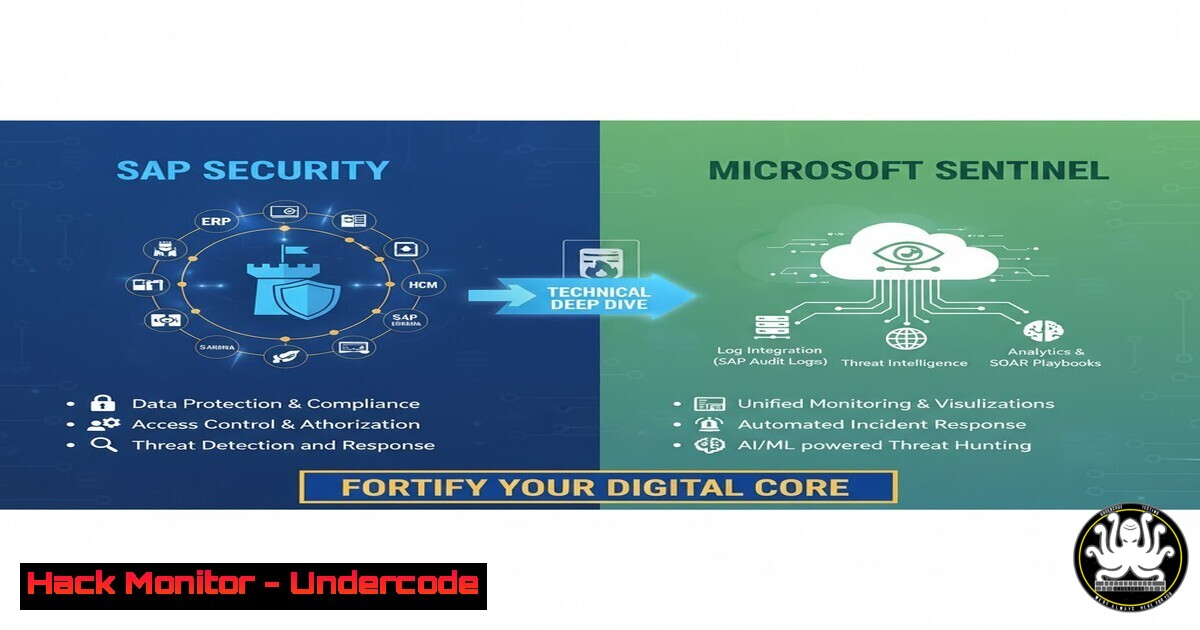
SAP systems form the critical digital core of most global enterprises, managing everything from financials and supply chains to human resources. This immense value also makes them a prime target for sophisticated cyberattacks. This article provides a technical blueprint for security professionals to actively monitor, detect, and respond to threats within their SAP environment using Microsoft Sentinel.
Learning Objectives:
- Understand the critical SAP-specific data sources and logs that must be ingested for effective security monitoring.
- Learn to construct and deploy KQL-based hunting queries to identify suspicious activity within SAP transactions and user behavior.
- Master the implementation of automated response playbooks to contain common SAP-based threats.
You Should Know:
- Ingesting SAP Audit Logs via the Data Connector
The foundation of SAP security in Sentinel is log ingestion. The native SAP audit log contains a record of all significant user and system activities.
Step-by-step guide:
- Deploy the SAP Agent: The Microsoft Sentinel solution for SAP deploys a lightweight containerized collector agent within your SAP environment’s network.
- Configure the Data Connector: In the Microsoft Sentinel portal, navigate to `Content management` > `Content hub` and search for “SAP”. Deploy the “SAP – Continuous Threat Monitoring” solution. This installs the necessary connectors, analytic rules, and workbooks.
- Verify Data Ingestion: Use a basic KQL query in Log Analytics to confirm logs are flowing.
SAPAuditLog_CL
| take 10
This command will return 10 sample records from the SAP audit log, confirming a successful connection.
-
Hunting for Privilege Escalation and Critical Authorization Changes
Attackers often seek to elevate user privileges to access sensitive data. Monitoring for changes to critical authorization objects like `S_USER_GRP` and `S_USER_PRO` is essential.
Step-by-step guide:
- Craft a Detection Query: Use the following KQL query to hunt for changes to user master records, which can indicate privilege escalation.
SAPAuditLog_CL | where EventTier_s == "1" // High severity events | where ObjectClass_s in ("S_USER_GRP", "S_USER_PRO") | where EventID_s == "CH" // Change event | project TimeGenerated, UserName_s, Client_s, ObjectClass_s, ObjectId_s, TransactionCode_s, EventStatus_s - Analyze Results: This query filters for high-severity change events on critical authorization objects. Investigate any unexpected changes, especially those performed by non-standard users or outside of change windows.
3. Detecting RFC and Interface Abuse
Remote Function Calls (RFC) are a common method for system-to-system communication but can be exploited to execute unauthorized functions or move laterally.
Step-by-step guide:
- Identify Suspicious RFC Logins: Hunt for RFC logins from unusual locations or users.
SAPAuditLog_CL
| where TransactionCode_s == "RFC"
| where LogonMethod_s == "RFC"
| summarize RFC_Count = count() by UserName_s, Client_s, ClientIP_s
| where RFC_Count > 100 // Threshold for anomaly
| order by RFC_Count desc
- Investigate High-Volume Calls: This query identifies users making a high volume of RFC calls, which could indicate automated data exfiltration or a compromised service account.
4. Monitoring for Sensitive Transaction Code Execution
Certain SAP transactions provide direct access to highly sensitive data or system configurations (e.g., `SE16N` for table views, `SA38` for program execution).
Step-by-step guide:
- Create a Watchlist: In Sentinel, create a watchlist named `Sensitive_SAP_Transactions` containing a list of high-risk transaction codes (e.g., SE16N, SU01, PFCG, SA38, SE80, DB02).
- Build an Analytic Rule: Create a scheduled analytics rule that joins the SAP audit log with your watchlist.
let SensitiveTransactions = _GetWatchlist('Sensitive_SAP_Transactions') | project TransactionCode; SAPAuditLog_CL | where TransactionCode_s in (SensitiveTransactions) | where EventStatus_s == "S" // Successful execution | project TimeGenerated, UserName_s, Client_s, TransactionCode_s, ObjectClass_s, ObjectId_s - Set Alerting: Configure this rule to generate a medium or high-severity incident whenever a sensitive transaction is successfully executed, allowing for immediate review.
5. Implementing Automated Response with Playbooks
When a high-fidelity alert is triggered, such as a privileged user creation event, an automated response can contain the threat.
Step-by-step guide:
- Create an Azure Logic App Playbook: In Sentinel, navigate to `Automation` and create a new playbook.
- Define the Trigger: Set the trigger to “When a Microsoft Sentinel alert is triggered.” Filter for the specific analytic rule (e.g., “Suspicious User Creation in SAP”).
3. Add Response Actions:
Get User Details: Use an HTTP action to query your SAP system’s API (if available) to get more context on the new user.
Disable User Account: Use a subsequent HTTP action to immediately disable the user account in SAP via a secure API call.
Send Notification: Use the `Office 365 Outlook` connector to send a detailed email to the security team with the incident details and the action taken.
4. Attach to Analytic Rule: Link this playbook to your SAP user creation detection rule to enable fully automated remediation.
6. Hardening the SAP NetWeaver Application Server
Security begins at the application layer. Key parameters in the instance profile (DEFAULT.PFL) must be configured.
Step-by-step guide:
- Access the Profile: Log in to your SAP system via SAP GUI and run transaction
RZ10. - Enforce Secure Parameters: Verify and set the following parameters to harden the system:
`login/fails_to_user_lock = 3` (Locks user after 3 failed logins)
`login/min_password_lng = 8` (Enforces minimum password length)
`rfc_trusted_types = ` (Restricts trusted RFC connections. Replace “ with specific, trusted systems.)
`login/no_automatic_user_sapstar = 1` (Disables the default SAP user)
3. Activate the Changes: Save and activate the profile. The changes will take effect after an instance restart.
7. Cloud Infrastructure Hardening for SAP
The underlying cloud infrastructure hosting the SAP system must be secured to reduce the attack surface.
Step-by-step guide:
- Network Security Groups (NSGs): On the Azure subnets hosting SAP VMs, enforce NSG rules that deny all inbound traffic from the internet except for specific, required ports (e.g., SSH or RDP from a bastion/jumpbox).
Example Azure CLI command to create a deny-all NSG rule
az network nsg rule create --resource-group MyResourceGroup --nsg-name MySAP-NSG --name Deny-All-Inbound --priority 4096 --source-address-prefixes '' --source-port-ranges '' --destination-address-prefixes '' --destination-port-ranges '' --access Deny --direction Inbound --protocol ''
- Just-in-Time (JIT) VM Access: Enable JIT in Microsoft Defender for Cloud for the SAP application servers. This blocks persistent management ports (SSH 22, RDP 3389) and only opens them for a limited time upon approved request.
- Disk Encryption: Ensure all VM disks (OS and Data) are encrypted using Azure Disk Encryption (ADE) or Server-Side Encryption with platform-managed keys.
What Undercode Say:
- SAP is the New Endpoint: Traditional endpoint detection is insufficient. Your SAP system is a high-value endpoint that requires its own specialized, data-centric detection rules.
- Automation is Non-Negotiable: The volume and sophistication of attacks mean manual investigation is too slow. Automated playbooks for containment are critical for reducing Mean Time to Respond (MTTR).
The analysis reveals that while many organizations have mature cloud and network security postures, their crown-jewel SAP environments are often monitored with generic, ineffective rules. The specialized nature of SAP transactions and data structures demands a purpose-built approach. By shifting left and integrating SAP-specific threat intelligence and behavioral analytics directly into the SIEM, security teams can move from a reactive to a proactive stance. The convergence of IT and OT security principles is evident here, treating the SAP system as critical infrastructure that requires continuous, specialized monitoring.
Prediction:
The future of SAP security will be defined by the integration of AI and Identity intelligence. We will see a move beyond static rule-based detection towards behavioral analytics that establish a baseline of normal activity for every user and service account within the SAP environment. Microsoft Sentinel’s integration with Copilot for Security will enable natural language hunting, allowing analysts to ask complex questions like “show me all users who accessed both financial tables and executed a report in the last 48 hours.” Furthermore, attacks will increasingly leverage AI to conduct slow-and-low data exfiltration, mimicking normal business traffic, which will only be detectable by AI-driven anomaly detection systems that correlate SAP activity with identity and network signals. The organizations that win will be those that treat their SAP data with the same level of protective rigor as their cloud tenants and corporate networks.
🎯Let’s Practice For Free:
IT/Security Reporter URL:
Reported By: Stefanopescosolido Microsoftsentinel – Hackers Feeds
Extra Hub: Undercode MoN
Basic Verification: Pass ✅


