
Listen to this Post
Introduction:
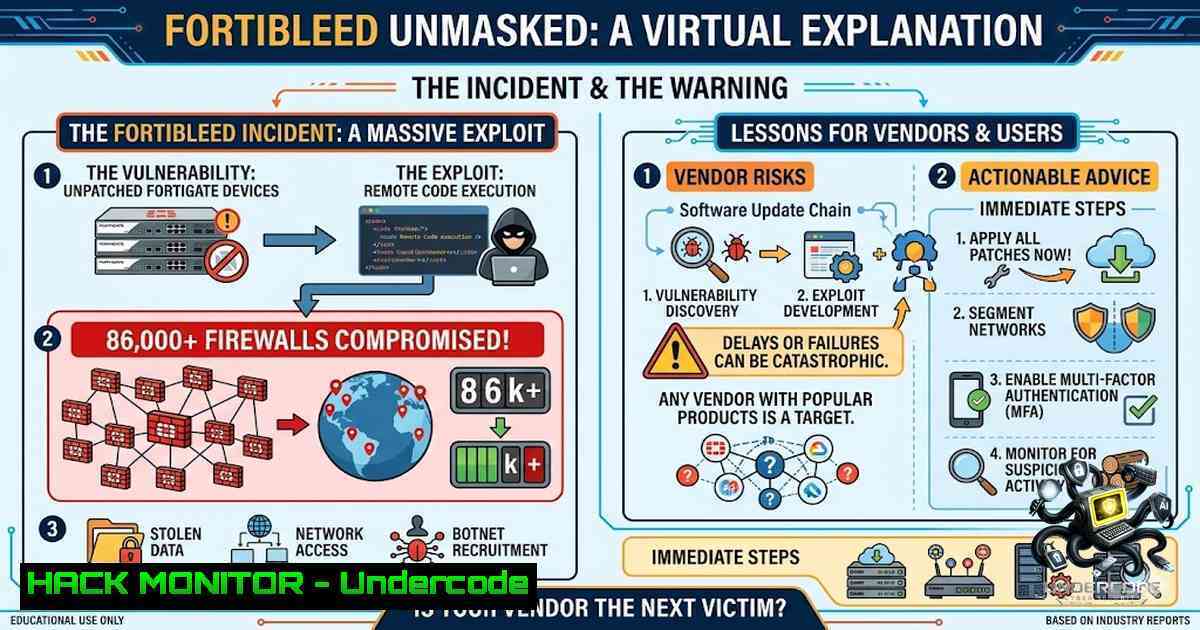
In June 2026, the cybersecurity world was rocked by the discovery of “FortiBleed”—a massive credential theft campaign that exposed administrative credentials for tens of thousands of internet-facing Fortinet FortiGate firewalls and SSL VPN gateways worldwide. Unlike a traditional software vulnerability, FortiBleed exploits a far more fundamental weakness: operational security failures—including credential reuse, weak password hygiene, and management interfaces left exposed to the public internet. This campaign serves as a brutal reminder that trust is not a security control, and the security practices of vendors, suppliers, and partners are often far below what their customers assume.
Learning Objectives:
- Understand the technical mechanics behind the FortiBleed credential harvesting campaign
- Learn how to detect if your organization’s Fortinet devices have been compromised
- Master the step-by-step process for hardening FortiGate firewalls against credential-based attacks
- Implement third-party risk management strategies to prevent supply chain compromise
You Should Know:
1. Understanding FortiBleed: Credential Reuse at Industrial Scale
FortiBleed is not a software vulnerability—it is an industrialized access-broker operation. A Russian-speaking threat group systematically collected configuration files from internet-facing FortiGate firewalls and extracted administrator credentials. The attackers intercepted SSL VPN authentication hashes and cracked them using a 45-GPU cluster managed through Hashtopolis, processing 1.16 billion credential attempts against 320,777 targets.
The exposed dataset—accidentally left on an open server by the attackers themselves—contains verified credentials for over 86,000 devices across 194 countries. Affected organizations span every major industry, including Samsung, Foxconn, Comcast, Siemens, Oracle, Accenture, and numerous government agencies and critical infrastructure operators.
What makes this particularly dangerous:
- Verified credentials: Every password in the database has been tested and confirmed working by the attacker’s automated tooling
- Business intelligence enrichment: The dataset includes industry, revenue, and employee count metadata for targeted organizations
- Self-feeding loop: Compromised FortiGates are turned into passive network sniffers, harvesting internal authentication traffic (LDAP, RADIUS, VPN credentials) and feeding it back into the credential pool
Key technical observation: Many affected systems stored administrator credentials using older hashing approaches (SHA-256 with salt) that are significantly less resistant to offline password cracking. Fortinet strengthened its storage method in early 2025 by switching to PBKDF2 with randomized salt, but countless devices remain on older firmware with weak password storage.
- How to Check If Your Organization Is Affected
Several free tools have been released to help organizations determine if their Fortinet credentials appear in the FortiBleed dataset:
Step-by-step verification process:
- Use Hudson Rock’s look-up tool: Visit https://www.hudsonrock.com/fortinet to check if your domain or IP address appears in the exposed dataset
-
Use SOCRadar’s FortiBleed Exposure Checker: SOCRadar’s tool queries the most extensive dataset available—the attacker’s operational database discovered by their researchers
-
Manual log review: Even if checkers show no matches, assume potential compromise and audit your FortiGate logs:
Linux command to check for suspicious admin logins:
 Check FortiGate admin login logs (if logs are exported to syslog)
grep -E "admin.login|login.success" /var/log/fortigate/.log | grep -v "192.168."

Search for authentication events from unexpected IP ranges
grep -E "ssl.root.authenticated" /var/log/fortigate/.log | awk '{print $1,$2,$3,$NF}' | sort | uniq -c | sort -rn
Windows command (if using FortiAnalyzer or syslog server):
 Search for admin login events in Windows Event Logs
Get-WinEvent -LogName Security | Where-Object { $_.Message -match "FortiGate|admin" } | Select-Object TimeCreated, Message

Check for unusual authentication patterns
Get-WinEvent -LogName Security -FilterXPath "[System[EventID=4624]]" | Where-Object { $<em>.Message -match "10.[0-9]" } | Group-Object {$</em>.Properties[bash].Value} | Sort-Object Count -Descending
- Review FortiGate local logs directly (via CLI or Web UI):
– Navigate to Log & Report > System Events
– Filter for Administrative Events
– Look for admin logins from unexpected IP addresses or at unusual times
3. Immediate Remediation: CISA’s Mandatory Hardening Steps
The Cybersecurity and Infrastructure Security Agency (CISA) has issued urgent guidance for all Fortinet customers. Follow these steps immediately:
Step 1: Terminate Sessions and Reset Credentials
- Terminate all active SSL VPN and administrative sessions
- Reset all Fortinet VPN and administrative passwords—especially on internet-facing systems
- Enforce strong password policies (minimum 14 characters, complex, unique per device)
Step 2: Ensure Secure Credential Storage
- Confirm your organization uses PBKDF2 algorithm to store administrator credentials
- Remove weaker legacy hashes (SHA-256 with salt) per Fortinet’s guidance
FortiGate CLI command to enforce PBKDF2:
config system admin
edit <admin_name>
set password-hash <new_password>
set password-hash-algorithm pbkdf2
next
end

Verify current hash algorithm for all admin accounts
diagnose system admin list
Step 3: Review Logs for Compromise Indicators
- Review firewall, VPN, authentication, and domain controller logs for:
- Lateral movement (unusual internal traffic patterns)
- Suspicious accounts (newly created admin accounts)
- Unauthorized configuration changes
- Backdoor users (check for unknown admin accounts)
Linux command to check for unauthorized admin accounts:
 If FortiGate config is exported, check for admin accounts
grep -A 5 "config system admin" /path/to/fortigate_config.conf | grep -E "edit|set password" | grep -v "admin"
Step 4: Enable Phishing-Resistant MFA
- Require phishing-resistant MFA on all remote access and administrative accounts
- Ensure MFA is enforced on all external gateways and administrative interfaces
- Do not rely on SMS or OTP alone—use hardware tokens or FIDO2
FortiGate CLI to enforce MFA:
config system global
set admin-mfa enforce
end

config system admin
edit <admin_name>
set mfa enable
set mfa-token <token_type>
next
end
Step 5: Reduce Attack Surface
- Ensure firewall administration is inaccessible from the public internet
- Restrict Fortinet management interfaces to trusted internal networks only
- Remove or disable any unauthorized or unnecessary accounts
Best practice configuration:
 Restrict admin access to trusted IP ranges only
config system admin
edit <admin_name>
set trusthost <internal_IP_range> 255.255.255.255
next
end

Disable HTTP/HTTPS admin access on WAN interfaces
config system interface
edit <wan_interface>
set allowaccess ping
next
end
- Third-Party Risk: Why Your Vendors Are Your Weakest Link
The most alarming revelation from FortiBleed is the discovery that 5,716 Fortinet devices managed by IT companies were using the exact same password. This underscores a critical truth: most organizations have zero visibility into the security practices of their vendors, suppliers, and partners.
The third-party risk attack chain:
- A managed service provider (MSP) uses the same weak password across hundreds of client FortiGate devices
- Attackers compromise a single device through credential reuse
- The same credentials grant access to every client device managed by that MSP
- Attackers pivot from the firewall into internal networks, harvesting Active Directory credentials
- The impact extends far beyond a single organization—entire supply chains are compromised
How to assess third-party Fortinet security:
Vendor questionnaire (minimum requirements):
- Do you enforce unique, complex passwords for every client device?
- Are all FortiGate management interfaces restricted to internal networks?
- Is PBKDF2 enforced for administrator credential storage?
- Is phishing-resistant MFA required for all administrative access?
- Have you conducted a post-FortiBleed compromise assessment?
Technical validation:
 Use Shodan to check if your vendor's FortiGate management interfaces are exposed
 (Replace with vendor IP range)
shodan search "FortiGate http.title:\"FortiGate\" net:<VENDOR_IP_RANGE>"

Check for default credentials exposure
nmap -p 443,8443 <VENDOR_IP_RANGE> --script http-fortigate-default-password
5. Long-Term FortiGate Hardening Strategy
Beyond immediate remediation, implement these permanent security controls:
A. Upgrade firmware to the latest version
- Ensure you’re running FortiOS v7.2.11 or later for PBKDF2 enforcement
- Patch all critical CVEs, including CVE-2026-24858 (FortiCloud SSO authentication bypass, CVSS 9.8)
B. Implement centralized credential management
- Use a privileged access management (PAM) solution for all firewall administrative credentials
- Rotate credentials automatically and frequently (every 30-90 days)
- Never use the same password across multiple devices
C. Deploy continuous monitoring
- Implement SIEM/SOAR integration to detect suspicious admin logins in real-time
- Set up alerts for:
- Admin logins from non-corporate IP ranges
- Failed authentication attempts exceeding thresholds
- Configuration changes outside maintenance windows
D. Conduct regular penetration testing
- Test for exposed management interfaces (both IPv4 and IPv6)
- Validate credential storage mechanisms
- Simulate credential reuse attacks
What Undercode Say:
Key Takeaway 1: FortiBleed is not about software vulnerabilities—it’s about operational security failures. No patch can fix credential reuse, default passwords, or exposed management interfaces. The campaign is an indictment of decades of poor security hygiene across the industry.
Key Takeaway 2: Third-party risk is the new frontier of cyberattacks. If you trust your vendors but have no visibility into their security practices, you’re effectively trusting the security of your entire organization to strangers. The 5,716 devices sharing the same password is not an anomaly—it’s the norm.
Analysis: The FortiBleed campaign represents a paradigm shift in cyberattacks. The attackers didn’t need to discover a zero-day; they simply exploited the predictable failures of human behavior and operational negligence. The 45-GPU cracking cluster, the automated credential harvesting, and the business intelligence enrichment all point to a highly sophisticated, well-funded operation. What’s most concerning is the self-perpetuating nature of the attack: each compromised device becomes a sensor that feeds more credentials back into the attacker’s pool. This creates a compounding effect that will continue to grow unless organizations fundamentally change how they manage credentials and third-party risk. The fact that CISA had to issue an urgent advisory—and that affected devices span 194 countries and include NATO defense contractors—underscores the severity of this crisis.
Prediction:
+1 The FortiBleed campaign will force the cybersecurity industry to finally prioritize credential hygiene and third-party risk management as core security functions rather than afterthoughts. Expect a surge in PAM adoption, automated credential rotation solutions, and third-party security rating services.
-1 However, the damage is already done. The 86,000+ compromised credentials will remain in the hands of threat actors for years, enabling persistent access, lateral movement, and future ransomware attacks. Many organizations will never discover they’ve been breached until it’s too late.
+1 This event will accelerate the adoption of phishing-resistant MFA (FIDO2, hardware tokens) as the new standard for all administrative access, rendering credential theft campaigns like FortiBleed significantly less effective.
-1 The MSP industry faces a reckoning. The revelation that thousands of devices managed by IT companies used identical passwords will lead to lawsuits, regulatory fines, and a loss of client trust that could bankrupt unprepared vendors.
+1 FortiBleed will drive innovation in continuous credential monitoring and threat intelligence sharing, making it harder for attackers to operate undetected at scale. The free look-up tools released by Hudson Rock and SOCRadar are just the beginning of a new era of community-driven defense.
▶️ Related Video (84% Match):
🎯Let’s Practice For Free:
🎓 Live Courses & Certifications:
Join Undercode Academy for Verified Certifications
🚀 Request a Custom Project:
Secure, high-velocity infrastructure and disruptive technological engineering. Contact our engineering team for high-tier development and proprietary systems:
[email protected]
💎 Smart Architecture | 🛡️ Secure by Design | ⭐ Trusted by Thousands
IT/Security Reporter URL:
Reported By: Huzeyfe Fortibleed – Hackers Feeds
Extra Hub: Undercode MoN
Basic Verification: Pass ✅


