Listen to this Post
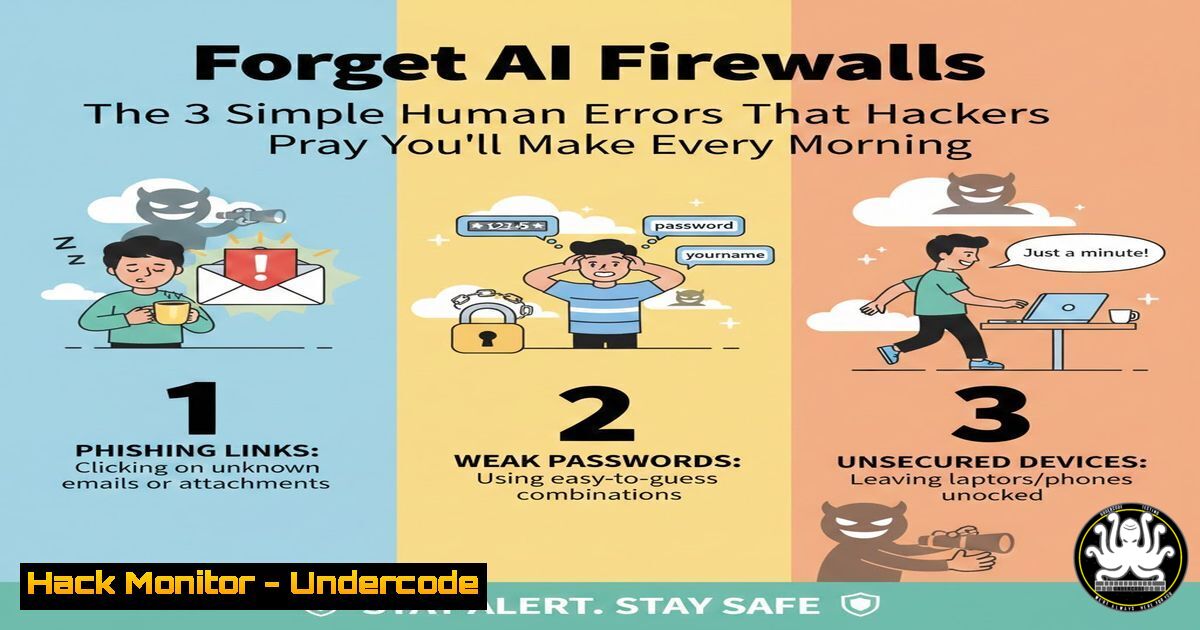
Introduction:
In an era dominated by discussions of advanced persistent threats (APTs) and zero-day exploits, the most pervasive cybersecurity vulnerabilities remain profoundly human. As highlighted by security leaders, the majority of breaches originate not from sophisticated code, but from everyday oversights, social engineering, and a lack of fundamental cyber hygiene. This article deconstructs the real-world attack surface that exists between the keyboard and the chair, providing actionable, step-by-step technical guidance to harden the human element—your organization’s first and last line of defense.
Learning Objectives:
- Identify and mitigate the top three human-centric security risks: phishing susceptibility, poor credential hygiene, and misconfigured personal endpoints.
- Implement technical controls and simple commands to automate security and enforce good practices.
- Develop a proactive “human firewall” protocol for incident recognition and calm, effective response.
You Should Know:
- Phishing: It’s Not Just Email Anymore – SMS, Slack, and Voice
The attack vector has evolved beyond the inbox. Smishing (SMS phishing), vishing (voice phishing), and social media impersonation are now standard. Attackers leverage urgency and context to bypass suspicion.
Step‑by‑step guide:
Step 1: Header Analysis & Link Inspection. Never click directly. For emails, view the full headers. In Gmail, click the three dots → “Show original”. Scrutinize the Return-Path, Received-SPF, and `DKIM` signatures. For links, use a sandboxed tool. On Linux CLI, use `curl -I
Step 2: The Hover Test & URL Deconstruction. Hover over links to reveal the true destination. A link showing “paypal.com” could point to “paypal-security.xyz”. Use command-line tools for safe inspection: `dig +short abuseipdb.org.
Step 3: Report and Isolate. In an enterprise environment, report using the “Report Phishing” button in Outlook or Gmail. Isolate the message. On a personal machine, move to spam and delete permanently.
- Credential Hygiene: Beyond “Password123” – Enforcing Technical Controls
Passwords are the skeleton key to your digital life. Weak, reused credentials are a primary cause of breach cascades.
Step‑by‑step guide:
Step 1: Mandate a Password Manager. This is non-negotiable. Tools like Bitwarden or KeePassXC generate and store complex, unique passwords. On Linux, you can install and run Bitwarden CLI: `sudo snap install bw` or brew install bitwarden-cli. Use `bw login` and `bw generate -uln –length 20` to create strong passwords from the terminal.
Step 2: Enforce Multi-Factor Authentication (MFA) Everywhere. Especially on email, banking, and social media. Use authenticator apps (Authy, Google Authenticator) over SMS. For server access, enforce SSH key pairs with a passphrase. Generate a key: ssh-keygen -t ed25519 -a 100. Never use password-only SSH login.
Step 3: Conduct Credential Breach Checks. Use `haveibeenpwned.com` via its API. For a local check of hashed passwords, security teams can use the `hibp` CLI tool (use cautiously and legally).
- Endpoint Indifference: Your Laptop as an Open Door
An unpatched, misconfigured personal device is a gateway to corporate networks, especially in BYOD or remote work scenarios.
Step‑by‑step guide:
Step 1: Automated Patching. Enable automatic updates. On Windows, run `gpedit.msc` and navigate to Computer Configuration → Administrative Templates → Windows Components → Windows Update to configure policy. On Linux (Ubuntu), automate with `sudo apt install unattended-upgrades` and configure /etc/apt/apt.conf.d/50unattended-upgrades.
Step 2: Basic Host Firewall. Enable and configure the native firewall. On Windows, run `Windows Defender Firewall with Advanced Security` (wf.msc) to review inbound/outbound rules. On Linux, use ufw: sudo ufw enable, sudo ufw default deny incoming, sudo ufw default allow outgoing.
Step 3: Disable Unnecessary Services. Reduce your attack surface. On Windows, run `services.msc` and disable legacy services like SMBv1 if not needed. On Linux, use `systemctl list-unit-files –type=service` to identify and disable unnecessary daemons: sudo systemctl disable <service-name>.
4. Cloud Service Misconfiguration: The Shared Drive Debacle
Mistakenly public Amazon S3 buckets or overly permissive Google Drive sharing links are a data leak epidemic.
Step‑by‑step guide:
Step 1: Audit Sharing Permissions. For Google Workspace, regularly review `drive.google.com/shared-drives` and security.google.com/settings/security/permissions. For Microsoft 365, use the SharePoint Admin Center.
Step 2: Use the Principle of Least Privilege (PoLP). Always grant “Viewer” or “Commenter” rights before “Editor”. For AWS S3, use the CLI to audit bucket policies: aws s3api get-bucket-policy --bucket <bucket-name>. Set blocking public access: aws s3api put-public-access-block.
Step 3: Implement Logging. Enable audit trails. In AWS, turn on S3 access logging and CloudTrail. Use `aws cloudtrail lookup-events` to monitor for suspicious `GetObject` calls from unusual IP addresses.
- The “Rushed Decision”: Simulating Urgency to Bypass Logic
Attackers manufacture crises to provoke panic clicks. Training must simulate this pressure.
Step‑by‑step guide:
Step 1: Create a Calm-Down Protocol. Institute a mandatory “10-second pause” rule before acting on any urgent request. Verify via a secondary, known channel (e.g., a phone call to a known number, not one provided in the suspect message).
Step 2: Run Phishing Simulations. Use open-source tools like Gophish to run regular, internal simulated phishing campaigns that mimic urgent “CEO requests” or “HR violations”.
Step 3: Technical Verification of Requests. If asked to transfer data or credentials, verify by checking the request’s digital signature in email (DKIM/SPF), or by creating a temporary, one-time-use upload link for data transfer instead of sending credentials.
What Undercode Say:
- The Human OS is the Most Exploitable Software. No patch Tuesday exists for poor judgment. Continuous, engaging training that mimics real attacker tactics is more critical than the latest EDR for blocking widespread damage.
- Complexity is the Enemy of Security. Overly complicated security policies are ignored. A handful of simple, enforceable, and technically-aided rules—like mandatory password managers and enforced MFA—will mitigate >80% of everyday risks.
Analysis:
The post underscores a paradigm shift that the industry is slowly accepting: effective cybersecurity is a behavioral science problem as much as a technical one. While billions are spent on layered technical defenses (and rightfully so), a minuscule investment in clarifying processes and building rational, calm cyber-habits yields a disproportionate ROI. The future of security awareness lies in micro-learning, integrated technical guardrails (like password managers that prevent reuse), and leadership that models secure behavior. The goal is not to turn every employee into a security analyst, but to equip them with the digital equivalent of “look both ways before crossing the street”—automatic, life-saving habits.
Prediction:
Within the next 3-5 years, we will see the rise of the “Behavioral Security Engineer” role and the integration of “nudge theory” directly into enterprise software. Operating systems and SaaS platforms will bake in more interruptive, simple verification steps during risky actions (e.g., “You are about to share this document externally. Confirm you know recipient X?”). AI will be leveraged less for pure threat-hunting and more for personalized, real-time coaching—analyzing a user’s behavior to deliver context-specific, one-sentence security tips moments before a potential mistake is made, effectively creating a dynamic, adaptive human firewall.
▶️ Related Video (78% accuracy):
🎯Let’s Practice For Free:
IT/Security Reporter URL:
Reported By: Lee Lawrenson – Hackers Feeds
Extra Hub: Undercode MoN
Basic Verification: Pass ✅


