Listen to this Post
Introduction:
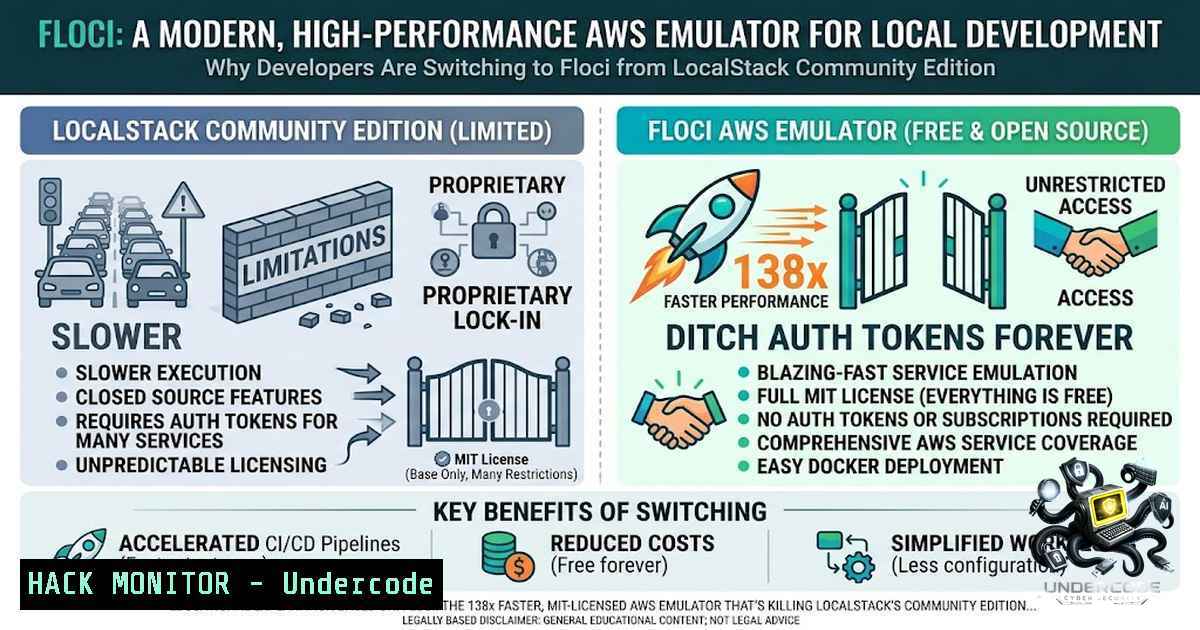
The local cloud development landscape shifted dramatically in March 2026 when LocalStack sunset its community edition, forcing developers into auth-token purgatory with frozen security updates. Enter Floci — a Quarkus-1ative, MIT-licensed AWS emulator that boots 45+ services in ~24 milliseconds while consuming just 13 MiB of idle memory. This isn’t merely an alternative; it’s a complete reimagining of what local AWS development should feel like: no accounts, no feature gates, no telemetry, and real Docker-backed execution for Lambda, RDS, EKS, and EC2.
Learning Objectives:
- Master the deployment and configuration of Floci as a drop-in LocalStack replacement across Docker, CLI, and CI/CD pipelines
- Execute real AWS SDK, CLI, Terraform, and CDK workflows against a local emulator with zero code changes
- Implement security-hardened local AWS environments with proper network isolation, credential management, and persistence strategies
You Should Know:
- The LocalStack Exodus — Why Floci Is the Only Viable Free Alternative
LocalStack’s community edition sunset in March 2026 marked a turning point. The new regime requires auth tokens, freezes security updates, and restricts access to critical services like API Gateway v2, Cognito, ElastiCache, RDS, ECS, EKS, EC2, CodeBuild, and CodeDeploy. Floci delivers all of these — and more — under the MIT license, with no strings attached.
The performance delta is staggering. Floci starts in ~24 milliseconds versus LocalStack’s ~3.3 seconds — a 138× improvement. Idle memory sits at ~13 MiB compared to ~143 MiB, and the Docker image is ~90 MB versus ~1.0 GB. For CI/CD pipelines where every second counts, this translates directly to faster builds and lower infrastructure costs.
Beyond the numbers, Floci’s architectural philosophy sets it apart. Unlike mock-only emulators, Floci runs real Docker containers for stateful services — Lambda functions execute in actual runtime containers, RDS spins up real PostgreSQL/MySQL instances, and EKS clusters bootstrap genuine k3s nodes. This isn’t simulation; it’s emulation at the wire-protocol level, ensuring behavior that genuinely mirrors production AWS.
- Zero-Friction Migration — Swap the Image, Keep Everything Else
Migrating from LocalStack to Floci requires exactly one change: the container image. The port remains 4566, credentials stay test/test, and all AWS SDK and CLI calls work unchanged.
Step-by-Step Migration:
Step 1 — Change the image in your Docker Compose file:
 Before
services:
localstack:
image: localstack/localstack
ports:
- "4566:4566"

After
services:
floci:
image: floci/floci:latest  or floci/floci:latest-compat for AWS CLI + boto3 pre-installed
ports:
- "4566:4566"
volumes:
- ./data:/app/data
- /var/run/docker.sock:/var/run/docker.sock  Required for Lambda, RDS, EKS, EC2
Step 2 — Set your environment variables (unchanged from LocalStack):
export AWS_ENDPOINT_URL=http://localhost:4566
export AWS_DEFAULT_REGION=us-east-1
export AWS_ACCESS_KEY_ID=test
export AWS_SECRET_ACCESS_KEY=test
Step 3 — Verify with AWS CLI:
aws s3 mb s3://my-bucket
aws dynamodb create-table --table-1ame demo-table \
--attribute-definitions AttributeName=pk,AttributeType=S \
--key-schema AttributeName=pk,KeyType=HASH \
--billing-mode PAY_PER_REQUEST
aws dynamodb list-tables
Floci automatically translates LocalStack environment variables — `PERSISTENCE=1` becomes FLOCI_STORAGE_MODE=persistent, `LAMBDA_DOCKER_NETWORK` maps to FLOCI_SERVICES_LAMBDA_DOCKER_NETWORK, and so on. The startup log even includes a LocalStack-style `Ready.` line for Testcontainers compatibility.
- Real Docker Execution — Lambda, RDS, EKS, and Beyond
Floci’s killer feature is its commitment to fidelity through real container execution. When you invoke a Lambda function, Floci spins up an actual Docker container using the official runtime image. When you create an RDS instance, it launches a real PostgreSQL or MySQL container. When you provision an EKS cluster, it bootstraps a genuine k3s node.
Step-by-Step Lambda Deployment with Terraform and lambroll:
Step 1 — Start Floci with Docker Compose:
services:
floci:
image: floci/floci:latest
ports:
- "4566:4566"
environment:
FLOCI_STORAGE_MODE: persistent
volumes:
- ./data:/app/data
- /var/run/docker.sock:/var/run/docker.sock
docker compose up -d
Step 2 — Configure Terraform provider for Floci:
provider "aws" {
region = var.region

access_key = var.use_floci ? "test" : null
secret_key = var.use_floci ? "test" : null

s3_use_path_style = var.use_floci
skip_credentials_validation = var.use_floci
skip_metadata_api_check = var.use_floci
skip_requesting_account_id = var.use_floci

dynamic "endpoints" {
for_each = var.use_floci ? [bash] : []
content {
s3 = var.floci_endpoint
dynamodb = var.floci_endpoint
sqs = var.floci_endpoint
lambda = var.floci_endpoint
iam = var.floci_endpoint
logs = var.floci_endpoint
}
}
}
Step 3 — Deploy Lambda with lambroll:
lambroll deploy --endpoint http://localhost:4566 \
--function-1ame my-function \
--runtime python3.11 \
--handler index.handler \
--zip-file fileb://function.zip
Step 4 — Invoke the function:
aws lambda invoke --function-1ame my-function \
--payload '{"key":"value"}' \
--endpoint-url http://localhost:4566 \
output.json
Critical Consideration: Floci’s EKS and EC2 emulation requires rootful Docker (not rootless Podman or rootless Docker) because k3s needs access to kernel-level resources like /var/dmesg. This is a kernel capability restriction, not a Floci bug.
- CI/CD Integration — Testing Infrastructure as Code Without Cloud Costs
Floci shines in CI/CD pipelines where every test run previously incurred AWS costs or required complex mocking. With a native binary that starts in milliseconds and consumes minimal memory, Floci makes local cloud testing practical even in resource-constrained runners.
Step-by-Step GitHub Actions Integration:
Step 1 — Define your workflow:
name: AWS Integration Tests

on:
push:
branches: [bash]

jobs:
test:
runs-on: ubuntu-latest
steps:
- uses: actions/checkout@v4

<ul>
<li>name: Start Floci
run: |
docker run -d --1ame floci \
-p 4566:4566 \
-v /var/run/docker.sock:/var/run/docker.sock \
floci/floci:latest</p></li>
<li><p>name: Set AWS environment
run: |
echo "AWS_ENDPOINT_URL=http://localhost:4566" >> $GITHUB_ENV
echo "AWS_DEFAULT_REGION=us-east-1" >> $GITHUB_ENV
echo "AWS_ACCESS_KEY_ID=test" >> $GITHUB_ENV
echo "AWS_SECRET_ACCESS_KEY=test" >> $GITHUB_ENV</p></li>
<li><p>name: Run Terraform plan
run: |
terraform init
terraform plan</p></li>
<li><p>name: Run SDK tests
run: |
pytest tests/
npm test
Step 2 — For Terraform and OpenTofu compatibility:
 Use the same Terraform configuration for both local and production
terraform apply -var="use_floci=true" -var="floci_endpoint=http://localhost:4566"
Floci’s compatibility test suite validates across AWS SDK Java v2, Node.js v3, Python boto3, Go v2, Rust, AWS CLI v2, Terraform, OpenTofu, and AWS CDK — with 1,925 passing tests.
- Security Hardening — Protecting Your Local AWS Emulator
While Floci runs locally, security misconfigurations can expose services or leak data. Implement these practices to harden your environment.
Step-by-Step Security Configuration:
Step 1 — Isolate Floci with network restrictions:
services:
floci:
image: floci/floci:latest
ports:
- "127.0.0.1:4566:4566"  Bind only to localhost
networks:
- internal
environment:
FLOCI_TLS_ENABLED: "true"  Enable TLS for encrypted communication
Step 2 — Use SSH tunneling for remote access (Windows + WSL2 example):
 On Windows, expose Floci through SSH tunnel instead of direct port binding
ssh -L 4566:localhost:4566 user@wsl-host
This approach prevents accidental exposure of your local AWS emulator to the network.
Step 3 — Enable strict IAM enforcement for production-like testing:
Floci supports IAM users, roles, policies, and groups with all 7 STS operations. For security-sensitive testing:
 Create an IAM user with restricted permissions
aws iam create-user --user-1ame dev-user --endpoint-url http://localhost:4566

Attach a policy that mimics production restrictions
aws iam attach-user-policy --user-1ame dev-user \
--policy-arn arn:aws:iam::aws:policy/ReadOnlyAccess \
--endpoint-url http://localhost:4566

Generate credentials for the user
aws iam create-access-key --user-1ame dev-user --endpoint-url http://localhost:4566
Step 4 — Use persistent storage with encryption:
services:
floci:
image: floci/floci:latest
environment:
FLOCI_STORAGE_MODE: persistent  or hybrid, wal for write-ahead logging
volumes:
- ./encrypted-data:/app/data  Use encrypted volume on host
Floci supports in-memory, persistent, hybrid, and write-ahead log storage modes. Choose persistent for state that survives container restarts, or WAL for durability with performance.
Step 5 — Validate against real AWS before production:
Floci emulates AWS wire protocols with high fidelity, but it does not guarantee identical behavior to production AWS. Always validate critical workflows against real AWS before deployment. Use the same Terraform configuration with `use_floci=false` to run against actual AWS.
What Undercode Say:
- LocalStack’s loss is Floci’s gain — The March 2026 community edition sunset created a vacuum that Floci填 with a genuinely free, MIT-licensed alternative that outperforms its predecessor on every measurable metric. Organizations that standardize on Floci now avoid future licensing entanglements.
-
Real containers beat mocks — Floci’s commitment to real Docker-backed execution for Lambda, RDS, EKS, and EC2 sets it apart from emulators that rely on shallow mocks. This fidelity reduces the “works on my machine” syndrome and catches integration issues earlier in the development cycle.
Floci represents a fundamental shift in how developers approach cloud-1ative development. The traditional model — spinning up expensive cloud resources for every test, dealing with auth tokens, and paying for features that should be free — is being disrupted by a tool that prioritizes developer experience above all else. With 2.7k GitHub stars and 1,925 passing SDK compatibility tests, Floci isn’t just an alternative; it’s becoming the standard.
The implications for DevSecOps are profound. Teams can now run security scans, compliance checks, and vulnerability assessments against a local AWS environment without incurring cloud costs or exposing sensitive data. CI/CD pipelines that previously skipped integration tests due to cost or complexity can now run them on every commit. The barrier to entry for learning AWS has effectively disappeared — anyone with Docker can now experiment with 45+ AWS services without a credit card.
Prediction:
- +1 Floci will become the default local AWS emulator for open-source projects and CI/CD pipelines within 12 months, driven by its MIT license, superior performance, and the forced migration from LocalStack Community.
-
+1 The project’s compatibility test suite — currently 1,925 tests across 6 SDKs — will expand to cover all 69 AWS services, positioning Floci as the de facto standard for local AWS development.
-
+1 Enterprise adoption will accelerate as organizations recognize that Floci’s real Docker-backed execution reduces production surprises and shortens feedback loops for infrastructure-related issues.
-
-1 Teams relying on rootless container runtimes (Podman, rootless Docker) will face friction when using EKS, EC2, and other kernel-dependent services, requiring either runtime switches or alternative emulation strategies.
-
-1 The project’s rapid growth may introduce breaking changes as the community expands and feature requests accumulate, though the MIT license ensures forks remain viable.
-
-1 Organizations with strict security policies may hesitate to run rootful Docker containers in CI/CD environments, potentially limiting Floci’s adoption in highly regulated industries.
▶️ Related Video (68% Match):
https://www.youtube.com/watch?v=1pY_vHn-tVg
🎯Let’s Practice For Free:
🎓 Live Courses & Certifications:
Join Undercode Academy for Verified Certifications
🚀 Request a Custom Project:
Secure, high-velocity infrastructure and disruptive technological engineering. Contact our engineering team for high-tier development and proprietary systems:
[email protected]
💎 Smart Architecture | 🛡️ Secure by Design | ⭐ Trusted by Thousands
IT/Security Reporter URL:
Reported By: Fo So – Hackers Feeds
Extra Hub: Undercode MoN
Basic Verification: Pass ✅


