
Listen to this Post
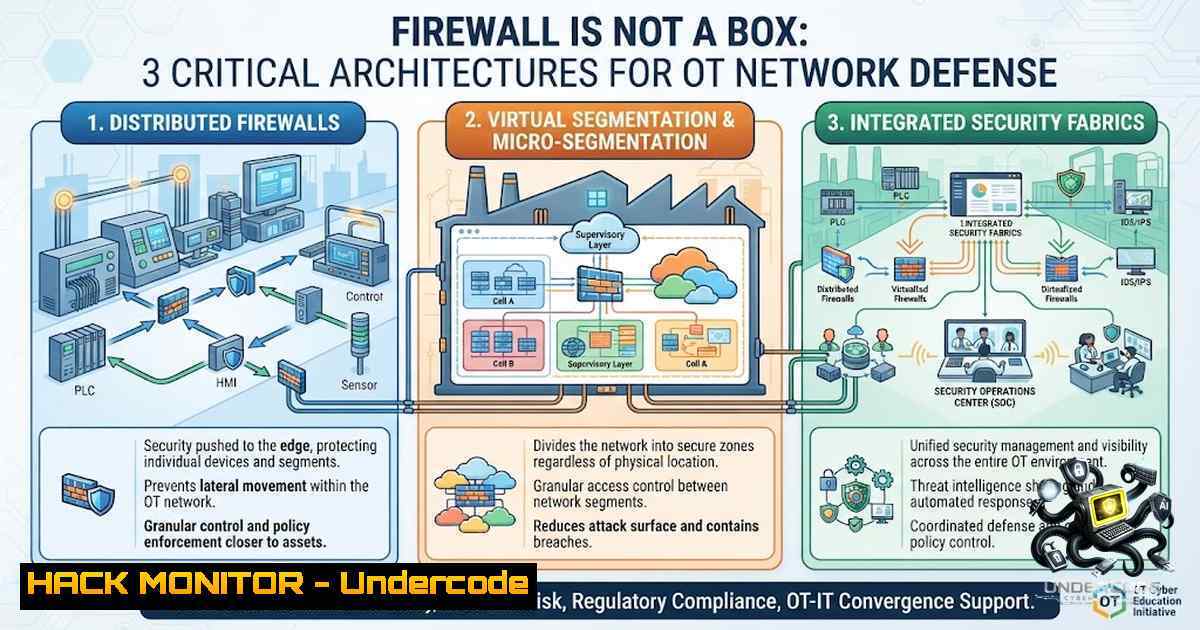
Introduction:
In Operational Technology (OT) environments, a firewall is not merely a hardware appliance—it is a policy enforcement point that governs which systems communicate, which protocols traverse the network, and in which direction data flows. Understanding firewall placement is paramount to industrial security, as misconfigured boundaries often become the weakest link between enterprise IT and critical control systems. This article breaks down the three fundamental OT firewall architectures, provides hands-on implementation guidance, and offers actionable commands to test and validate your network segmentation.
Learning Objectives:
- Understand the three primary OT firewall deployment models and their security implications.
- Learn how to implement and test firewall rules using Linux, Windows, and network diagnostic tools.
- Grasp the importance of DMZ-based segmentation and how to harden OT boundaries against unauthorized access.
You Should Know:
1. The Single Firewall Model (Simple Segmentation)
The simplest architecture places one firewall between the Enterprise and OT networks. This is common in small labs, pilot plants, or legacy environments with limited security budgets. However, it introduces a single point of failure—if a rule is overly permissive, an attacker pivoting from the enterprise can reach OT assets directly.
Step‑by‑step guide to test and implement a single firewall:
1. Define your security zones:
- Enterprise Zone (Trust Level: Low)
- OT Zone (Trust Level: High)
2. Implement default-deny policies:
- Block all traffic from Enterprise to OT by default.
- Create explicit allow rules only for necessary services.
- Use Linux `iptables` to simulate a single firewall:
 Flush existing rules
sudo iptables -F
 Set default policies to DROP
sudo iptables -P INPUT DROP
sudo iptables -P FORWARD DROP
sudo iptables -P OUTPUT ACCEPT

Allow established connections
sudo iptables -A FORWARD -m state --state ESTABLISHED,RELATED -j ACCEPT

Allow Enterprise to OT only for engineering PC to EWS on port 44818 (CIP)
sudo iptables -A FORWARD -s 192.168.10.10 -d 192.168.20.5 -p tcp --dport 44818 -j ACCEPT

Explicitly deny Enterprise to PLC (192.168.20.10)
sudo iptables -A FORWARD -s 192.168.10.0/24 -d 192.168.20.10 -j DROP

Deny Internet to OT
sudo iptables -A FORWARD -i eth0 -o eth1 -j DROP

View rules
sudo iptables -L -v
- On Windows Server (using `netsh` for basic port filtering):
 Block all inbound traffic on OT-facing interface
netsh advfirewall firewall add rule name="Block OT Inbound" dir=in action=block remoteip=192.168.20.0/24

Allow only specific source (Engineering PC) to EWS on port 44818
netsh advfirewall firewall add rule name="Allow Engineering to EWS" dir=in action=allow protocol=TCP localport=44818 remoteip=192.168.10.10
5. Testing the configuration:
- Use `nmap` from an Enterprise host to scan the OT subnet:
nmap -sS -p 44818 192.168.20.5  Should be open
nmap -sS -p 502 192.168.20.10  Should be filtered/dropped
Key Takeaway: The single firewall is easy to manage but dangerous if rules are not granular. Always follow the principle of least privilege: allow only what is required, deny everything else.
2. The Two-Firewall Model with a Middle Zone
This architecture adds a second firewall, creating a “middle zone” (or screened subnet) between the Enterprise and OT. Traffic must pass through two inspection points, making it significantly harder for an attacker to reach OT directly.
Step‑by‑step guide:
1. Design the zones:
- Enterprise (Trust Level: Low)
- Middle Zone (Trust Level: Medium)—hosts jump servers, admin workstations
- OT Zone (Trust Level: High)
2. Rule logic:
- Firewall-1 (Enterprise → Middle): Allow only RDP/SSH to jump hosts.
- Firewall-2 (Middle → OT): Allow only administrative protocols (e.g., RDP to HMIs, Modbus TCP to PLCs) from specific jump hosts.
- Enterprise → OT: Deny.
3. Simulate with `iptables` on Linux:
 On FW-1 (Enterprise to Middle)
sudo iptables -A FORWARD -s 192.168.10.0/24 -d 192.168.50.0/24 -p tcp --dport 3389 -j ACCEPT
sudo iptables -A FORWARD -s 192.168.10.0/24 -d 192.168.50.0/24 -j DROP

On FW-2 (Middle to OT)
sudo iptables -A FORWARD -s 192.168.50.10 -d 192.168.20.0/24 -p tcp --dport 3389 -j ACCEPT
sudo iptables -A FORWARD -s 192.168.50.10 -d 192.168.20.0/24 -p tcp --dport 502 -j ACCEPT  Modbus
sudo iptables -A FORWARD -s 192.168.50.0/24 -d 192.168.20.0/24 -j DROP
4. Windows equivalent with `New-1etFirewallRule` (PowerShell):
 Block all traffic from Enterprise to OT directly (on a Windows-based gateway)
New-1etFirewallRule -DisplayName "Block Enterprise to OT" -Direction Inbound -Action Block -RemoteAddress "192.168.10.0/24" -LocalAddress "192.168.20.0/24"

Allow jump host to OT for RDP only
New-1etFirewallRule -DisplayName "Allow JumpHost RDP" -Direction Inbound -Action Allow -Protocol TCP -LocalPort 3389 -RemoteAddress "192.168.50.10"
5. Validate with `traceroute` and `tcpping`:
traceroute -1 192.168.20.10  Should show both firewalls
tcpping 192.168.20.10 -p 502  Should succeed only from jump host
Key Takeaway: Two firewalls increase security but also introduce management complexity. Every rule must be documented and audited regularly to avoid misconfiguration.
3. One Firewall with a DMZ (Demilitarized Zone)
This is the recommended architecture for most OT environments. A single firewall with three interfaces (Enterprise, DMZ, OT) creates a buffer zone that hosts shared services: jump hosts, historian mirrors, patch servers, file transfer gateways, remote access gateways, and log collectors.
Step‑by‑step guide:
1. Configure the firewall interfaces:
- Interface 1: Enterprise (untrusted)
- Interface 2: DMZ (semi-trusted)
- Interface 3: OT (highly trusted)
2. Sample `iptables` rules for DMZ architecture:
 Enable IP forwarding
echo 1 > /proc/sys/net/ipv4/ip_forward

Default policies
sudo iptables -P FORWARD DROP

Allow Enterprise to DMZ services (e.g., patch server, historian mirror)
sudo iptables -A FORWARD -s 192.168.10.0/24 -d 192.168.100.10 -p tcp --dport 443 -j ACCEPT  HTTPS to patch server
sudo iptables -A FORWARD -s 192.168.10.0/24 -d 192.168.100.20 -p tcp --dport 1433 -j ACCEPT  SQL to historian mirror

Allow DMZ to OT (only required traffic)
sudo iptables -A FORWARD -s 192.168.100.10 -d 192.168.20.0/24 -p tcp --dport 22 -j ACCEPT  SSH for secure file transfer
sudo iptables -A FORWARD -s 192.168.100.30 -d 192.168.20.0/24 -p tcp --dport 44818 -j ACCEPT  Engineering workstation in DMZ

Explicitly deny Enterprise to OT and Internet to OT
sudo iptables -A FORWARD -s 192.168.10.0/24 -d 192.168.20.0/24 -j DROP
sudo iptables -A FORWARD -i eth0 -o eth2 -j DROP  Internet to OT
- On a Cisco ASA or Palo Alto firewall (pseudo-config):
access-list ENTERPRISE_TO_DMZ permit tcp 192.168.10.0 255.255.255.0 192.168.100.0 255.255.255.0 eq 443
access-list DMZ_TO_OT permit tcp 192.168.100.0 255.255.255.0 192.168.20.0 255.255.255.0 eq 22
access-list DMZ_TO_OT permit tcp host 192.168.100.30 192.168.20.0 255.255.255.0 eq 44818
access-list ENTERPRISE_TO_OT deny ip any any
4. Testing the DMZ boundaries:
- From an Enterprise workstation, try to reach an OT PLC directly:
nc -zv 192.168.20.10 502
Expected: Connection timed out
- From the DMZ jump host, attempt the same:
ssh [email protected] Should succeed if rule allows
- Verify logs on the firewall:
sudo iptables -L -v -1 | grep DROP
Key Takeaway: The DMZ model provides the best balance of security and manageability. It isolates shared services, prevents direct enterprise-to-OT communication, and centralizes logging and monitoring.
- The Golden Rule: Enterprise Should Not Talk Directly to OT
Under all architectures, the cardinal rule remains: Enterprise shall not communicate directly with OT. Traffic must always pass through a controlled DMZ service or a jump host that enforces authentication, authorization, and auditing.
Step‑by‑step guide to enforce this rule:
- Implement network access control (NAC) or 802.1X to prevent rogue devices.
- Use `tcpdump` on OT switches to detect unauthorized traffic:
sudo tcpdump -i eth1 -1 'src net 192.168.10.0/24 and dst net 192.168.20.0/24'
- Create a dedicated “OT firewall audit” script (Linux):
!/bin/bash
audit_firewall.sh - Check for policy violations
echo "Checking for Enterprise to OT traffic..."
sudo iptables -L FORWARD -v -1 | grep "192.168.10.192.168.20" | grep -v "DMZ"
4. On Windows, use `Test-1etConnection` to validate:
Test-1etConnection -ComputerName 192.168.20.10 -Port 502 -InformationLevel Detailed
 Should fail unless source is in DMZ
- Testing the Boundary: You Must Validate, Not Just Document
A boundary is not real until you test it. OT security must be testable, not merely documented. Regular penetration testing, vulnerability scanning, and red team exercises are essential.
Step‑by‑step guide for testing:
- Use `nmap` to scan for open ports on OT assets from the Enterprise network:
nmap -sS -p 1-1024 192.168.20.0/24
- Use `hping3` for advanced packet crafting to test firewall statefulness:
hping3 -S -p 502 -c 1 192.168.20.10  SYN scan
hping3 -A -p 502 -c 1 192.168.20.10  ACK scan to test state tracking
- Perform a simple DDoS test (in lab only) to see if the firewall can handle floods:
sudo hping3 --flood -S -p 502 192.168.20.10
4. Log review and alerting:
sudo tail -f /var/log/syslog | grep "FW"
- API Security and Cloud Hardening in OT Context
Modern OT environments often integrate with cloud-based SCADA or IIoT platforms. Firewalls must also protect APIs and cloud interfaces.
Step‑by‑step API hardening:
- Restrict API access to specific IP ranges (OT DMZ).
- Use mutual TLS (mTLS) for authentication between OT and cloud.
3. Implement rate limiting on API gateways:
 Example with nginx rate limiting
limit_req_zone $binary_remote_addr zone=api:10m rate=10r/s;
4. On cloud firewalls (AWS Security Groups), define strict ingress rules:
{
"IpPermissions": [
{
"FromPort": 443,
"ToPort": 443,
"IpProtocol": "tcp",
"IpRanges": [{"CidrIp": "203.0.113.0/24"}]
}
]
}
7. Vulnerability Exploitation and Mitigation
Assume breach: if an attacker compromises the DMZ, they should not be able to pivot to OT. Use micro-segmentation and zero-trust principles.
Mitigation steps:
- Disable unused services on OT devices (e.g., HTTP, Telnet).
- Deploy IPS/IDS inline to detect malicious patterns.
- Use `fail2ban` to block brute-force attempts:
sudo fail2ban-client status sshd
- Conduct regular vulnerability scans with `OpenVAS` or
Nessus:openvas-cli --target 192.168.20.0/24 --port 502
What Undercode Say:
- Key Takeaway 1: Firewall placement is not a one-size-fits-all decision. The choice between single, dual, or DMZ architecture depends on the criticality of the OT network, available resources, and the organization’s risk tolerance.
- Key Takeaway 2: “Documented security” is a myth—only tested and validated boundaries provide real protection. Regularly simulate attacks, review logs, and refine rules to stay ahead of adversaries.
Analysis: The post underscores a fundamental truth in OT security: segmentation is only as good as its enforcement. Many plants still rely on single firewalls with overly permissive rules, creating a false sense of security. The shift toward DMZ-based architectures reflects industry best practices, yet adoption remains slow due to complexity and legacy constraints. What’s often overlooked is the need for continuous monitoring and testing—firewalls drift over time, and without proactive validation, gaps emerge. The emphasis on testability is a critical call to action for security teams to move beyond compliance checklists and embrace dynamic, threat-informed defense.
Prediction:
- +1 Increased adoption of DMZ architectures as OT/IT convergence accelerates, driven by regulatory frameworks like NERC CIP and IEC 62443.
- +1 Emergence of “firewall-as-code” tools for OT, enabling automated rule validation and deployment across hybrid environments.
- -1 Persistent misconfigurations in single-firewall plants will lead to high-profile OT breaches, particularly in legacy sectors like water and energy.
- -1 Lack of skilled personnel to manage complex dual-firewall setups will result in rule bloat and accidental openings, neutralizing the security benefit.
- +1 Integration of AI-driven anomaly detection directly into firewall rulesets will become standard, reducing mean time to detect (MTTD) for boundary violations.
- -1 Cloud-connected OT systems will introduce new attack surfaces that traditional firewalls cannot adequately protect, necessitating zero-trust network access (ZTNA) overlays.
- +1 Open-source firewall simulation tools (e.g., GNS3 with OT plugins) will gain traction for training and pre-deployment testing, improving overall security posture.
▶️ Related Video (84% Match):
🎯Let’s Practice For Free:
🎓 Live Courses & Certifications:
Join Undercode Academy for Verified Certifications
🚀 Request a Custom Project:
Secure, high-velocity infrastructure and disruptive technological engineering. Contact our engineering team for high-tier development and proprietary systems:
[email protected]
💎 Smart Architecture | 🛡️ Secure by Design | ⭐ Trusted by Thousands
IT/Security Reporter URL:
Reported By: Zakharb Firewall – Hackers Feeds
Extra Hub: Undercode MoN
Basic Verification: Pass ✅


